How to Turn a Photo into Anime
To turn a photo into anime, upload your image to EditThisPic and type 'turn this into anime style,' 'make this look like an anime character,' or 'convert to anime art.' The AI transforms your photo into anime-style artwork while preserving your features and likeness. Free, no signup required.

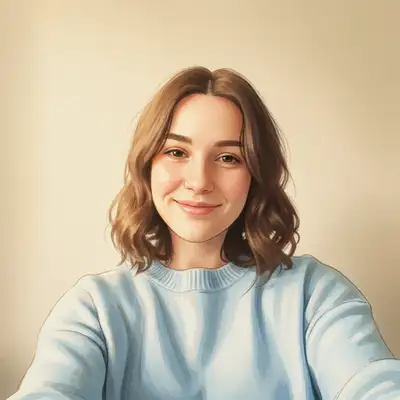
Turn Any Photo into Anime Art in Seconds
The anime filter trend has exploded. People want to see themselves, their friends, and their pets as anime characters without learning to draw or hiring an artist. AI anime filters have gone viral on social media because they actually capture your likeness in a recognizable anime art style. Upload a photo, describe the style, and get anime artwork that looks like you.
Anime Styles You Can Try
- Classic anime: Clean lines, large expressive eyes, vibrant hair colors typical of shonen and shojo series
- Realistic anime: Semi-realistic style with anime proportions but more detailed shading and textures
- Chibi: Cute, exaggerated small body with oversized head and eyes
- 90s retro anime: Vintage anime look with softer coloring and that nostalgic VHS-era aesthetic
- Dark anime: Moody, high-contrast style seen in series like Death Note or Attack on Titan
- Watercolor anime: Softer edges with a painted, artistic quality
How the AI Anime Filter Works
The AI analyzes your photo to identify facial features, body proportions, hair style, clothing, and background. It then redraws the image in anime style while keeping the elements that make the photo recognizably you. Eye shape, hair color, outfit, and pose are all preserved. The result is not a generic anime face pasted on; it is your photo genuinely reinterpreted as anime art.
What Photos Convert Best to Anime
Clear, well-lit portraits and selfies produce the best anime conversions. Front-facing or slight angle works better than extreme profiles. Photos where the face is clearly visible without sunglasses or heavy shadows give the AI the most detail to work with. That said, group photos, pet photos, and full-body shots all convert to anime as well.
Popular Uses for Anime Photo Filters
Social media profile pictures in anime style are the most common use. People also create anime versions of couple photos, family portraits, and pet photos as fun gifts. Content creators use anime filters for thumbnails and channel art. Cosplayers preview how their looks translate to 2D. Some people even create anime-style wedding invitations or holiday cards.
Tips for Better Anime Conversions
Be specific about the anime style you want. Saying 'turn into anime' gives you the default look, but 'turn into 90s anime style' or 'make this look like a Studio Ghibli character' gives you something more targeted. If the first result is too subtle, try 'convert this photo into bold anime art with large eyes and vibrant colors.' You can also specify hair color changes: 'turn into anime with blue hair.'
Step-by-Step Guide
Upload Your Photo
Drop a selfie, portrait, group photo, or pet photo into EditThisPic. Clear, well-lit images with visible faces produce the best results. JPG, PNG, or WebP up to 7MB.
Describe the Anime Style
Type your edit prompt: 'turn this into anime style,' 'convert to anime art,' or get specific with 'make this look like a 90s anime character with dramatic shading.' The more detail you give, the closer the result matches your vision.
Review the Anime Version
Compare the anime result with your original using the before/after slider. Check that your features and likeness are captured. The AI preserves your hairstyle, clothing, and overall composition.
Refine or Download
Want a different style? Run another edit: 'make the eyes bigger,' 'add a more vibrant color palette,' or try a completely different anime aesthetic. Download when you are happy with the result.
Frequently Asked Questions
Ready to See Yourself as an Anime Character?
Upload your photo and get anime art in seconds. Free, instant, no signup.
Drop your photo to start editing
"convert this photo to anime style with large expressive eyes, smooth skin, and stylized features"
Release to upload