Free Photo Blur Tool Online
EditThisPic offers free photo blurring online. Upload your photo and describe what to blur: 'blur the background for a portrait effect,' 'blur the license plate,' or 'add bokeh to the background.' The AI applies natural-looking blur to exactly what you specify. Free, no download, no signup.
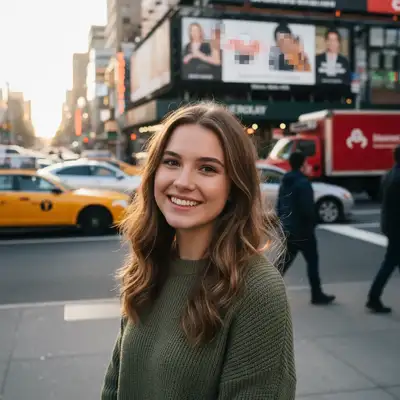
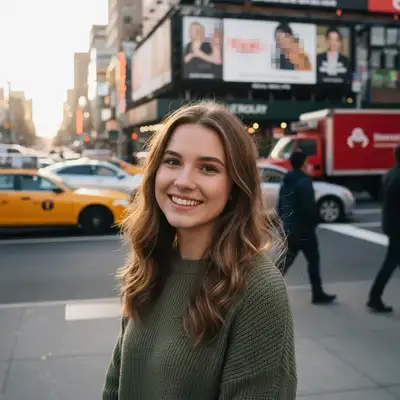
Selective Blurring for Any Purpose
Photo blur serves many purposes: creating portrait-style depth of field, censoring sensitive information, drawing attention to your subject, or softening distracting backgrounds. AI blurring is superior to manual tools because it understands the image content—it knows where the subject ends and the background begins.
How AI Photo Blurring Works
Describe what to blur and the AI handles the selection automatically. 'Blur the background' identifies the subject and blurs everything else, creating natural depth-of-field. 'Blur the face of the person on the left' targets specifically. The blur quality mimics real camera bokeh rather than applying flat Gaussian blur.
Common Blur Uses
- Background blur for portrait-style depth of field
- Blur faces for privacy in photos shared online
- Censor license plates, addresses, and documents
- Blur brand logos and signage
- Soften distracting elements without removing them
Getting Natural-Looking Blur
For the most realistic background blur, describe the style: 'add natural bokeh to the background like a portrait lens' rather than just 'blur the background.' For privacy blurring, a heavier blur is fine: 'heavily blur the license plate so it's unreadable.' Match the blur intensity to the purpose.
Step-by-Step Guide
Upload Your Photo
Drop your image into EditThisPic. No download or signup needed—works in any browser.
Describe What to Blur
Be specific: 'blur the background,' 'blur the face of the child in the photo,' 'blur the text on the document,' or 'add soft bokeh behind me.'
Download the Blurred Photo
Review the result and save at full resolution. No watermarks, no registration gate.
Frequently Asked Questions
Blur Any Part of Your Photo
Upload and describe what to blur. Background bokeh, face censoring, and more. Free, no signup.
Drop your photo to start editing
"blur the background to create soft creamy bokeh effect, keep subject perfectly sharp"
Release to upload