How to Make a Photo Look Like a Watercolor Painting
To make a photo look like a watercolor painting, upload it to EditThisPic and type 'turn this into a watercolor painting' or 'make this look like a watercolor with soft washes and bleeding colors.' The AI transforms your photo with translucent color layers, soft wet-on-wet edges, and the luminous quality of real watercolor on paper. Works on portraits, flowers, landscapes, and architecture. Free, no signup required.
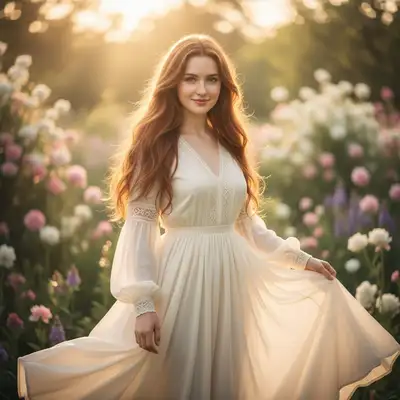
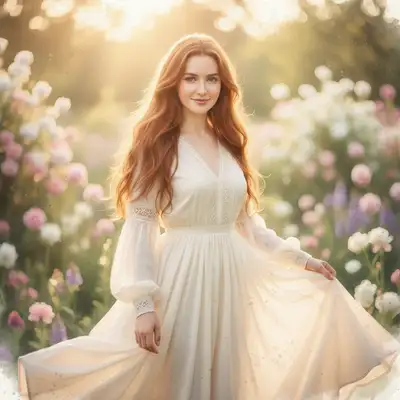
Give Any Photo the Delicate Beauty of Watercolor
Watercolor paintings have a quality no other medium can match: translucent washes of color that let light pass through the pigment and bounce off the paper beneath. The result is luminous, airy, and effortlessly elegant. AI can now replicate this effect convincingly, transforming photographs into images that look like they were painted with a wet brush on cold-press paper. The soft edges, color bleeding, and visible paper texture all contribute to an authentic watercolor look.
How AI Watercolor Conversion Works
The AI simplifies the complex tonal information in your photo into the kind of color washes a watercolorist would use. It reduces hard edges to soft, bleeding boundaries where colors flow into each other. It lightens areas where a painter would leave the paper showing through. It adds subtle granulation and pigment pooling effects that mimic how real watercolor paint settles into paper texture. The overall effect is looser and more interpretive than the original photo.
Watercolor Styles You Can Request
- Loose, wet-on-wet style with maximum color bleeding and soft edges
- Detailed botanical illustration style with precise linework under washes
- Minimalist watercolor with large areas of white space and sparse color
- Vibrant watercolor with saturated, jewel-tone colors
- Muted, vintage watercolor with desaturated earth tones
- Pen and wash style combining ink outlines with watercolor fills
What Subjects Work Best as Watercolors
Flowers and botanical subjects are the classic watercolor choice and translate beautifully. Landscapes with water, sky, and soft foliage look natural in watercolor. Portraits work well, especially with a loose, impressionistic approach. Architecture and cityscapes gain charm when rendered with watercolor texture. Pet portraits in watercolor style have a warm, whimsical quality that makes them popular as gifts and wall art.
Using Watercolor Photos as Wall Art
Watercolor conversions make excellent wall art because the style suits home decor naturally. Print on fine art paper or watercolor paper for the most authentic texture. A simple white mat and thin frame complement the delicate quality of watercolor. Groups of three or four watercolor prints from the same photo session create a cohesive gallery wall. The soft, airy quality of watercolor works in virtually any room.
Watercolor Effects for Invitations and Stationery
Wedding invitations, save-the-dates, and event stationery frequently use watercolor aesthetics. Convert an engagement photo or venue photo into watercolor for custom invitation artwork. The soft, romantic quality of watercolor perfectly suits wedding and event branding. You can also create watercolor-style logos, monograms, and decorative elements from photographic source material.
Step-by-Step Guide
Upload Your Photo
Drop or select any photo. Flowers, landscapes, portraits, and architecture all convert beautifully. Simpler compositions with good lighting produce the best watercolor effects. JPG, PNG, or WebP up to 7MB.
Describe the Watercolor Style
Type 'turn this into a watercolor painting' for the default effect. Or specify: 'loose watercolor with lots of color bleeding,' 'detailed botanical watercolor,' or 'minimalist watercolor with white space.' Naming a specific style gives better results.
Review the Watercolor
Use the before/after slider to compare your original photo with the watercolor version. Look for soft edges, color translucency, and paper texture. The best results feel painted, not filtered.
Adjust or Download
Want it looser? Say 'make it more abstract with softer edges.' Want more detail? Try 'keep more detail in the face.' Want different colors? Ask for 'warmer tones' or 'more vibrant washes.' Download when you are happy with the result.
Frequently Asked Questions
Ready to Turn Your Photo into a Watercolor?
Upload any photo and watch AI transform it into a soft, luminous watercolor painting. Free, no signup.
Drop your photo to start editing
"Generate watercolor"
Release to upload