How to Remove Under-Eye Bags from Photos
To remove under-eye bags from a photo, upload your image to EditThisPic and type 'remove the bags under the eyes' or 'smooth out the puffy under-eye area.' The AI reduces puffiness and smooths the contour while keeping your face looking natural. Free, no signup.
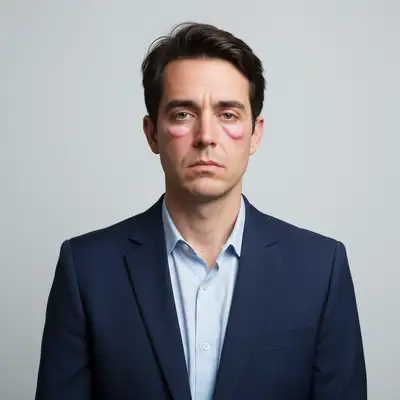

Why Under-Eye Bags Show Up So Prominently in Photos
Under-eye bags are pouches of fluid or fat beneath the lower eyelid. In person, they're subtle. In photos, directional lighting casts shadows beneath the puffiness, making bags look twice as pronounced. Flash photography is the worst offender — the direct frontal light creates a sharp shadow line right under the bag. Even ring lights, popular for selfies, can accentuate the contour by lighting the puffy area brightly while leaving the hollow beneath it in shadow.
Types of Under-Eye Bags the AI Handles
- Puffy bags from fluid retention (morning puffiness, allergies, crying)
- Permanent bags from aging and loss of skin elasticity
- Hereditary under-eye bags (genetic predisposition regardless of age)
- Shadows cast beneath bags by harsh lighting
- Asymmetric bags where one eye is puffier than the other
- Combined bags and dark circles (puffiness with discoloration)
How AI Under-Eye Bag Removal Works
The AI detects the raised contour of the under-eye area and smooths the transition between the bag and the cheek. It reduces the volume of the puffy region and eliminates the shadow beneath it. For severe bags, it flattens the contour gradually rather than abruptly — an abrupt change would look like digital surgery. The correction is applied to each eye independently, handling asymmetry naturally.
Eye Bags vs. Dark Circles: What's the Difference
Dark circles are discoloration — the skin under the eye looks blue, purple, or brown. Eye bags are structural — a puffy, raised area that creates a shadow. Many people have both, but they require different corrections. Dark circles need color evening; bags need contour smoothing. You can fix both in one edit: 'remove the bags and dark circles under my eyes.' The AI applies the right technique to each problem.
When Under-Eye Bag Removal Matters
Professional headshots and corporate photos — nobody wants to look exhausted in their LinkedIn photo. Wedding and event photos taken after long, emotional days. Morning photos where overnight fluid retention made bags more prominent. Travel photos taken during jet lag. Video call screenshots for work profiles. Dating app photos where you want to look alert and rested. Any portrait where harsh lighting exaggerated what's normally a minor feature.
Prompts for the Best Results
For full removal: 'remove the bags under my eyes.' For subtle reduction: 'reduce the puffiness under the eyes, keep it natural.' For one eye: 'smooth the bag under the left eye — the right looks fine.' Combined fix: 'remove the bags and brighten the dark circles under the eyes.' If you want minimal correction: 'just soften the shadow beneath the eye bags, don't remove them entirely.' Start with reduction and escalate to removal only if needed.
Step-by-Step Guide
Upload Your Portrait
Drop your photo into EditThisPic. The AI works on all portrait types — selfies, headshots, event photos, and group shots. Closer face shots give the AI more detail to work with.
Describe the Under-Eye Fix
Type 'remove the bags under my eyes,' 'reduce under-eye puffiness,' or 'smooth out the puffy area below the eyes.' Mention if you also want dark circles addressed.
Check the Eye Area
Zoom into the under-eye region. The area should look smoother without an unnatural flatness. The lower eyelid crease should still be visible — completely removing it looks artificial.
Adjust the Intensity
If bags are still visible, try 'smooth the under-eye area more aggressively.' If the result looks over-edited, say 'bring back some natural contour — just reduce the worst puffiness.' Small refinements get the most convincing result.
Frequently Asked Questions
Smooth Away Under-Eye Bags
Upload your photo and reduce puffy eye bags in seconds. Free, instant results.
Drop your photo to start editing
"remove the bags under my eyes and smooth the under-eye area naturally"
Release to upload