Photo Restoration Near Me: What Local Services Cost and When Online AI Works Just as Well
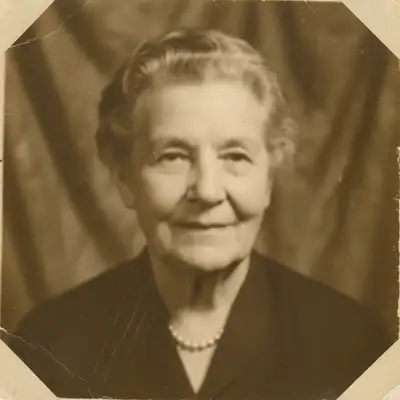

What Local Photo Restoration Services Actually Do
Local photo restoration involves a technician or specialist digitally scanning or photographing your damaged original print, repairing the digital file using editing software, and producing a new print or digital file. The work varies enormously in complexity: a lightly faded photo might need only a few adjustments to color balance and contrast; a severely torn or water-damaged photo with missing areas requires manual reconstruction of missing content — a time-intensive task. Most local services are run by photography studios, print shops, or specialist restoration businesses. Some large-format print shops and museum conservation centers also offer restoration, which is a different and more expensive service oriented toward archival preservation of originals rather than producing digital copies.
They scan your original print
The original damaged print is digitized at high resolution. The physical original is not altered — you get it back.
Digital repair is performed
A technician repairs fading, scratches, tears, water damage, and missing areas in the digital file using editing software.
A new print or digital file is delivered
You receive the restored digital image and, usually, a new physical print. The original is returned to you.
Local Restoration Costs & Turnaround
Local photo restoration services typically charge $50–150 per photo for standard restoration work on lightly to moderately damaged prints. Severely damaged photos — significant tearing, major water damage, large missing areas — can cost more and require more time. Turnaround varies widely: simple restorations at a photo print shop may take 1–3 days; complex manual reconstruction work at a specialist can take weeks. Rush service, if available, typically adds a premium. Museum-grade archival conservation of physically damaged originals is a different category and costs considerably more. Prices vary significantly by market and provider — always request a quote before committing, ideally with a scan or photo of the damaged original so the provider can assess complexity.
Typical cost: $50–150 per photo
Standard restoration of lightly to moderately damaged prints. Severe damage costs more. Always get a quote before committing.
Turnaround: 1 day to several weeks
Simple work at a print shop can be quick. Complex manual reconstruction takes longer. Ask before dropping off your originals.
Send a photo of the damage with your inquiry
Most services will estimate cost if you send a photo of the damaged original. This avoids surprises on final pricing.
When a Local Pro Is the Right Choice
A local professional restoration service is the right call in specific situations. If your original is physically damaged — torn, water-soaked, mold-damaged, or stuck together — a specialist has the equipment and expertise to safely handle the physical print and produce the best possible scan. For archival-grade work where preserving or stabilizing the physical original matters (family heirloom photos, historical documents, photos of deceased relatives with no other copies), the professional's judgment and equipment justify the cost. For large collections where restoring dozens of photos would be impractical to do individually online, local services and batch-processing mail-in services offer volume pricing. For restorations that require extensive manual reconstruction of missing areas (a face that's torn away, large ink or mold blobs), a skilled human retoucher will outperform an AI tool on heavily complex damage.
Use a pro for physically fragile originals
If the print is torn, stuck, or physically damaged in ways that make scanning dangerous, a specialist has the proper handling equipment.
Use a pro for archival and heirloom significance
One-of-a-kind family heirlooms or historical photos with no other copies warrant professional care and the best possible scan.
Use a pro for large missing areas
Extensive manual reconstruction of missing content — large tears, missing faces — benefits from skilled human judgment over automated AI tools.
The Online AI Option: Restore Free in Seconds
For most common photo damage — fading, discoloration, scratches, small cracks, minor water damage — an AI restoration tool can produce excellent results in seconds with no technical skill required. The process is simple: photograph your damaged print with a smartphone or scan it on a flatbed scanner, then upload the digital image to EditThisPic. The AI restoration tool analyzes the damage and applies repairs automatically. Results are immediately downloadable. EditThisPic offers one free Fast edit per week with no account required, meaning you can try restoration on your first photo right now at no cost. AI restoration handles fading, color correction, crack and scratch removal, and contrast restoration well. It works most effectively on photos where the content is mostly intact and the damage is surface-level — scratches, yellowing, and fading rather than large tears or missing sections.
Photograph or scan your original
A smartphone photo in good natural light works for AI restoration. A flatbed scanner produces cleaner input for better results.
Upload to EditThisPic and restore
Upload your digitized photo and use the AI photo restorer. The tool repairs fading, scratches, and discoloration automatically.
Download and print the restored version
Download the restored digital file and print it at any photo counter. One free edit per week, no account required.
How to Prepare Your Photo for Restoration
Whether you're sending a photo to a local service or digitizing it yourself for AI restoration, the quality of the starting scan or photograph matters. For smartphone photography of prints, use bright indirect natural light (near a window but not in direct sun), hold the phone parallel to the print to avoid distortion, and capture at the highest resolution your camera allows. Avoid flash, which creates glare and hot spots that obscure damage. A flatbed scanner produces the cleanest result for AI or professional restoration — scan at a minimum of 600 DPI (1200 DPI or higher for small originals). Lightly dust the surface of the print before scanning with a soft brush. Handle old or fragile prints by the edges and avoid folding or bending them further during the digitization process.
Scan at 600 DPI minimum
For best AI restoration results, scan at 600 DPI or higher. A smartphone photo works but a flatbed scanner produces cleaner input.
Use indirect natural light for phone photography
Natural light near a window, no flash. Hold the phone parallel to the print to avoid perspective distortion.
Handle fragile originals by the edges
Old prints may be brittle. Avoid pressing down on them, folding, or bending. For severely fragile originals, take the print to a local specialist rather than attempting to digitize it yourself.
Frequently Asked Questions
Restore old photos free — no scanner, no software needed
Upload a photo of your damaged print and AI fixes fading, scratches, and discoloration. Free, no account required.
Restore Old Photo Free
"restore this old damaged photo — fix the fading, remove scratches and cracks, correct the color, and make it look like new"
Free to try · no sign-up · photos are never shared
Release to upload