Grátis • Sem cadastro Remove Clutter · Grátis

Remove Clutter from Photo

Clean up messy backgrounds by removing distracting objects and visual noise.

Messy desk with papers and clutter
Before
Clean organized desk surface
After

Remove Clutter from Photo

Drop your photo here

or click to browse

Release to upload

Grátis • Sem cadastro

Advertisement
Popular use cases:
  • real estate staging
  • product photography
  • home organization
  • social media content
  • video call backgrounds
  • interior photos

Cost
Free No signup required
Time
Instant results in 15-30 seconds
Works on
Any device - browser, phone, tablet, desktop
Powered by
AI-powered photo editing
Scenario Prompt Time
Desk cleanup remove desk clutter, show clean surface 25s
Kitchen counter clear counter of clutter 30s
Keep some items remove clutter except laptop 30s
Background only clean up background clutter 25s

How it works

  1. Envie sua foto

    Arraste sua imagem para o EditThisPic. JPG, PNG, WebP up to 7MB. Works on rooms, desks, countertops, and any cluttered scene you want to clean up.

    Expect: Light clutter: 20-30 seconds. Heavy decluttering with many objects: may need 2-3 refinements.
  2. Describe what clutter to remove

    Type your instruction: 'remove the clutter on the desk and show clean surface' or 'clean up the background by removing the scattered items.' Be specific about which items to remove if you want to keep some. Sem marcacao necessaria para general decluttering.

    Tip: Describe what should remain: 'keep the laptop but remove everything else from the desk'

    Copy one of these to get started:

    Desk cleanup remove the clutter on the desk and show a clean organized surface
    Real estate staging remove the personal items and clutter from the room, show a staged clean space
    Kitchen counter clear the kitchen counter of clutter and show clean countertop
    Keep specific items remove all clutter from the desk except the laptop and plant, clean surface elsewhere
    3 more prompts
    Background cleanup clean up the cluttered background behind me, remove distracting objects
    Floor clutter remove the items scattered on the floor and show clean flooring
    Product photo background remove all background clutter and create a clean minimalist setting for the product
  3. Revise o resultado

    Check that unwanted items are gone and the surface looks naturally empty. Verify that items you wanted to keep are still there and the fill blends with surrounding areas.

  4. Refine with markers if needed

    If some clutter remains or the AI removed something you wanted to keep, tap markers on specific items for a targeted follow-up edit. Sometimes complex scenes need multiple passes.

    Tip: Use markers when you want to remove specific items while keeping others nearby.
Try it free

Remove Clutter from Photo

Drop your photo here

or click to browse

Release to upload

Grátis • Sem cadastro

"Turned my messy home office into a Pinterest-worthy workspace photo. The AI removed everything I asked and made it look naturally clean." @home_office_goals

See it in action

Messy desk with papers and clutter
Before
->
Clean organized desk surface
After

Inicio office desk decluttered

Messy work desk cleaned up for a professional social media post. Papers, cables, and random items removed.
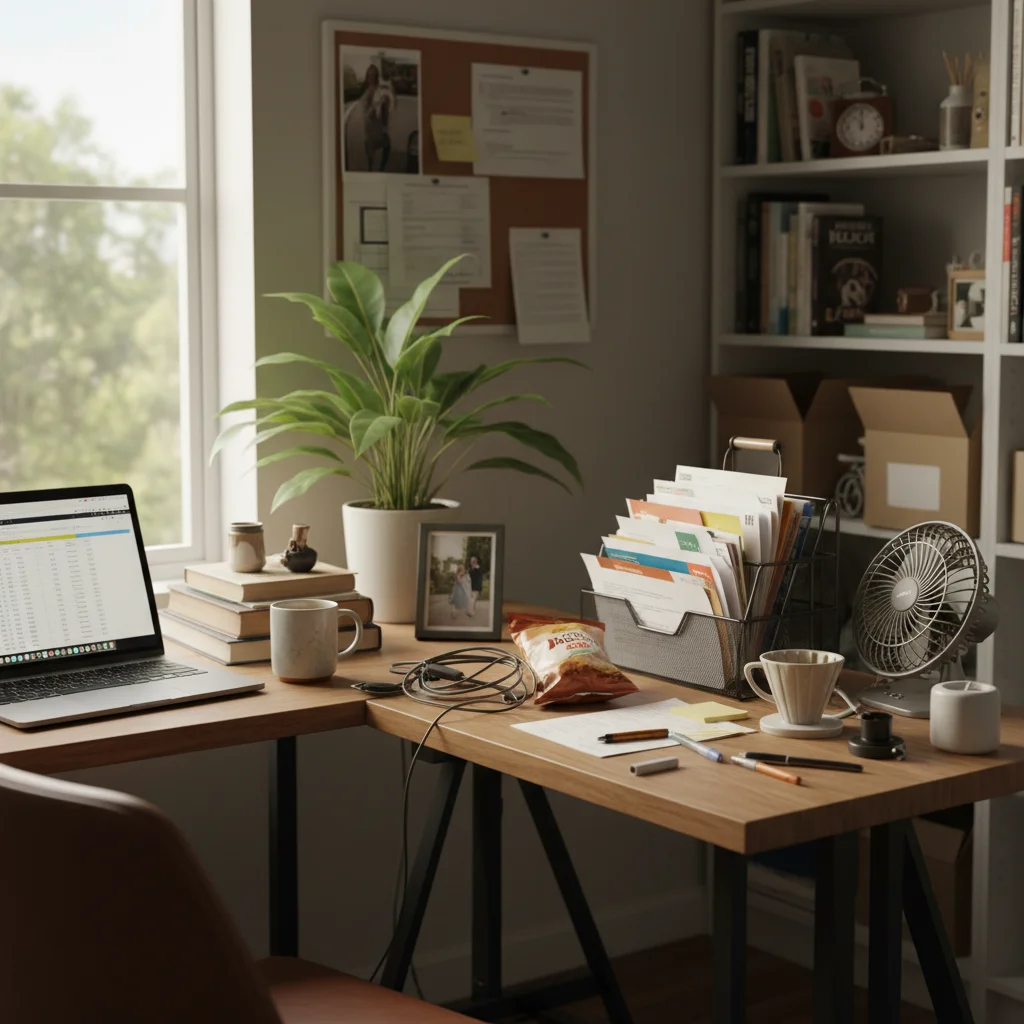
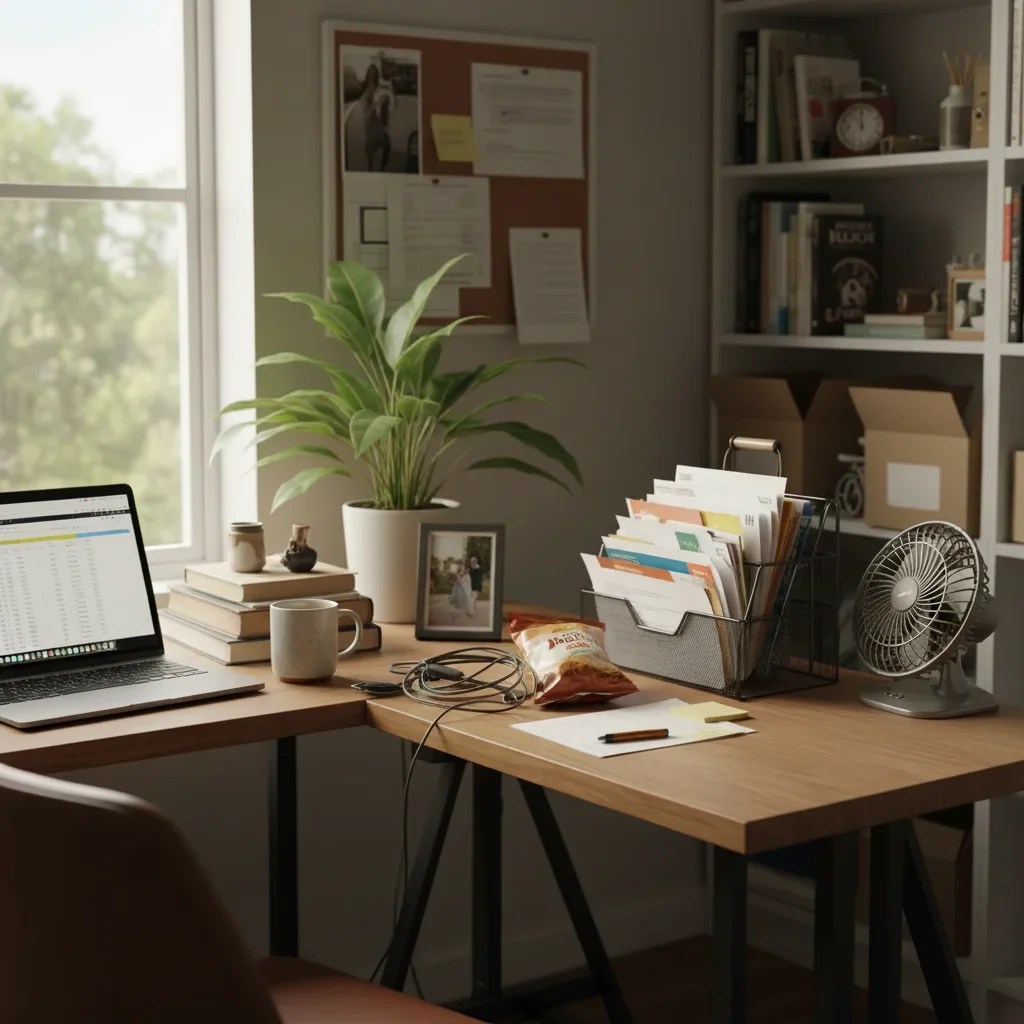
Prompt: remove the clutter on the desk and show a clean organized surface
Kitchen counter with appliances and items
Before
->
Clean empty kitchen counter
After

Kitchen ready for listing

Busy kitchen counter cleared for real estate photos. Personal items and appliances removed for that staged look.


Prompt: clear the kitchen counter of clutter and show clean countertop
Living room floor with toys and items
Before
->
Clean living room floor
After

Living room floor cleared

Kids' toys and scattered items removed from the living room floor for a cleaner family photo backdrop.

Prompt: remove the items scattered on the floor and show clean flooring
Advertisement

If something looks off

AI removed something I wanted to keep

Why: The AI interpreted 'clutter' to include items you considered important or decorative.

Try: Undo and specify: 'remove clutter but keep the plant and lamp'

Tip: Explicitly list items to keep in your prompt to prevent accidental removal.

Some clutter still visible

Why: The AI didn't recognize all items as clutter, especially small or partially hidden objects.

Try: Tap markers on remaining items and say 'remove these remaining objects'

Tip: Multiple passes work well for heavily cluttered scenes.

Fill doesn't match the surface texture

Why: The AI-generated surface is slightly different from the original desk, counter, or floor.

Try: blend the cleared areas to match the surrounding surface texture and color

Tip: Describing the surface helps: 'show clean white desk' or 'match the wood grain pattern'.

AI couldn't tell what was clutter vs important

Why: Clutter is subjective. The AI had to guess what you considered unwanted.

Try: Tap markers on specific items you want removed, then regenerate

Tip: Markers give you precise control over exactly which items to remove.

Large cluttered area looks patchy after removal

Why: Removing many items at once required the AI to generate a lot of new surface area.

Try: smooth out the cleared area and create uniform surface appearance

Tip: For heavy decluttering, try removing items in stages for cleaner results.

Quick answers

Do I need to mark the clutter before describing?

No! Basta descrever what you want: 'remove the clutter from the desk' or 'clean up the background.' The AI understands general decluttering requests. Use markers when you want to remove specific items while keeping others nearby, or when the AI misses something on the first try.

How does AI know what counts as clutter?

The AI looks for smaller, scattered items that appear out of place. For more control, be specific: 'remove the papers and cables' or 'keep the laptop, remove everything else.' You can always use markers to target exact items.

Can I remove clutter but keep certain things?

Absolutely! Add exceptions to your prompt: 'remove desk clutter but keep the computer and plant.' Or use markers to tap only the specific items you want removed while leaving others untouched.

Does it work for real estate photo staging?

Yes, it's perfect for virtual staging. Use prompts like 'remove personal items and clutter for real estate listing' to create that minimalist, staged look buyers expect.

What if there's a lot of clutter?

Heavily cluttered scenes may need 2-3 passes. Start with the largest or most obvious items, then refine. The AI handles complex decluttering but may need guidance for perfect results.

Ready to declutter your photos?

Gratis to try. Sem cadastro required.

Try it free