How to Add a Person to Any Photo
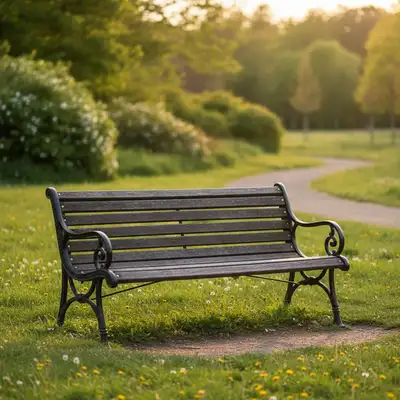
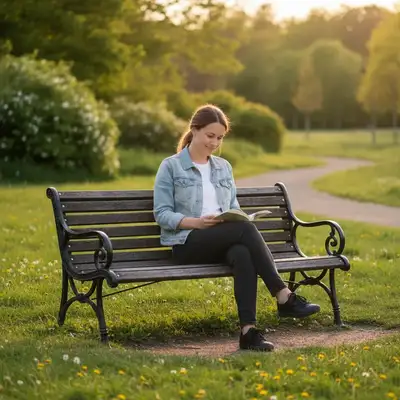
To add a person to any photo, upload your main image and a reference photo of the person you want to add. Describe where you want them placed (e.g., 'add the person from the reference image standing on the left side'). EditThisPic's AI handles lighting, shadows, and blending automatically. Free to try, no account needed.
Why Adding People to Photos Is Now Easy
Whether you're creating a composite family photo, adding someone who missed the group shot, or placing yourself into a vacation scene, AI makes it simple. No Photoshop skills required—just describe what you want.
How AI Photo Compositing Works
EditThisPic uses advanced AI to understand both your main photo and reference image. It analyzes lighting direction, color temperature, and perspective, then seamlessly blends the person into the scene. The result looks natural because the AI matches shadows and adjusts the person's scale automatically.
Tips for the Best Results
For the most realistic composites, use a reference photo with similar lighting to your main image. Front-facing photos work best for adding people. Be specific in your description—mention exact placement like 'standing behind the table on the right' rather than just 'add them to the photo'.
Common Use Cases
- Adding family members who missed the group photo
- Placing yourself into travel photos
- Creating memorial composites with loved ones
- Making fun montages for social media
- Inserting people into real estate or event photos
Step-by-Step Guide
Upload Your Main Photo
Drop or select the photo where you want to add someone. This is your background image—the scene the person will be placed into.
Upload Reference Image
Add a second photo showing the person you want to insert. Clear, well-lit photos with the person facing forward work best.
Describe the Placement
Type where you want the person placed: 'add the person from reference standing on the left side, matching the scene lighting.' Be specific about position and scale.
Review and Refine
Check the result. If the position or size needs adjustment, describe the fix: 'move them slightly to the right' or 'make them smaller to match the perspective.'
Frequently Asked Questions
Ready to Add Someone to Your Photo?
Upload your photos and describe the placement. Free, no signup.
Drop your photo to start editing
"Add the person from the reference image into this photo"
Free to try · no sign-up · never used for AI training
Release to upload