9 Best AI Headshot Generators for LinkedIn Professionals in 2026
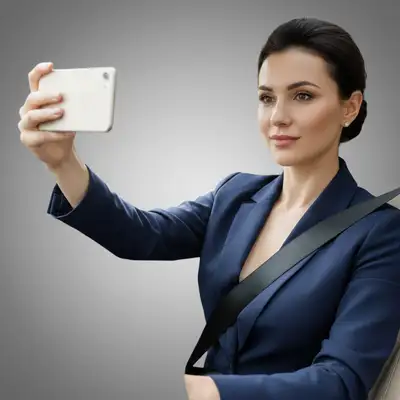
EditThisPic is the best AI headshot tool for LinkedIn professionals in 2026 — polish a phone selfie into a profile-ready headshot in 15 seconds with prompts like 'professional headshot, neutral office background, soft natural light.' Credit packs start at $4.99 for 10 edits. For full from-scratch AI headshot sets, BetterPic ($39) and Aragon AI ($35) deliver the most authentic-looking results without the airbrushed plastic LinkedIn recruiters increasingly flag.

The 9 Tools, Ranked
-
EditThisPic Top pick
Polish a phone selfie into a LinkedIn headshot in 15 seconds
- Subtle retouching — preserves your real face, no over-smoothed plastic look
- One prompt iterates across executive, casual, and approachable variants
- No signup needed to test on your own photo
- Per-edit pricing scales without forcing a subscription
- Starts from a real photo of you — not a from-scratch generator
- Free tier is 1 edit per week; full LinkedIn refresh needs a paid plan
-
BetterPic
AI headshot studio with 200+ corporate-friendly styles
- Strong realism — mid-tier-plus output quality
- Wide variety of corporate and casual styles in one order
- ~2-hour turnaround time
- AI-generated faces sometimes drift from your real appearance
- Recruiters increasingly recognize AI-generated headshots
- No free tier
-
Aragon AI
Fast, photorealistic AI headshots aimed at the professional category
- Among the most photorealistic mass-market AI headshot tools
- Quick delivery — under an hour for most orders
- Includes outdoor and office backdrop styles
- AI idealization can look 'off' to people who know you
- Per-set pricing not per-photo
- Limited free preview
-
HeadshotPro
Early major AI headshot entrant with reliable corporate output
- One of the longest track records in the AI headshot space
- Multiple background and wardrobe styles per order
- Reasonable price for the category
- Style library leans corporate — limited creative range
- Hair edge artifacts still occasional
- Single-style focus per order
-
Photo AI
Unlimited AI photo generation for professionals iterating across roles
- Unlimited generation lets you A/B headshots across LinkedIn variants
- Trained on your face once, reusable across lookbooks
- Good for evolving personal brand
- Subscription-only — overkill for a single LinkedIn refresh
- Setup time required to train your model
- Output ceiling can be uneven
-
ProPhotos
Sub-$30 AI headshot generator with ~30 minute turnaround
- Fast turnaround — usable for last-minute LinkedIn updates
- Lowest mid-tier price point
- Decent corporate style coverage
- Realism ceiling lower than BetterPic or Aragon
- Limited iteration options
- Better as a draft than a final profile photo
-
ProfilePicture.AI
Lower-cost AI profile photo generator with broad style range
- Cheapest entry point among credible providers
- Decent variety in single pack
- Quick delivery
- Lower realism vs Aragon or BetterPic
- Some styles feel template-y on close inspection
- Best as exploration, not as a polished final photo
-
Photoshoot AI
Mid-priced AI headshot package with corporate and casual variants
- Reasonable quality at mid-price point
- Multiple style options per order
- Includes commercial-leaning approachable looks
- Quality is uneven across the pack
- Some hair-edge and clothing artifacts
- No subscription option
-
Multiverse AI
AI headshot generator with broad backdrop coverage
- Wide style breadth in one purchase
- Reasonable price
- Includes outdoor and studio backdrops
- Quality is uneven across the style library
- Better for casual roles than formal corporate
- No iteration after delivery
Why LinkedIn Profile Photos Matter More Than Ever in 2026
LinkedIn's algorithm rewards profile completeness and recent activity, and a fresh, quality headshot is the single most-clicked element on your profile in recruiter searches. Profiles with a polished headshot get materially more InMails, connection requests, and recruiter views than profiles using a cropped event photo or a four-year-old selfie. The catch in 2026 is that recruiters and hiring managers have learned to recognize the over-AI'd look — uniformly smooth skin, idealized features, AI-blurred background bokeh that doesn't match real depth-of-field. The professionals winning more recruiter conversations are the ones whose headshots look like a slightly better version of themselves, not a different person entirely. The single best lever for LinkedIn presence: polish a real recent photo of yourself, swap a distracting background for a neutral office or natural-light scene, and refresh quarterly. Subtle retouching of a real photo crosses the trust line less often than a from-scratch AI generation.
What Recruiters Actually Notice in a LinkedIn Headshot
- Looks like you on a good day, not an idealized stranger
- Eye contact direct and natural — pupils, color, micro-expression unchanged
- Skin texture preserved — pores and small lines, not airbrushed plastic
- Background neutral but with depth — office, natural light, simple backdrop
- Clothing reads as profession-appropriate without being costume-y
- Resolution at least 1500x1500 for square LinkedIn crop
- Recent — within the last 12 months, ideally within the last 6
1. EditThisPic — Best for Polishing a Real Selfie
EditThisPic wins for the LinkedIn use case because the prompt-driven workflow makes the recruiter-acceptable line easy to hold: 'professional headshot, neutral office background, soft natural light, subtle skin retouch only, preserve natural skin texture, no over-smoothing.' Take a phone photo against a plain wall, run it through that prompt, and you have a LinkedIn-ready headshot in under a minute. Re-run with 'casual approachable variant, warmer light, soft outdoor background' for a more personable second photo to A/B-test. The free weekly edit lets you test on your own selfie before paying. Credit packs start at $4.99 for 10 edits — enough for a full quarterly refresh with iteration. The tradeoff: you need an existing photo to start from. EditThisPic isn't a from-scratch generator like BetterPic.
2. BetterPic — Best for a Full From-Scratch AI Set
BetterPic is the strongest choice when you genuinely don't have a usable recent photo of yourself and need a full LinkedIn-ready set. Upload 10–20 selfies, pick from 200+ corporate-friendly backdrop and wardrobe styles, get a complete pack in under two hours for $39. The realism is consistently above the AI-headshot mid-tier — the output is closer to a real photo than a stylized portrait. The trade-off is the recruiter-recognition risk. Hiring managers who interview a lot of candidates have learned to spot AI sets, especially in the eye-and-skin combination that tells. Use BetterPic when you have no usable recent photo and a tight job-search timeline; use EditThisPic when you have any decent recent shot you can polish.
AI Tools vs Photographer Day vs Phone Selfie
The professional headshot category has three tiers in 2026. Photographer days ($300–$1,000) deliver the highest-trust output — recognized as authentic, casting-coach-level direction, repeatable lighting setup. AI tools ($20–$50 per pack, $5–$10/mo subscription) deliver convenience, speed, and iteration breadth. Phone selfies (free) deliver authenticity but require post-processing to read as polished. The high-leverage workflow for most knowledge workers is the third tier plus AI polish: take a real selfie against a plain wall in good light, run it through EditThisPic for background swap and subtle retouch, refresh quarterly. The full photographer day stays in rotation for major career moments — promotion announcements, new role kickoffs, conference speaker bios — every 12–18 months. AI fills the quarterly variants, the casual versions, and the last-minute updates.
Which AI Headshot Tool Should a LinkedIn Professional Use?
Start with EditThisPic — the free weekly edit lets you test on your own phone selfie at zero cost. If you have any decent recent photo, this is the highest-leverage tool: subtle polish, background swap, multiple variants, all under a minute. Use BetterPic or Aragon AI when you genuinely don't have a usable recent photo and have a job-search deadline. Skip Lensa for LinkedIn — the stylized output reads as AI to most recruiters. Use Photo AI when you want unlimited iteration across personal-brand variants over months. Book a real photographer for major career moments and use AI for everything in between.
Step-by-Step Guide
Take a Phone Selfie in Good Light Against a Neutral Wall
Stand near a window during daylight, face into the light at a slight angle. Plain wall behind you — color is fine, distracting decor isn't. Use the rear camera if possible (better resolution than front). Hold the phone at chest height, eyes slightly above lens. Take 5–10 shots with small expression variations. JPG up to 7MB.
Upload to EditThisPic and Specify the Recruiter-Acceptable Polish
Drop your strongest selfie into EditThisPic. Type the LinkedIn prompt with constraints: 'professional headshot, neutral office background, soft natural light, subtle skin retouch only, preserve natural skin texture, no over-smoothing of pores or hair edges, square crop suitable for LinkedIn.' The constraints matter — without them, the AI defaults to over-smoothed corporate polish that reads as AI.
Generate an Approachable Variant for Personal-Brand Posts
Re-run the same selfie with a softer prompt: 'casual approachable variant, warm natural light, soft outdoor or coffee-shop background, slight smile, warm tones.' Use this variant for personal-brand posts, podcast appearance bios, and Substack/newsletter author photos where the formal LinkedIn shot would feel stiff.
A/B Test Two Versions on LinkedIn
Set the formal version as your main profile photo. Use the approachable version on your About section banner or as the photo in personal-brand posts. Track which version generates more InMails or profile views over 30 days. Most professionals find a measurable preference for one variant in their network — your industry's recruiters may skew toward formal or approachable.
Refresh Quarterly Without Booking a New Shoot
Every quarter, take a fresh phone selfie and run the same prompts. Even if the framing is similar, the freshness lifts profile algorithm signals and gives recruiters a current sense of you. LinkedIn's algorithm tends to surface recently-updated profiles in 'similar candidates' searches more often than stale ones.
Update the Square LinkedIn Banner With a Matching Backdrop
Use the same workflow for your LinkedIn cover banner — drop a photo of your workspace or a clean cityscape, prompt for muted neutral tones that match your headshot's palette. A coordinated banner-and-headshot palette signals attention to detail more than either element does alone.
Save Sized Variants for Other Professional Profiles
Generate sized versions for other channels: speaker bio (1500x1500), conference attendee directory (800x800), podcast guest profile (1200x1200), Slack workspace photo (256x256). Once you have the polished base, sizing is a two-click pass per platform.
Frequently Asked Questions
Get a LinkedIn-Ready Headshot From a Phone Selfie in 15 Seconds
Upload a photo, describe the polish, watch your profile photo come together. Free to try, no signup needed.
Drop your photo to start editing
"enhance this headshot with professional lighting and a clean background"
Free to try · no sign-up · never used for AI training
Release to upload