LinkedIn Headshots from Selfies — One Photo, Under a Minute
Last updated
Look like you paid for a professional headshot, without the $300 photographer fee.
Drop your photo here
"Make this a professional LinkedIn headshot with a neutral gray background and soft studio lighting"
Free to try · no sign-up · never used for AI training
Release to upload

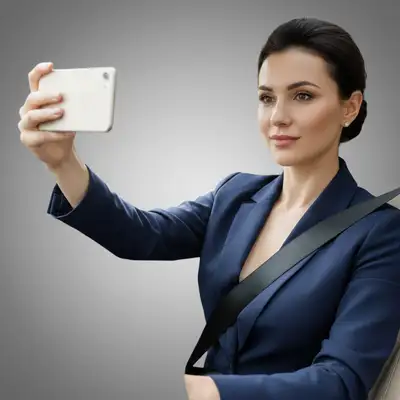
Built for Professionals and Job Seekers
Your LinkedIn photo is often your first impression with recruiters, clients, and colleagues. Professional headshots cost hundreds of dollars and require scheduling. EditThisPic lets you transform any decent photo into a polished, professional headshot in seconds. Look the part without the studio price tag.
Tools for Professional Headshots
Blur Background
Create professional depth blur like expensive portrait lenses
Replace Background
Swap casual backgrounds for professional office settings
Enhance Lighting
Professional studio-quality lighting from any photo
Enhance Face
Subtle professional retouching without looking artificial
Remove Background
Create clean cutout for custom backgrounds or composites
How to AI Photo Editor for LinkedIn Headshots
-
Choose your best photo
Pick a photo where you're looking at the camera with a natural expression. Outdoor photos with even lighting work great. Avoid extreme angles or heavy shadows on your face. Selfies work if they're not too close.
Background blur: 15-20 seconds. Full background replacement: 25-35 seconds.Photos taken in shade or on overcast days have the most even, flattering lighting. -
Upload and describe your professional look
Drop your photo into EditThisPic and describe what you want: 'blur background professionally, enhance lighting to look like studio headshot' or 'replace background with neutral gray studio backdrop.'
Combine edits in one prompt: 'blur background, enhance face lighting, remove blemishes, keep it natural looking' -
Review for professional standards
Check that you still look like yourself. Verify background blur is smooth without halos around your hair. Ensure lighting looks natural, not obviously enhanced. Your headshot should look professional but authentic.
Copy-Paste Prompts for LinkedIn Headshots
Make this a professional LinkedIn headshot with a neutral gray background and soft studio lighting
Blurred office backgrounds suggest professionalism without distraction
replace background with smooth gradient gray to white studio backdrop, professional portrait lighting on face
Classic studio backdrop works for any industry and never goes out of style
blur background with professional portrait bokeh, keep me in sharp focus, enhance facial lighting subtly
Keeping your actual background (blurred) can look more natural than a full replacement
enhance face for executive headshot, reduce under-eye shadows, subtle skin polish, keep completely natural looking
'Completely natural looking' prevents over-processing that looks fake
Show 4 more prompts
replace background with modern creative office space, exposed brick, slightly blurred, artistic but professional
Creative fields like design, marketing, or tech can use less traditional backgrounds
blur background to soft bokeh, enhance lighting to warm golden hour look, professional but approachable
Outdoor backgrounds work well for consultants, coaches, and client-facing roles
correct the yellow indoor lighting to neutral, enhance face with soft professional lighting, blur background
Indoor photos often have color casts - fixing this instantly looks more professional
slightly brighten teeth naturally, enhance eye brightness subtly, keep my natural expression and features
Very subtle enhancements to smile and eyes project confidence without looking edited
| Edit Type | Prompt | Time | |
|---|---|---|---|
| Office background | replace with blurred professional office |
25s | Try This → |
| Studio backdrop | gradient gray to white studio backdrop |
20s | Try This → |
| Blur existing | blur background with portrait bokeh |
15s | Try This → |
| Full polish | blur background, enhance lighting, subtle face polish |
35s | Try This → |
Real Examples
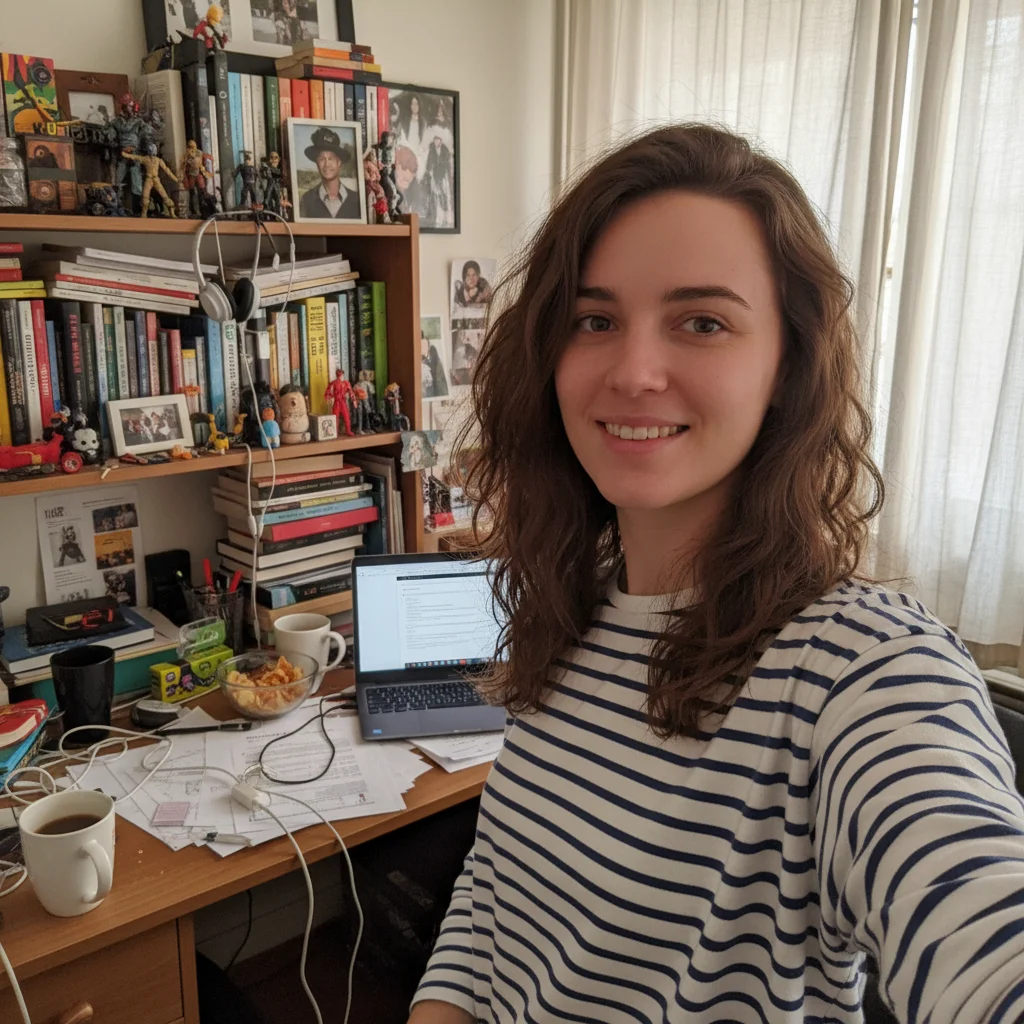
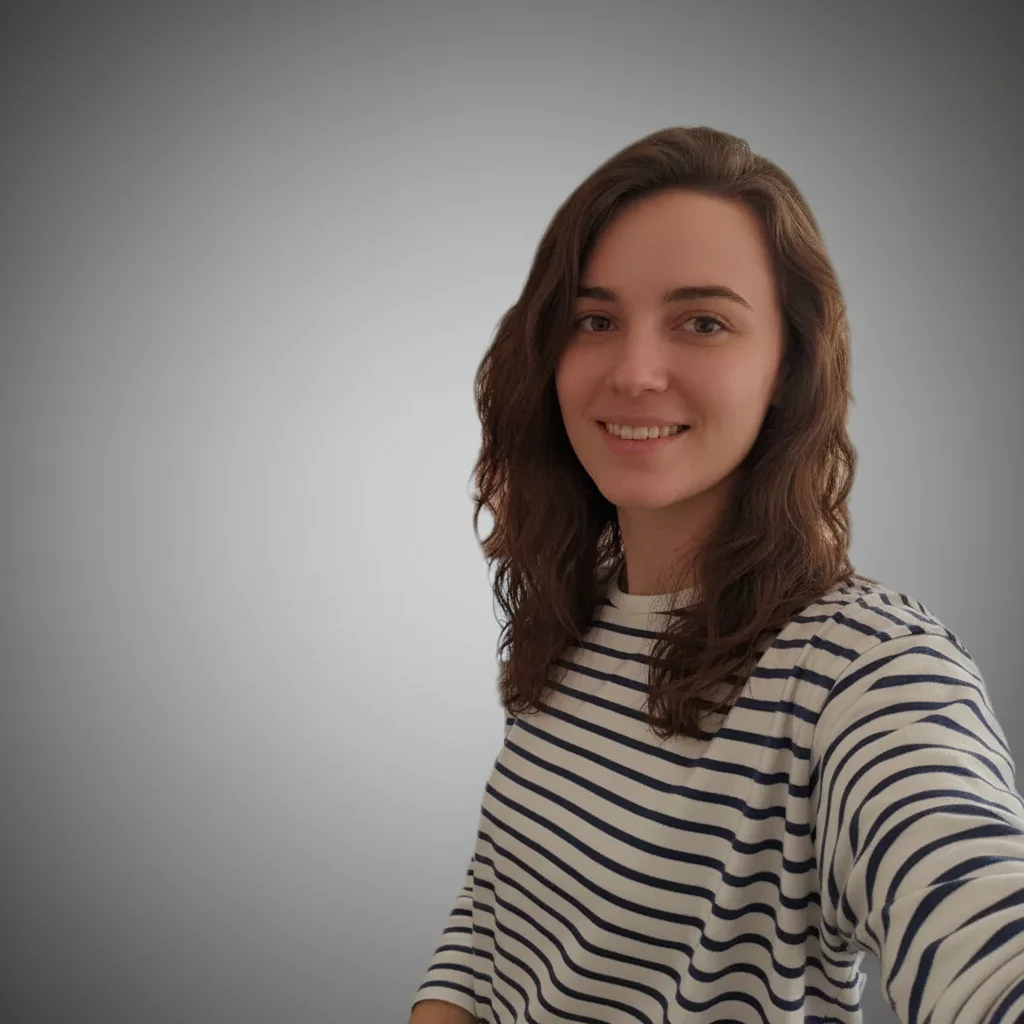
The car selfie rescue
That selfie you took in your car because the window lighting was perfect? Now it's a proper headshot without the steering wheel and seatbelt.
create a professional LinkedIn headshot — neutral solid grey studio background, sharp focus, professional lighting, head-and-shoulders crop, no selfie arms, polished and corporate

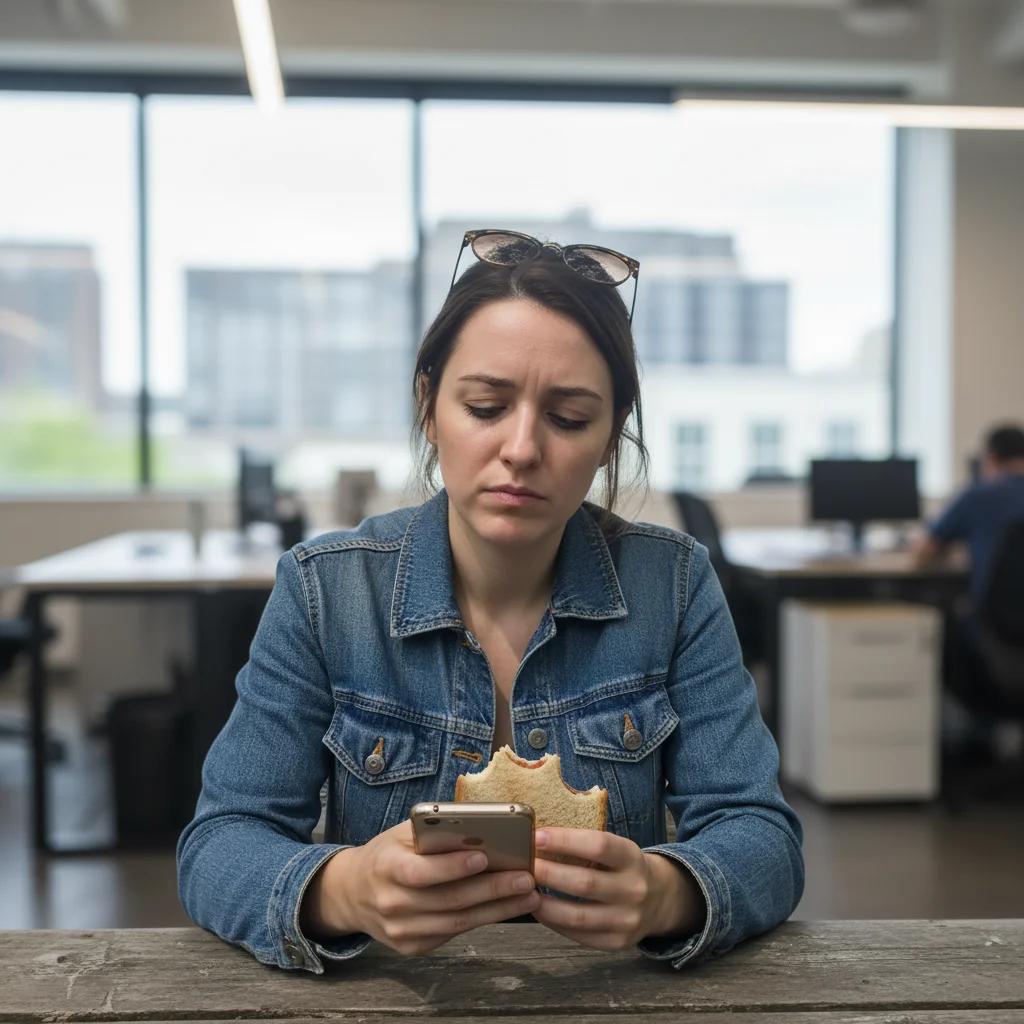
Cropped from a wedding photo
You looked great at your friend's wedding. After cropping out the other guests, you've got half a shoulder and a champagne glass edge in frame. Fixed.
remove the partial shoulder and champagne glass from the edges, extend background to clean neutral gray, straighten the slight tilt
When Things Go Wrong
Lighting looks fake or too perfect
Why: Strong lighting enhancement on already well-lit photos can look artificial.
enhance lighting subtly, maintain natural skin texture and shadows, don't over-brighten
'Maintain natural shadows' keeps dimensionality that makes faces look real.
Don't look like myself anymore
Why: Multiple enhancement requests may have accumulated too many changes.
Do one thing at a time. Background first, then decide if you need face adjustments.
Frequently Asked Questions
Can EditThisPic really turn my single selfie into a LinkedIn headshot?
Yes. Upload one photo, type a prompt like 'make this a professional LinkedIn headshot with a neutral gray background and soft studio lighting', and download the edited result in under a minute. Your face stays exactly as it is — only the background and lighting change.
Do I need to upload multiple photos or train a model?
No. EditThisPic edits a single photo. No model training, no uploading 15 selfies, no waiting hours. One photo, results in about 30 seconds.
How is this different from Photoai.com or HeadshotPro?
Those services train an AI model on 15-25 of your photos to generate synthetic headshots. EditThisPic edits your existing photo directly — changing the background and lighting — without any model training or multi-photo upload required.
How long does it take?
Usually 15-30 seconds. Upload your photo, describe the LinkedIn headshot style you want, and the result is ready to download.
What's the ideal input photo for a good headshot result?
Any photo where your face is clearly visible, you're looking at the camera, and lighting is even. Outdoor shade is ideal. The background doesn't matter — that's what you're replacing. Avoid extreme close-ups that distort facial features.
Can I edit my existing photo instead of generating a new one?
That's exactly what EditThisPic does. It edits your real photo — replacing the background, fixing lighting, polishing appearance — rather than generating a synthetic new image from scratch.
Will the headshot still look like me?
Yes. Background replacement and lighting enhancement don't change your face at all. Recruiters will meet you in person — your headshot should be recognizable. Avoid heavy skin smoothing if you want to stay authentic.
Is there a free LinkedIn headshot tool that doesn't require signup?
Yes. EditThisPic creates professional LinkedIn headshots with no account needed. You get 1 free edit per week. Credit packs start at $4.99 for 10 edits. No watermarks.
Can I create a LinkedIn headshot on my phone?
Yes. EditThisPic works in any mobile browser — iPhone, Android, or tablet. No app download needed.
What photo formats are supported?
JPG, PNG, WebP, and HEIC. Upload any common photo format and EditThisPic handles the rest.
Popular use cases
Ready to upgrade your LinkedIn profile?
Free to try. No signup required. No watermarks.
Create Your Headshot