Pricing Remove Things · Free

Remove Things from Photo

← Browse all remove tools

Last updated

Whatever that thing is in your photo — just describe it and the AI erases it cleanly.

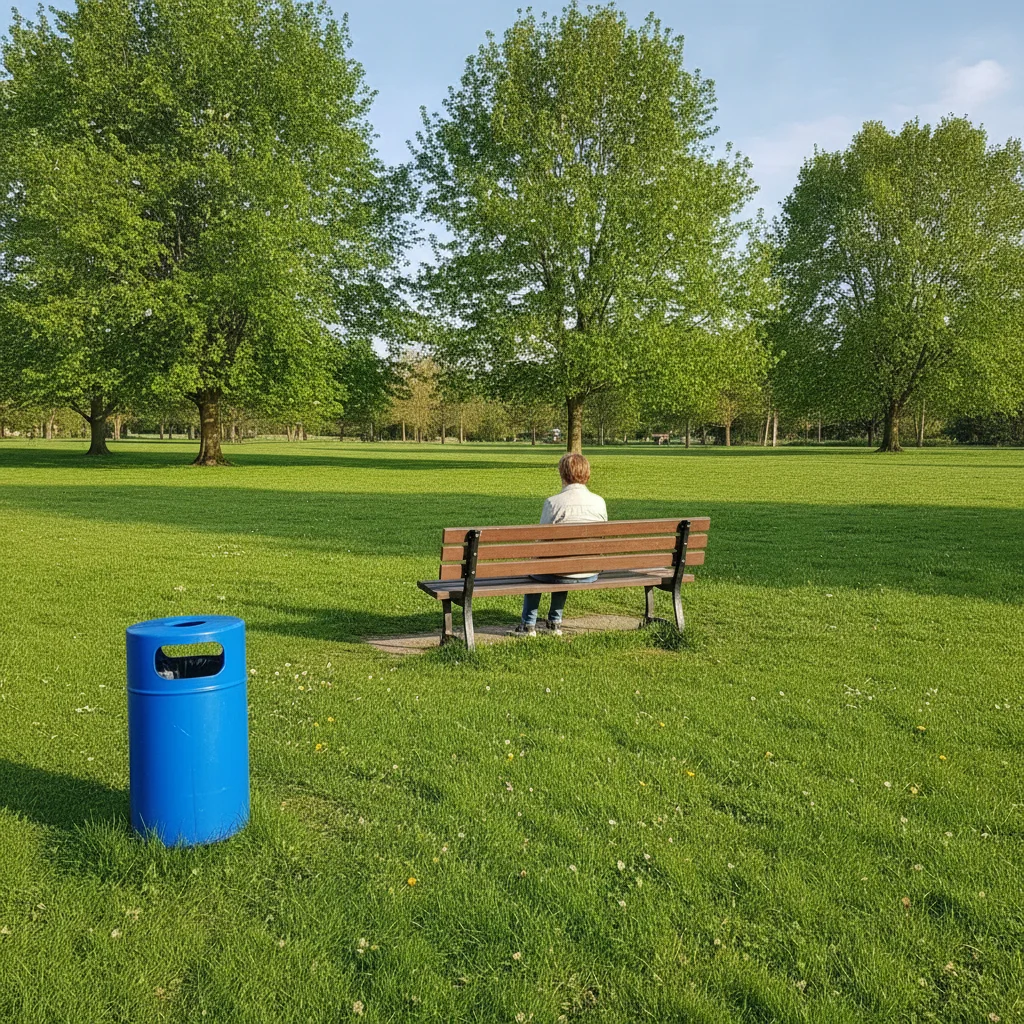
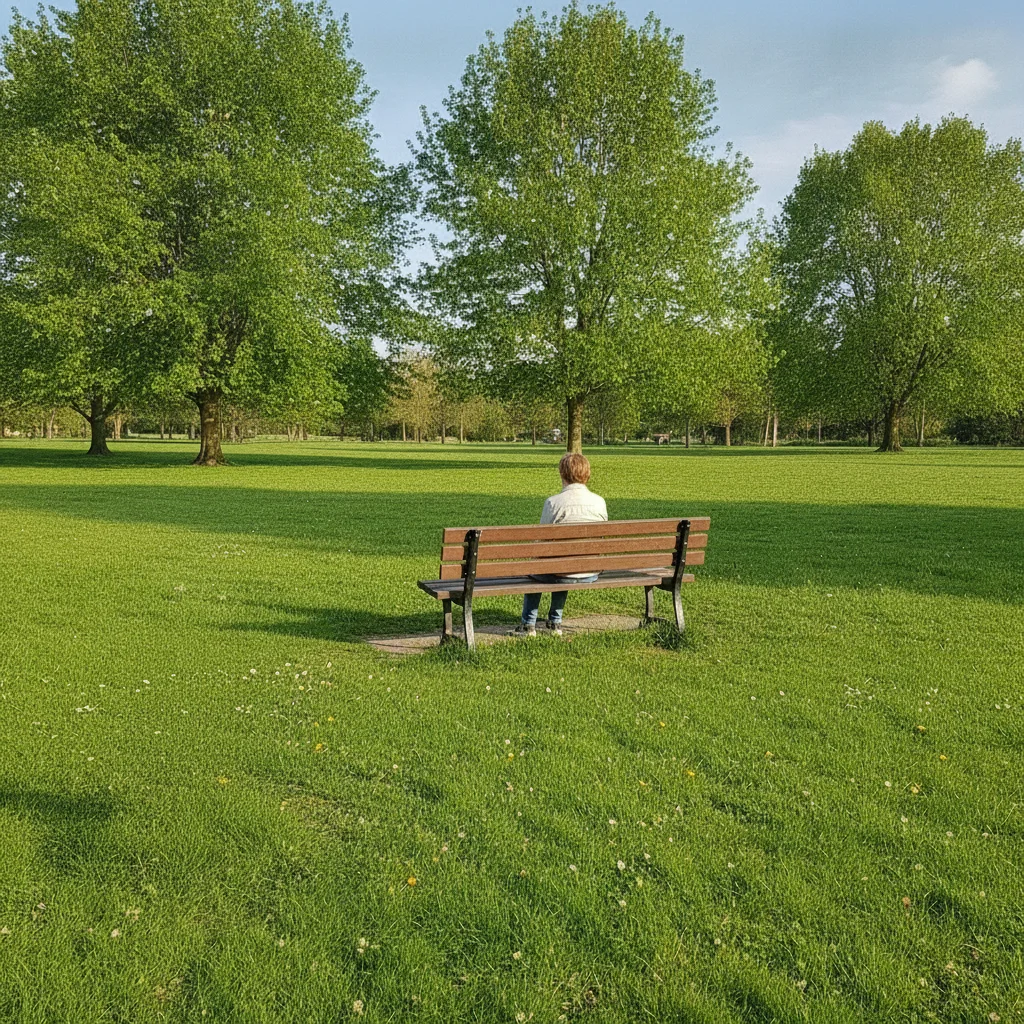
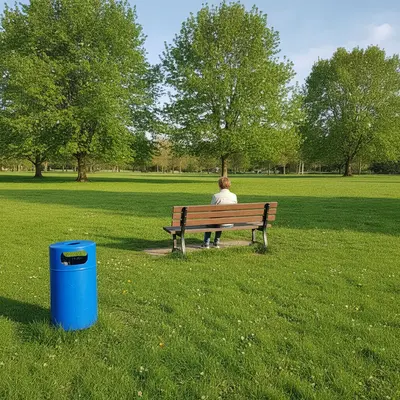
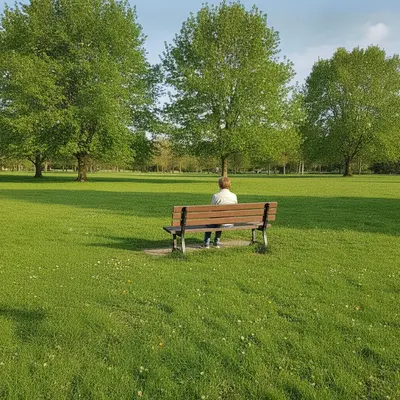
Casual park photo with a bright blue trash bin at the bottom left corner Same park photo with the trash bin removed and grass fully restored

Upload photo to remove things

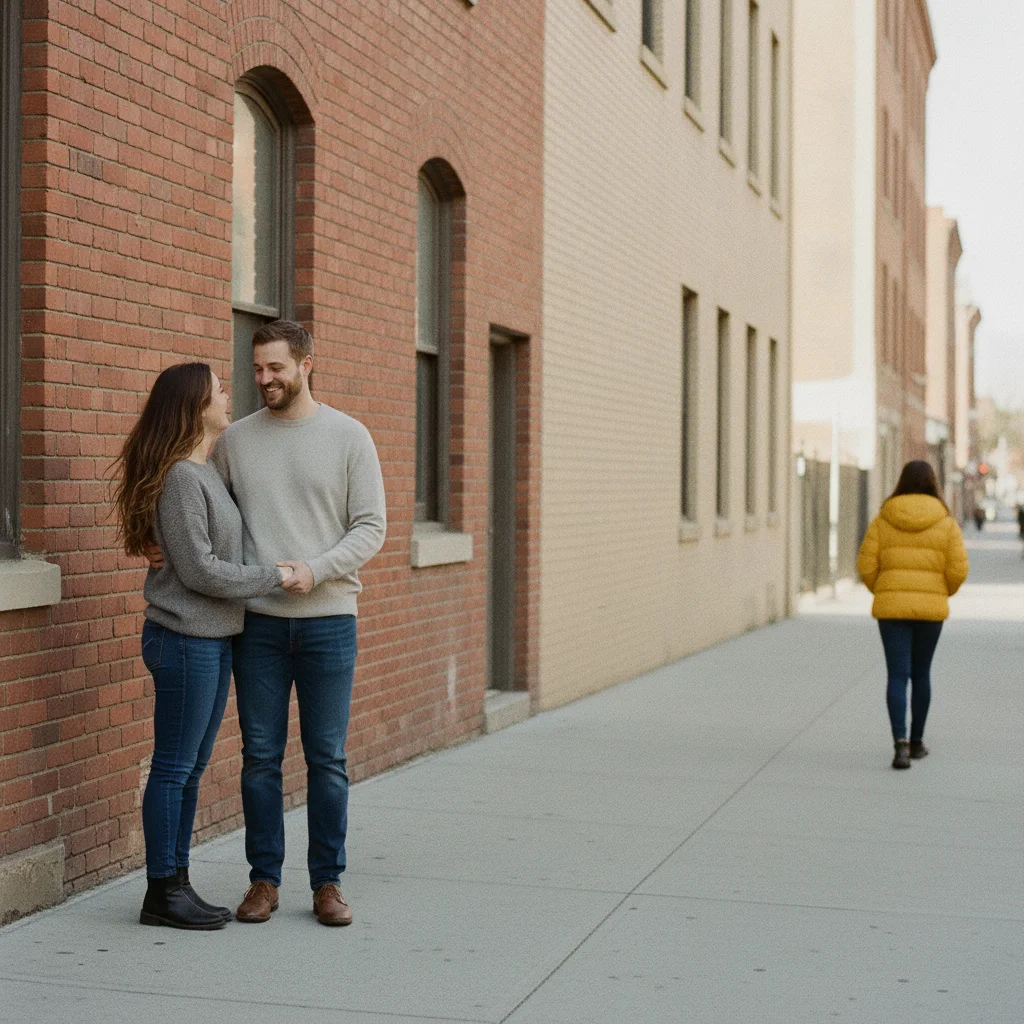
"remove the stranger walking in the background on the right and fill with the sidewalk and buildings behind them"

Free to try · no sign-up · photos are never shared

Release to upload

<30stypical edit
1 freeedit weekly
Photo on your phone? Scan to open this editor there — free edit works on your phone too.

1 free edit every week·packs from $4.99

How it works

  1. Upload your photo

    Drop in the JPG, PNG, WebP, or HEIC file up to 7MB. Works on selfies, casual snapshots, indoor photos, or any picture with one thing you'd rather not have in it.

    Expect: A single small item on a plain background: 15-20 seconds. Something near a person or on a busier background: 20-30 seconds, may need a quick second pass.
  2. Describe what you want gone

    Just say what it is and where — "remove the trash bin on the left and fill with grass" or "remove the stranger walking behind us and fill with the sidewalk." There's no need to tap, circle, or select anything first.

    Tip: Mention where the thing sits in the frame — 'in the background,' 'on the left,' 'behind us' — the AI relies on position more than a perfect name for the object.

    Copy one of these to get started:

    A stray trash bin in a park photo remove the trash bin at the bottom left corner and fill with matching grass
    A random stranger who walked into the shot remove the stranger walking in the background on the right and fill with the sidewalk and buildings behind them
    A stain or mark on a wall or surface remove the dark stain on the wall behind me and fill with matching plain wall color
    An exit sign or indoor fixture you don't want in shot remove the exit sign in the upper right corner and fill with the ceiling color around it
    3 more prompts
    A random object someone left in frame remove the backpack sitting on the bench and fill with the matching wood bench surface
    Something distracting in the corner of a selfie remove the cluttered shelf visible in the top right corner and fill with plain wall
    A random pet or animal that wandered into frame remove the dog in the bottom left of the photo and fill with the grass and path behind it
  3. Generate and check

    Click Generate. The AI removes the thing and fills in what should be behind it. Zoom in at full size on that spot to make sure nothing was left over — a faint edge or a small leftover piece is the most common thing to catch.

  4. Download your photo

    Download as PNG or JPG. JPG is smaller and easiest for sharing straight to messages or social media. No EditThisPic watermark is added.

See it in action

Casual park photo with a bright blue trash bin at the bottom left corner
Before
->
Same park photo with the trash bin removed and grass fully restored
After

Stray trash bin removed from a casual park photo

A quick phone snapshot in the park had a blue trash bin sitting at the edge of the frame. One prompt removed it and restored the grass.

Prompt: remove the trash bin at the bottom left corner and fill with matching grass
Street photo of a couple with a stranger in a yellow jacket walking in the background on the right
Before
->
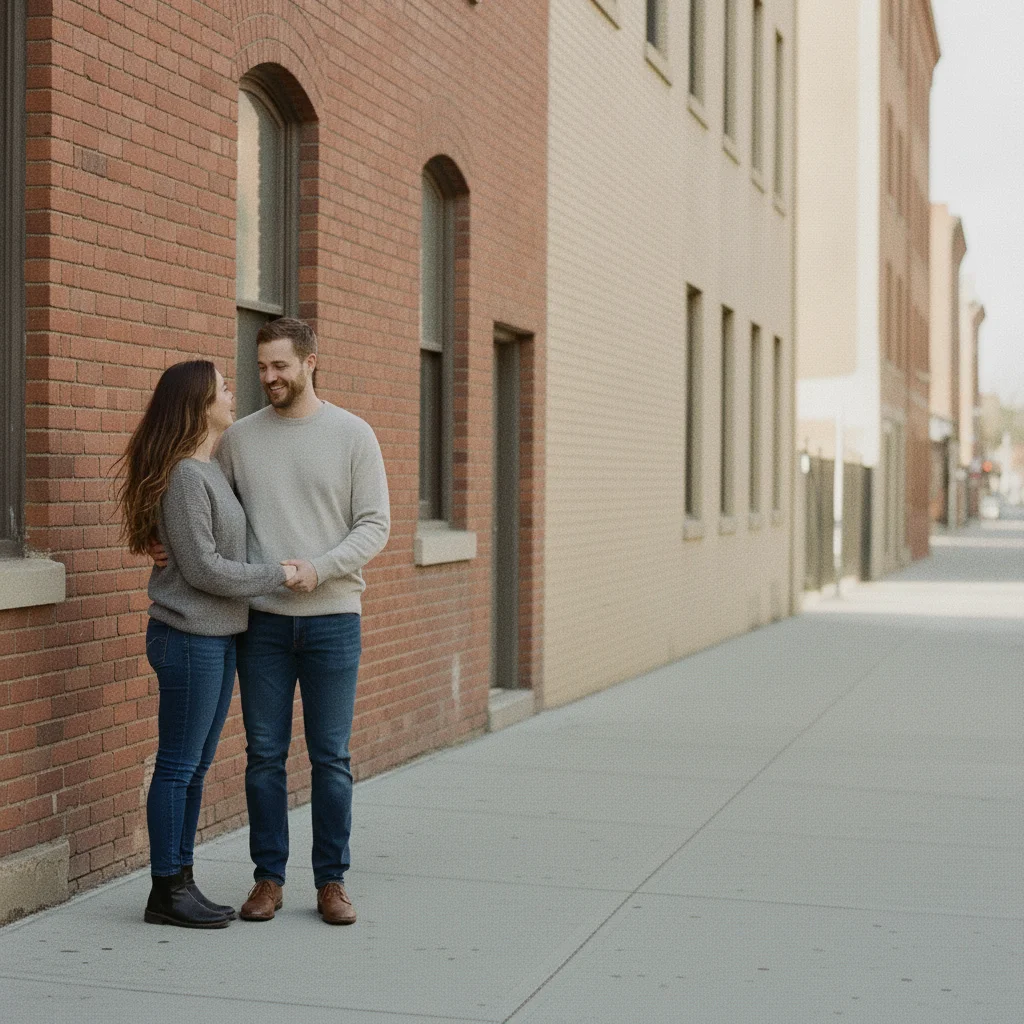
Same street photo with the stranger removed and sidewalk and buildings restored
After

Random stranger removed from a street photo

A couple's street photo had a stranger walking through the background. A single prompt cleared them out and restored the sidewalk.

Prompt: remove the stranger walking in the background on the right and fill with the sidewalk and buildings behind them
Indoor group photo with a bright red exit sign on the ceiling in the upper right corner
Before
->
Same indoor group photo with the exit sign removed and ceiling fully restored
After

Exit sign removed from an indoor photo

A photo taken inside a venue had a red exit sign visible in the corner near the ceiling. One prompt removed it and blended the ceiling color.

Prompt: remove the exit sign in the upper right corner and fill with the ceiling color around it

Quick answers

Do I need to mark the thing before describing it?

No. Just describe it in plain language — 'remove the trash bin on the left' — and the AI targets it from your description. No selection brush, no tracing, no tapping on the object first.

How do I remove things from a photo for free?

Upload your photo to EditThisPic, type what you want gone — 'remove the stranger in the background' or 'remove the stain on the wall' — and click Generate. Result in 15-30 seconds. Free with no account required for one weekly edit; additional edits from $4.99 for a 10-pack.

Is there a free tool to remove random stuff from a photo without an account?

Yes. EditThisPic requires no signup to try — upload, describe what to remove, and download the result. No account is created unless you choose to buy credits.

What's the best free tool for removing random things from casual photos?

EditThisPic works well for casual snapshots because there's nothing to install and no selection step — describe the thing in one sentence and it's gone. For dedicated multi-object cleanup on real estate or product photos, see Remove Unwanted Objects from Photo instead.

Can I remove a random stranger from a casual photo?

Yes. Type 'remove the stranger in the background and fill with the sidewalk behind them.' Mentioning their position and what's behind them gives the cleanest result.

Can this remove a stain or mark from a photo?

Yes. Describe the stain and the surface it's on — 'remove the dark stain on the wall and fill with matching plain wall color.' Flat, single-tone surfaces are the easiest to reconstruct.

How is this different from removing a specific object like a watermark or a person?

This tool is for casual, one-off things — a stray item, a stain, an exit sign, a random passerby — rather than a specific removal category. For a named category like watermarks or people, EditThisPic also has dedicated tools that go deeper on that specific failure mode.

Can I remove more than one thing in the same photo?

Yes, describe both in one prompt — 'remove the trash bin and the stranger in the background.' For photos with several distinct objects to clear at once, Remove Unwanted Objects from Photo is built specifically for that.

Will EditThisPic add its own watermark to my photo?

No. EditThisPic never adds a watermark to your output. Your downloaded result is clean.

Does this work on my phone?

Yes. EditThisPic works in any mobile browser — Safari on iPhone, Chrome on Android — with nothing to install. Upload straight from your camera roll.

How much does EditThisPic cost?

You get 1 free edit per week — no account needed. After that, one-time credit packs start at $4.99 for 10 edits, valid 12 months, no subscription. Power users who edit daily can pick Studio Membership, a monthly workspace at $49.99/mo for 300 edits. Purchased downloads are clean with no watermark.
Ready to get that thing out of your photo?

Free to try. No signup required.

1 free edit included·Credit packs from $4.99