Add Hat to Photo
← Browse all add & replace toolsLast updated
Describe the hat you want and AI places it naturally on anyone in your photo. Works great for portraits, headshots, and casual photos. If you're uploading a photo with a lot of bare skin — swimwear, strapless tops, or beach shots — the safety filter may refuse the edit regardless of the hat you're asking for. Try a more clothed photo, or crop the source image to focus on the face and shoulders.


Upload photo to add hat
"Add a black fedora hat on this person, tilted slightly forward, with a natural shadow on the forehead"
Free to try · no sign-up · photos are never shared
Release to upload
How it works
See it in action


Baseball cap added to a portrait
A navy baseball cap is added, worn forward and sitting on the head the way a real cap sits, with the brim throwing a soft shadow across his forehead. His face, grey t-shirt and the plain background are unchanged.
add a navy blue baseball cap on his head, angled slightly to the right, with the brim casting a natural soft shadow across his forehead and matching the sunlight direction in the photo
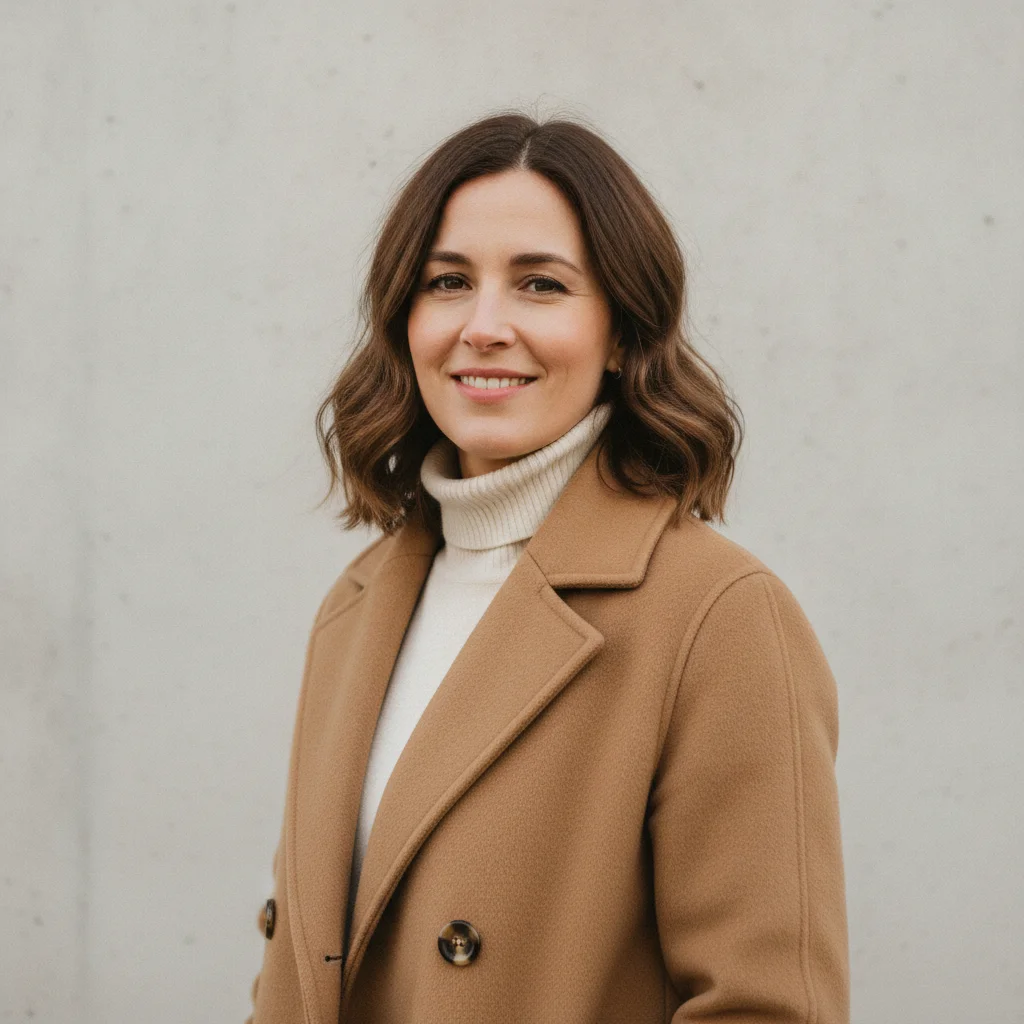
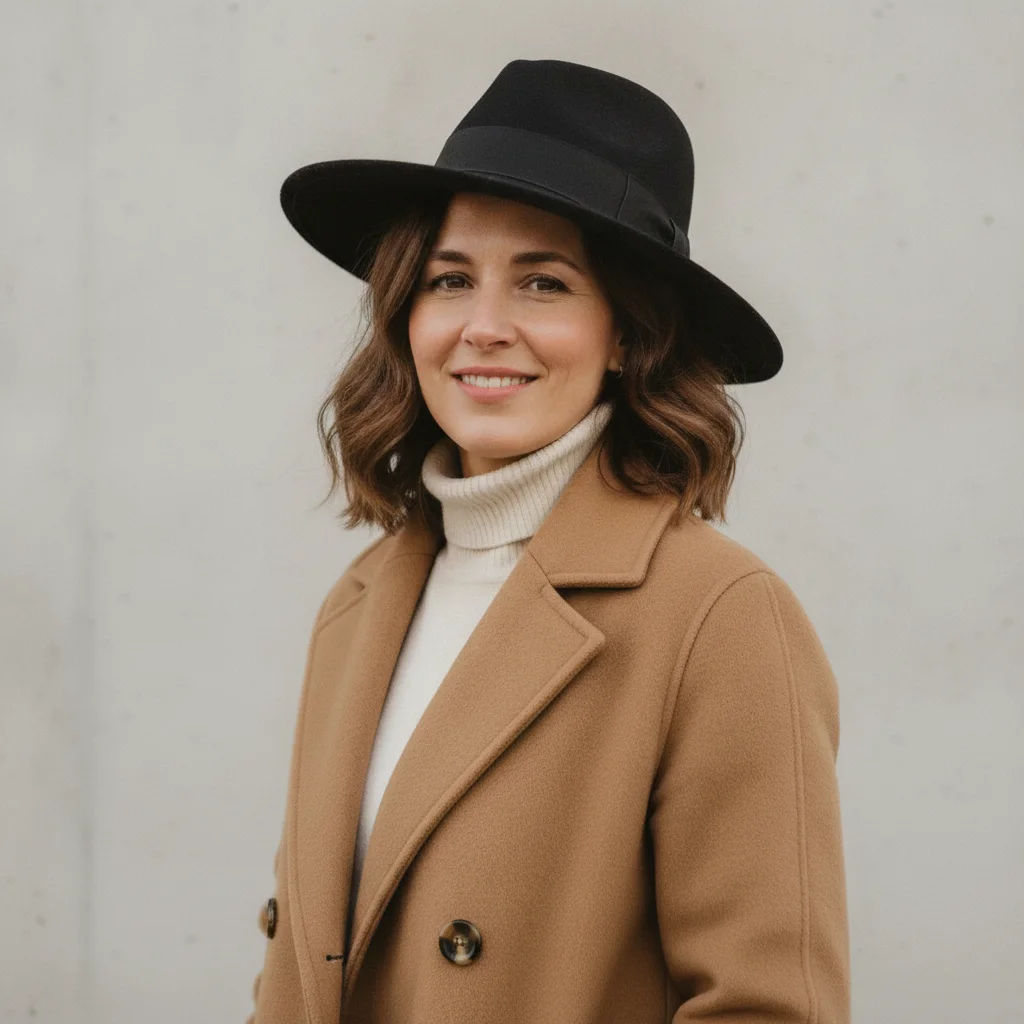
Fedora added to a portrait
A black felt fedora is added and it sits *on* her hair rather than above it — the crown is creased, the back brim disappears behind her hair, and the brim throws a soft shadow across her brow. Her face, camel coat and the pale wall are unchanged.
add a black felt fedora hat on her head, tilted slightly forward, with a natural soft shadow falling across her forehead and brow, matching the window light coming from the left
Quick answers
Popular use cases
Ready to add a hat to your photo?
Free to try. No signup required.