Free • No signup Add Sofa · Free

AI Sofa Adder

← Browse all add & replace tools

Last updated

Add a specific sofa to your living room using a reference photo — the AI places it as the room's focal point, matching lighting and perspective.
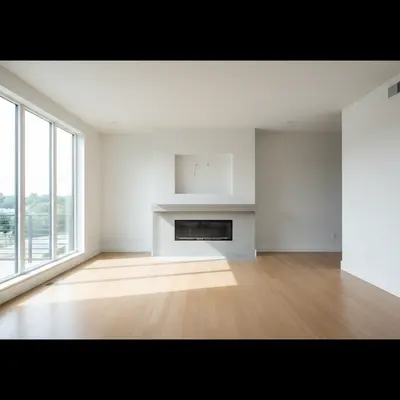
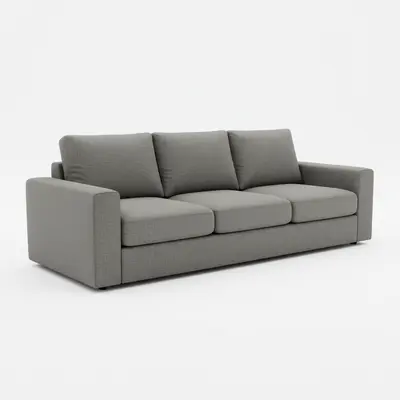
01Photo 1
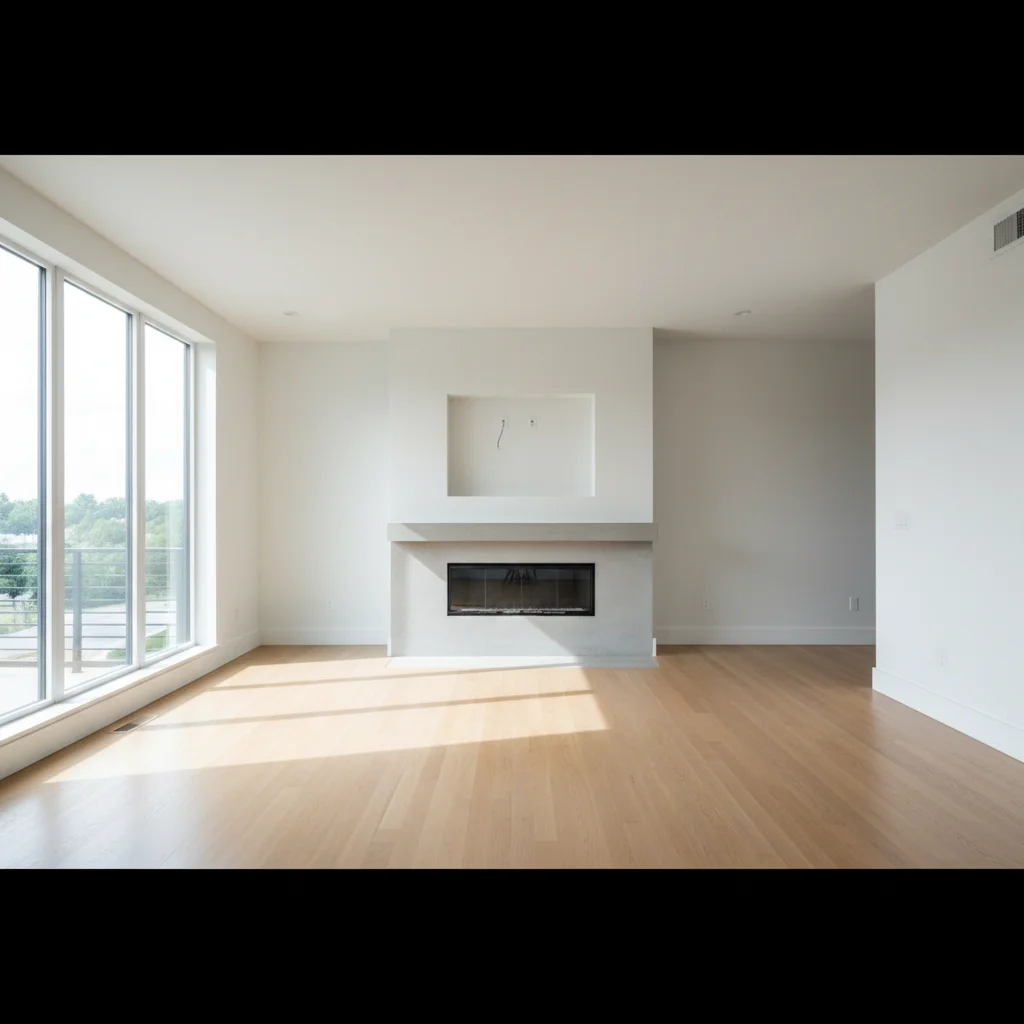
Empty living room with white walls and hardwood floors
02Photo 2
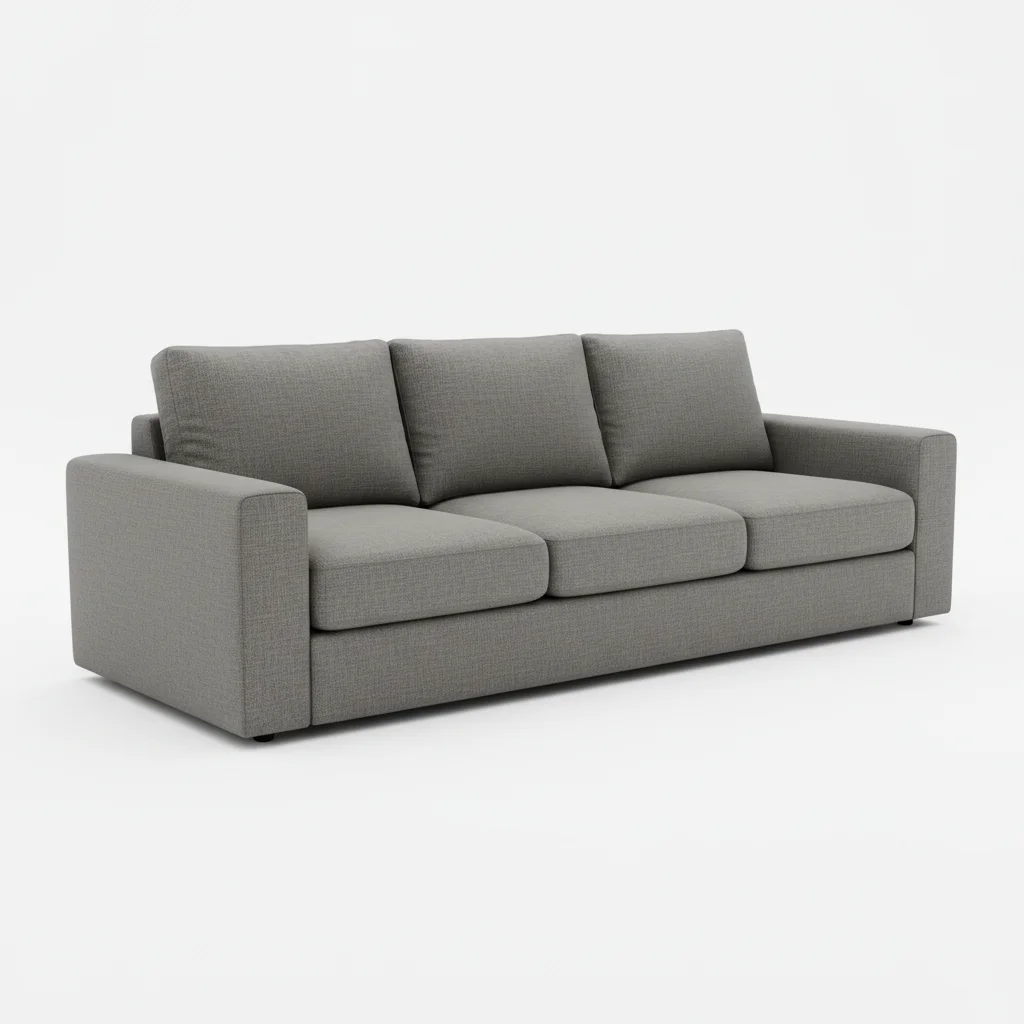
Gray linen sectional sofa on white catalog background
03Result
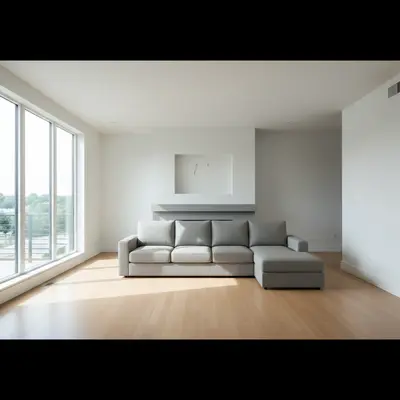
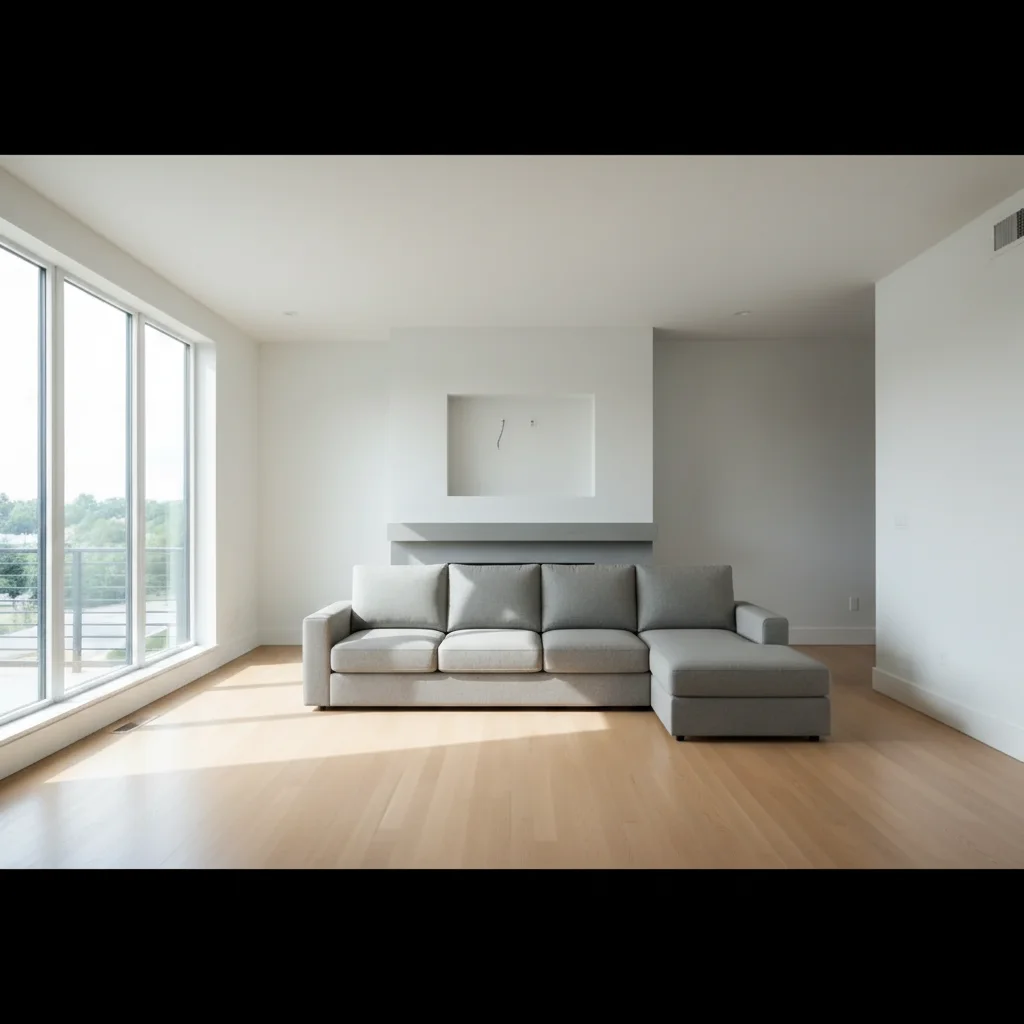
Same living room anchored by gray linen sectional facing the fireplace

Upload photo to add sofa

"add this L-shaped sectional sofa in the corner with the chaise extending to the right, leaving a clear walkway on the left side of the room"

Release to upload

1 free edit·then from $4.99

Popular use cases:
  • sofa visualization tool
  • couch placement AI
  • living room staging
  • furniture purchase preview
  • virtual sofa placement
  • real estate living room staging
  • sectional sofa preview

Cost
Free No signup required
Time
Instant results in 15-30 seconds
Works on
Any device - browser, phone, tablet, desktop
Powered by
AI-powered photo editing

How it works

  1. Upload your two photos

    Drop your living room photo into EditThisPic, then click '+ Add reference image' to upload your sofa photo — from a retailer website, store floor photo, or any catalog image. JPG, PNG, WebP up to 7MB each. The room photo should show the main wall clearly so the AI understands where the sofa will anchor the space.

    Expect: Standard sofa placement: 20-30 seconds. Sectional or L-shaped sofa: may need 2 passes for corner configuration.
  2. The reference photo does the heavy lifting

    This is the key step — the AI reads your sofa reference to capture the exact upholstery color and texture, leg style and material, arm height and cushion configuration, and overall silhouette. It then positions this specific sofa in your room rather than generating a generic couch. The result reflects the actual piece you're considering.

    Tip: Retailer product photos on white or neutral backgrounds give the AI the clearest read on the sofa's actual appearance.

    Copy one of these to get started:

    Centered sofa against main wall add this sofa centered against the main wall, facing the TV area, with a natural shadow grounded on the floor and the upholstery texture matching the reference
    Sectional with chaise add this L-shaped sectional sofa in the corner with the chaise extending to the right, leaving a clear walkway on the left side of the room
    Sofa facing a fireplace add this sofa centered in front of the fireplace, angled slightly inward, with warm fireplace light reflecting off the upholstery
    Visualizing before buying add this exact sofa from the online listing into my living room at realistic scale, showing the fabric color accurately under the room's current lighting
    2 more prompts
    Velvet or textured sofa add this velvet sofa from the reference against the wall, with the light catching the fabric pile as it would in a room with natural daylight from the left
    Sofa in a living room staging for a listing add this sofa as the living room's anchor piece, staged for a real estate listing photo — proportional scale, natural lighting, inviting arrangement that helps buyers envision the space
  3. Describe the placement

    Sofas are the living room's focal point — be specific about position: 'add this sofa centered against the main wall, facing the fireplace' or 'place this sectional in the L-shaped corner with the chaise on the right.' Include orientation (facing the TV, facing the window) and any other pieces nearby: 'with a coffee table in front.'

    Tip: Mention the sofa's orientation in relation to the room's focal point — fireplace, TV, window — for the most natural-looking placement.

    Copy one of these to get started:

    Centered sofa against main wall add this sofa centered against the main wall, facing the TV area, with a natural shadow grounded on the floor and the upholstery texture matching the reference
    Sectional with chaise add this L-shaped sectional sofa in the corner with the chaise extending to the right, leaving a clear walkway on the left side of the room
    Sofa facing a fireplace add this sofa centered in front of the fireplace, angled slightly inward, with warm fireplace light reflecting off the upholstery
    Visualizing before buying add this exact sofa from the online listing into my living room at realistic scale, showing the fabric color accurately under the room's current lighting
    2 more prompts
    Velvet or textured sofa add this velvet sofa from the reference against the wall, with the light catching the fabric pile as it would in a room with natural daylight from the left
    Sofa in a living room staging for a listing add this sofa as the living room's anchor piece, staged for a real estate listing photo — proportional scale, natural lighting, inviting arrangement that helps buyers envision the space
  4. Check the result looks lived-in

    A sofa should look like it belongs — grounded on the floor with a natural shadow, proportional to the room walls, and oriented toward the room's focal point. Check that the upholstery texture renders realistically and the leg style matches what was in the reference. If the sofa floats or looks too small, add a prompt to correct scale and grounding.

See it in action

Empty living room with white walls and hardwood floors
Main Photo
Gray linen sectional sofa on white catalog background
Reference
Same living room anchored by gray linen sectional facing the fireplace
Result

Gray linen sectional in empty living room

An empty living room staged with a gray linen sectional from a Pottery Barn-style catalog reference photo.

Prompt: Add the gray sectional sofa from the reference photo into the living room, placing it against the main wall facing the fireplace, with the chaise on the right.
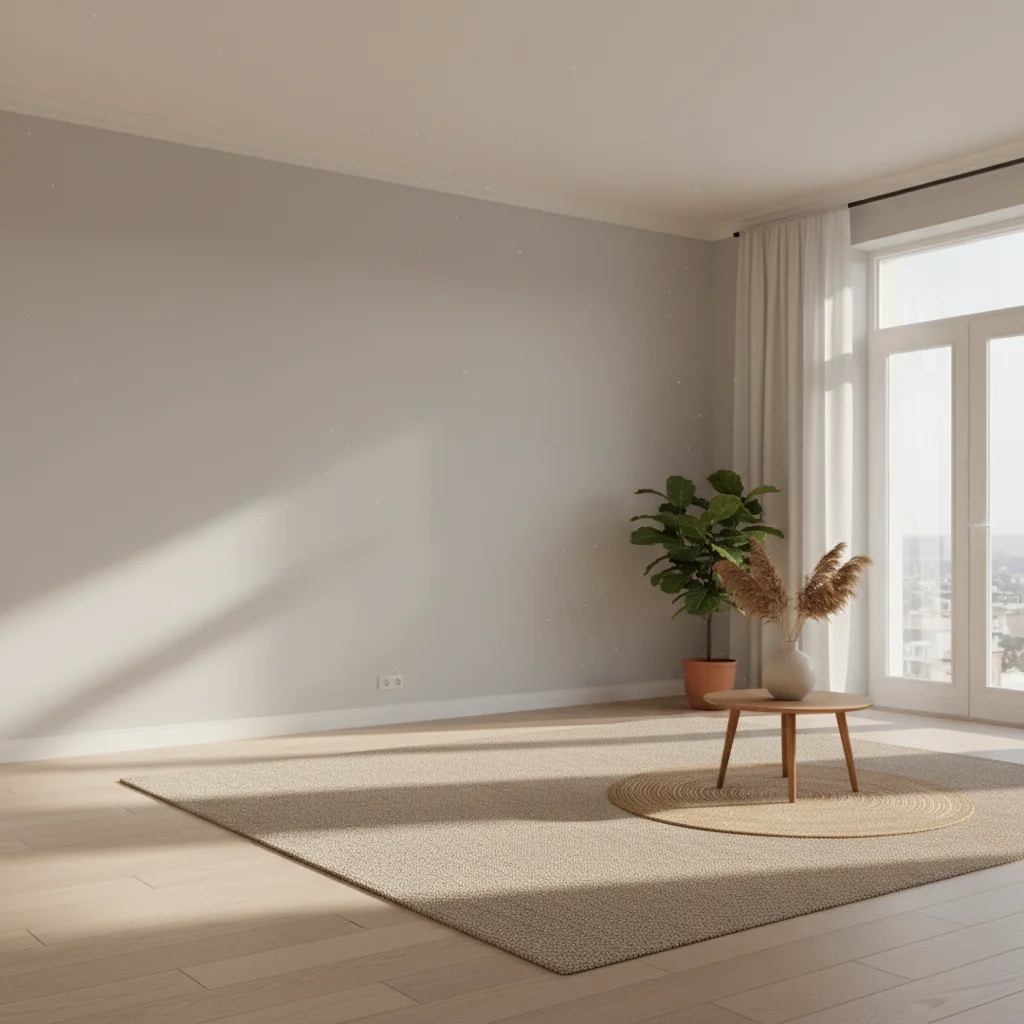
Neutral living room with gray walls and empty main wall space
Main Photo
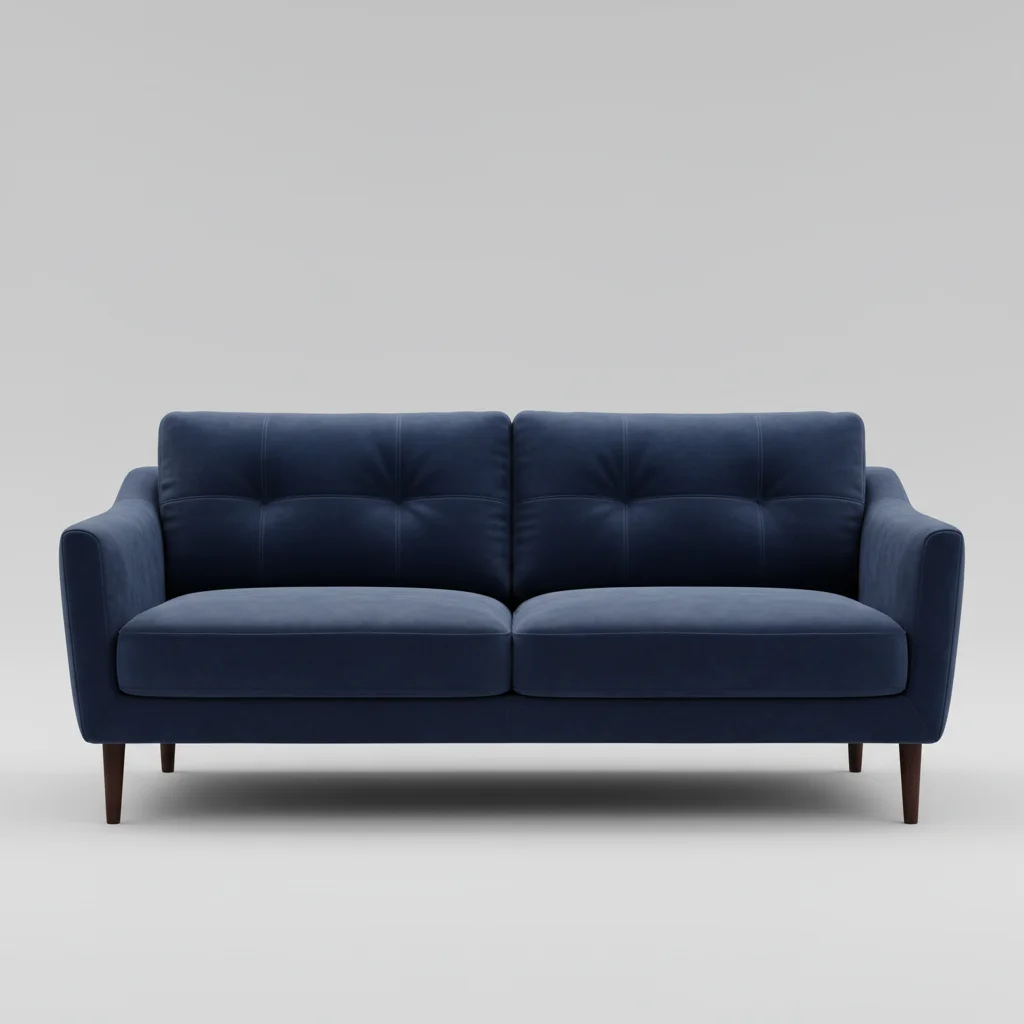
Reference image for AI Sofa Adder
Reference
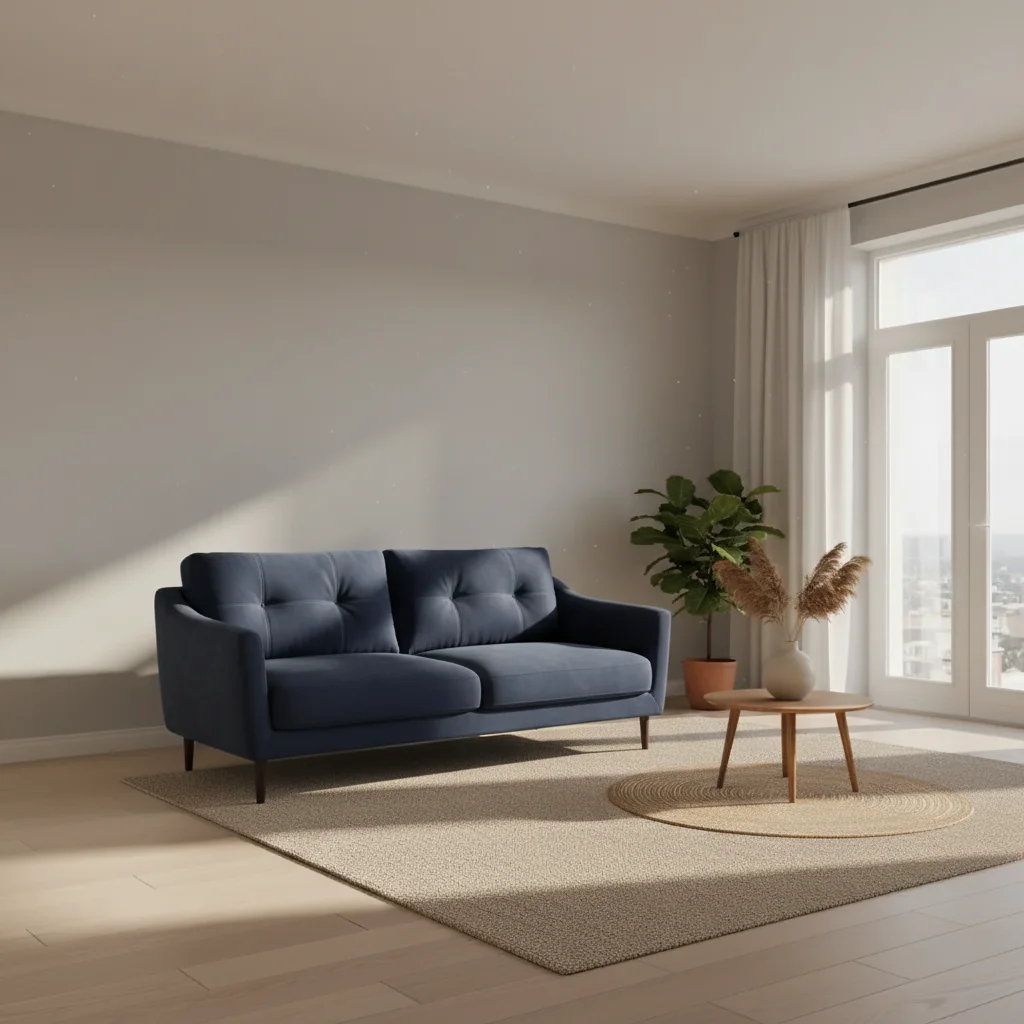
Same room with navy velvet sofa as bold color focal point
Result

Navy velvet sofa transforms a neutral room

A shopper used their living room photo and a velvet sofa listing to see if the bold color would work before purchasing.

Prompt: Add the navy velvet sofa from the reference photo to the main empty wall, centered. Make sure the lighting and shadows match the room.
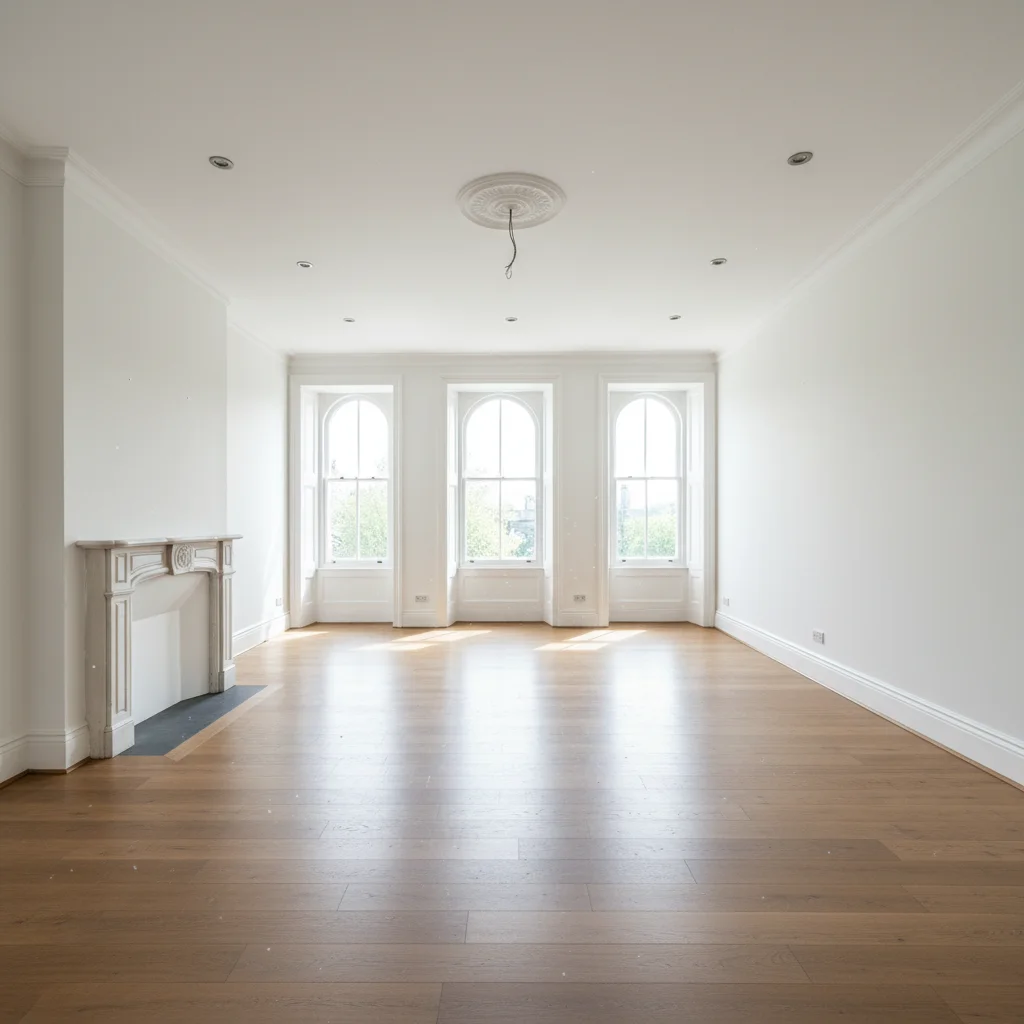
Vacant listed living room ready for virtual staging
Main Photo
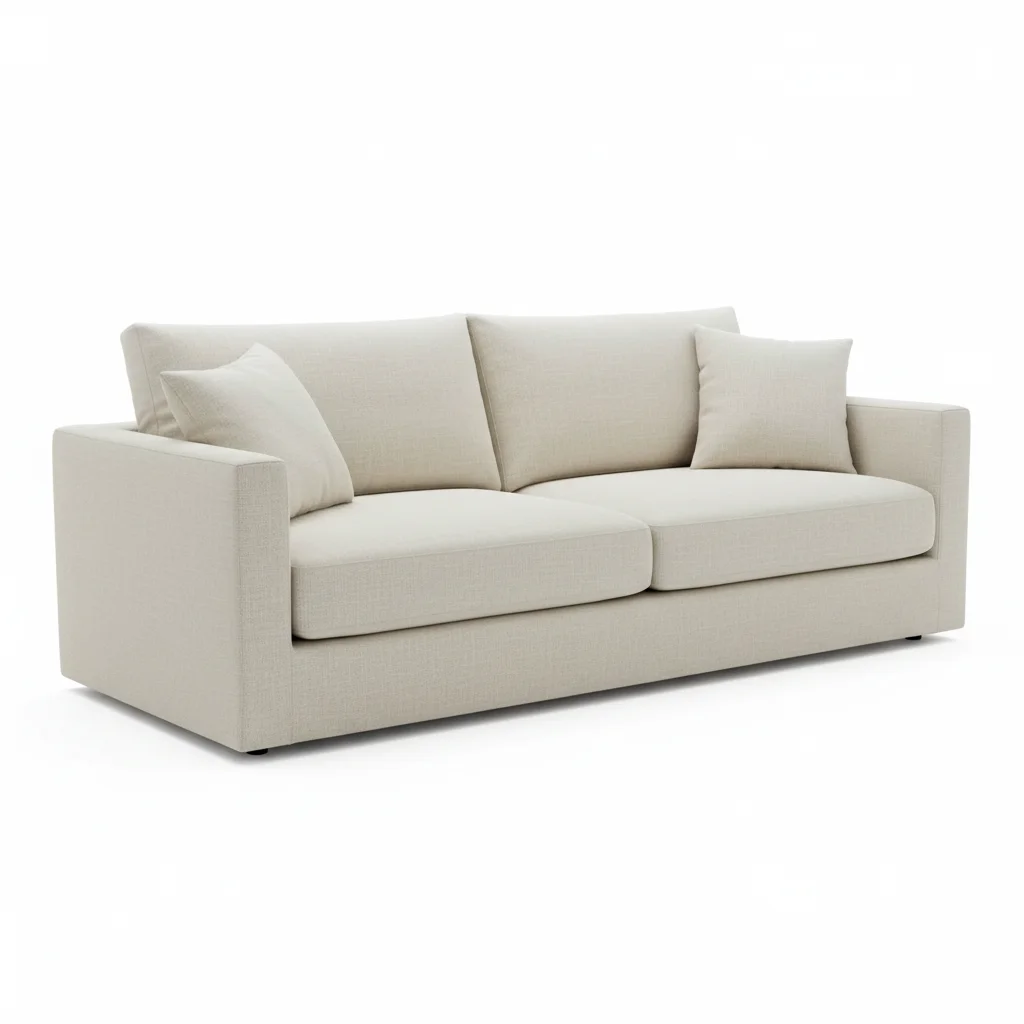
Reference image for AI Sofa Adder
Reference
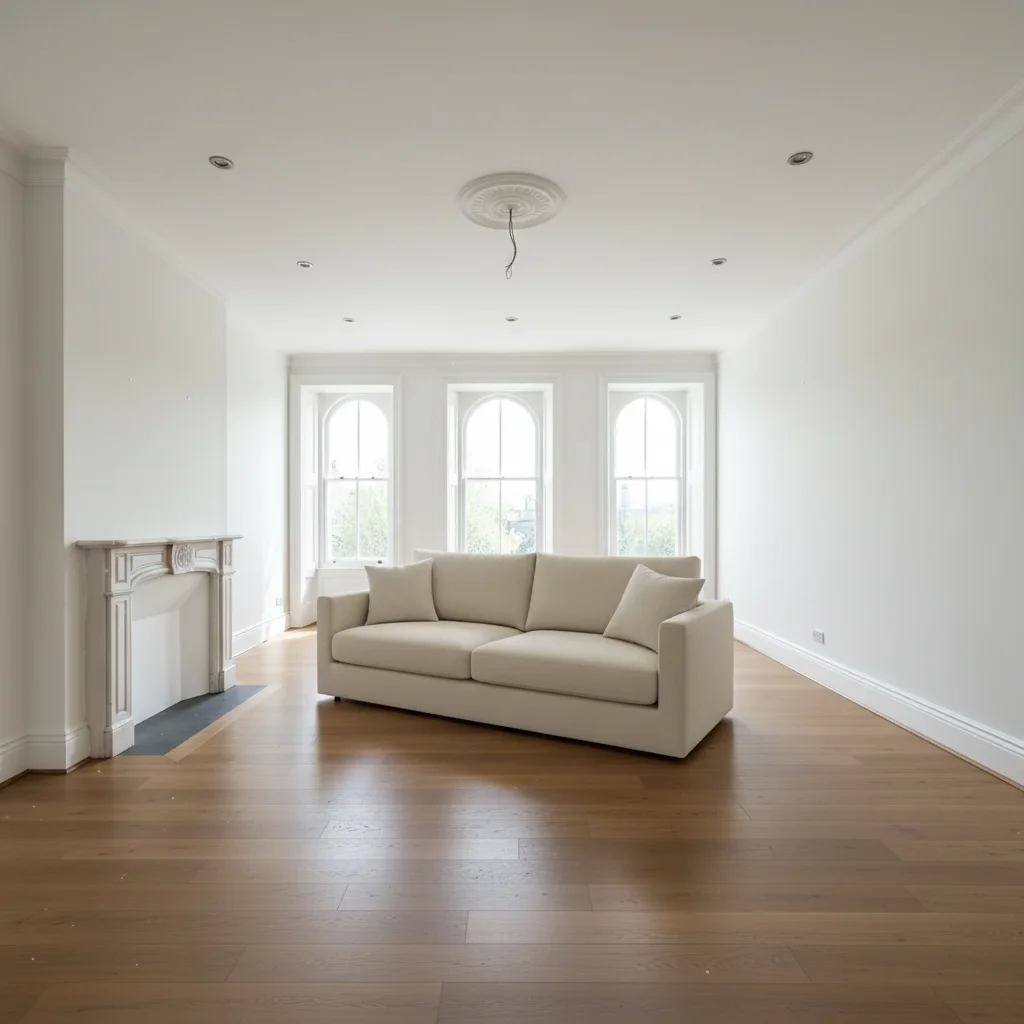
Staged living room with cream contemporary sofa as the anchor piece
Result

Real estate virtual staging with contemporary sofa

An empty listing staged with a contemporary sofa to help buyers visualize the living space.

Prompt: Add the light cream sofa from the reference photo to this living room. Place it as the central anchor piece, making sure it's proportional to the room for a realistic virtual staging.

Detailed Guides by Scenario

📷

Visualizing Before You Buy

Use the exact sofa listing photo to see how a specific couch looks in your room before committing to a purchase.

Common Scenarios

  • Screenshotting a sofa from an online retailer and testing it in your room
  • Comparing two sofa options against the same room photo
  • Showing a partner how a sofa will look before you both agree to buy

Best Practices

  • Use the retailer's clean product-on-white-background photo for the most accurate color and texture rendering
  • Photograph your living room in the same lighting conditions you live in (not a special staging shot)
  • Run both sofa options against your room photo and share the results side by side before deciding
Add this exact sofa from the product listing into my room at realistic scale, showing its true fabric color under my room's current lighting
Place this couch against the main wall and show me how the leg style looks with my existing hardwood floors
📷

Living Room as a Focal Point

The sofa defines a living room. Use this tool to plan or stage the room's central anchor piece before buying or for listing photos.

Common Scenarios

  • Staging an empty living room for a real estate listing
  • Planning where to put a new sofa during a renovation
  • Creating a mood board for an interior design client using their actual room

Best Practices

  • Position the sofa facing the room's focal point — fireplace, TV wall, or view window
  • Leave 18 inches of clearance in front of the sofa for coffee table and walkway when describing placement
  • For staging photos, specify 'inviting arrangement' to prompt the AI toward aspirational rather than clinical placement
Add this sofa as the living room anchor piece, facing the fireplace with natural spacing around it for a real estate listing photo
Stage this empty living room with the reference sofa as the centerpiece — proportional scale, inviting, ready to show buyers
📷

Rental & Short-Term Listings

Update rental listing photos by showing a modern sofa in the space to attract higher-quality tenants or Airbnb guests.

Common Scenarios

  • Updating Airbnb listing photos after replacing a dated sofa
  • Showing prospective tenants an upgraded living space before the furniture arrives
  • Testing different sofa styles to see which photographs better for your listing

Best Practices

  • Use a sofa with neutral upholstery for the widest rental appeal — gray, cream, or charcoal
  • Include hospitality cues in your prompt: 'inviting arrangement with space for 3-4 guests'
  • Test both a 2-seater and a sectional against the same room photo to judge space usage
Add this neutral gray sofa to the living room for Airbnb listing photos — inviting, proportional, showing a clear path to the TV area
Place this contemporary couch in the rental living room in a guest-friendly arrangement with enough seating for four people

If something looks off

Sofa looks too small or too large for the room

Why: The AI misjudged room depth from the photo angle, especially in wide-angle shots.

Try: add this sofa at a realistic living room scale — it should look like a standard [2-seater/3-seater/sectional] in proportion to the door/window in the background

Tip: Including a recognizable object in your room photo (standard door, 8-foot ceiling line) gives the AI better scale reference

Sofa appears to float above the floor

Why: The AI didn't properly ground the piece with a shadow matching the room's light direction.

Try: add this sofa grounded on the floor with a shadow cast [left/right] matching the room's light source

Tip: Always mention where the light comes from: 'light from left window' helps the AI cast the shadow in the correct direction

Sofa upholstery color looks different from the reference

Why: The room's ambient lighting shifted the color rendering when the AI composited the piece.

Try: add this sofa showing its actual upholstery color accurately — the [color] fabric should read true to the reference, not affected by the room's warm/cool light

Tip: If the color shift is persistent, try a prompt that names the exact color: 'navy blue velvet, not gray-tinted'

Sectional configuration is wrong (chaise on wrong side)

Why: The AI may have mirrored the sectional or picked the wrong configuration from the reference.

Try: add this sectional with the chaise extension on the [left/right] side as I face the sofa from the room entrance

Tip: Describe orientation from the viewer's perspective: 'chaise on the right when facing the sofa from the door'

Quick answers

Do I need TWO photos for this?

Yes. This is a two-photo workflow: your room photo plus a reference photo of the sofa you want to add. Upload your room photo first, then click '+ Add reference image' to add the sofa reference. The AI uses the reference to reproduce the exact couch — upholstery, shape, leg style — rather than generating a generic sofa.

Can I use a retailer listing photo as my sofa reference?

Yes. Retailer product photos, catalog images, store floor photos, or any clear image of the sofa work as references. Product-on-white-background photos give the AI the cleanest read on the sofa's actual appearance. Screenshot the listing photo and upload it as your reference image.

How do I see what a specific sofa looks like in my living room before buying?

Take a photo of your living room (or use an existing one), then screenshot the sofa's product listing. Upload both to EditThisPic with the room as the main photo and the listing screenshot as the reference. Type 'add this sofa against the main wall' — you'll see the exact piece in your actual room in under 30 seconds. Free, no account needed.

Does this work for sectional sofas?

Yes. For sectionals, specify the configuration in your prompt: 'add this L-shaped sectional with the chaise on the right side' or 'place the ottoman section facing the window.' The AI handles L-shaped and U-shaped sectionals — just be explicit about which arm has the chaise and the overall corner arrangement.

Can this help me stage an empty living room for a real estate listing?

Yes. Upload the empty room photo and a reference sofa image, then describe staging placement: 'add this sofa as the living room anchor piece, centered and proportional for an MLS listing photo.' The sofa is typically the most impactful piece in living room staging — it transforms a vacant space into something buyers can picture themselves in. Always disclose virtual staging per local rules.

Is this free to use?

Yes. EditThisPic offers one free edit per week with no signup and no watermark. Credits for additional edits start at $1.99 for a pack of 3. Works on desktop and mobile in any browser — no app download required.

How much does EditThisPic cost?

You get 1 free edit per week — no account needed. After that, credit packs start at $1.99 for 3 edits. Monthly plans start at $4.99/mo for 15 edits with unused credits rolling over. All edits are full resolution with no watermark.

Ready to see that sofa in your room?

Free to try. No signup required.

1 free edit included·Credit packs from $4.99