Free • No signup Open Editor

Add Furniture to Photo

Virtually stage empty rooms with AI-generated furniture in seconds.

Type 'add a modern gray sectional sofa facing the window with a glass coffee table' and EditThisPic's AI places realistic furniture into your empty room in 20-40 seconds. Perfect for real estate virtual staging, interior design visualization, or seeing how furniture would look before buying. No selection tools needed. Free to try, no account required.

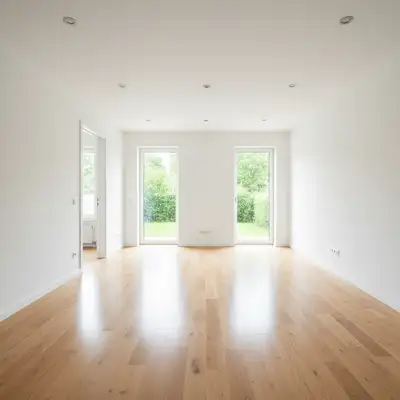
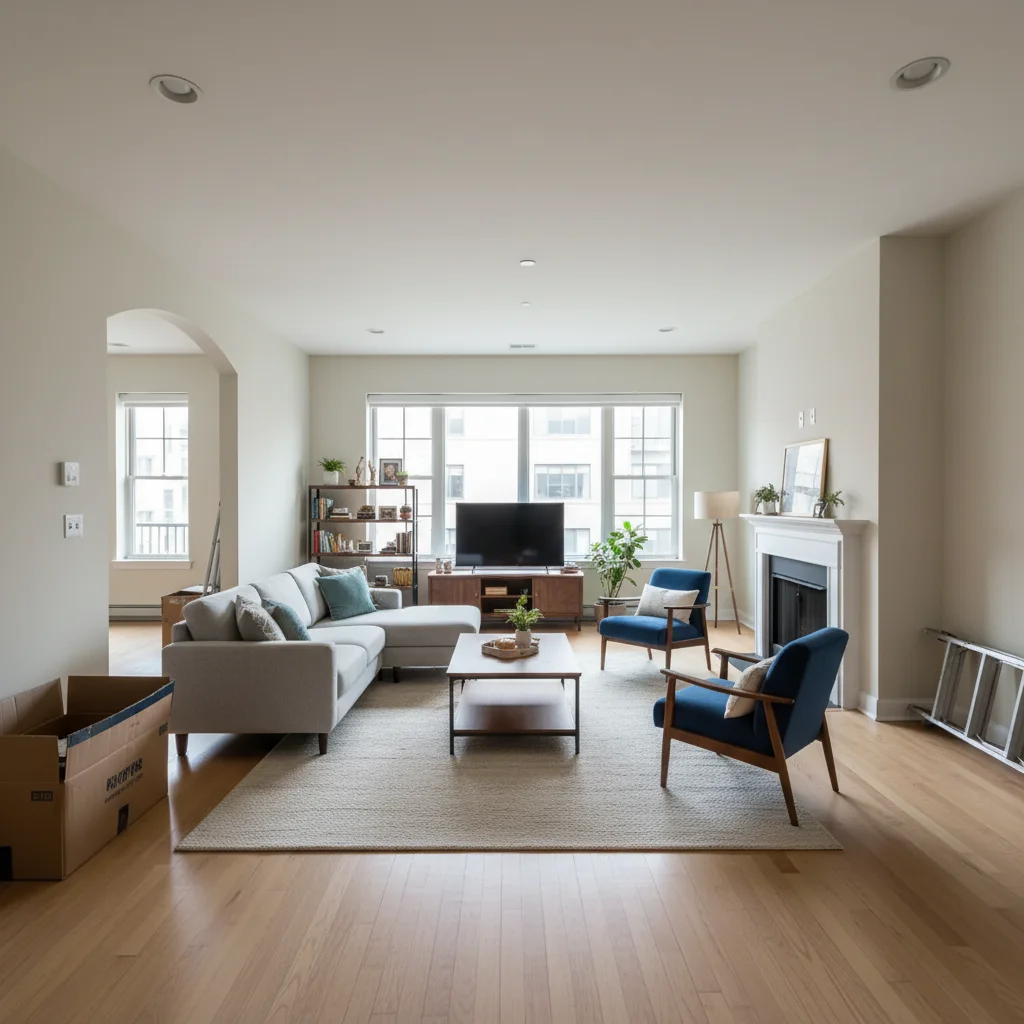
Empty living room with hardwood floors and large windows
Before
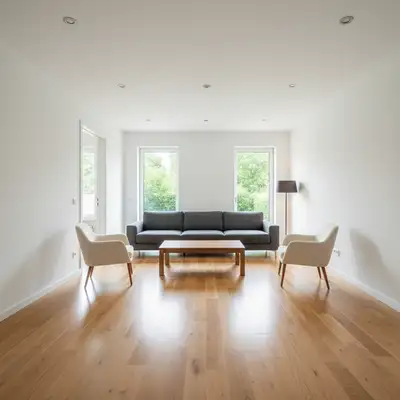
Same living room staged with modern sectional and coffee table
After

How it works

1

Upload your photo

Drop your empty room photo into EditThisPic. Best results come from well-lit, straight-on shots that clearly show the floor and walls. JPG, PNG, WebP up to 7MB.

⏱ Simple furniture pieces: 20-30 seconds. Full room staging: may need 2-3 passes for complex layouts.
2

Describe the furniture you want

Type specific furniture descriptions: 'add a beige linen sofa against the left wall with two armchairs facing it' or 'place a king-size bed with white bedding and matching nightstands.' Include style (modern, traditional, mid-century), colors, and placement. The AI understands room context and places furniture with proper perspective.

💡 Mention the style era: 'mid-century modern' or 'Scandinavian minimalist' for cohesive results

Copy one of these to get started:

Living room staging add a modern gray L-shaped sectional sofa facing the window with a round glass coffee table and two accent armchairs in cream
Bedroom staging add a king-size upholstered bed with white bedding centered on the main wall, with matching wooden nightstands and table lamps on each side
Dining room staging add a rectangular wooden dining table for six with upholstered chairs centered under the light fixture
Home office setup add a modern white desk with an ergonomic office chair facing the window, with a bookshelf against the side wall
3 more prompts
Minimalist Scandinavian style add Scandinavian style furniture with a light oak coffee table, a white fabric sofa, and natural wood accents throughout
Luxury staging add a luxury velvet navy sofa with gold accent tables, a marble coffee table, and designer floor lamp in a contemporary style
Kid's bedroom add a twin bed with colorful bedding, a small desk for homework, and storage cubbies with toys visible
3

Generate and review

Check that furniture scale matches the room, shadows look natural, and pieces are positioned realistically on the floor. Verify the style is consistent and nothing floats or clips through walls.

4

Refine with markers if needed

If furniture placement is off or you want to add pieces to specific spots, tap a marker on the location and describe what goes there. Great for adding accent pieces after main furniture is placed.

💡 Stage rooms in layers: main pieces first, then accent furniture and decor in follow-up prompts.
Try it free
"Saved me thousands on professional staging. Listed an empty house and added furniture to every room in under an hour. Sold in a week." @RealtorMike_TX

See it in action

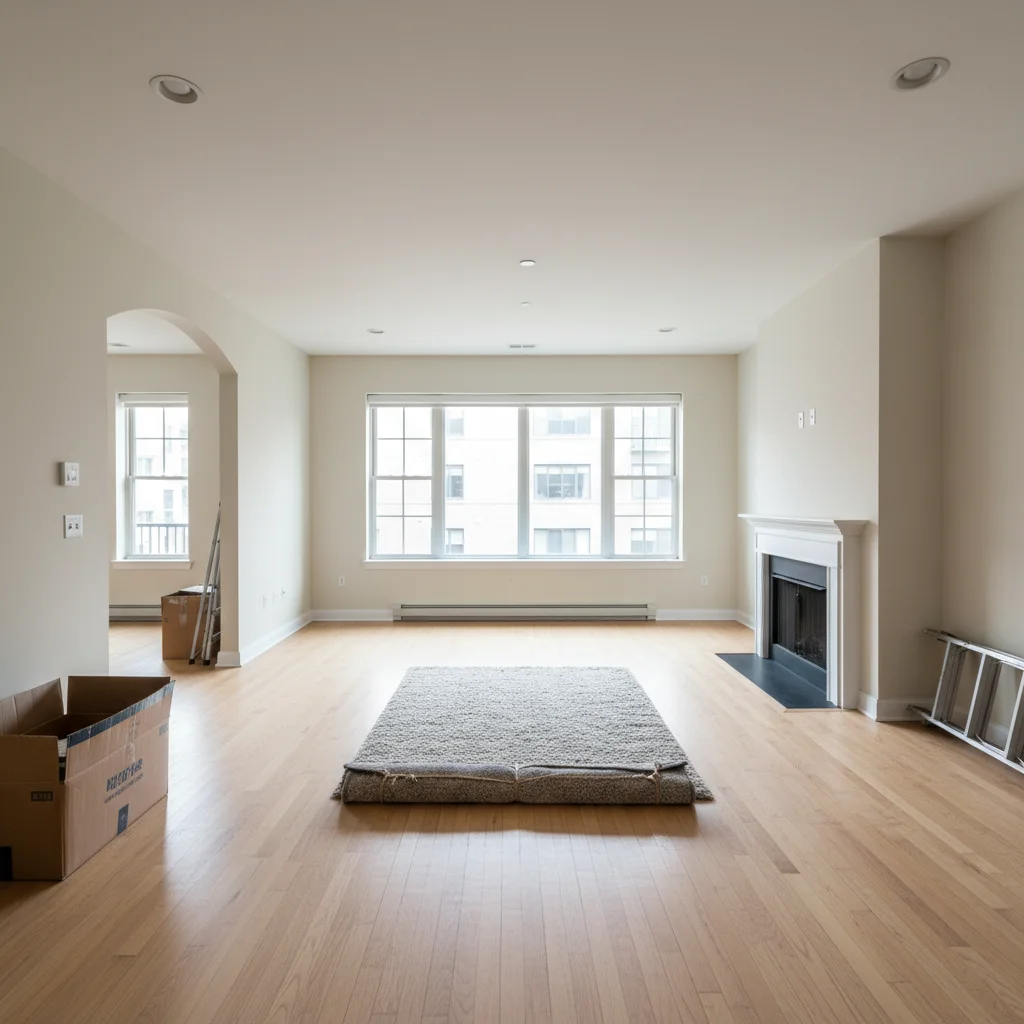
Empty living room with hardwood floors and large windows
Before
Same living room staged with modern sectional and coffee table
After

Empty living room staged for listing

A vacant living room transformed with modern furniture to help buyers visualize the space.

Prompt: add a modern charcoal gray sectional sofa with a walnut coffee table, two cream accent chairs, and a floor lamp in the corner
Empty master bedroom with carpet and single window
Before
Bedroom staged with upholstered bed, nightstands, and bench
After

Vacant bedroom with virtual staging

An empty master bedroom virtually staged with a complete bed setup for real estate photos.

Prompt: add a queen upholstered bed with gray bedding centered on the wall, two white nightstands with modern lamps, and a bench at the foot of the bed
Empty modern living space with concrete floors and tall windows
Before
Same space with mid-century modern furniture including credenza and lounge chair
After

Interior design visualization

Testing how mid-century modern furniture would look in a newly renovated space before purchasing.

Prompt: add mid-century modern furniture with a teak credenza against the wall, an Eames-style lounge chair, and a sculptural coffee table

If something looks off

Furniture looks too big or too small for the room

Why: The AI misjudged room dimensions from the photo angle, creating scale mismatches.

Try: add a [smaller/larger] [furniture type] that fits proportionally in this room

💡 Include size hints like 'apartment-sized sofa' or 'oversized sectional' for better scale

Furniture appears to float above the floor

Why: The AI didn't properly ground the furniture with shadows and floor contact.

Try: add furniture with natural shadows and grounded on the floor

💡 Clear, well-lit floor photos with visible floor texture help the AI place furniture correctly

Style doesn't match throughout the room

Why: Without style guidance, the AI may mix different furniture aesthetics.

Try: add [specific style] furniture throughout with consistent [modern/traditional/etc] aesthetic

💡 Name a specific style in every prompt: 'mid-century modern,' 'contemporary minimalist,' 'farmhouse'

AI changed the wrong area or something I didn't want changed

Why: The AI couldn't determine exactly which area you meant from description alone. This happens with ambiguous requests.

Try: Tap a marker on the specific area you want to change, then regenerate with the same prompt

💡 Markers tell the AI 'I mean THIS one specifically.' Use them when description alone is ambiguous.

Furniture placement looks awkward or blocks pathways

Why: The AI prioritized filling space over practical furniture arrangement.

Try: place furniture leaving clear walking paths and natural conversation groupings

💡 Describe furniture arrangements in terms of function: 'facing the TV area' or 'grouped for conversation'

Quick answers

Do I need to mark where furniture should go?

No! Just describe the furniture and placement in your prompt: 'add a sofa against the left wall' or 'place a dining table in the center.' The AI understands room layouts and places furniture appropriately. Only use markers for precise positioning or when adding pieces to specific empty spots.

Can I stage multiple rooms from the same property?

Yes. Upload each room photo separately and stage them with consistent style descriptions. Mention the same style in each prompt ('modern farmhouse throughout') for cohesive staging across the listing.

Is this realistic enough for real estate listings?

Yes. EditThisPic generates high-quality virtual staging suitable for MLS listings and marketing. Results look natural with proper perspective, shadows, and lighting matching the room. Always disclose virtual staging per local regulations.

Can I add furniture to a room that already has some pieces?

Yes. Describe the additional furniture you want: 'add accent chairs flanking the existing sofa' or 'place a coffee table in front of the couch.' The AI recognizes existing furniture and adds new pieces around them.

How do I get specific furniture styles like my actual furniture?

Use detailed descriptions: 'add a tufted Chesterfield sofa in brown leather' or 'place an IKEA Kallax-style bookshelf.' The AI understands common furniture styles and brand aesthetics, generating close matches.

Ready to stage your space?

Free to try. No signup required.

Try it free