Free β€’ No signup Add Solar panels Β· Free

Add Solar Panels to Roof Photo with AI

See how solar panels would look on your roof with AI before buying.

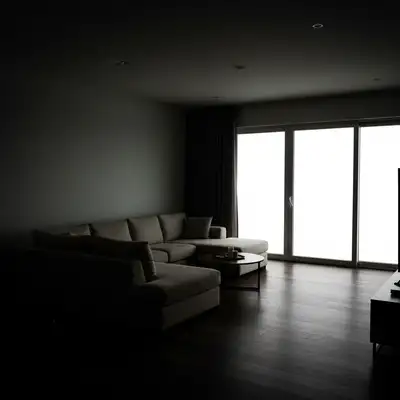
Original photo before Add Solar Panels to Roof Photo with AI
Before
β†’
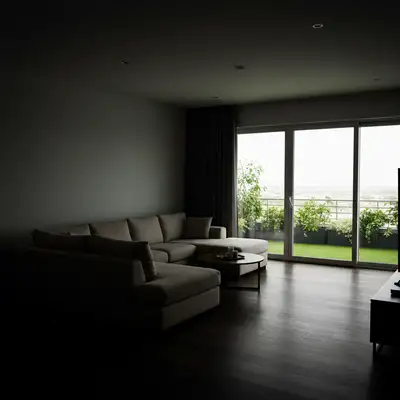
Result after Add Solar Panels to Roof Photo with AI using EditThisPic
After

AI Solar Panel Adder

Upload photo to add solar panels

Free β€’ Results in 30 seconds β€’ No signup

Release to upload

FreeNo signupNo watermark

Cost
Free No signup required
Time
Instant results in 15-30 seconds
Works on
Any device - browser, phone, tablet, desktop
Powered by
AI-powered photo editing

How it works

  1. Upload Your House Photo

    Upload a clear photo of your house showing the roof where you want solar panels. Photos with good lighting and visible roof planes work best. The AI will add realistic panels with proper alignment and shadows.

    Expect: Simple add: 20-30 seconds. Complex add: 30-45 seconds and may need refinements.
  2. Describe Solar Panel Placement

    Tell the AI where to place panels: which roof section, how much coverage, and orientation. For example, 'add solar panels covering half of the south-facing main roof' or 'add 20 solar panels on the garage roof.' Be specific about location and quantity for accurate visualization.

    Copy one of these to get started:

    Add solar panels covering the main Add solar panels covering the main roof facing the street
    Add 20 solar panels on the Add 20 solar panels on the garage roof
    Add solar panels covering half of Add solar panels covering half of the south-facing roof section
    Add black-framed solar panels on the Add black-framed solar panels on the entire back roof
    3 more prompts
    Add 32 solar panels arranged in Add 32 solar panels arranged in 4 rows of 8 on the main roof
    Add solar panels covering the left Add solar panels covering the left roof plane only, leaving right side clear
    Add low-profile all-black solar panel... Add low-profile all-black solar panels covering both garage and main house roof
  3. Review Panel Layout

    Check that panels are positioned realistically on your roof and look proportional. The AI aligns panels with roof angles and adds appropriate mounting. Refine your description to adjust coverage area or number of panels.

  4. Download Visualization

    Save your solar panel visualization in high resolution for installer consultations, HOA submissions, or family discussions. No watermark. Compare different configurations by generating multiple versions with varying panel counts.

Try it free ↓

AI Solar Panel Adder

Upload photo to add solar panels

Free β€’ Results in 30 seconds β€’ No signup

Release to upload

Free β€’ No signup

"So much better than I expected from a free tool." via App Store

See it in action

Original photo before Add Solar Panels to Roof Photo with AI
Before
->
Result after Add Solar Panels to Roof Photo with AI using EditThisPic
After

20 solar panels added to main roof section

20 solar panels added to main roof section

Prompt: 20 solar panels added to main roof section
Original photo before Add Solar Panels to Roof Photo with AI
Before
->
Result after Add Solar Panels to Roof Photo with AI using EditThisPic
After

Solar panels covering half of south-facing roof

Solar panels covering half of south-facing roof

Prompt: Solar panels covering half of south-facing roof
Original photo before Add Solar Panels to Roof Photo with AI
Before
->
Result after Add Solar Panels to Roof Photo with AI using EditThisPic
After

All-black solar panels on both garage and main roof sections

All-black solar panels on both garage and main roof sections

Prompt: All-black solar panels on both garage and main roof sections

Detailed Guides by Scenario

πŸ“·

Home & Interior Design

Preview how solar panels would look in a room or space before committing to a purchase or renovation.

Common Scenarios

  • Visualizing solar panels in a living room, bedroom, or office before buying
  • Creating client mockups that show solar panels in their actual space
  • Comparing different placements of solar panels in renovation plans

Best Practices

  • Upload a well-lit, straight-on photo of the room for the most realistic result
  • Specify the size and position β€” e.g., 'add a large solar panels on the left wall'
  • Match the room's lighting in your prompt: 'warm lighting' for evening shots, 'natural daylight' for window-lit rooms
πŸ“·

Creative & Social Content

Use solar panels to create eye-catching content for social media, digital art, or personal projects.

Common Scenarios

  • Adding solar panels to photos for unique social media posts that stand out in feeds
  • Creating fantasy or composite images that incorporate solar panels for art projects
  • Making holiday or themed content by placing solar panels in seasonal photos

Best Practices

  • Be specific about the style β€” 'realistic solar panels' vs. 'illustrated solar panels' gives very different results
  • Use reference images when you want the AI to match a particular look
  • For social content, try unusual placements that create a surreal or humorous effect
πŸ“·

Professional & Marketing Use

Incorporate solar panels into marketing materials, presentations, and product catalogs without expensive photo shoots.

Common Scenarios

  • Adding solar panels to product mockups and marketing banners
  • Creating presentation slides that show solar panels in context
  • Building a catalog of variations that feature solar panels in different settings

Best Practices

  • Use high-resolution source images β€” marketing materials demand sharp details
  • Keep brand guidelines in mind: specify colors and style that match when adding solar panels
  • Generate multiple versions and A/B test which placement performs best in ads

If something looks off

AI changed the wrong area or something I didn't want changed

Why: The AI couldn't determine exactly which area you meant from description alone.

Try: Tap a marker on the specific area you want to change, then regenerate with the same prompt

Tip: Markers tell the AI 'I mean THIS one specifically.' Use them when description alone is ambiguous.

Quick answers

Do I need to mark where panels should go?

No, you never mark or outline areas. Just describe panel placement: 'add solar panels to the main roof,' 'place panels on the south-facing roof section,' or 'add 20 panels to the garage roof.' The AI understands which roof section you mean and places panels automatically with proper alignment and spacing.

How many solar panels should I add?

Typical residential systems range from 12-40 panels depending on energy needs and roof space. A 6kW system uses about 16-20 panels, while a 10kW system needs 28-32 panels. If you don't know, describe coverage: 'cover half the roof' or 'maximize panels on available space.' You can also try different quantities to see what looks best and discuss with solar installers.

Can I specify panel color or style?

Yes, describe panel appearance: 'all-black solar panels' for low-profile installations, 'black-framed panels' for common residential look, or 'silver-framed solar panels' for traditional style. All-black panels (black frames and backsheets) blend best with most roofs. You can also specify 'low-profile mounting' or 'flush-mount panels.'

Will this show accurate system size for my needs?

This tool visualizes panel placement and appearance, not system sizing. Actual system size depends on your electricity usage, roof orientation, shading, and local solar production. Use these visualizations to see how panels look on your roof, then get quotes from solar installers who will design a system sized for your specific energy needs.

Can I use this for HOA approval?

Yes, these visualizations are perfect for HOA architectural review submissions. Generate views from different angles if possible, showing how panels look from the street. Many HOAs want to see visual impact before approving solar. These renders help demonstrate that panels will look tasteful and professional on your home.

Is EditThisPic's AI solar panels adder really free?

Yes β€” you get 1 free edit per week, no account needed. For unlimited edits, plans start at $3.99/month.

Can I add solar panels on my phone?

Yes. EditThisPic works in any mobile browser β€” iPhone, Android, tablet. No app download needed.

What photo formats does the AI solar panels adder support?

JPG, PNG, WebP, and HEIC. Upload any common photo format and EditThisPic handles the rest.

Ready to start editing?

Free to try. No signup required.