Free • No signup Swap Head · Free

AI Head Swapper for Photos

Upload your photo and describe which head to swap with which body - get natural results in seconds
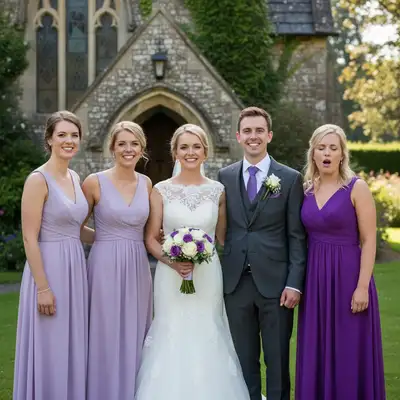
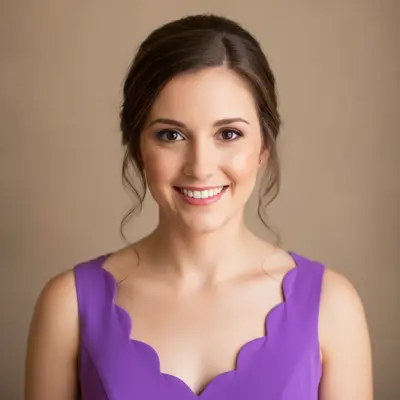
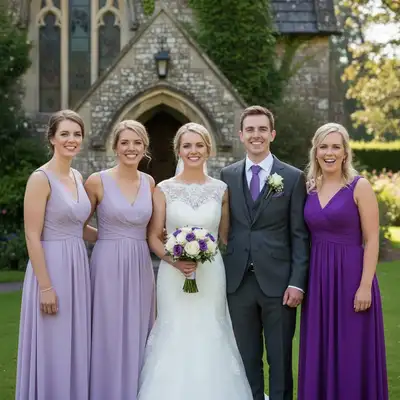
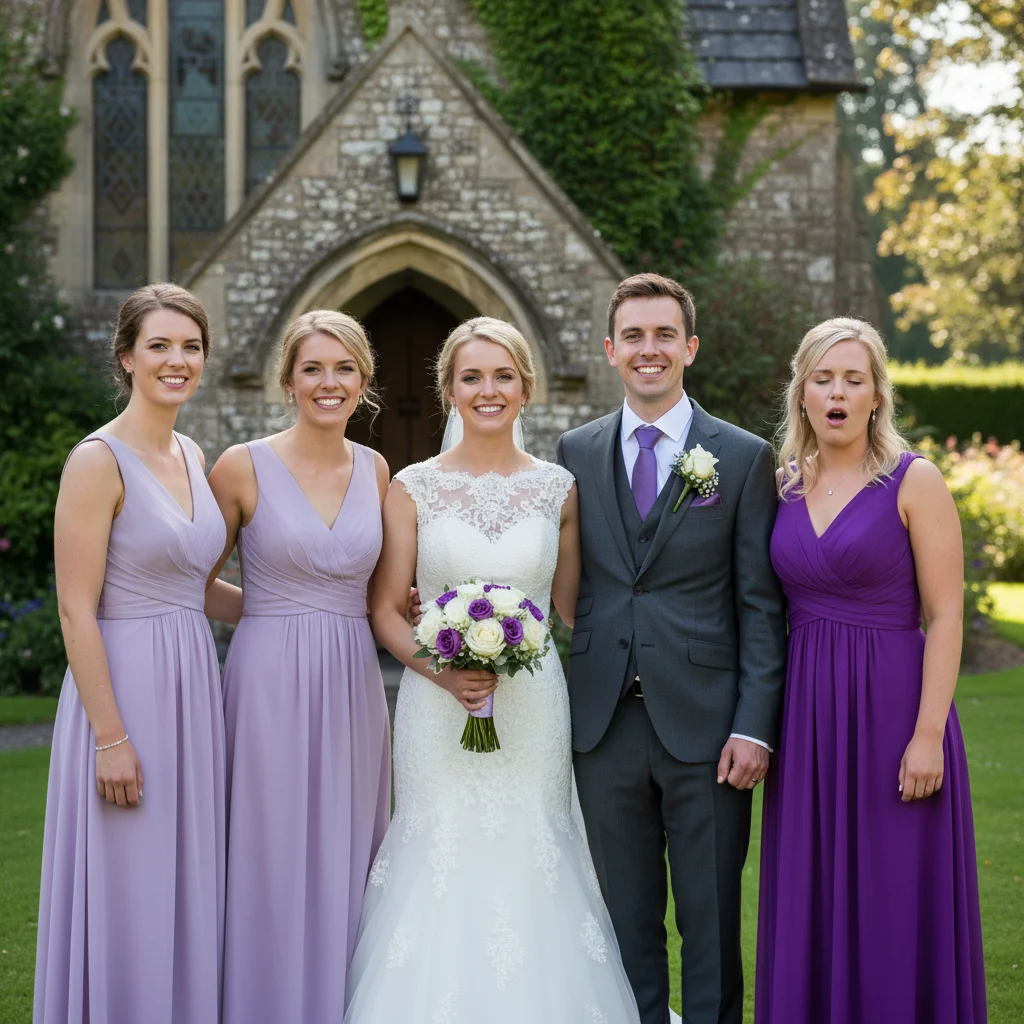
Wedding party photo with maid of honor in purple dress with eyes closed
Before
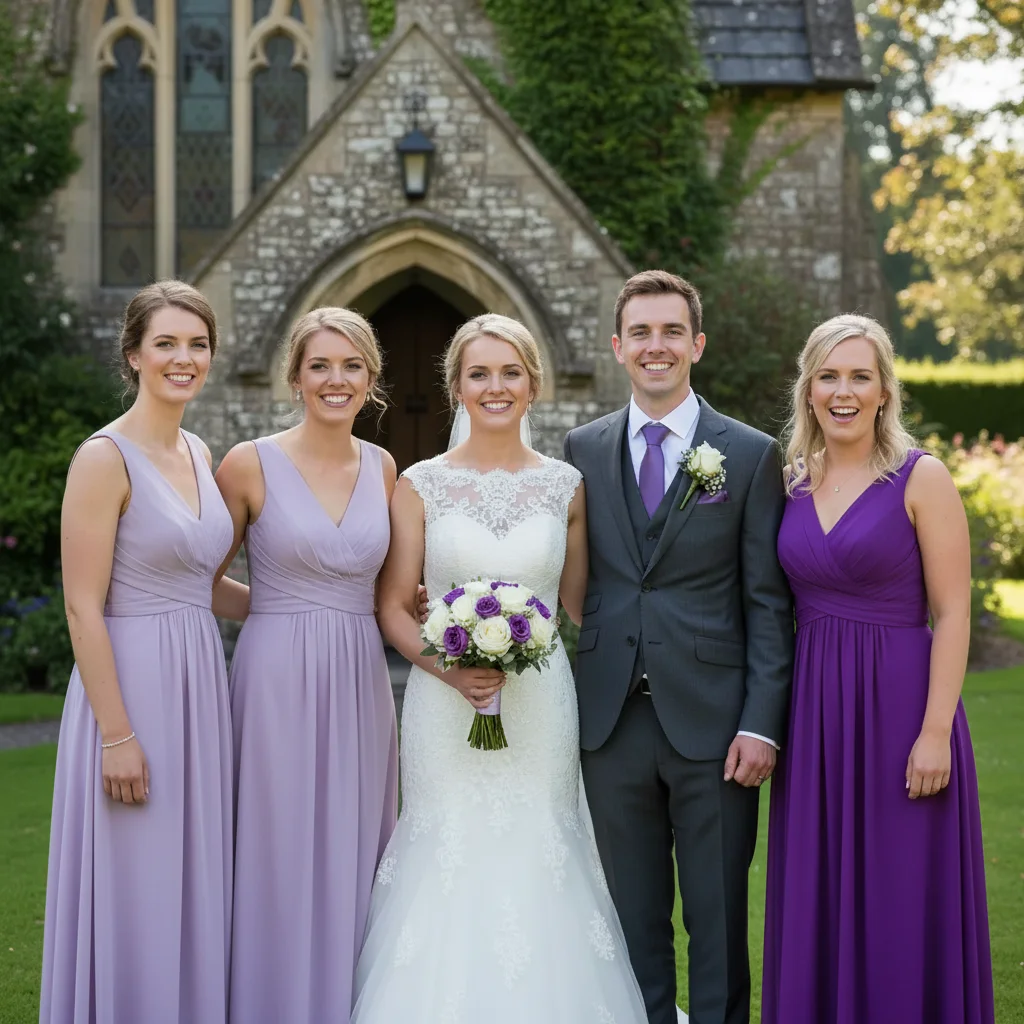
Same wedding photo with maid of honor's head swapped to version with eyes open and smiling
After

Swap Heads in Photos

Drop your photo here

or click to browse

Release to upload

Free • No signup

Popular use cases:
  • fix group photo
  • swap heads between photos
  • replace head in photo
  • fix closed eyes photo
  • change head on body
  • head replacement
  • fix blink in photo
  • swap heads for fun

Cost
Free No signup required
Time
Instant results in 15-30 seconds
Works on
Any device - browser, phone, tablet, desktop
Powered by
AI-powered photo editing
Scenario Prompt Time
Same photo head swap Swap the heads of the person on the left and right 30s
Fix eyes closed in group Replace the person in blue's head with their head from another photo where eyes are open 40s
Cross-photo swap (similar lighting) Put my headshot onto this body while matching the lighting 60s
Complex different lighting swap Swap this head from the outdoor photo onto the indoor body and match the color temperature and lighting direction 90s

How it works

  1. Upload your base photo

    Start with the photo that has the body pose you want to keep. This is usually the photo where most people look good but one person has eyes closed or a bad expression. Make sure the person whose head you want to replace is clearly visible with their full head and neck showing. The AI works best when heads are at similar angles and lighting conditions.

    Expect: Simple head swaps (same photo, similar angle): 30-40 seconds. Complex cases (different photos, different angles/lighting): 60-90 seconds and will likely need positioning refinement.
  2. Describe the head swap you want

    This is where you tell the AI what to do. Be specific about which head to swap: 'swap the head of the woman in the blue shirt with her head from the photo where she's smiling' or 'replace the man on the right with the head from the second photo.' If swapping within the same photo, describe positions clearly. If using a head from another photo, you can upload it as a reference or describe it. The AI understands natural instructions without needing you to outline anything.

    Tip: Mention identifying details like clothing color, position in the photo, or distinctive features so the AI knows exactly which person you mean in group photos.

    Copy one of these to get started:

    Fixing someone with eyes closed in group photo Swap the head of the person in the red jacket with their head from another photo where their eyes are open and they're smiling naturally
    Swapping heads between two people in same photo Swap the heads of the person on the left and the person on the right so their heads are on each other's bodies
    Replacing your head on a professional photo Replace the model's head in this professional photo with my head from the headshot I'm uploading as a reference while keeping the same professional styling
    Fixing one person in a couple's photo Replace the man's head with his head from the second photo where he has a better expression while keeping everything else the same
    4 more prompts
    Creating a before/after transformation visualization Swap this person's current head with their head from the old photo to show the transformation on the same body pose
    Fixing child with funny face in family photo Replace the child in the yellow shirt's head with their head from the photo where they're smiling normally instead of making a silly face
    Swapping from professional headshot to casual body Put my professional headshot onto the body in this casual photo while matching the natural outdoor lighting and adjusting the angle to match the body pose
    Multiple people with same clothing Replace the head of the person standing in the back row third from the left with their head from the other photo where they're looking at the camera
  3. Review the swapped result

    Zoom in on the neck area to check if the head blends seamlessly with the body. Look for matching skin tones between the head and neck. Check that the lighting direction on the face matches the original body. Verify the head size is proportional to the body. Look at hair edges to ensure they blend naturally with the background. The swap should be completely undetectable.

  4. Adjust position if needed

    If the head angle doesn't quite match the body pose, describe the adjustment: 'tilt the head slightly left' or 'rotate the head to face more toward the camera.' If the head size is off, request 'make the head slightly smaller to match the body proportions.' Most swaps between photos taken at the same time work perfectly on the first try.

    Tip: When swapping heads from photos taken at different times with different lighting, you may need to request 'match the lighting and color temperature of the original photo' for seamless blending.
  5. Refine with markers for precision

    If the AI swapped the wrong person's head in a group photo, place a marker on the exact person you want changed and regenerate with your same description. If the neck seam is visible, place a marker where the blend should happen and say 'blend the head and neck seam more naturally here.' Markers are especially useful when multiple people are similar-looking.

    Tip: Use markers when you have identical twins or siblings in a photo where the AI can't tell from description alone which specific person you mean.
Try it free

Swap Heads in Photos

Drop your photo here

or click to browse

Release to upload

Free • No signup

"We took 20 family photos at the reunion and someone had their eyes closed in every good one. Swapped their head from a photo where they looked great. You literally can't tell it was edited." @FamilyPhotographer

See it in action

Wedding party photo with maid of honor in purple dress with eyes closed
Before
->
Same wedding photo with maid of honor's head swapped to version with eyes open and smiling
After

Wedding party group photo eye-blink fix

A perfect wedding party photo except the maid of honor blinked. We swapped her head from another photo taken seconds earlier where her eyes were open.

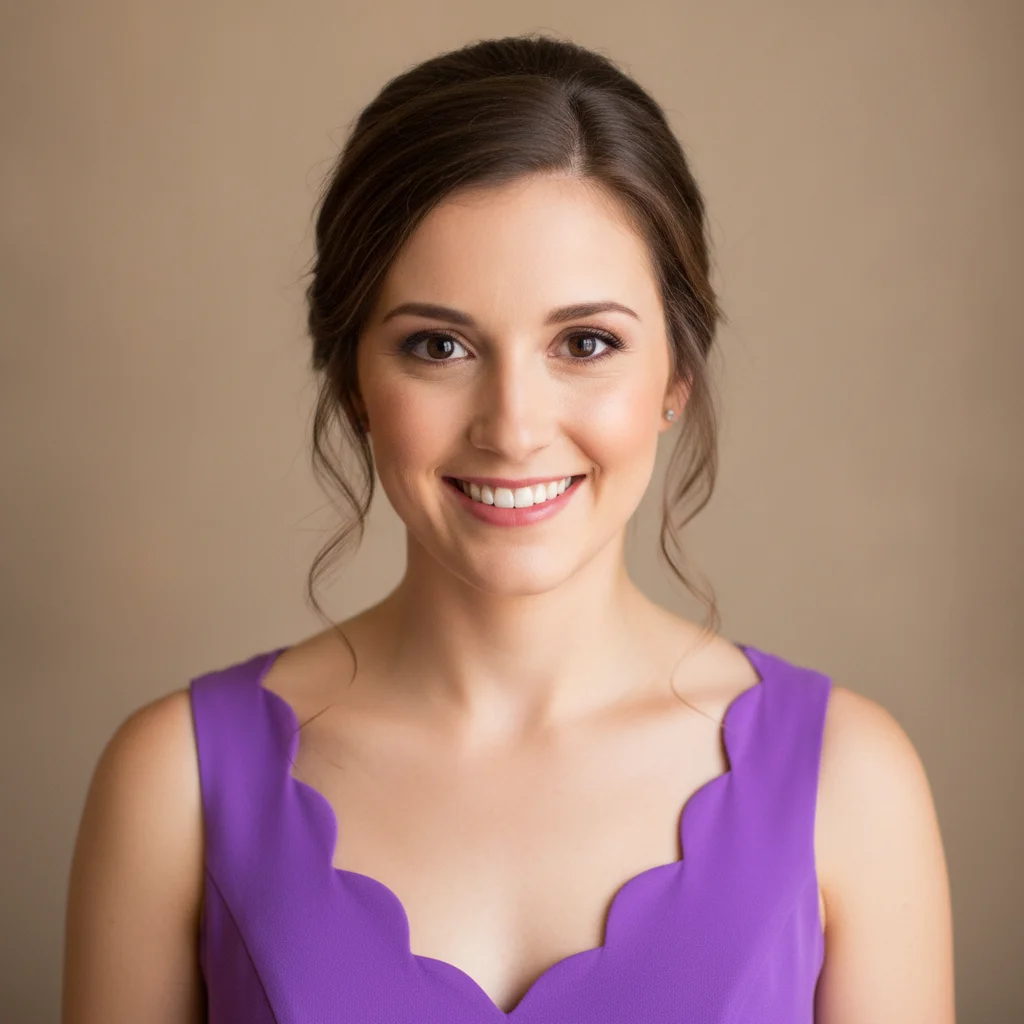
Prompt: Swap the head of the woman in the purple bridesmaid dress on the far right with her head from the reference photo where her eyes are open
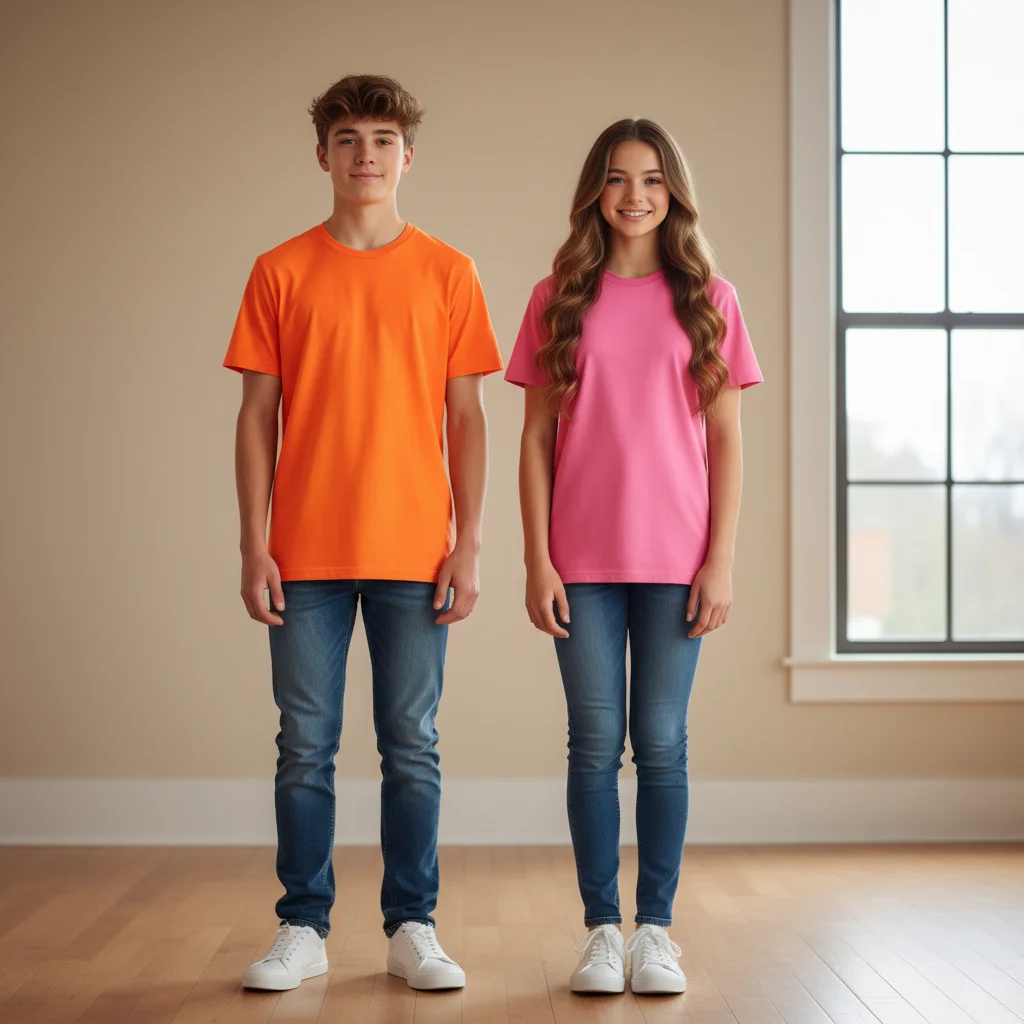
Brother in orange shirt and sister in pink shirt standing side by side
Before
->
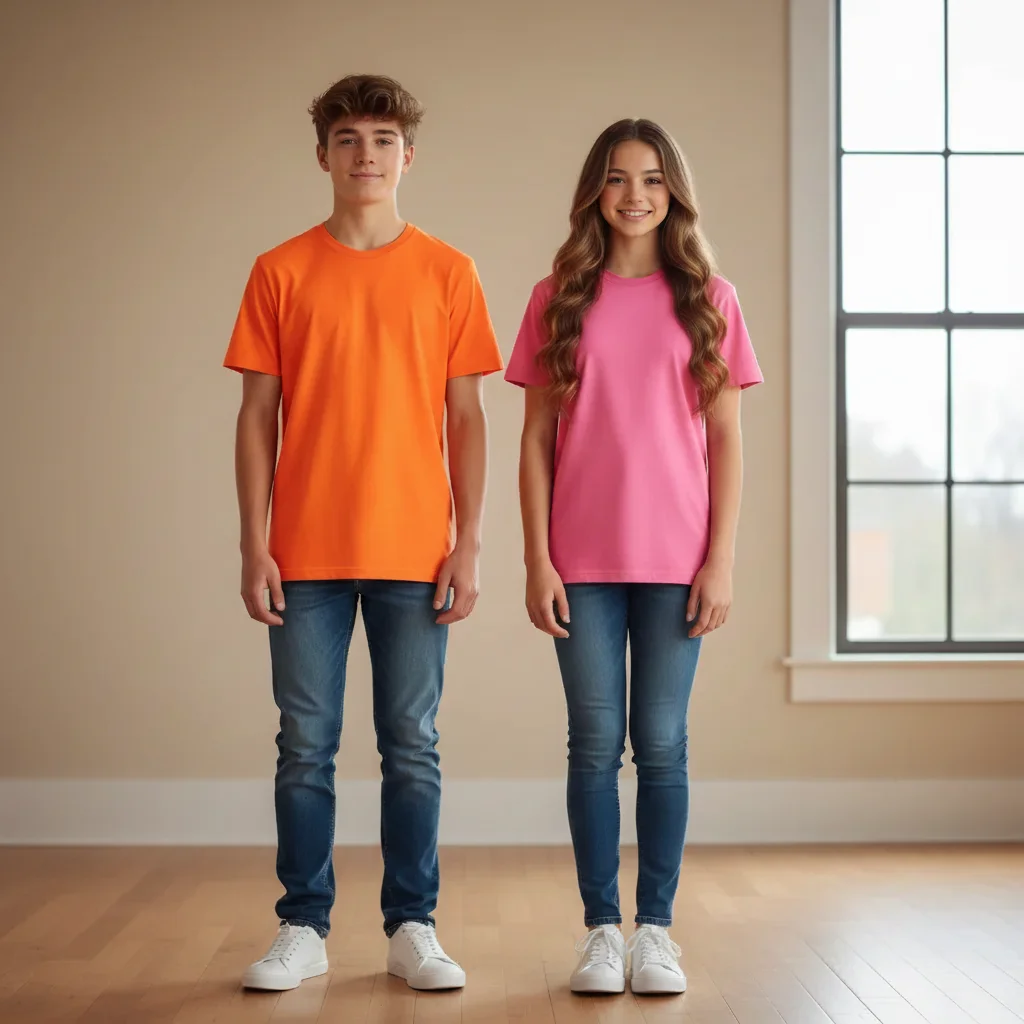
Same photo but with their heads swapped, boy's head on girl's body and vice versa
After

Swapping heads between siblings for fun comparison

Brother and sister wanted to see what they'd look like with each other's heads. Same photo, just swapping the two heads between the two bodies.

Prompt: Swap the heads of the person on the left and the person on the right so they have each other's heads on their bodies
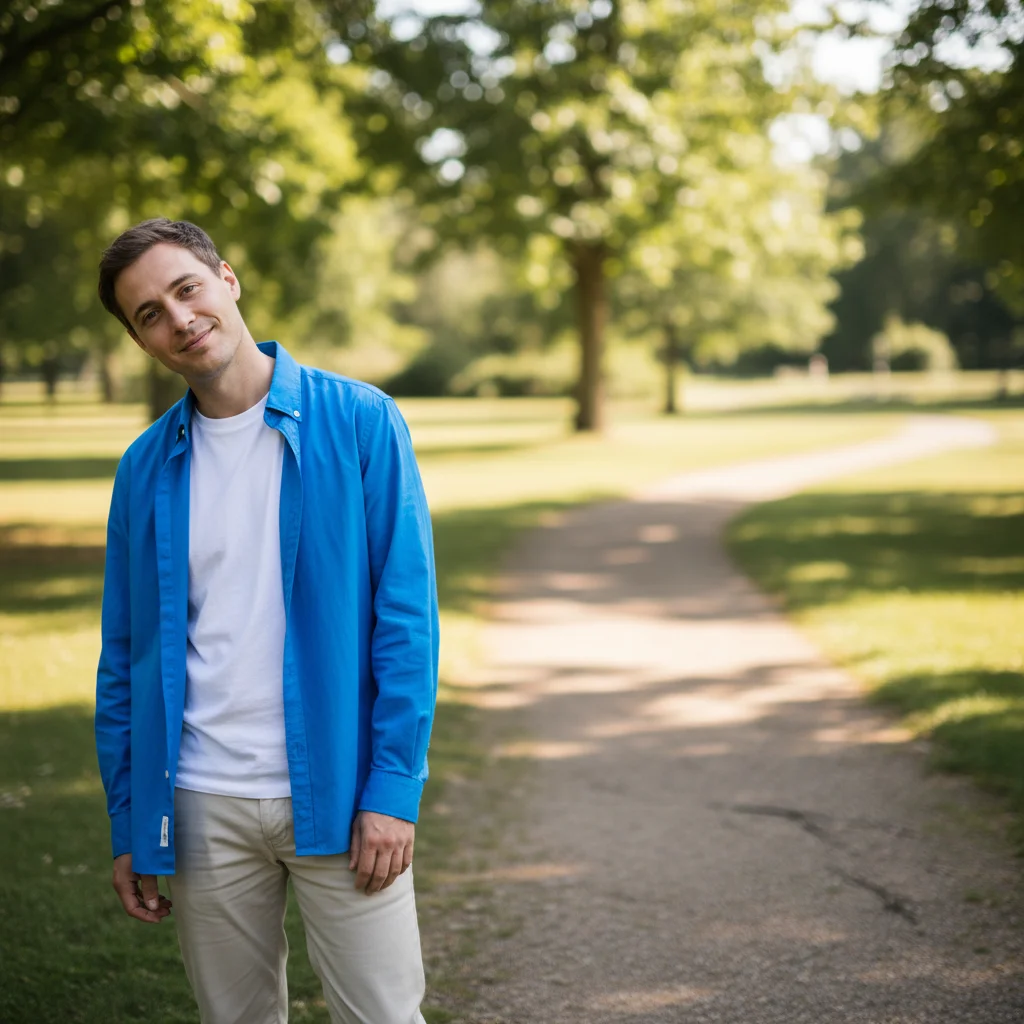
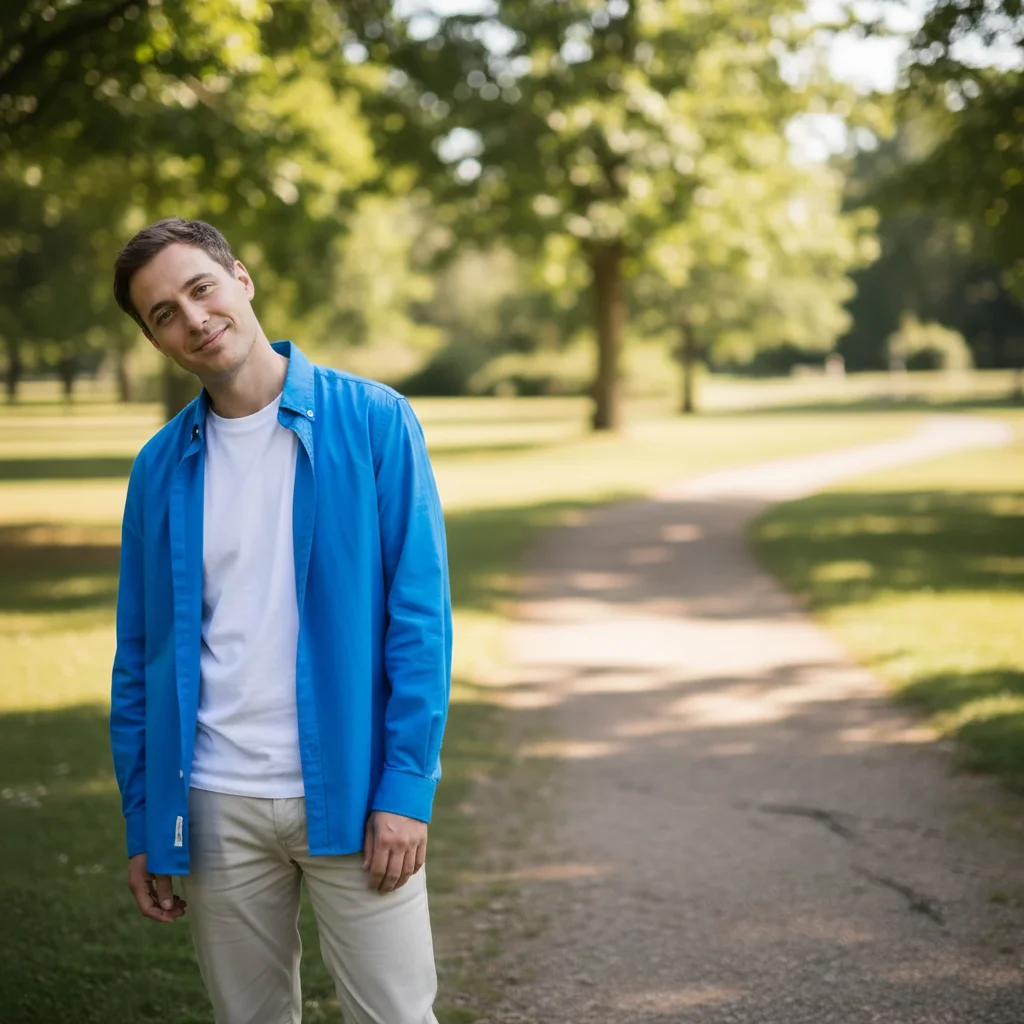
Casual outdoor photo with person in relaxed pose and informal expression
Before
->
Same casual pose but with professional studio headshot swapped in with matched lighting
After

Professional headshot onto casual body pose

Needed a professional photo but with a more relaxed pose. Swapped a professional headshot onto a body from a casual outdoor photo.

Prompt: Replace this casual photo's head with my professional headshot while matching the natural outdoor lighting and adjusting the head angle to look natural with the relaxed body pose
Christmas family photo with child in red sweater making a silly face with tongue out
Before
->
Same Christmas photo with child's head swapped to version with normal smiling expression
After

Family photo with child making silly face

Perfect family Christmas photo but the youngest kid was making a goofy face. Swapped their head from a photo where they were smiling normally.

Prompt: Replace the child in the red sweater's head with their head from the second photo where they're smiling normally instead of sticking their tongue out

Detailed Guides by Scenario

📷

Fix Group & Family Photos

Save group photos by swapping one person's head from a better shot. Works for blinks, bad expressions, and looking away.

Common Scenarios

  • Someone blinked or had eyes closed in the group photo — swap their head from another shot
  • A child made a silly face in the family photo — swap in their head from a normal expression shot
  • One person was looking away in an otherwise perfect group photo

Best Practices

  • Upload the group photo as photo 1 (main) and the shot with the better head as photo 2 (reference)
  • Identify the person by clothing or position: 'the woman in the blue dress on the right'
  • Photos from the same event at similar angles produce the most undetectable swaps
📷

Professional Headshot Swaps

Combine a professional headshot with a casual or different body pose. Upload the body photo as main and the headshot as reference.

Common Scenarios

  • Putting your professional headshot onto a casual body pose for a more natural team photo
  • Updating an old corporate photo by swapping in a newer headshot without reshooting
  • Creating before/after transformation comparisons using the same body with different heads

Best Practices

  • Use the body/pose photo as photo 1 and the headshot as photo 2 (reference image)
  • Mention 'match the lighting direction and color temperature' when source lighting differs
  • Head angle should roughly match the body's shoulder orientation for natural results
📷

Creative & Fun Head Swaps

Swap heads between people for fun, create humorous content, or experiment with how you'd look in different contexts.

Common Scenarios

  • Swapping heads between two friends or siblings for a humorous photo
  • Putting your head onto a historical figure, movie character, or athlete's body
  • Creating fun comparison content by putting different heads on the same body

Best Practices

  • Front-facing heads with good lighting are easiest for the AI to swap cleanly
  • Specifying 'keep adult body proportions' prevents resizing artifacts
  • For dramatic swaps between very different photos, request explicit lighting matching

If something looks off

AI changed the wrong area or something I didn't want changed

Why: The AI couldn't determine exactly which area you meant from description alone.

Try: Tap a marker on the specific area you want to change, then regenerate with the same prompt

Tip: Markers tell the AI 'I mean THIS one specifically.' Use them when description alone is ambiguous.

AI swapped the wrong person's head in a group photo

Why: Your description matched multiple people, or the AI identified the wrong person from the description.

Try: Place a marker directly on the head of the specific person you want to replace, then describe the swap again

Tip: In group photos with similar-looking people, markers are more reliable than descriptions. Point exactly at who you mean.

The swapped head is the wrong size for the body

Why: The source head was from a person with different proportions, or from a photo at a different distance from the camera.

Try: Try 'Make the swapped head 20% smaller to match body proportions' or 'Enlarge the head slightly to fit the neck'

Tip: Compare the neck thickness where it meets the head. The head should look natural for that neck size, not too large or small.

Visible seam or color mismatch at the neck

Why: The source photo had different lighting, skin tone, or color temperature than the target photo.

Try: Regenerate with 'Blend the neck seam smoothly and match the skin tone and lighting of the original photo'

Tip: Photos taken with different cameras or lighting will have different color casts. Always request matching when combining photos from different sources.

The head angle doesn't match the body pose

Why: The source head was facing a different direction than the body orientation.

Try: Describe the rotation needed: 'Rotate the head 15 degrees to the right to match the body's shoulder angle'

Tip: Look at the shoulders in the body. The head should face the same general direction the shoulders are turned toward.

Hair edges look unnatural or have weird artifacts

Why: Complex hair details like flyaways, curls, or hair over the background are challenging for AI to blend perfectly.

Try: Request 'Blend the hair edges more naturally with the background' or place a marker at the problematic hair area

Tip: Hair against complex backgrounds is hardest. If possible, use source heads with hair against simple backgrounds for cleaner results.

The lighting direction on the face doesn't match the body

Why: The source headshot had light coming from a different angle than the body photo's lighting setup.

Try: Try 'Adjust the lighting on the face to match the body's lighting direction from the left side'

Tip: Check where shadows fall on the body, then look at the face. Shadows should be on the same side for realistic results.

Quick answers

Do I need to mark the head before describing the swap I want?

No! Just describe which head to swap in plain language like 'swap the head of the person in the blue shirt with their head from this other photo' or 'replace the person on the left's head.' The AI identifies people from your description. Only use markers when you have multiple very similar-looking people where description alone might be ambiguous, like identical twins or people wearing the same uniform.

How do I swap heads in a photo for free?

Upload your photo to EditThisPic and describe which head you want to swap with which body. The tool is completely free with no signup required and puts no watermarks on your edited photos. You can swap as many heads as you want and download them all in full resolution.

What's the difference between head swap and face swap?

Head swap replaces the entire head including hair, ears, and head shape. Face swap only replaces the facial features (eyes, nose, mouth) while keeping the original head shape and hair. Use head swap when you want a completely different head from another photo. Use face swap when you want to keep the hairstyle but change the face.

Can I swap a head from one photo onto a body in a completely different photo?

Yes, but results are best when the photos have similar lighting conditions and the head is at a similar angle to the body. You can describe 'use the head from this reference photo I'm uploading' and the AI will place it on the body in your main photo. You may need to request lighting adjustments for seamless blending if the photos were taken in very different conditions.

Will the swapped head look natural or obviously edited?

When the source and target photos have similar lighting and the head angle matches the body pose, results are typically undetectable. The AI automatically matches skin tones, adjusts head size, and blends the neck seam. Swaps within the same photo session usually look completely natural. Cross-photo swaps from different lighting may need refinement requests to perfect the match.

Can I swap heads of people with very different skin tones or hair colors?

Yes, the AI handles different skin tones, hair colors, and even different genders. It adjusts the neck blending to match the body's skin tone automatically. However, if you're swapping someone with long blonde hair onto a body that originally had short dark hair, make sure the background and clothing make sense with the new hair visible in the shot.

Ready to swap heads in your photo?

Free to try. No signup required.

Try it free