Free โ€ข No signup Enhance Photo professionalism ยท Free

AI Photo Professional Enhancer

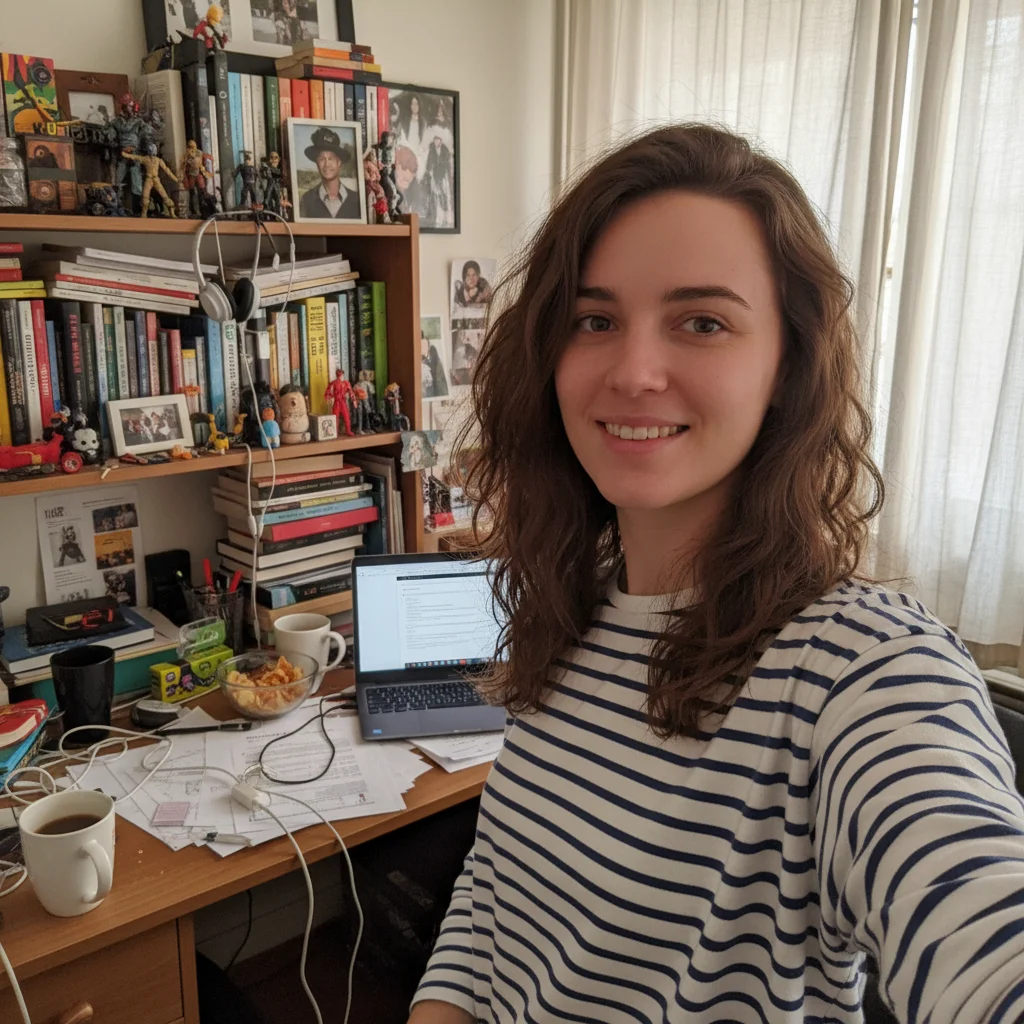
Before
Before
โ†’
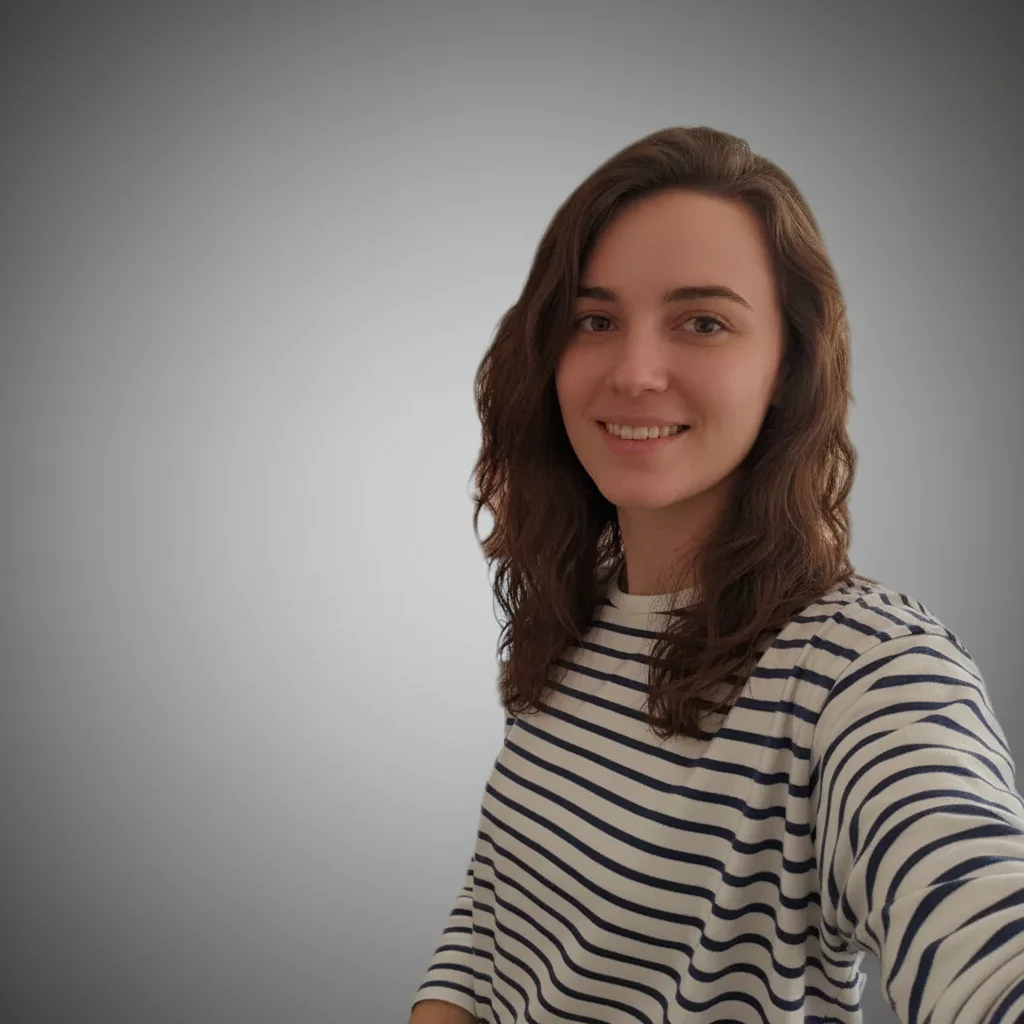
After
After

Free AI Photo Professional Enhancer

Drop your photo here

or click to browse

Release to upload

Free โ€ข No signup

Advertisement
Popular use cases:
  • professional photo enhancer
  • make photo look professional
  • improve photo quality
  • professional photo editor
  • enhance photo quality
  • professional portrait editor
  • business photo enhancer
  • professional headshot editor
  • studio quality photo
  • magazine quality photo editor

Cost
Free No signup required
Time
Instant results in 15-30 seconds
Works on
Any device - browser, phone, tablet, desktop
Powered by
AI-powered photo editing
Scenario Prompt Time
15-30s
15-30s
15-30s
15-30s
15-30s

How it works

  1. Upload your photo

    Choose any photo you want to make look more professional - selfies, product photos, portraits, or event pictures. Works with photos of any quality level.

    Expect: Upload takes 30-45 seconds depending on file size and connection speed.
  2. Describe the professional look you want

    Tell the AI what professional qualities to enhance - better lighting, richer colors, magazine-quality finish, studio look, or specific improvements. The AI analyzes your photo and applies professional-grade enhancements automatically. No need to specify technical settings - just describe the result you envision.

    Tip: Combine multiple improvements: 'Make it look professional with better lighting, richer colors, and sharper details' gives comprehensive enhancement.

    Copy one of these to get started:

    General enhancement for any photo Make this photo look professional with better lighting and colors
    High-end polished look Give this a magazine-quality professional finish
    Portrait enhancement Make this look like a professional studio portrait
    Technical quality improvement Enhance this to look professionally shot with better exposure and sharpness
    4 more prompts
    E-commerce product shots Make this look like a professional product photo with clean lighting
    LinkedIn or business profiles Transform this into a professional headshot with refined lighting and colors
    Fashion or lifestyle photography Give this photo a high-end editorial look with dramatic lighting and rich tones
    Cinematic quality enhancement Make this look professionally color graded with cinematic tones and perfect exposure
  3. Review the result

    Check the enhanced lighting, color balance, sharpness, and overall professional quality. Compare with the original to see improvements. If you want different adjustments, refine your description and regenerate.

  4. Download Your Professional Photo

    Save your professionally enhanced photo. No watermark, ready for business use, portfolios, social media, or any professional context.

Try it free โ†“

Free AI Photo Professional Enhancer

Drop your photo here

or click to browse

Release to upload

Free โ€ข No signup

See it in action

Before
Before
->
After
After

Prompt: Make this photo look professional with better lighting and colors
Before
Before
->
After
After

Prompt: Make this look like a professional product photo with clean lighting
Before
Before
->
After
After

Prompt: Give this photo a high-end editorial look with dramatic lighting and rich tones
Advertisement

If something looks off

AI changed the wrong area or something I didn't want changed

Why: The AI couldn't determine exactly which area you meant from description alone.

Try: Tap a marker on the specific area you want to change, then regenerate with the same prompt

Tip: Markers tell the AI 'I mean THIS one specifically.' Use them when description alone is ambiguous.

Photo looks over-processed or too artificial

Why: The AI applied enhancements too aggressively for the style you wanted.

Try: Add 'subtle' or 'natural-looking' to your prompt: 'Make this look professional with subtle lighting improvements'

Tip: Words like 'subtle', 'natural', 'gentle' produce more conservative enhancements. 'Dramatic' or 'bold' pushes further.

Colors don't look right after enhancement

Why: The AI's color adjustments didn't match your vision or the photo's context.

Try: Specify color preferences: 'Make professional with warm tones' or 'cool professional look' or 'keep original colors'

Tip: Mentioning specific color palettes (warm, cool, neutral, vibrant) guides the AI's color grading.

Some areas are too bright or too dark

Why: The overall lighting enhancement created uneven results in your specific photo.

Try: Be specific: 'Balance the lighting to make everything evenly lit' or 'brighten shadows while keeping highlights'

Tip: For challenging lighting, focus on specific issues rather than general 'professional' enhancement.

Photo lost important details after enhancement

Why: Aggressive processing or noise reduction removed texture you wanted to keep.

Try: Add 'while preserving details and texture' to your prompt to prioritize sharpness

Tip: For photos with important fine details (products, textures), explicitly mention preserving sharpness.

Result doesn't match the 'professional' style I wanted

Why: 'Professional' is subjective - the AI's interpretation may differ from your vision.

Try: Be specific about the style: 'studio portrait professional', 'editorial professional', 'corporate professional'

Tip: Reference specific photography styles (studio, editorial, corporate, lifestyle) for clearer results.

Quick answers

Do I need to mark specific areas to enhance?

No! The AI analyzes your entire photo and applies professional-quality enhancements across the whole image. Just describe the professional look you want. You only need markers if you want to enhance or protect specific areas differently.

Is this really free with no watermark?

Yes, completely free with no watermark. No account creation or payment required. Upload, enhance, and download as many photos as you want for professional or personal use.

What types of photos can I make look professional?

Any photo - portraits, selfies, product shots, event photos, real estate images, food photography, or casual snapshots. The AI adapts its enhancement approach based on your photo's content and your description.

Can I use the enhanced photos for business purposes?

Absolutely! The enhanced photos are yours to use however you need - websites, marketing materials, social media, portfolios, e-commerce, or any professional context. No usage restrictions.

How is this different from Instagram filters?

AI enhancement is much smarter than preset filters. Instead of applying the same effect to every photo, it analyzes your specific image and makes intelligent adjustments to lighting, exposure, color balance, and composition based on what your photo actually needs.

Will it fix photos taken in bad lighting?

Yes! The AI can dramatically improve photos with poor lighting by adjusting exposure, balancing highlights and shadows, and enhancing overall brightness and contrast. Results depend on the original quality, but even very dark or poorly lit photos can be significantly improved.

Ready to make your photo look professional?

Free to try. No signup required.

Try it free โ†’