Free • No signup Add Rug · Free

AI Rug Adder

← Browse all add & replace tools

Last updated

Add a specific rug to any room photo using a reference image — the AI places it under the furniture with correct pattern, scale, and perspective.
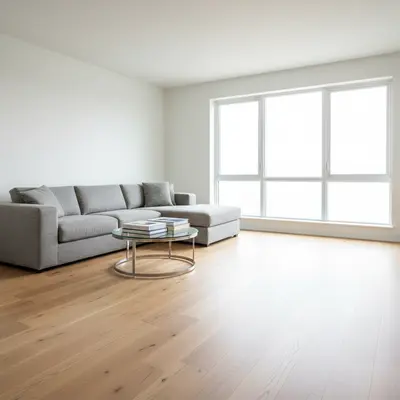
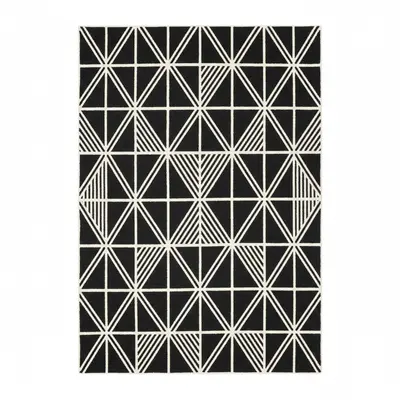
01Photo 1
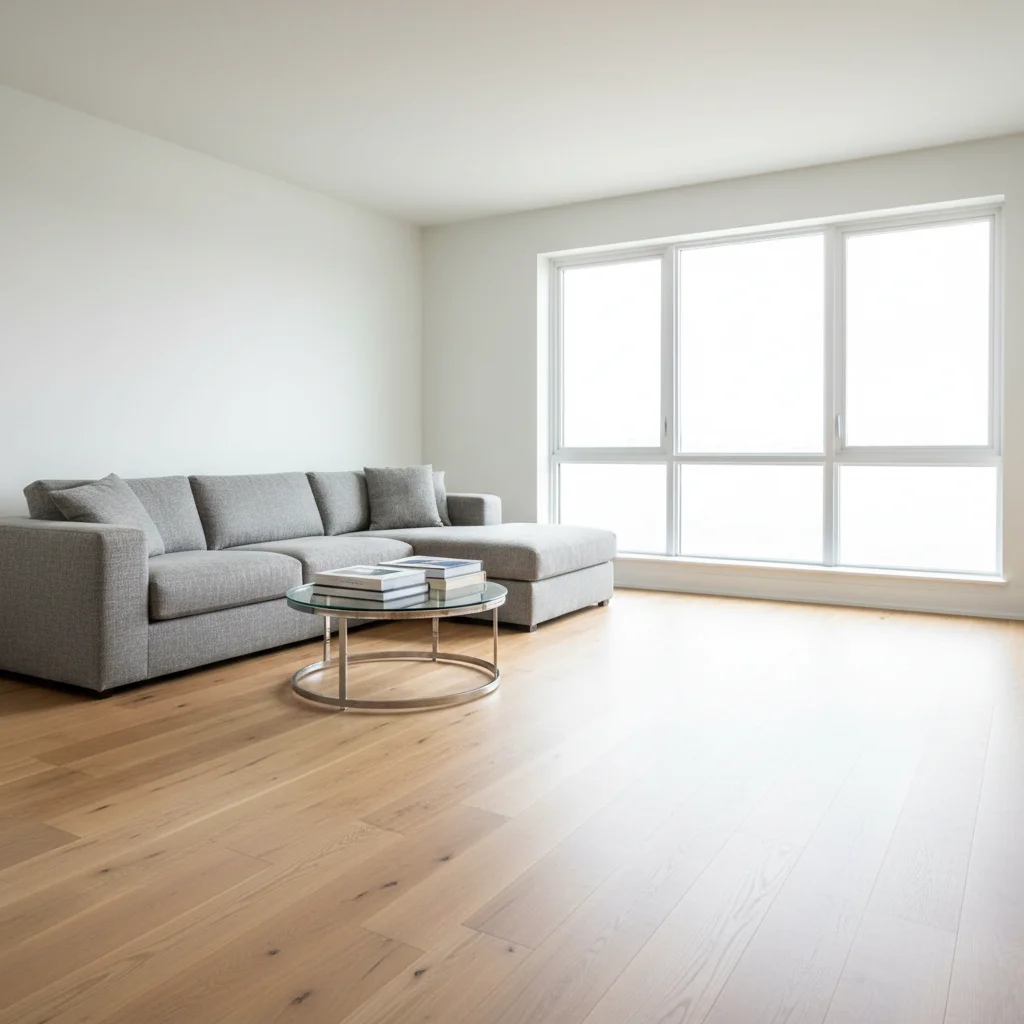
Modern living room with bare hardwood floor under sofa and coffee table
02Photo 2
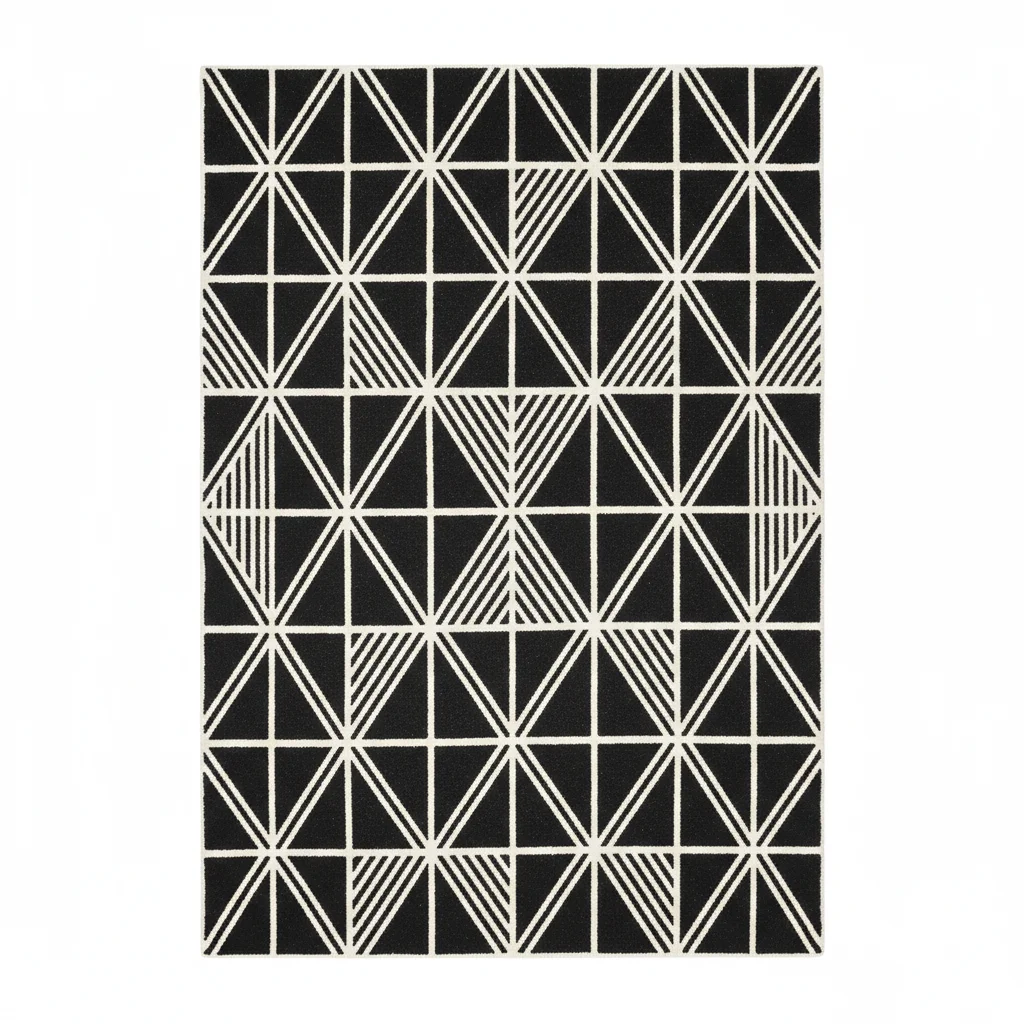
Black and white geometric area rug flat-lay from catalog
03Result
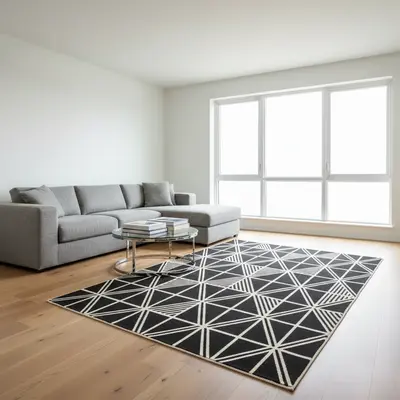
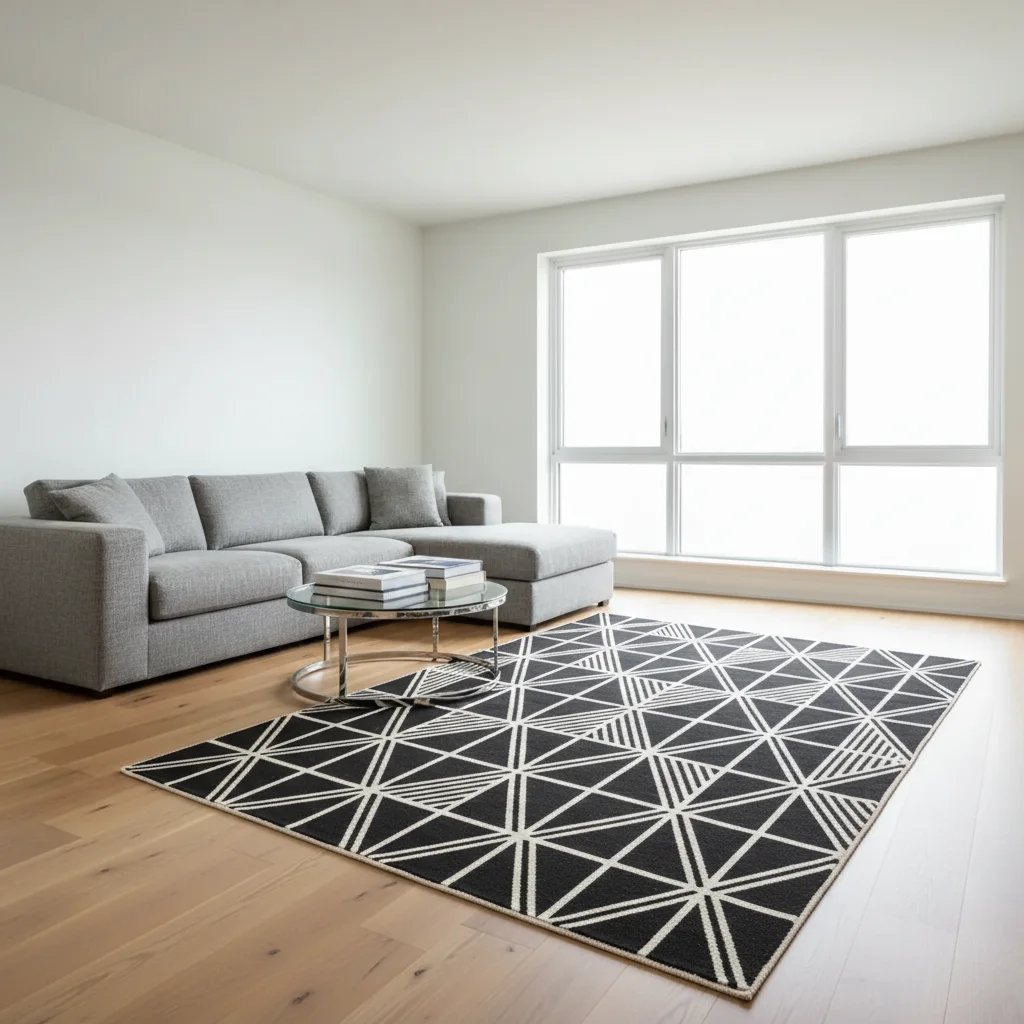
Same room with bold geometric rug anchoring the seating group

Upload photo to add rug

"add this exact rug from the listing centered on the floor, showing the pattern at the correct perspective angle for the room — I want to see how the pattern looks at room scale before purchasing"

Release to upload

1 free edit·then from $4.99

Popular use cases:
  • area rug visualization tool
  • rug size checker
  • virtual rug placement
  • rug pattern preview
  • floor accent planning
  • living room rug staging
  • bedroom rug visualization

Cost
Free No signup required
Time
Instant results in 15-30 seconds
Works on
Any device - browser, phone, tablet, desktop
Powered by
AI-powered photo editing

How it works

  1. Upload your two photos

    Drop your room photo into EditThisPic — showing the floor area where you want the rug — then click '+ Add reference image' to upload your rug photo from a retailer, catalog, or listing screenshot. JPG, PNG, WebP up to 7MB each. Photos that show the floor clearly (not obscured by existing furniture) give the AI the best surface to work with.

    Expect: Simple flat rug placement: 20-30 seconds. Complex patterned rugs with foreshortening: may need 1-2 passes for perspective accuracy.
  2. The reference captures pattern, pile, and color

    This is the key step — the AI reads your rug reference to capture the exact pattern (geometric, Persian, abstract, solid), pile texture (flat weave, shag, Berber), color palette, and fringe detail. It then renders this specific rug flat on your floor with correct perspective foreshortening — the pattern narrows toward the far end of the rug as it recedes into the room. The result reflects the actual rug, not a generic floor covering.

    Tip: Flat overhead product photos of rugs give the AI the clearest pattern capture. Angled showroom shots work but may reduce pattern accuracy in the result.

    Copy one of these to get started:

    Living room area rug under sofa grouping add this area rug centered under the coffee table and sofa, with the front legs of the sofa sitting on the rug — 8x10 size, pattern foreshortening correctly toward the back
    Visualizing a patterned rug before buying add this exact rug from the listing centered on the floor, showing the pattern at the correct perspective angle for the room — I want to see how the pattern looks at room scale before purchasing
    Bedroom rug under the bed add this rug under the bed with about two feet visible on each side and at the foot of the bed — lying flat with the pattern showing correctly despite the foreshortening
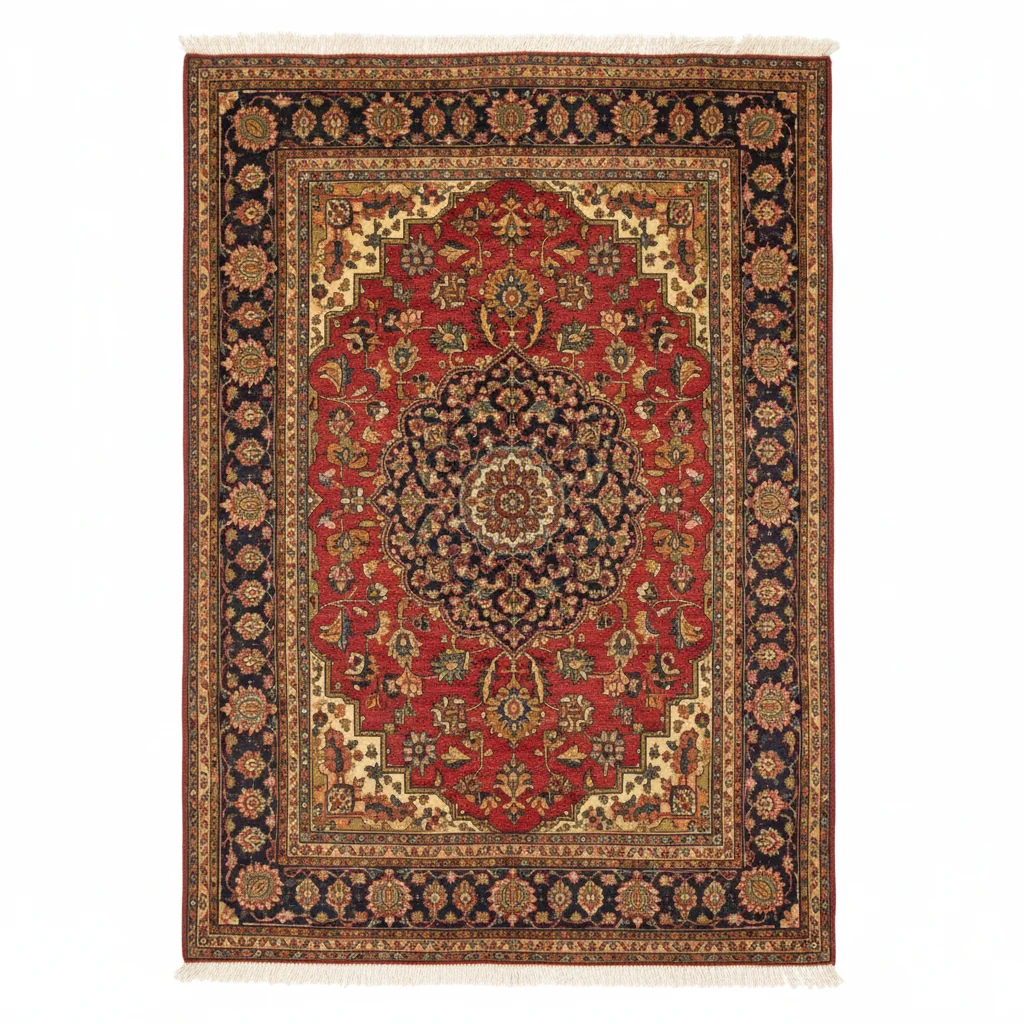
    Persian or oriental rug add this Persian rug centered in the room with the central medallion visible under the coffee table area — the intricate border pattern should be fully visible on all four sides
    2 more prompts
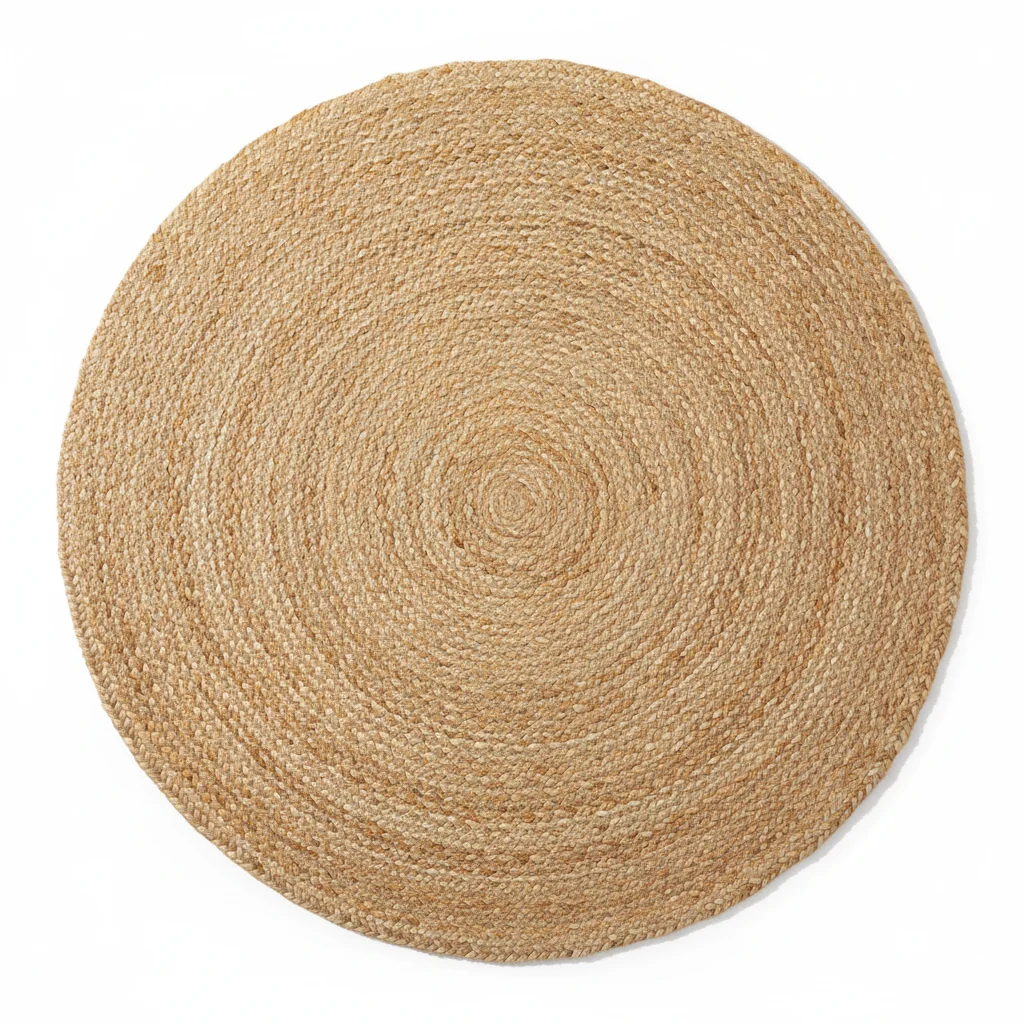
    Jute or natural fiber rug add this jute area rug centered under the seating area, showing the natural weave texture under the room's ambient light — laid flat, soft shadow at edges
    Dining room rug under table add this rug under the dining table, large enough so chairs remain on the rug even when pulled out — centered, lying flat, with correct perspective foreshortening
  3. Describe placement under the furniture

    Rugs anchor furniture groupings — describe placement relative to what's already in the room: 'add this rug centered under the coffee table and sofa, with the front sofa legs on the rug' or 'place this bedroom rug under the bed with about two feet visible on each side.' Size matters too — '8x10 rug' or 'large enough to define the seating area' helps the AI judge scale.

    Tip: The interior design rule for living rooms: front legs of all seating pieces should sit on the rug. Describe this in your prompt for the most professional-looking result.

    Copy one of these to get started:

    Living room area rug under sofa grouping add this area rug centered under the coffee table and sofa, with the front legs of the sofa sitting on the rug — 8x10 size, pattern foreshortening correctly toward the back
    Visualizing a patterned rug before buying add this exact rug from the listing centered on the floor, showing the pattern at the correct perspective angle for the room — I want to see how the pattern looks at room scale before purchasing
    Bedroom rug under the bed add this rug under the bed with about two feet visible on each side and at the foot of the bed — lying flat with the pattern showing correctly despite the foreshortening
    Persian or oriental rug add this Persian rug centered in the room with the central medallion visible under the coffee table area — the intricate border pattern should be fully visible on all four sides
    2 more prompts
    Jute or natural fiber rug add this jute area rug centered under the seating area, showing the natural weave texture under the room's ambient light — laid flat, soft shadow at edges
    Dining room rug under table add this rug under the dining table, large enough so chairs remain on the rug even when pulled out — centered, lying flat, with correct perspective foreshortening
  4. Check the perspective and pattern foreshortening

    A floor rug must look flat — the pattern should foreshorten correctly as it recedes from the viewer, and the edges should lie flush against the floor with no curl or floating. Check that the rug's color reads correctly under the room's ambient light, and that it looks sized appropriately for the furniture grouping it anchors. If the perspective looks off, a follow-up prompt targeting 'flat on the floor with correct perspective' corrects it.

See it in action

Modern living room with bare hardwood floor under sofa and coffee table
Main Photo
Black and white geometric area rug flat-lay from catalog
Reference
Same room with bold geometric rug anchoring the seating group
Result

Geometric rug anchors a modern living room

A bare hardwood living room transformed by adding a bold geometric rug from a CB2 catalog reference to anchor the seating area.

Prompt: Add the geometric rug from the reference photo to the living room, centering it under the coffee table and sofa.
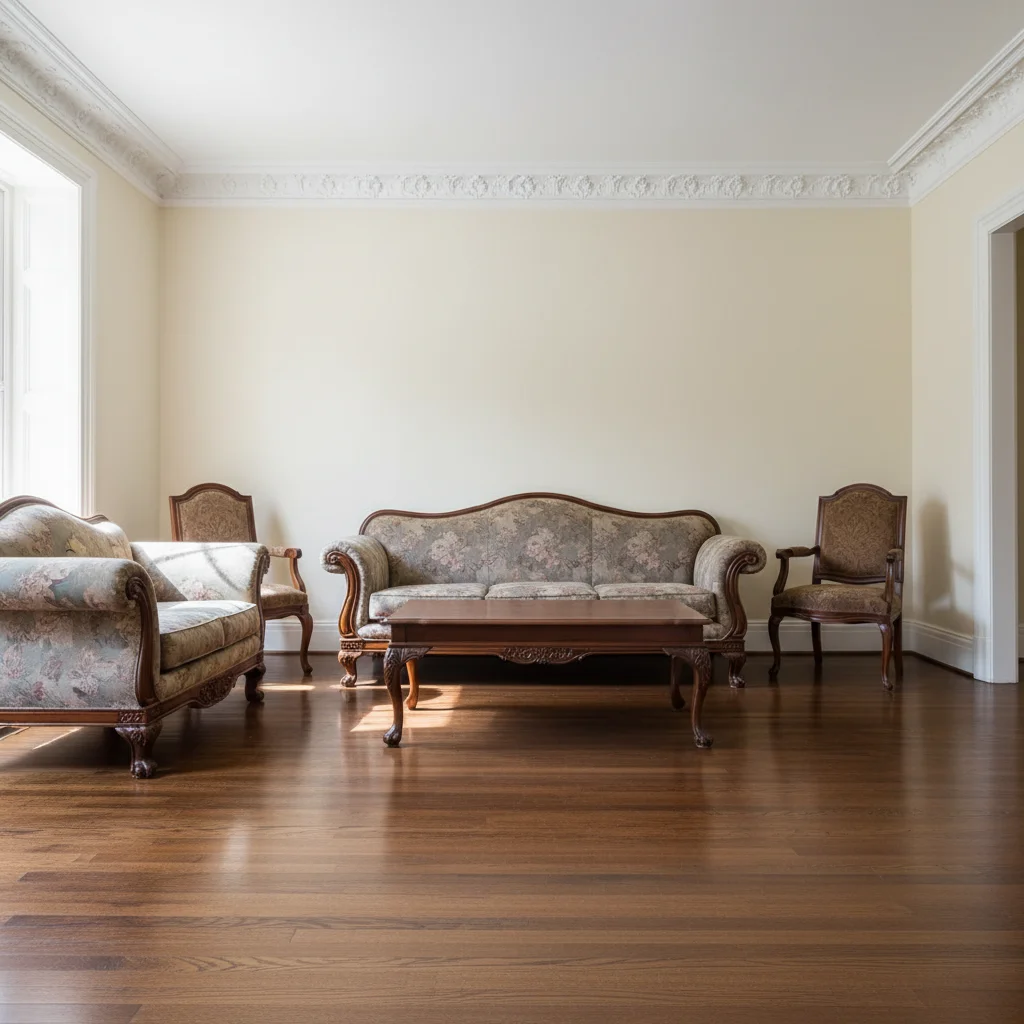
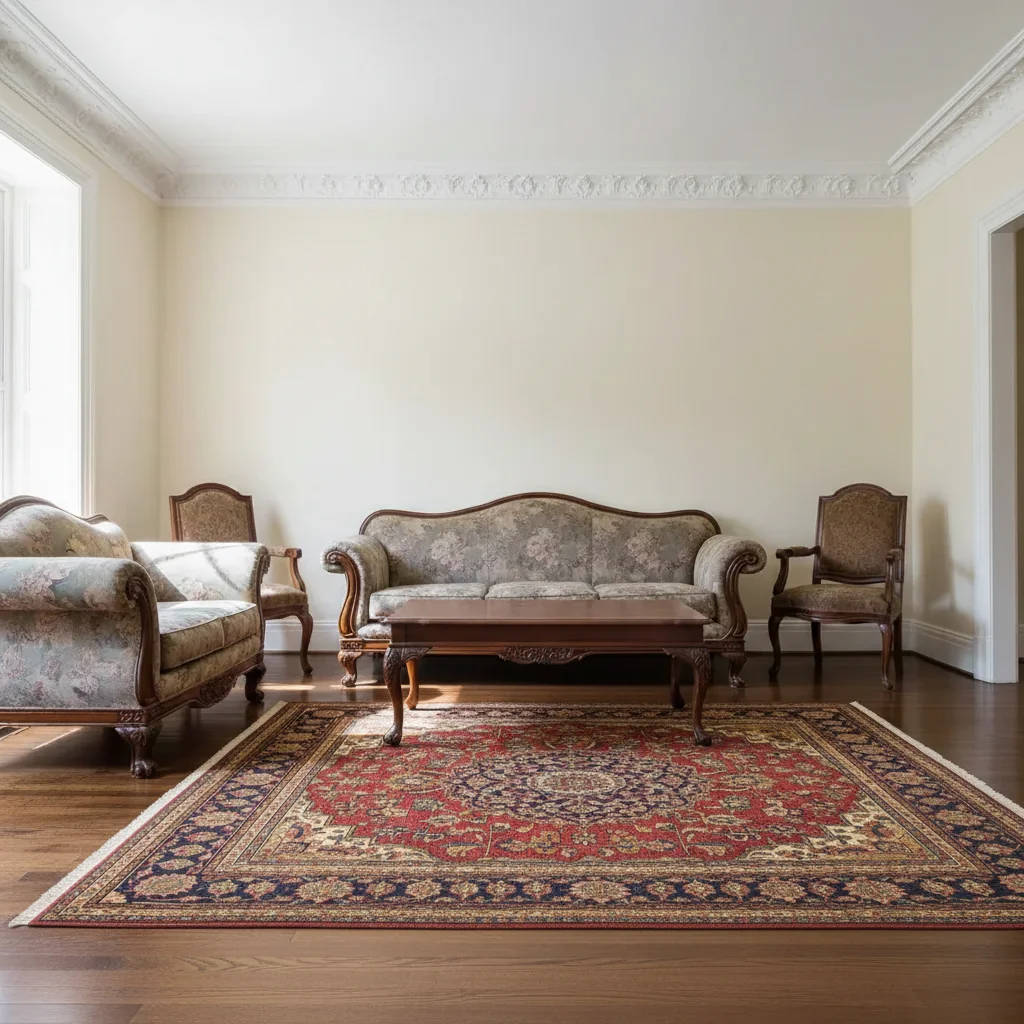
Traditional living room with dark wood furniture and bare hardwood floor
Main Photo
Reference image for AI Rug Adder
Reference
Same room with Persian rug completing the traditional decor scheme
Result

Persian rug purchase visualization

A shopper tested a traditional Persian rug from an online listing against their living room before purchasing.

Prompt: Add the Persian rug from the reference photo to the living room floor, centering it in the seating area under the coffee table.
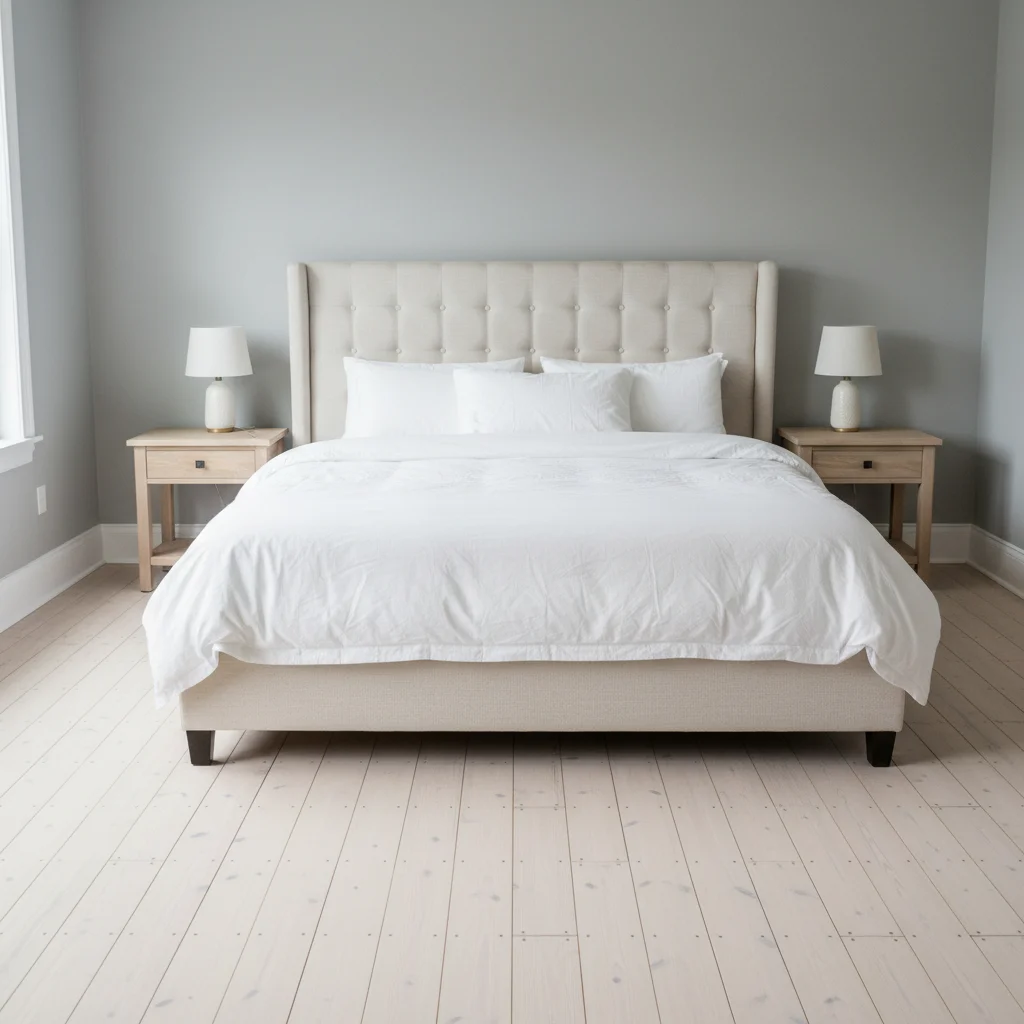
Master bedroom with bed and bare wood floor on all sides
Main Photo
Reference image for AI Rug Adder
Reference
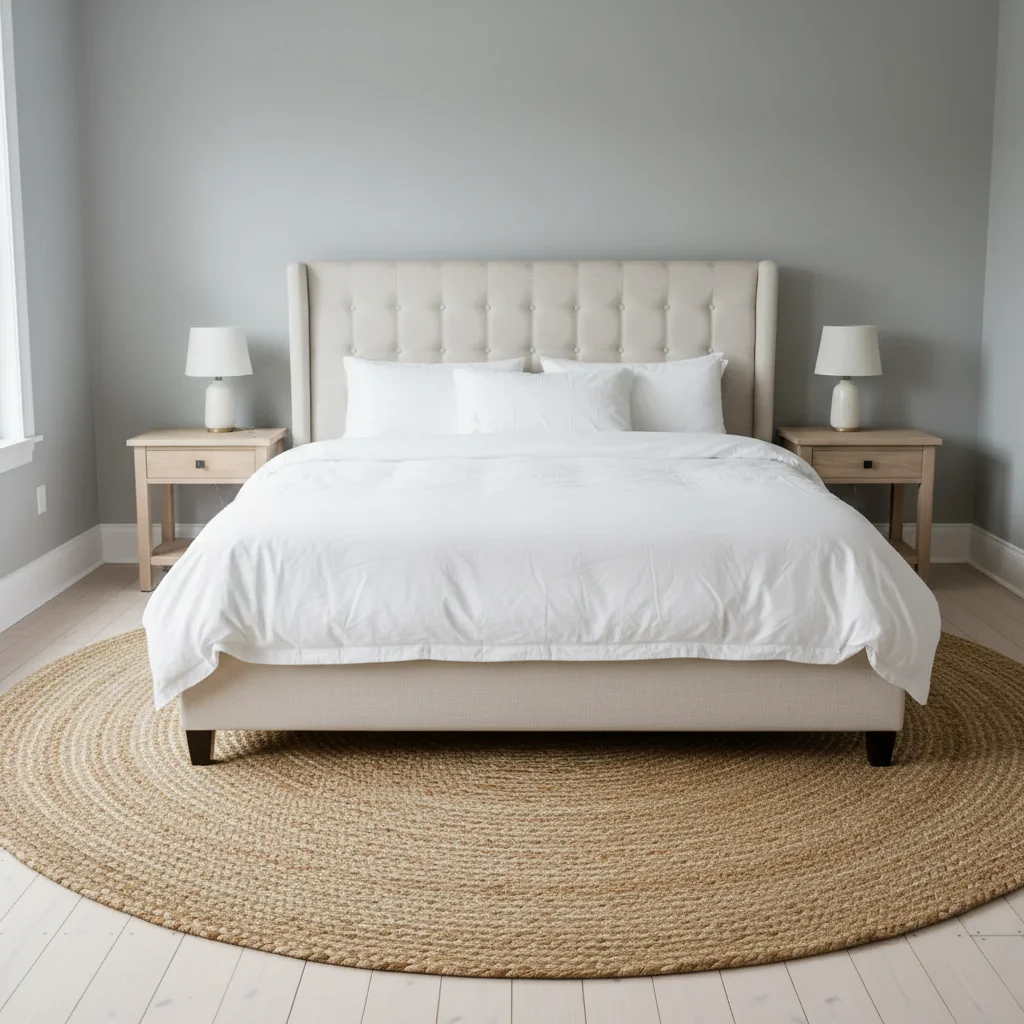
Same bedroom with jute area rug visible on both sides of and at foot of bed
Result

Bedroom jute rug under the bed

A master bedroom completed with a natural jute rug visible on both sides of the bed from a Serena & Lily-style listing.

Prompt: Place the jute rug from the reference photo under the bed, with about two and a half feet showing on each side and at the foot.

Detailed Guides by Scenario

Interior Designers and Home Decorators

Add rugs to room photos to present clients with clear visual options for flooring and to show how a rug can transform the look and feel of a space.

Real Estate Stagers Improving Listing Photos

Add rugs to bare or unfinished rooms in listing photos to create a warmer, more inviting atmosphere for prospective buyers.

E-commerce Shoppers Visualizing Rug Purchases

Test how different rugs look in your actual room by uploading a photo and seeing specific rug options placed in your space.

If something looks off

Rug looks too small for the room

Why: The AI sized the rug conservatively without clear furniture-to-rug relationship guidance.

Try: add this rug at 8x10 foot scale — large enough so the front legs of the sofa sit on the rug and it defines the full seating area

Tip: Always include a size or furniture-relationship cue: '8x10', 'front sofa legs on the rug', or 'large enough to anchor the full seating group'

Rug pattern doesn't foreshorten correctly (looks flat, not receding)

Why: The AI rendered the rug pattern from a top-down view rather than matching the room's perspective angle.

Try: add this rug flat on the floor with the pattern foreshortening correctly as it recedes from the viewer — the far end of the rug should appear narrower due to perspective

Tip: Use the phrase 'perspective foreshortening' — it signals the AI to match the rug's angle to the room's vanishing point

Rug colors look washed out or different from the reference

Why: The room's ambient light shifted the rug's color rendering when composited.

Try: add this rug with colors reading true to the reference — the [specific color] tones should not be washed out by the room's [warm/cool] lighting

Tip: Name the dominant colors explicitly: 'deep navy and terracotta pattern, not grayed out by the room's ambient light'

Rug appears to float or has an unrealistic edge

Why: The AI didn't fully integrate the rug's edges with the floor surface.

Try: add this rug lying completely flat on the floor with soft shadows at the edges and no visible lifting or floating — it should look like it's physically on the floor

Tip: Saying 'soft shadows at the edges' prompts the AI to add the subtle floor shadow that makes rugs look grounded

Quick answers

Do I need TWO photos for this?

Yes. This is a two-photo workflow: your room photo plus a reference photo of the rug you want to add. Upload your room photo first, then click '+ Add reference image' to add the rug reference. The AI uses the reference to capture the exact pattern, pile texture, color palette, and fringe detail — then lays that specific rug on your floor at the correct perspective angle.

Can I use a retailer listing photo as my rug reference?

Yes. Catalog photos, retailer flat-lay product shots, or any clear image of the rug work as references. Overhead flat-lay photos (rug photographed from directly above) give the AI the clearest pattern capture. Angled showroom shots work too but may produce slightly less accurate pattern foreshortening in the result.

How do I see if an area rug is the right size for my living room?

Upload your living room photo and the rug listing photo. In your prompt, specify the size: 'add this rug at 8x10 foot scale with the front sofa legs on the rug.' This tests whether the rug defines the seating area correctly or looks undersized. You can also try 'add this rug at 5x8 scale' in a follow-up to compare two sizes in your actual room. Free, no account needed.

Does this work for patterned rugs like Persian or geometric designs?

Yes. The AI captures the pattern from the reference and renders it with correct perspective foreshortening on your floor. For Persian rugs, specify 'centered with the medallion visible under the coffee table and full border pattern showing on all sides.' For geometric rugs, the pattern lines should align with the room's perspective. If the pattern looks flat or incorrectly angled, add 'with correct perspective foreshortening' to your prompt.

What's the correct rug placement for a living room?

The standard interior design rule: front legs of all seating pieces should sit on the rug. For an 8x10 rug in most living rooms, this means the sofa's front legs and the front legs of accent chairs are on the rug, while the back legs remain off. Describe this in your prompt: 'front sofa legs on the rug' — the AI uses this to size the rug correctly relative to your furniture.

Is this free to use?

Yes. EditThisPic offers one free edit per week with no signup and no watermark. Credits for additional edits start at $1.99 for a pack of 3. Works on desktop and mobile in any browser — no app needed.

How much does EditThisPic cost?

You get 1 free edit per week — no account needed. After that, credit packs start at $1.99 for 3 edits. Monthly plans start at $4.99/mo for 15 edits with unused credits rolling over. All edits are full resolution with no watermark.

Ready to see that rug in your room?

Free to try. No signup required.

1 free edit included·Credit packs from $4.99