AI Photo Editor for Passport Photos
Last updated
Skip the $15 pharmacy fee. Create compliant passport photos at home.
Drop your photo here
"replace background with plain white, remove all shadows from face and background, even natural lighting, passport photo compliant"
Free to try · no sign-up · never used for AI training
Release to upload
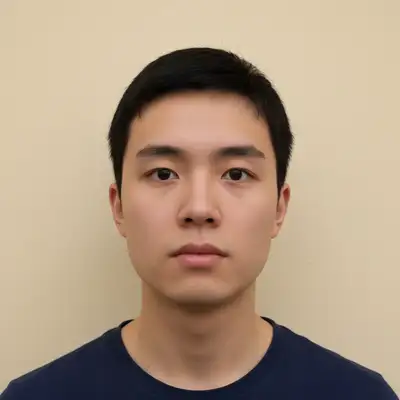
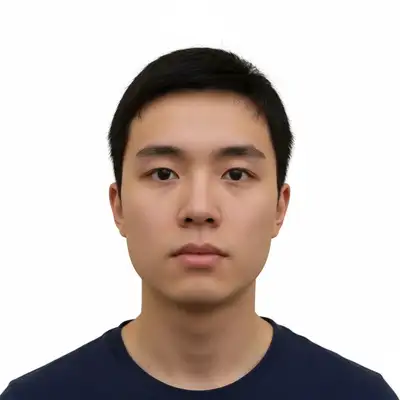
Built for Travelers and Applicants
Official ID photos have strict requirements: plain backgrounds, no shadows, even lighting, neutral expression. One rejection means starting over. EditThisPic lets you fix the background and lighting of any home photo to meet requirements. Try free (one edit/week) until you get it right.
Tools for Passport Photos
Replace Background
Convert any background to plain white or required color
Remove Shadow
Eliminate facial shadows that cause rejection
Whiten Background
Make off-white backgrounds pure white for compliance
Enhance Lighting
Balance uneven face lighting from home photos
How to AI Photo Editor for Passport Photos
-
Take a headshot at home
Stand in front of a plain wall with natural light on your face. Use your phone camera. Face forward with neutral expression. The background doesn't need to be white - EditThisPic will fix it.
Best results with clear face photos. Avoid harsh shadows. 15-20 seconds for the edit. -
Upload and describe requirements
Type 'replace background with plain white, remove all shadows from face and background, even natural lighting.' Add your country's requirements: 'US passport compliant' or 'UK passport photo format.'
US passports need pure white backgrounds. UK and some EU countries need off-white or light grey. Specify which you need. -
Verify compliance
Check background is uniformly white with no shadows or gradients. Verify face is evenly lit with no harsh shadows under nose, eyes, or chin. Zoom in on hair edges to check for fringing.
Copy-Paste Prompts for Passport Photos
replace background with plain white, remove all shadows from face and background, even natural lighting, passport photo compliant
'Passport photo compliant' signals the AI to follow strict ID requirements
replace background with plain light grey, remove all shadows, even soft lighting on face, UK passport compliant
UK and some EU countries require off-white or light grey, not pure white
replace background with plain white, remove all shadows from face and background, neutral expression, USCIS immigration photo compliant
Immigration photos have strict requirements - mentioning USCIS helps
replace background with plain white, remove all harsh shadows from face especially under nose and chin, add soft fill light
Specifying shadow locations (under nose, chin) helps the AI target problem areas
Show 4 more prompts
replace background with plain white, balance the lighting on face to be even on both sides, remove all shadows
Side-lit selfies often have one dark side - 'balance lighting' fixes this
replace background with plain white, remove the glare from glasses while keeping glasses visible, even lighting
Some countries require you remove glasses entirely - check your requirements
replace background with plain white or light blue, remove shadows from face, ID photo format
Many DMVs use light blue - check your state's specific requirements
replace background with plain light grey or off-white, remove all shadows, even lighting, Schengen visa photo compliant
Schengen visas typically require light grey backgrounds, not pure white
| Edit Type | Prompt | Time | |
|---|---|---|---|
| US Passport | replace background with plain white, remove shadows, passport compliant |
20s | Try This → |
| UK Passport | replace background with light grey, remove shadows, UK passport compliant |
20s | Try This → |
| Visa Photo | replace background with plain white, even lighting, visa compliant |
20s | Try This → |
| Green Card | plain white background, no shadows, USCIS compliant |
20s | Try This → |
Real Passport Photo Transformations
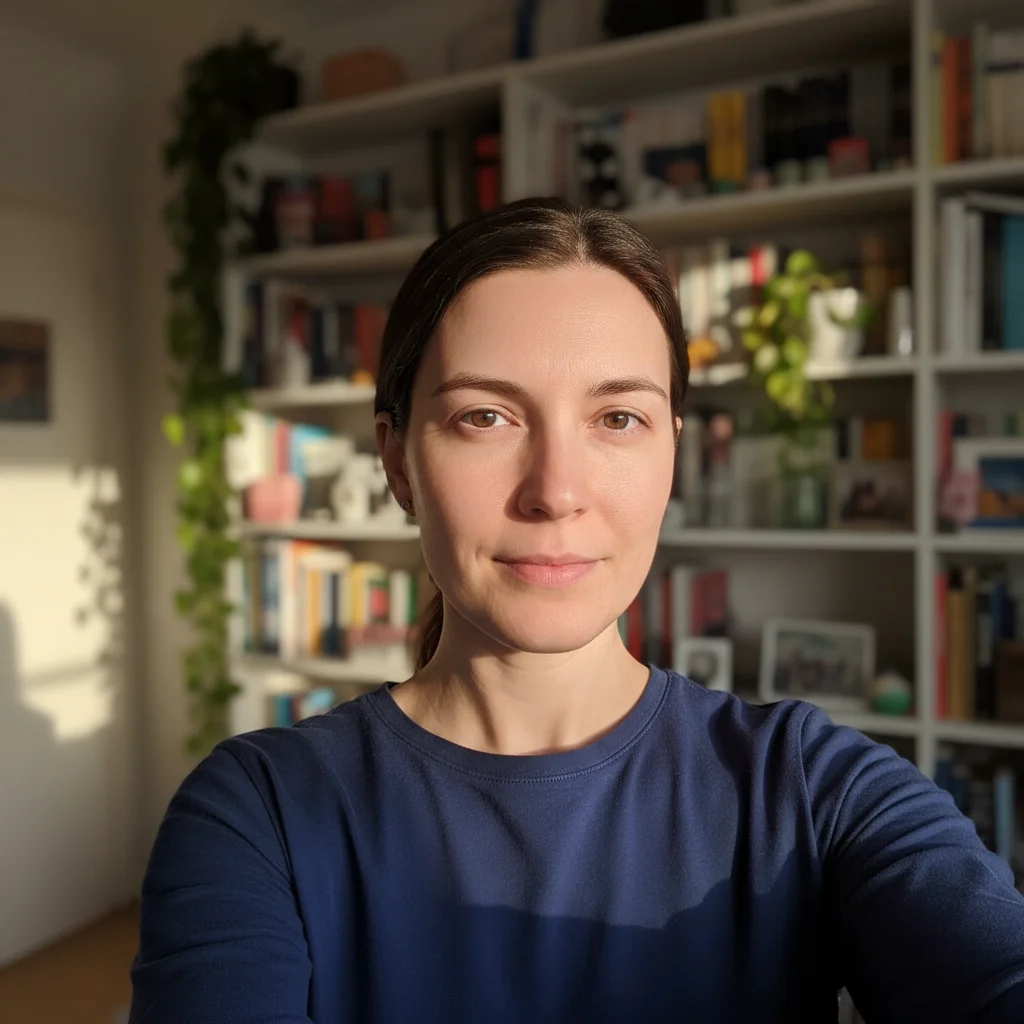
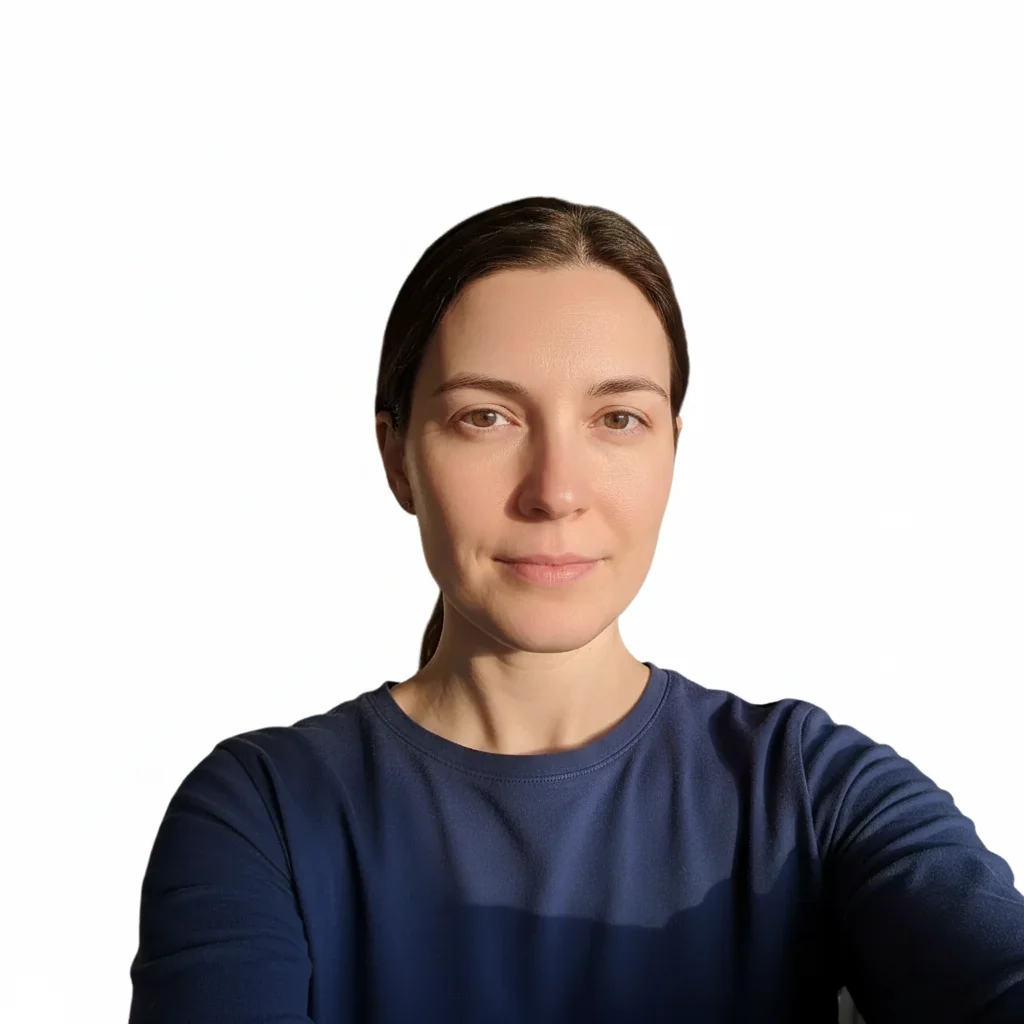
Living room selfie to passport photo
Home selfie with bookshelf background and uneven lighting transformed to compliant passport photo.
replace background with plain white, remove all shadows from face and background, even natural lighting, passport photo compliant
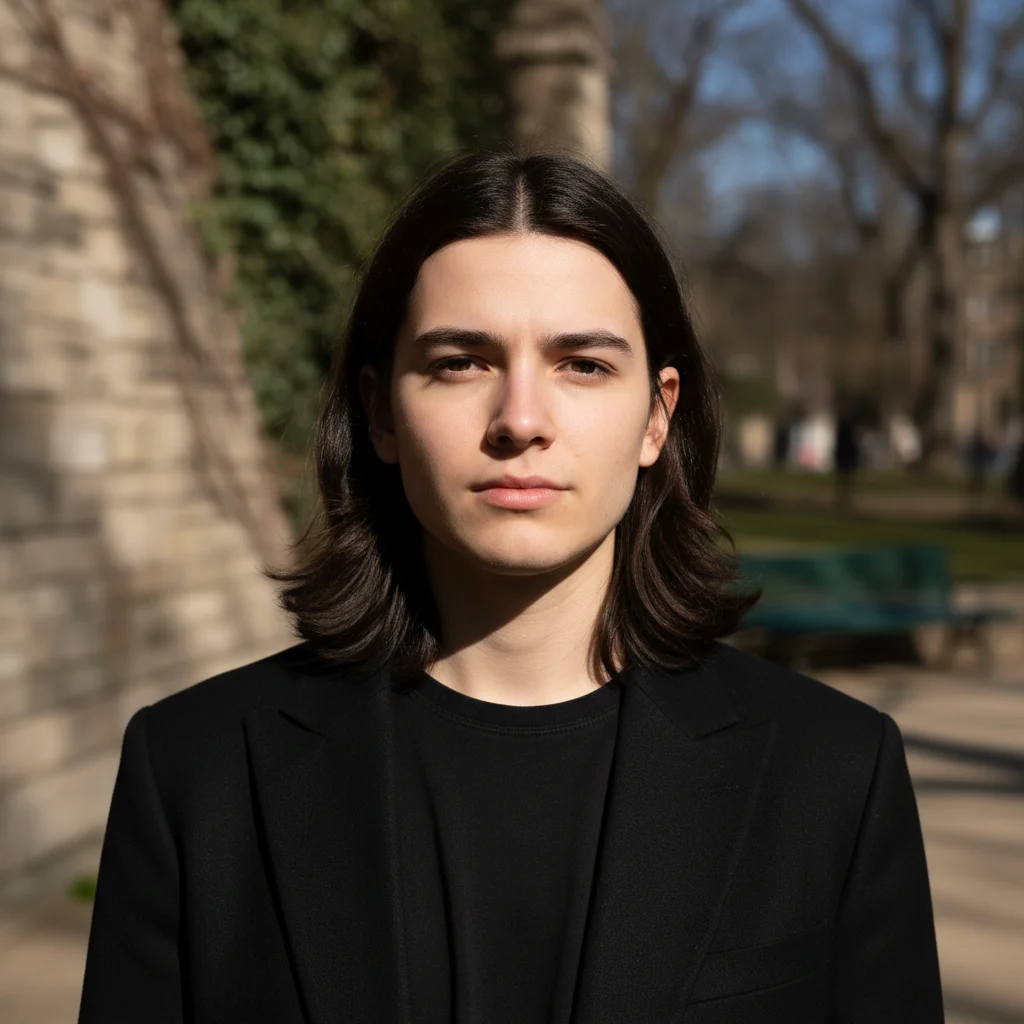

Outdoor photo with harsh shadows
Photo taken outside in direct sunlight with harsh shadows under nose and chin fixed for visa application.
replace background with plain white, remove all harsh shadows from face especially under nose and chin, add soft fill light
When Things Go Wrong
Background has uneven patches or isn't uniform
Why: The original background had variations the AI didn't fully correct, especially in corners.
make background uniformly plain white, no gradients, no shadows, completely even edge to edge
'Edge to edge' helps the AI understand you want complete uniformity including corners.
Photo was rejected by passport office
Why: Requirements are strict. Even subtle shadows or slight background variations can cause rejection.
remove absolutely all shadows from face and background, completely shadow-free, pure white background
Check the photo in bright light to spot subtle shadows you might have missed.
Frequently Asked Questions
Will this meet official passport photo requirements?
Yes, when used correctly. EditThisPic can produce photos that meet US passport, visa, green card, and most international ID requirements. Specify your country in the prompt. Always verify against official requirements before submitting.
What's the difference between white and off-white backgrounds?
US passports require pure white. UK, some EU countries, and Schengen visas require off-white or light grey. Check your country's specific requirements and add 'plain white' or 'light grey background' to your prompt.
Can I use a selfie for my passport photo?
Yes, if the selfie has good lighting and your face is clearly visible. EditThisPic fixes the background and lighting. For best results, take your selfie against a plain wall with natural light on your face.
Why do passport photos get rejected?
Common reasons: shadows on face or background, background not plain enough, wrong background color for your country, glasses glare, head tilted or not centered. EditThisPic can fix most of these.
Do I need to remove my glasses?
Requirements vary by country. US passports now prefer no glasses but allow them if you have medical necessity. Many other countries require glasses removal. Check your specific requirements.
How do I know if my photo is compliant?
Check: 1) Background is uniformly plain (white or grey per your country), 2) No shadows on face or background, 3) Face is evenly lit, 4) Neutral expression, 5) Face takes up 70-80% of frame. Compare against your country's sample photos.
Is EditThisPic's AI photo editor for passport photos really free?
Yes — you get 1 free edit per week, no account needed. Credit packs start at $4.99 for 10 edits.
Can I use this on my phone?
Yes. EditThisPic works in any mobile browser — iPhone, Android, tablet. No app download needed.
Popular use cases
Ready to create your passport photo?
Free to try. No signup required. Unlimited retakes.
Upload Your Photo