Free • No signup Whiten Teeth · Free

AI Teeth Whitener

← Browse all beauty tools

Last updated

Describe the whitening you want and AI brightens your smile instantly. No marking needed.

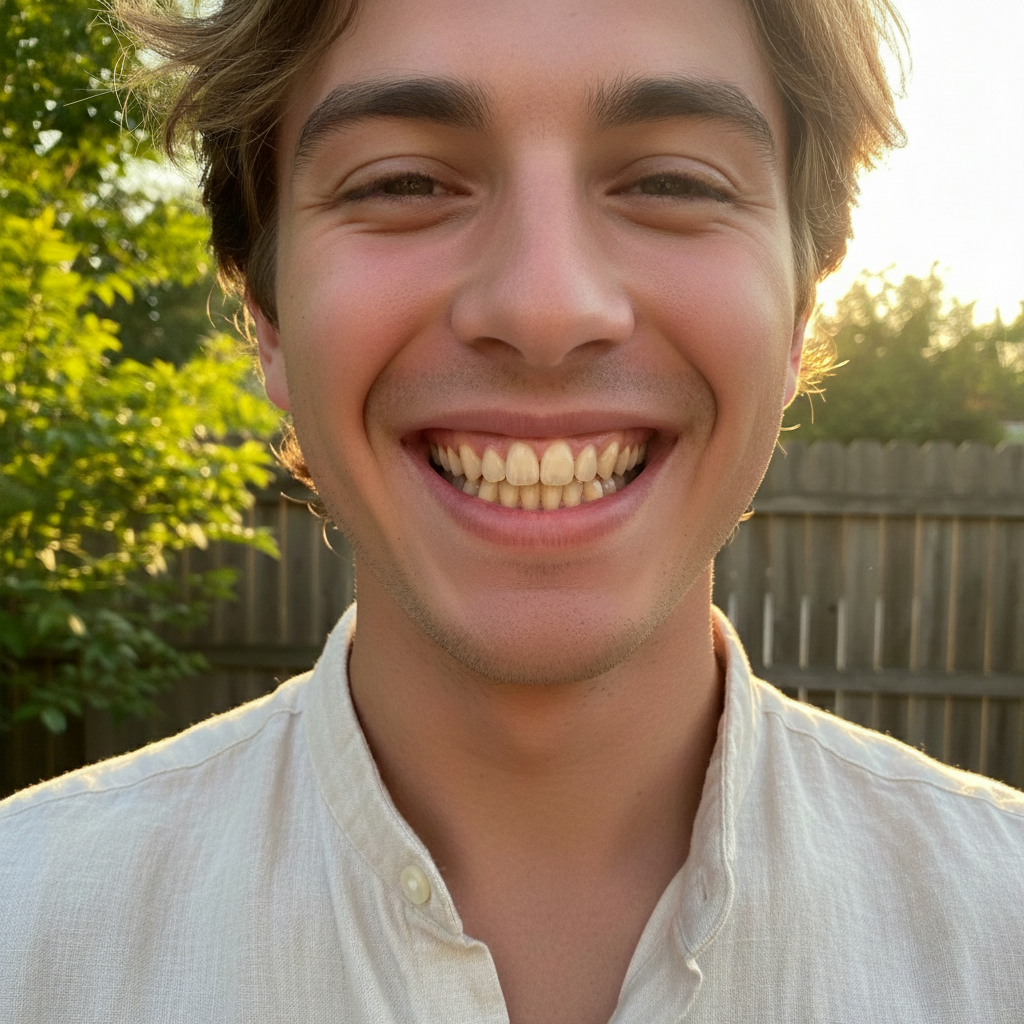
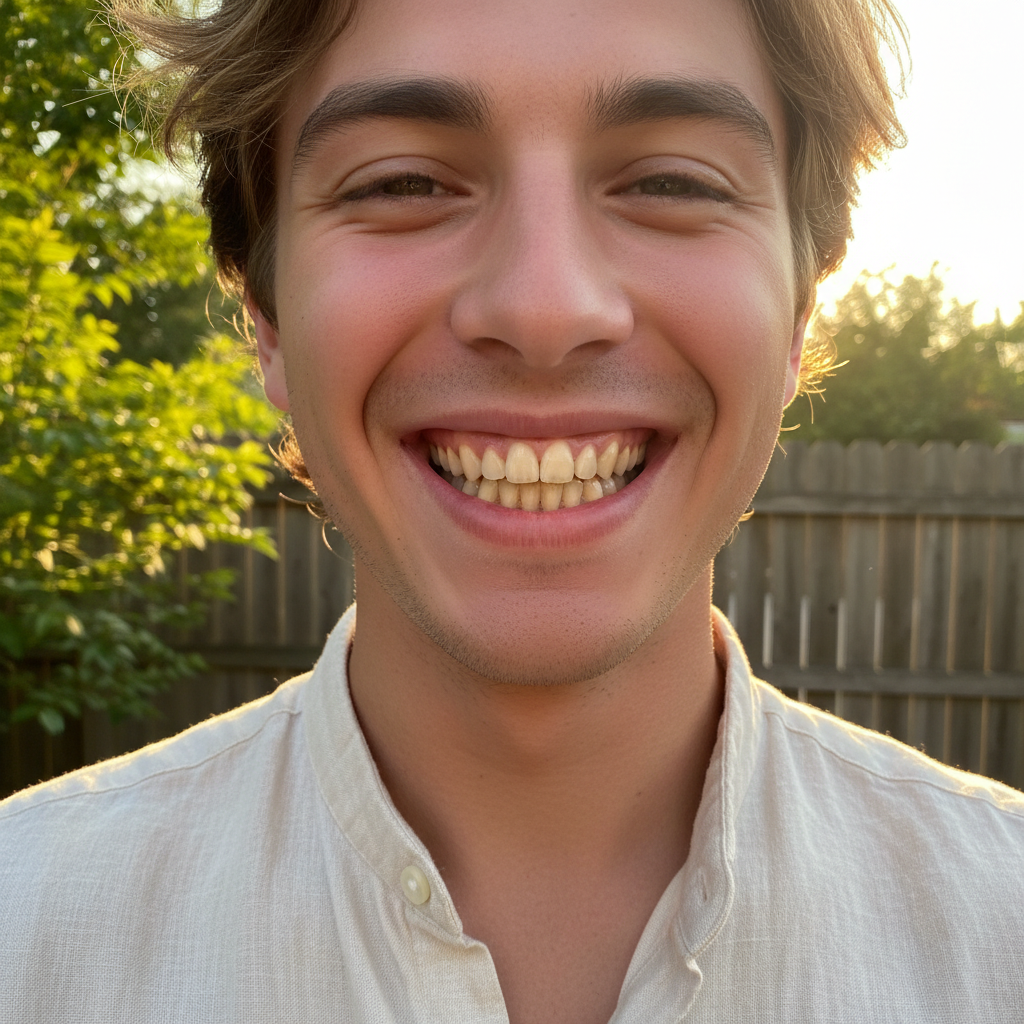
Woman smiling with visibly yellow-stained teeth Same woman with naturally white, bright teeth

Upload photo to whiten teeth

"whiten the teeth to a bright Hollywood-white smile, even and uniform across all visible teeth"

Release to upload

50,000+photos edited
<30stypical edit
1 freeedit weekly

1 free edit·then from $4.99

How it works

  1. Upload your photo

    Upload a clear, front-facing portrait. Good lighting on the face and visible facial features give the AI the best foundation for teeth editing. JPG, PNG, WebP up to 7MB.

    Expect: Standard teeth whitening: 25-35 seconds. Group photos with multiple smiles: 40-50 seconds and may need refinements.
  2. Describe the whitening you want

    Type what you want: 'whiten the teeth to a natural bright white' or 'brighten the teeth while keeping them realistic.' Specify how white you want—natural, bright, or Hollywood white. No marking needed—the AI knows exactly where teeth are.

    Tip: Use 'natural white' for subtle improvement or 'bright white' for more dramatic results. Avoid 'pure white' unless you want an obviously edited look.

    Copy one of these to get started:

    Natural teeth whitening whiten the teeth to a natural bright white while keeping the smile realistic and not overdone
    Bright Hollywood smile whiten the teeth to a bright Hollywood-white smile, even and uniform across all visible teeth
    Subtle coffee stain removal remove the yellowish coffee stains from the teeth and restore them to their natural clean white color
    Group photo teeth whitening whiten the teeth of everyone smiling in this group photo, make all smiles look naturally bright and consistent
    3 more prompts
    Gentle brightening for selfie gently brighten the teeth in this selfie by a few shades, keeping it subtle enough to look unedited
    Wedding photo smile enhancement whiten the teeth in this wedding photo to a clean, radiant white that matches the formal setting
    Fix uneven tooth color even out the tooth color so all teeth are the same shade of white, fix any discolored individual teeth
  3. Review the result

    Check that teeth look evenly whitened and natural. Zoom in to verify the whitening doesn't bleed onto lips or gums. Ensure the brightness matches the overall photo lighting.

See it in action

Woman smiling with visibly yellow-stained teeth
Before
->
Same woman with naturally white, bright teeth
After

Coffee-stained smile brightened naturally

A portrait with visibly yellow-stained teeth transformed into a clean, naturally white smile.

Prompt: whiten the teeth to a natural bright white while keeping the smile realistic and not overdone
Man in suit with dull yellowish teeth
Before
->
Same man with bright white professional smile
After

Professional headshot smile polished

A headshot with dull teeth enhanced to a bright, confident smile for professional use.

Prompt: whiten the teeth to a bright clean white, even and uniform for a professional headshot

Quick answers

Do I need to mark the teeth before describing the whitening I want?

No! Just describe what you want: 'whiten the teeth to a natural bright white.' The AI automatically identifies teeth in the photo and applies whitening.

How do I whiten teeth in a photo without it looking obviously edited?

Use 'natural' or 'subtle' in your prompt: 'whiten the teeth naturally by a few shades.' Avoid asking for 'pure white' or 'bleached.' The AI applies graduated whitening that preserves tooth translucency and matches the photo's lighting, so the result looks like naturally white teeth.

Is there a free AI teeth whitener that doesn't require login?

Yes, EditThisPic is free to try with no account needed. Upload your photo, describe the teeth whitening you want, and download the result. No watermarks on outputs. Works for subtle brightening to dramatic whitening without any signup.

What's the best free tool for whitening teeth in photos?

EditThisPic offers free AI teeth whitening with no signup required. Unlike apps that need you to paint over each tooth with a brush, just describe the whitening level you want. It handles single portraits and group photos, producing natural results in seconds.

Can I whiten teeth on my phone?

Yes. EditThisPic works in any mobile browser — iPhone, Android, tablet. No app download needed.

What photo formats does the AI teeth whitener support?

JPG, PNG, WebP, and HEIC. Upload any common photo format and EditThisPic handles the rest.

How long does it take to whiten teeth?

Usually 15-30 seconds. Upload your photo, describe what you want, and the AI delivers the result.

Do I need to create an account to whiten teeth?

No. You can try your first edit without signing up. An account is only needed to save edits and manage a subscription.

How much does EditThisPic cost?

You get 1 free edit per week — no account needed. After that, credit packs start at $1.99 for 3 edits. Monthly plans start at $4.99/mo for 20 edits with unused credits rolling over. All edits are full resolution with no watermark.

Ready to brighten your smile?

Free to try. No signup required.

1 free edit included·Credit packs from $4.99