Pricing Fix Crooked teeth · Free

AI Crooked Teeth Fixer

← Browse all beauty tools

Last updated

Describe how you want the smile to look — the AI adjusts teeth alignment, shape, and spacing naturally.
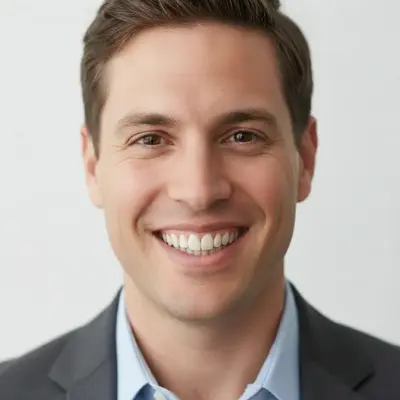
Man smiling with one front tooth overlapping the adjacent tooth Same man smiling with front teeth evenly aligned, natural texture preserved

Upload photo to fix crooked teeth

"close the visible gap between the two front teeth so they sit naturally together, do not change any other teeth or facial features"

Free to try · no sign-up · photos are never shared

Release to upload

<30stypical edit
1 freeedit weekly
Photo on your phone? Scan to open this editor there — free edit works on your phone too.

1 free edit every week·packs from $4.99

How it works

  1. Upload a photo with a clear, visible smile

    Use a portrait where the teeth are visible — a straight-on or slightly angled shot works best. Good lighting that illuminates the teeth helps the AI understand their current shape and spacing. JPG, PNG, or WebP up to 7MB.

    Expect: Clear smile photos with visible teeth produce the best results in one pass. Partially open mouths and tight-lipped smiles where teeth are barely visible may need a second refinement pass.
  2. Describe the correction you want

    Type what a natural, corrected smile should look like: 'straighten the teeth so they are evenly aligned, close the small gaps, and keep the natural tooth color.' Be specific about what to fix — crowding, gaps, uneven lengths, or an overlapping front tooth. No marking needed — the AI knows where teeth are.

    Tip: Adding 'keep the natural tooth color and texture' prevents the AI from over-whitening the result into an unrealistic bright white.

    Copy one of these to get started:

    General crooked teeth correction — easy straighten the teeth so they are evenly aligned and the front teeth are properly positioned, keep the natural tooth color and the rest of the face unchanged
    Close a gap between front teeth — easy close the visible gap between the two front teeth so they sit naturally together, do not change any other teeth or facial features
    Fix overlapping front tooth — medium straighten the front tooth that overlaps the adjacent tooth so it aligns flush in the dental arch, preserve natural gumline and tooth texture
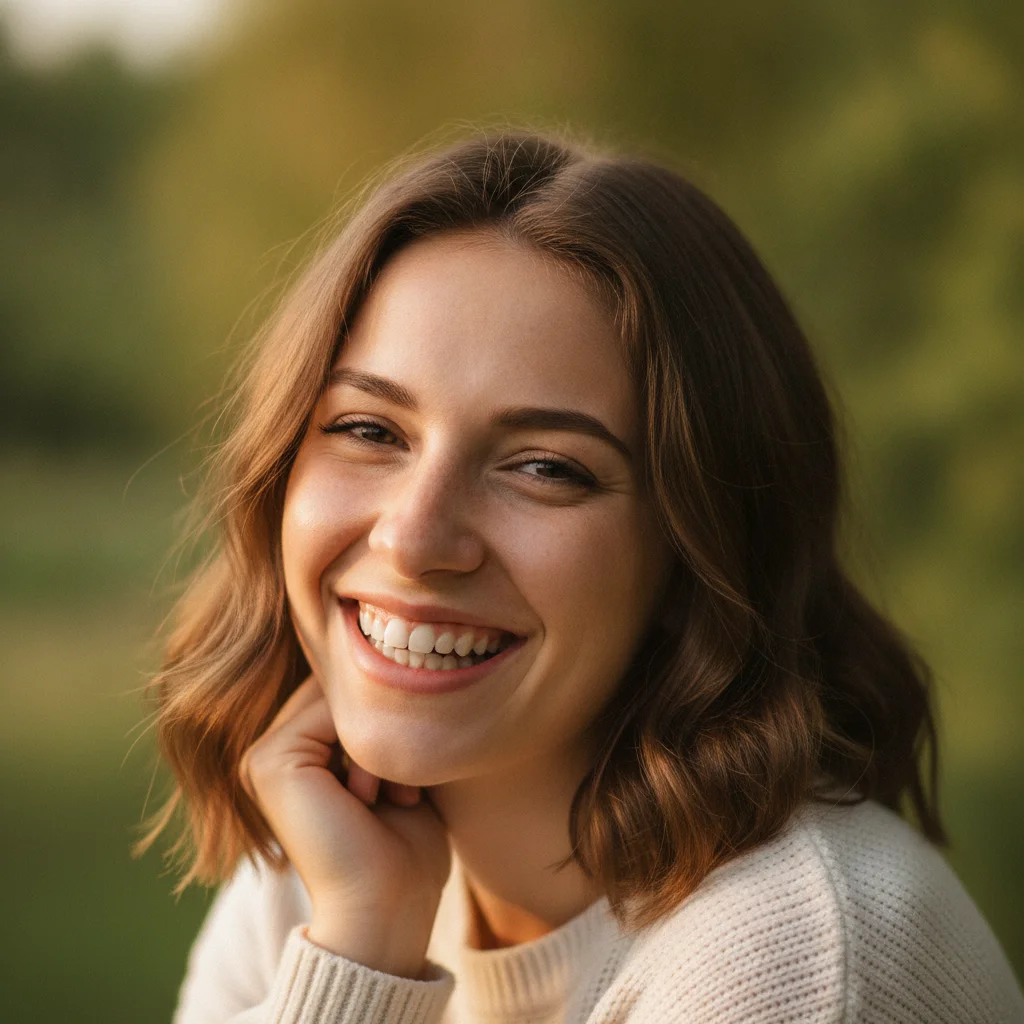
    Straighten and subtly whiten — medium straighten and align all the teeth evenly and brighten the tooth color to a natural off-white, preserve the realistic tooth texture and keep the gumline unchanged
    3 more prompts
    Fix uneven tooth lengths — medium make the teeth a uniform length so the shorter ones match the height of the longer incisors, keep all teeth aligned and natural in color
    Full smile retouch for a dating photo — medium retouch the smile so the teeth are straight, evenly spaced, and clean white without looking artificial — the rest of the face must stay exactly the same
    Minimal correction — subtle improvement only — easy make a subtle improvement to the teeth alignment — slightly straighten the noticeably crooked ones without making the smile look edited or retouched
  3. Check alignment, gumline, and lip edges

    Zoom to 100% on the teeth area and verify: the alignment looks natural (not perfectly uniform like veneers unless you asked), the gumline hasn't shifted, and the lip edges look clean with no blending artifacts.

  4. Refine a specific tooth with markers if needed

    If one tooth looks off — an incisor that's still too tilted, or a gap that's still visible — tap a marker on that specific tooth and regenerate with a focused prompt like 'straighten the left front tooth so it aligns with the right one.' Markers constrain the edit to that tooth only.

    Tip: Markers work best for single-tooth refinement. For full-smile corrections, the description alone usually handles it in one pass.

See it in action

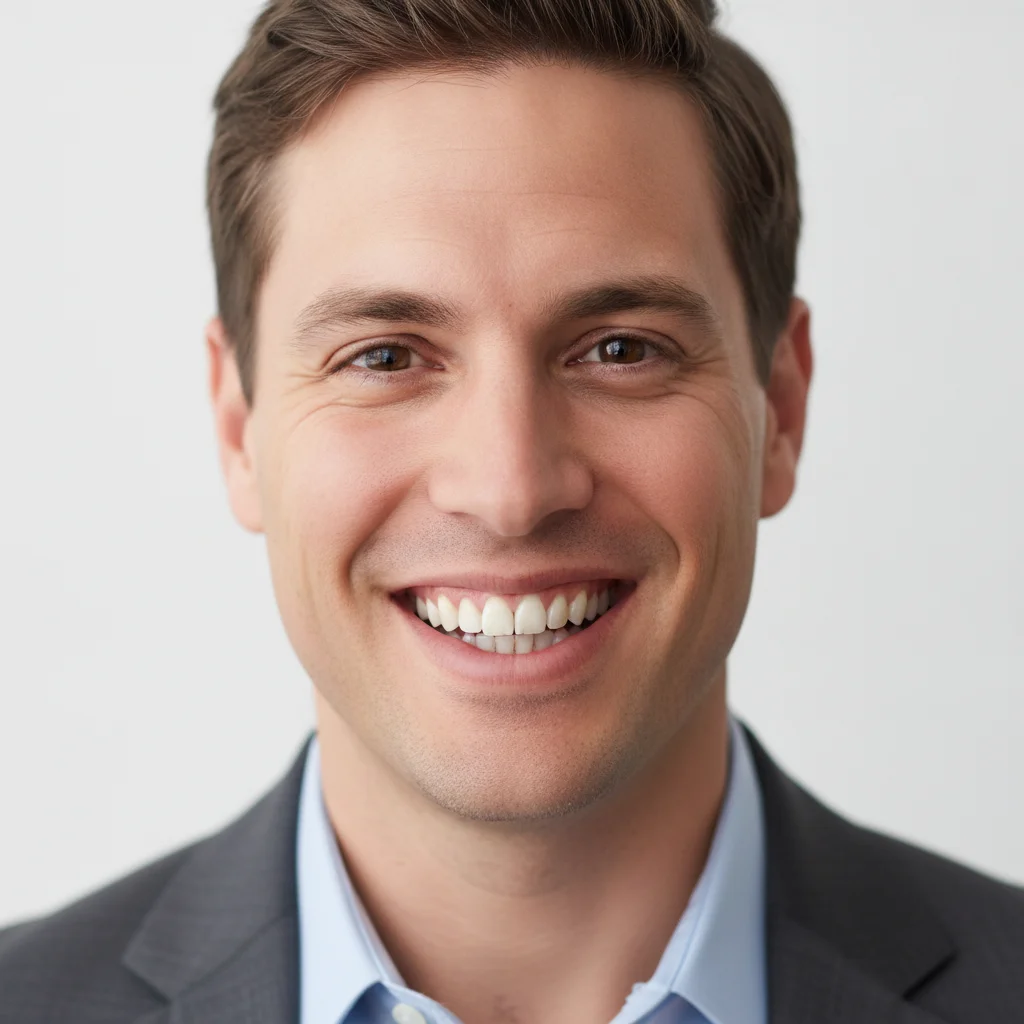
Man smiling with one front tooth overlapping the adjacent tooth
Before
->
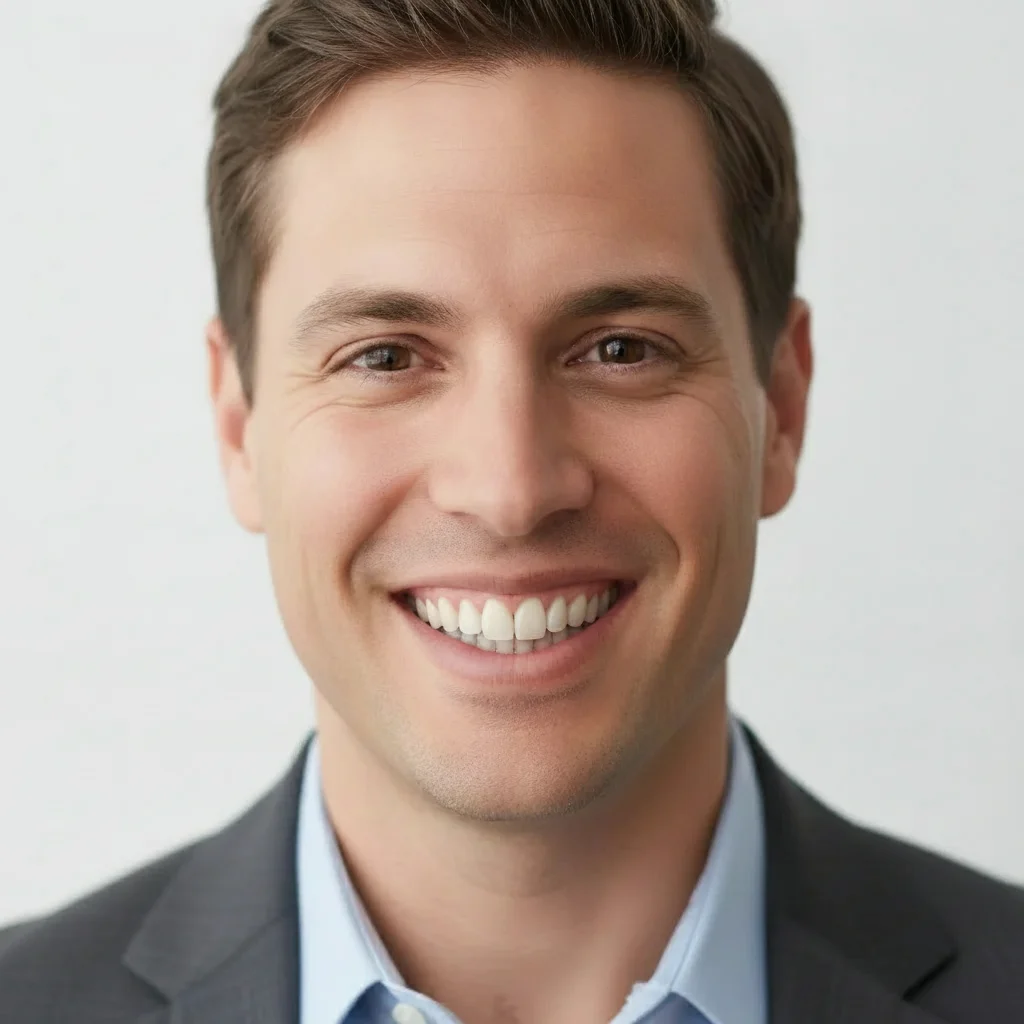
Same man smiling with front teeth evenly aligned, natural texture preserved
After

Overlapping front tooth — fixed for a LinkedIn headshot

Professional headshot where the left front incisor overlapped the right. One prompt aligned it flush with the dental arch without touching anything else.

Prompt: straighten the front tooth that overlaps the adjacent tooth so it aligns flush in the dental arch, preserve natural gumline and tooth texture
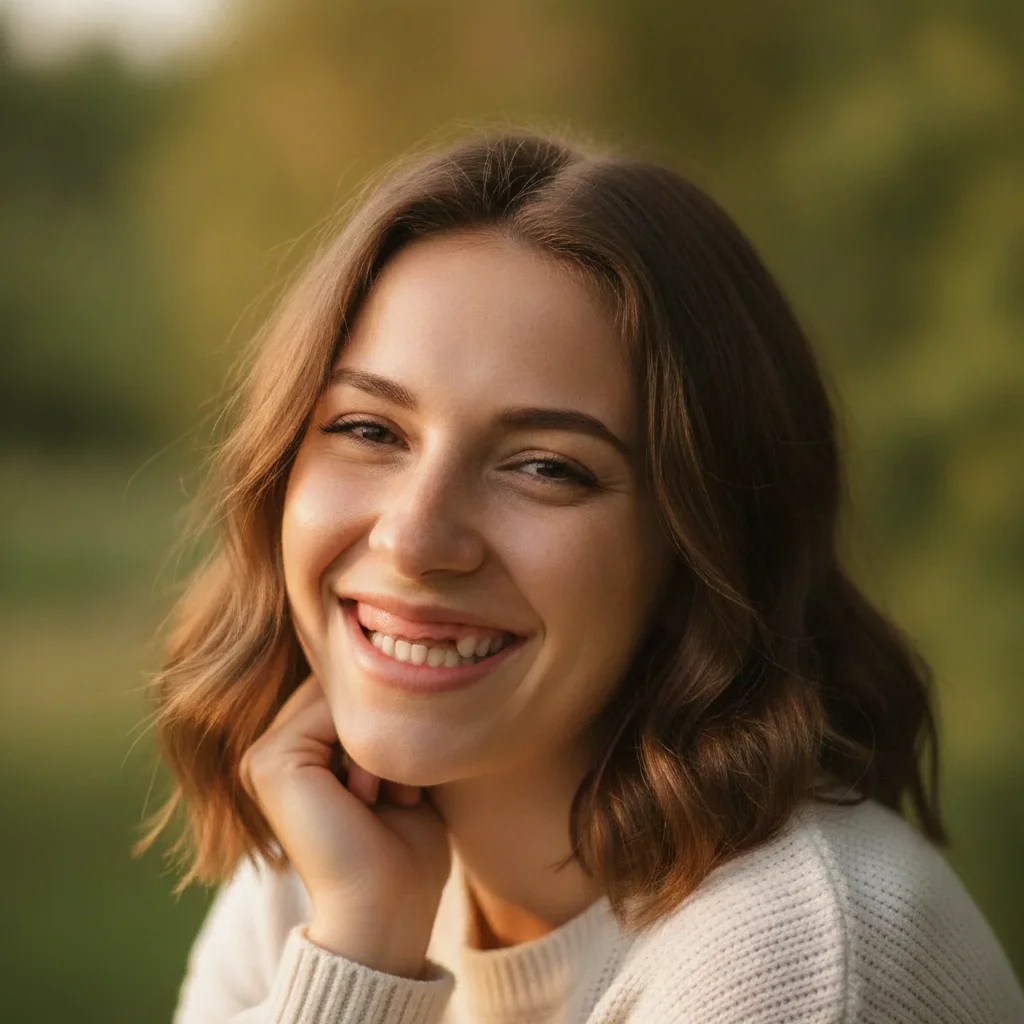
Woman with a visible gap between her two front teeth, smiling outdoors
Before
->
Same woman smiling with gap closed and natural smile preserved
After

Gap between front teeth — closed for a dating profile

Casual outdoor photo with a clear diastema between the two central incisors. The gap was closed cleanly while the warmth and naturalness of the smile stayed intact.

Prompt: close the visible gap between the two front teeth so they sit naturally together, do not change any other teeth or facial features
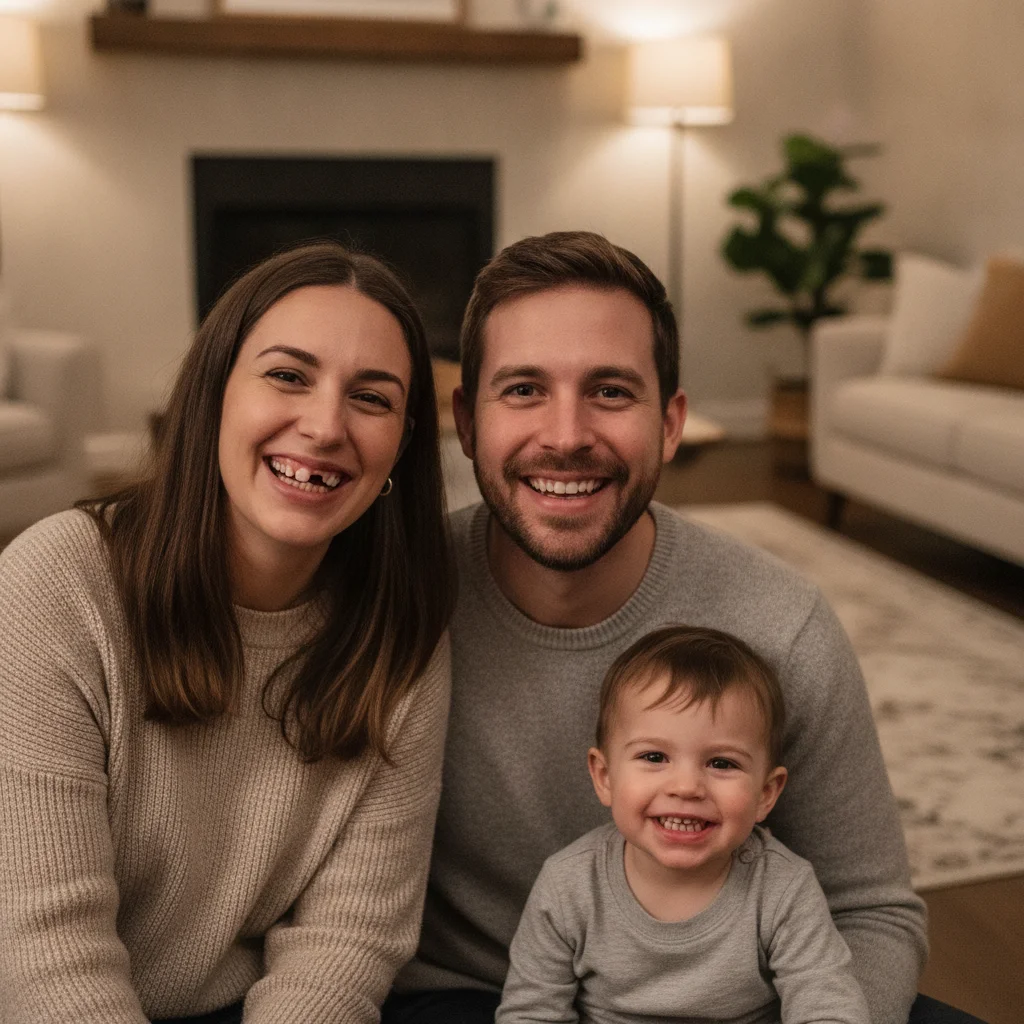
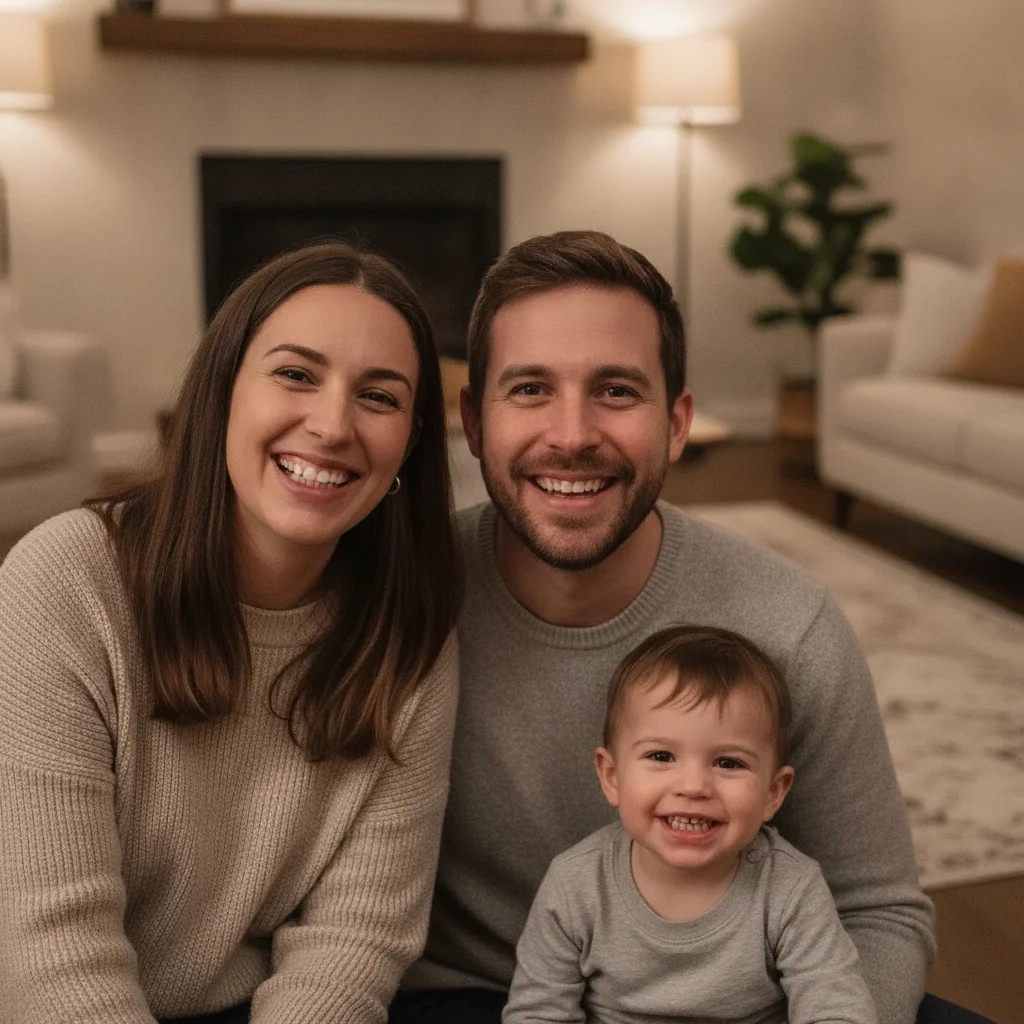
Family portrait with one person showing multiple crooked, misaligned teeth
Before
->
Same family portrait with that person's teeth straightened, others unchanged
After

Multiple crooked teeth — full alignment for a family portrait

Family group photo where one person's smile showed several misaligned teeth. A single prompt corrected the alignment across the smile while leaving everyone else in the photo untouched.

Prompt: straighten the teeth of the person on the left so they are evenly aligned and the front teeth are properly positioned, keep the natural tooth color and leave all other people in the photo unchanged

Quick answers

Do I need to mark the teeth before describing what I want fixed?

No. Just type what you want: 'straighten the teeth so they are evenly aligned' or 'close the gap between the front teeth.' The AI knows where teeth are without markers. Only use markers if you want to target one specific tooth after a first-pass correction.

Is there a free AI teeth fixer that works without signing up?

Yes. EditThisPic fixes crooked, gapped, or uneven teeth in photos for free — no account, no login. Upload your photo, describe what you want corrected, and download the result in about 30 seconds. Works in any browser on desktop or mobile. The free edit is a preview — purchased downloads are clean, full quality.

How do I fix crooked teeth in a photo for free?

Go to EditThisPic, upload your photo (JPG, PNG, or WebP up to 7MB), and type 'straighten the teeth so they are evenly aligned and close the gaps.' The AI corrects the smile in about 30 seconds and you download the result. No account required. The free edit is a preview — purchased downloads are clean, full quality.

Will the AI make the teeth look fake or over-edited?

Not if you guide it. Add 'keep the natural tooth color and texture' to your prompt. Without that instruction, the AI may default to a high-gloss white that reads as artificial. With it, the result looks like a natural smile that's simply more aligned.

Can I fix just one crooked tooth without changing the whole smile?

Yes. Describe exactly which tooth needs fixing: 'straighten the front tooth that overlaps the adjacent one, do not change any other teeth.' For extra precision, tap a marker on that tooth before generating — this constrains the edit to that specific tooth only.

Can I fix teeth in a group photo without changing other people?

Yes. Specify the person by position: 'straighten the teeth of the person on the left, leave all other people in the photo completely unchanged.' For photos where people are close together, place a marker on the person you want edited.

What's the best photo for teeth correction — selfie or portrait?

A straight-on or slightly angled portrait where the teeth are clearly visible works best. Good lighting that illuminates the inside of the mouth helps the AI understand the current tooth shapes. Shadowed, side-angle, or partially open-mouth photos may need a second refinement pass.

How much does EditThisPic cost?

You get 1 free edit per week — no account needed. After that, one-time credit packs start at $4.99 for 10 edits, valid 12 months, no subscription. Power users who edit daily can pick Studio Membership, a monthly workspace at $49.99/mo for 300 edits. Purchased downloads are clean with no watermark.

Ready to fix crooked teeth in your photo?

Free to try. No signup required.

1 free edit included·Credit packs from $4.99