How to Fix Yellow Lighting in Photos
To fix yellow lighting in a photo, upload it to EditThisPic and describe the problem: 'fix the yellow color cast' or 'correct the warm indoor lighting.' The AI adjusts the white balance to neutralize the yellow/orange tint and restore natural-looking colors. Free, no signup required.
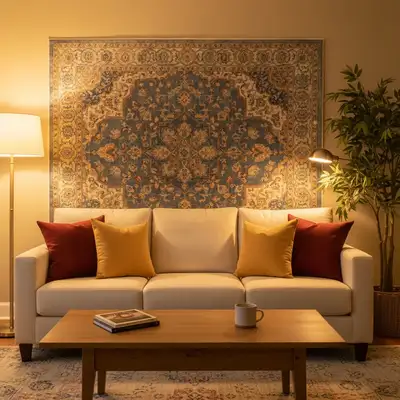
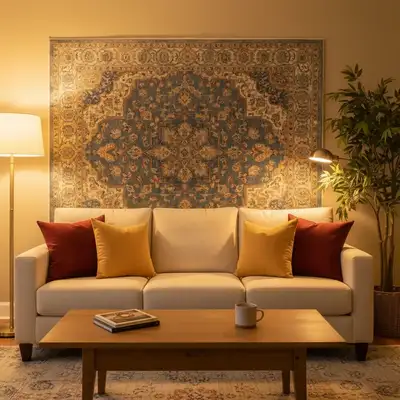
Remove That Yellow Tint from Indoor Photos
Indoor photos taken under tungsten bulbs, old fluorescent lights, or warm LED lamps often end up with an ugly yellow or orange cast. Whites look cream-colored, skin looks orange, and the whole image feels too warm. AI can correct this in seconds without you needing to understand white balance sliders.
How AI Corrects Color Casts
EditThisPic's AI detects the overall color temperature of your image by analyzing surfaces that should be neutral—whites, grays, and skin tones. It then shifts the color balance to neutralize the yellow cast, cooling the image until whites look white and skin looks natural. Unlike a simple filter, it adjusts different areas proportionally so shadows and highlights both look correct.
Why Photos Look Yellow
- Tungsten (incandescent) light bulbs emit warm yellow light
- Mixed lighting—daylight from a window plus warm indoor lamps
- Camera white balance set to daylight while shooting indoors
- Cheap LED bulbs with poor color rendering
- Reflections off yellow or wood-toned walls and ceilings
Other Color Casts AI Can Fix
Yellow is the most common indoor color cast, but photos can also turn green under fluorescent lights, blue in heavy shade, or magenta under certain LEDs. The same approach works for all of them—describe the cast and the AI neutralizes it. Try 'remove the green fluorescent tint' or 'fix the blue color cast from shade.'
Tips for Natural White Balance
If the yellow is subtle, try 'slightly cool down the white balance' rather than a full correction. For photos where you want some warmth (golden hour, candle-lit dinner), ask to 'reduce the yellow cast but keep a warm feel.' If skin looks orange after correction, refine with 'make the skin tones more natural.'
Step-by-Step Guide
Upload Your Yellow-Tinted Photo
Drop your image into EditThisPic. JPG, PNG, or WebP up to 7MB. Indoor photos with obvious yellow or orange tint work best.
Describe the Color Problem
Type what you see: 'fix the yellow color cast from indoor lighting' or 'the photo has an orange tint, correct the white balance.' Be specific if only certain areas are affected.
Check the Correction
Verify that whites look white, skin tones look natural, and the image doesn't swing too far toward blue. Use the before/after comparison to check.
Fine-Tune If Needed
If the result looks too cold, try 'add a bit of warmth back, it looks too blue now.' If yellow remains in spots, describe them: 'the ceiling still looks yellow, fix that too.'
Frequently Asked Questions
Fix Yellow Lighting in Your Photo
Upload your indoor photo and restore natural colors. Free, instant results.
Drop your photo to start editing
"Fix color — describe what you want in the prompt"
Release to upload