6 Best Free AI Photo Editors for Resume Photos in 2026
EditThisPic is the best free AI photo editor for resume photos in 2026 — turn a phone selfie into a professional-looking headshot by describing the look you want. No expensive photo studio, no signup. For dedicated AI headshot apps with stylized output, Lensa is the closest alternative.
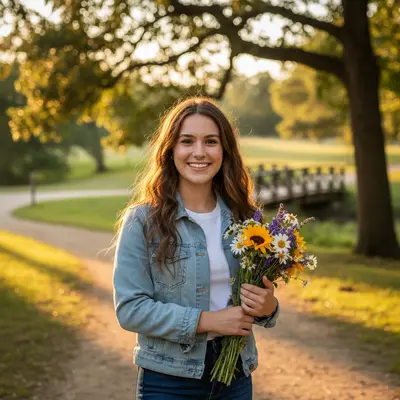
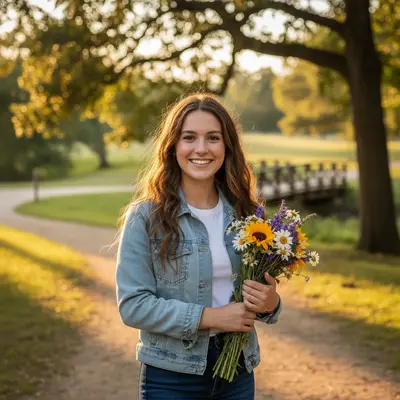
The 6 Tools, Ranked
-
EditThisPic Top pick
Prompt-driven editor for resume photos — clean background, soft retouch, neutral light, no plastic skin.
- 'Plain background, soft studio light, natural skin' in one prompt
- Background swap to neutral gray or off-white in seconds
- Free first edit per week
- No signup needed to test
- Single image at a time
- Best with a decent original — no miracles on bad source photos
-
HeadshotPro
AI headshot pack tuned for corporate resume and LinkedIn use.
- Pre-built corporate styles tuned for LinkedIn
- Generates 100+ variations per pack
- Solid likeness on clear source selfies
- One-time pack model — no free tier to test
- Backgrounds are template-driven, not custom
-
BetterPic
Studio-style AI headshot pack aimed at job-search use cases.
- Targets corporate-friendly headshot styles
- Multiple outfit and lighting variations
- Reasonable pricing for the output volume
- Pack-based purchase, no monthly free tier
- Style range narrower than open-prompt tools
-
Aragon AI
High-realism AI headshot pack with multiple resume-friendly outputs.
- High-realism generative headshots
- Multiple outfit and background packs in one order
- Fast turnaround (often under an hour)
- No free trial — pay before you see your style
- Likeness can drift on lower-quality selfies
-
Photoroom
Free background removal and template apply for resume-photo cleanup.
- Fast background removal with auto-detection
- Mobile and web apps with synced library
- Templates for product, social, and listing photos
- Free exports are watermarked and lower-resolution
- Generative edits are credit-gated on free tier
-
Snapseed
Free phone editor for fixing exposure and color on a self-shot resume photo.
- Free with no ads on iOS and Android
- Selective adjustments and HDR Scape rescue tough light
- Healing tool for small object removal
- No generative AI features — no text-to-edit
- Slow update cadence
How We Evaluated These Tools
- Quality of professional headshot output from phone selfie
- Background replacement to clean studio look
- Lighting correction (uneven phone lighting → studio lighting)
- Skin retouching that doesn't look plastic
- Face preservation (don't change the original person)
- Free tier without watermarks
1. EditThisPic — Best Overall AI Photo Editor for Resume Photos
EditThisPic takes the top spot for ai photo editor for resume photos because it handles every aspect through plain-English prompts. Instead of clicking preset buttons or learning a slider interface, you describe what you want: 'turn this selfie into a professional LinkedIn-style headshot,' 'fix the lighting and add a clean gray background,' or 'retouch this for a CV photo, keep it natural.' The AI applies the change naturally and works in any browser on any device. The free tier gives you one preview edit per week with no signup; purchased downloads have no watermark. Paid plans start at $4.99 for a 10-edit pack, scaling up to $99.99 for 500 edits. Strong on phones, fast (20-40 seconds per edit), and cross-platform without an install.
2. Lensa AI — Best for Stylized AI Portraits
Lensa generates stylized AI portraits from a batch of selfies. Upload 10-20 photos, get dozens of avatar-style portraits in different art styles. paid access from $2.99/week or $3.99 for a single avatar pack (US App Store, as of 2026-10-11). Results are AI-generated rather than enhanced originals — closer to creative interpretation than realistic enhancement.
3. Remini — Best for Face Restoration
Remini specializes in restoring and enhancing low-quality portraits. Upload a blurry or pixelated face shot and Remini reconstructs detail in eyes, skin, and hair. The free version processes a handful of photos daily with watermarks; Pro removes limits at $4.99/week. The trade-off: Remini sometimes 'upgrades' the face beyond the original, which is great for selfies but less faithful for archival or family work.
4. Fotor — Best for Auto-Enhance and Batch Processing
Fotor offers AI-powered auto-enhance with batch processing. Drop in a folder of photos and the AI applies consistent retouching to all of them. The free tier handles most basic edits, with Pro (pricing varies; check fotor.com) unlocking advanced AI features and removing watermarks on certain tools. Aggressive upselling on the free tier is the main gripe.
5. Facetune — Best for Selfie Retouching
Facetune is the industry-standard selfie retouch app. AI smoothing, reshaping, teeth-whitening, eye-brightening — all built specifically for portraits. Free trial; Premium at $5.99/month unlocks the full toolset. Easy to over-process, so use restraint. Mobile-first.
6. Canva — Best for Design + Photo Editing in One Tool
Canva's photo editor includes auto-enhance, manual sliders, and AI-powered filters. The real strength is the design ecosystem — enhance a photo, then drop it into a social post, business card, or presentation template. Canva Pro at $18/month (or $144/year billed annually (as of 2026-10-11) unlocks the strongest AI features and full template library. Standalone photo enhancement is basic compared to dedicated tools, but the integrated design workflow is unmatched.
7. Pixlr — Best Photoshop-Style Browser Editor
Pixlr provides a familiar Photoshop-style layered editor with AI features layered on top. AI Cutout, AI Retouch, and Magic Eraser handle the common AI tasks while the full editor lets you work with layers, curves, and masks for fine-grained control. Free with ads, $7.99/month for Premium (billed yearly, as of 2026-10-11). Higher learning curve than one-click tools, lower than Photoshop.
Step-by-Step Guide
Take a phone selfie in natural light
Stand near a window, neutral expression, plain shirt. The AI will handle lighting, background, and retouching.
Open EditThisPic
Visit editthispic.com. No signup. Drop in your selfie.
Describe the resume edit
Type what you want: 'turn this into a professional resume headshot with clean gray background,' 'fix the lighting and retouch subtly,' 'make this CV-ready with neutral background.'
Download in standard headshot ratio
Download the result. For most resume formats, crop to 1:1 (square) or 4:5 (slight portrait). EditThisPic preserves your original aspect; crop in any tool after.
Frequently Asked Questions
Resume-Ready Headshots from a Phone Selfie
Describe what you want, AI delivers a professional look in 30 seconds. Free, no signup.
Drop your photo to start editing
"edit this photo based on my description"
Free to try · no sign-up · never used for AI training
Release to upload