Best Free AI Photo Editors in 2026
Last updated
We tested 50+ AI photo editing tools to find the 10 that actually deliver on the promise of free, instant results.
Drop your photo here
Free to try · no sign-up · never used for AI training
Release to upload
Quick Comparison
| Tool | Free Tier | Signup Required | Watermark | Best For |
|---|---|---|---|---|
| 1EditThisPic | 1 edit/week | No | None on paid | All-purpose editing |
| 2Adobe Firefly | 25 credits/month | Yes | No | High-quality generative edits |
| 3Canva | Basic features | Yes | No | AI editing + design combo |
| 4Luminar Neo | 7-day trial | Yes | No | Desktop AI editing for photographers |
| 5Fotor | Limited | Yes | Yes (some) | Web-based AI enhancement |
| 6Pixlr | Ad-supported | No | No | Photoshop-style + AI |
| 7Remove.bg | Low-res with watermark | No | Yes (free tier) | Background removal only |
| 8Cleanup.pictures | Low resolution | No | No | Object removal from photos |
Detailed Reviews
-
EditThisPicOur pick
Best Overall Free AI Photo Editor
EditThisPic takes the top spot because it delivers what most 'free' tools don't: genuinely free edits without signup or watermarks. You describe what you want in plain English, and the AI handles everything from removing unwanted people to changing backgrounds to fixing old photos.
Strengths
- True free tier (1 edit/week, no catch)
- No account required
- Clean paid downloads
- Handles 170+ edit types
- 30-second processing
- Works on any device
Weaknesses
- Free tier limited to 1 edit/week
- No mobile app (web only)
- Advanced edits may need 2-3 tries
- Pricing
- Free: 1 edit/week. Paid: from $4.99 for 10 edits
- Best for
- Anyone who needs versatile photo editing without commitment
Verdict: The most genuinely free AI photo editor that handles almost any task.
Try it free → -
Adobe Firefly
Best AI-Native Adobe Tool
firefly.adobe.com
Adobe Firefly is Adobe's dedicated AI generation platform — Generative Fill, Generative Expand, and text-to-image in a standalone web app. Free credits included monthly without a Creative Cloud subscription. The output quality for complex scene edits and background generation is among the best available.
Strengths
- Generative Fill and Expand for complex edits
- No watermark with free credits
- Text-to-image and image-to-image
- High output realism on scenes
Weaknesses
- Limited free credits (25/month)
- Requires Adobe account
- Not suitable for batch work on free tier
- Slower than simpler tools
- Pricing
- Free: 25 credits/month. Premium: $9.99/month
- Best for
- High-quality generative edits on single important photos
Verdict: Best for quality-critical edits — credit limits make it impractical for high volume.
-
Canva
Best AI Editor + Design Combo
canva.com
Canva's AI photo editing tools — Magic Edit, Magic Eraser, and Background Remover — sit alongside its huge design template library. The best AI editing features (Magic Edit, Generative Fill) require a Pro plan, but background removal and basic edits are free.
Strengths
- AI editing inside a full design workflow
- Background remover on free tier
- Massive template library
- Good mobile apps
Weaknesses
- Best AI features require Pro ($12.99/mo)
- Requires account
- Not ideal for purely photo-edit workflows
- Magic Edit inconsistent on complex scenes
- Pricing
- Free: basic features. Pro: $12.99/month
- Best for
- Users who want photo editing as part of a broader design workflow
Verdict: Best all-in-one for design + editing — overkill if you only need photo editing.
-
Luminar Neo
Best Dedicated AI Photo Editor for Photographers
skylum.com
Luminar Neo is a desktop AI photo editor built for photographers who want automatic sky replacement, portrait enhancement, and scene relighting. More powerful than web tools, but requires a paid download — no free tier after trial.
Strengths
- Sky Replacement is class-leading
- Portrait AI enhances skin, eyes, and facial structure
- Relight AI adjusts scene illumination
- Works on RAW files
Weaknesses
- No free tier after 7-day trial
- Desktop only (not web-based)
- Annual license needed
- Resource-heavy on older computers
- Pricing
- 7-day trial. Paid: from $99/year
- Best for
- Photographers who want AI-powered editing in a desktop app
Verdict: Most powerful AI desktop editor — worth it for serious photography work.
-
Fotor
Best Free Web Editor for Quick AI Enhancements
fotor.com
Fotor's AI-powered tools cover one-tap enhancement, portrait retouching, background removal, and some generative AI features. Good web-based option for people who want AI editing without a desktop install. Free tier with limited credits.
Strengths
- One-tap AI enhancement
- Portrait retouch + background remover
- Batch processing
- Works in-browser
Weaknesses
- Aggressive upgrade prompts
- Requires account
- Watermark on some features
- Generative features limited on free
- Pricing
- Free with limits. Pro: from $8.99/month
- Best for
- Web-based AI photo enhancement without a desktop install
Verdict: Solid free-tier web editor — upgrade prompts are frequent but the tools work.
-
Pixlr
Best Free Photoshop-Style Editor with AI
pixlr.com
Pixlr brings a layer-based editing workflow (familiar to Photoshop users) to the browser with AI features including background removal and Generative Fill. Free tier is ad-supported and requires no signup.
Strengths
- Photoshop-style layers and tools
- No signup for basic use
- AI Background Remover and Generative Fill
- Works on desktop and mobile browsers
Weaknesses
- Ad-heavy free version
- AI features feel secondary to manual tools
- Slower on low-power devices
- Monthly AI feature credits limited
- Pricing
- Free with ads. Premium: from $4.90/month
- Best for
- Photoshop refugees who want manual control plus some AI assistance
Verdict: Best for manual editors who occasionally want AI — not primarily AI-first.
-
Remove.bg
Best Dedicated Background Remover
remove.bg
Remove.bg does one thing: background removal. It's fast, handles hair and fine edge details well, and requires no signup. The free tier gives low-resolution output; full resolution costs per image or via subscription. Not an AI editor — just the best in class at its single task.
Strengths
- Best-in-class background removal
- Very fast (under 5 seconds)
- Excellent edge detection on hair
- No signup required
Weaknesses
- Only removes backgrounds — nothing else
- Free tier watermarks output
- Low resolution on free
- No editing beyond background removal
- Pricing
- Free: low-res with watermark. Paid: from $1.99/image
- Best for
- Quick background removal when that's the only edit needed
Verdict: Best at background removal — wrong choice for any other kind of editing.
-
Cleanup.pictures
Best for Object Removal from Photos
cleanup.pictures
Cleanup.pictures handles one specific type of AI editing — removing objects, people, or text from a photo by painting over them and AI-filling the area. Excellent for removing power lines, photobombers, or unwanted elements. No signup; free at low resolution.
Strengths
- Simple brush-and-fill workflow
- No account required
- Good at complex backgrounds
- Fast processing
Weaknesses
- Only removes objects — no other editing
- Full resolution costs extra
- Results vary on intricate patterns
- No batch mode
- Pricing
- Free: low resolution. Pro: from $5/month
- Best for
- Removing unwanted objects or people from photos
Verdict: Best single-purpose object eraser — pair with other tools for complete edits.
How We Tested
We evaluated 50+ AI photo editing tools based on real-world use. Each tool was tested with the same set of challenging images: a crowded beach photo (person removal), a portrait with cluttered background (background replacement), and an old damaged photo (restoration).
-
Free Tier Value
30%
Is there a genuinely useful free tier? Does it require signup? Are results watermarked?
-
AI Quality
25%
How well does the AI handle complex edits? Does it understand natural language instructions?
-
Speed
20%
How quickly can you go from upload to download? Is the interface streamlined?
-
Versatility
15%
How many different edit types does it handle? Is it a one-trick pony or all-purpose?
-
Output Quality
10%
What resolution are the outputs? Any artifacts or obvious AI tells?
See it in action
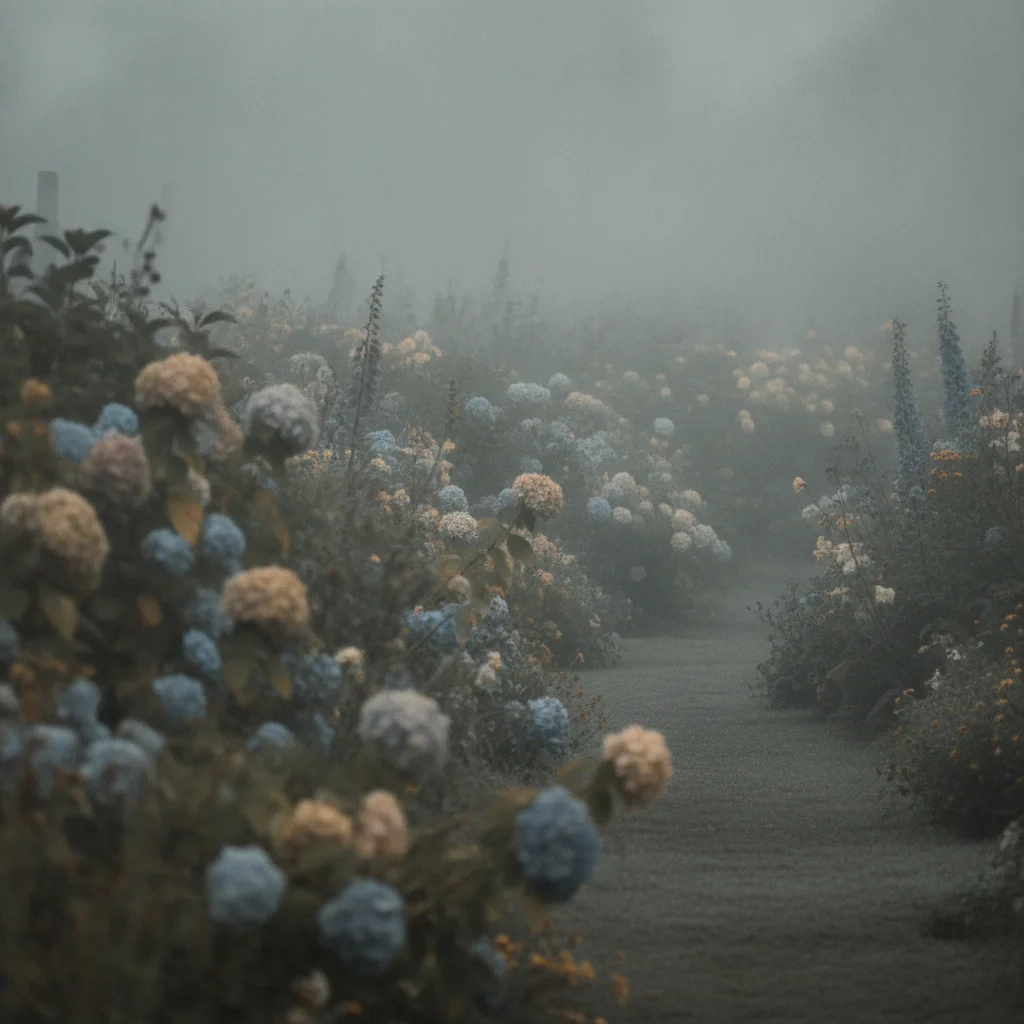
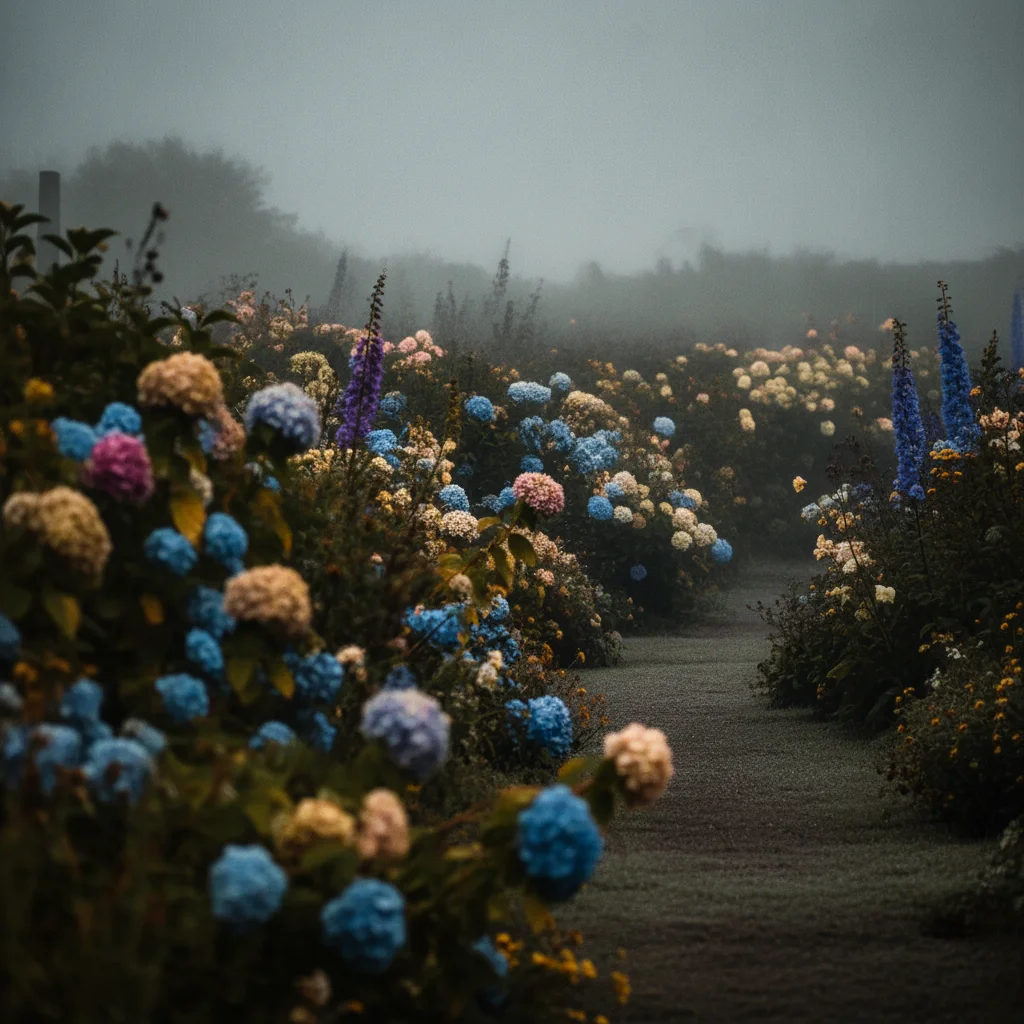
Haze cut out of a flower garden photo
A flower garden shot through heavy morning haze comes back with the colour restored — blue hydrangeas, pink and magenta blooms and purple foxgloves read properly again and the petal edges are crisp, while the soft mist behind the beds is left as it was.
sharpen this garden photo, clear up the haze, and make the flower colors more vivid and defined
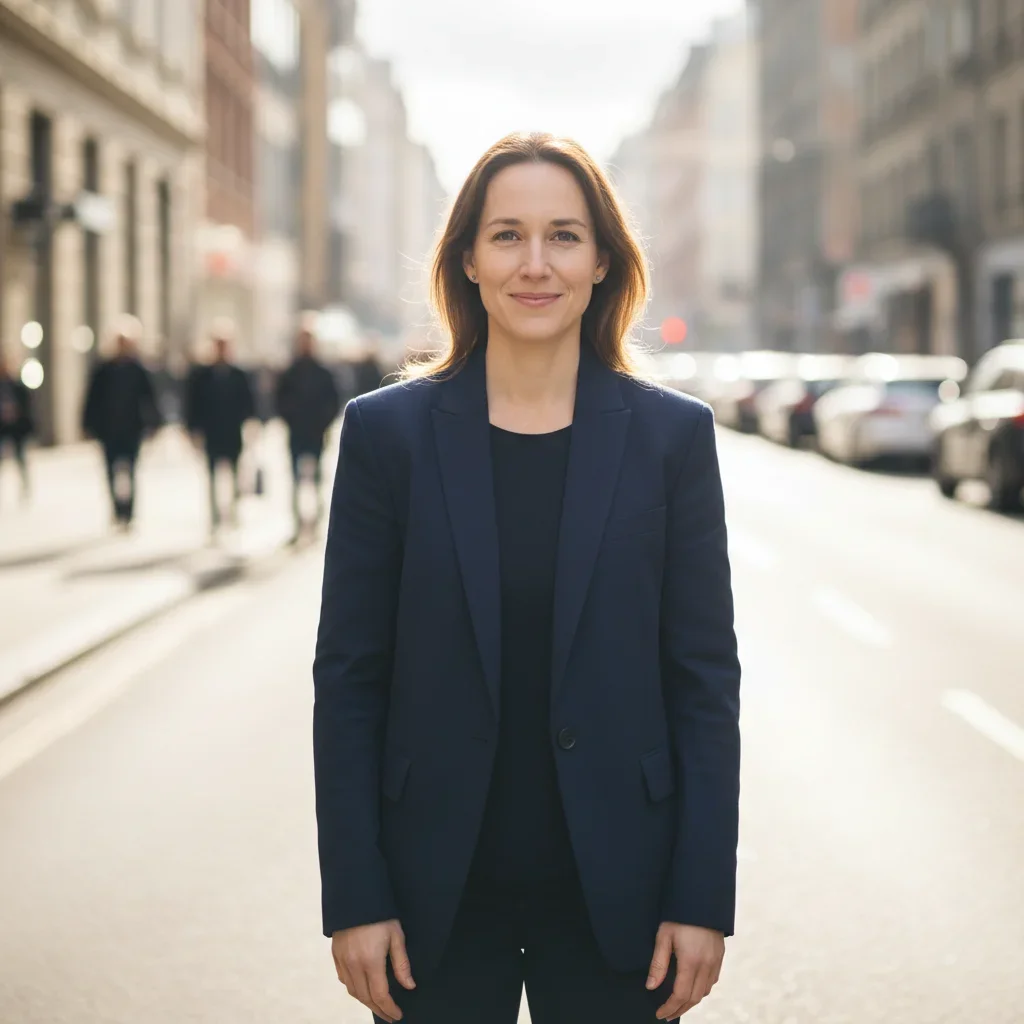

Street portrait converted to professional studio headshot
A woman photographed outdoors on a busy street — good framing but a distracting city background and casual street light — was transformed into a clean studio headshot using free AI editing. This shows what the best free AI photo editors can do for portrait work.
convert this outdoor street portrait to a professional studio headshot — clean background, even lighting
Quick answers
Popular use cases
Ready to try the #1 free AI photo editor?
One free edit per week. No signup. Clean paid downloads.