How to Fix a Washed Out Photo
To fix a washed out photo, upload it to EditThisPic and describe the problem: 'fix the washed out colors' or 'restore the faded contrast and saturation.' The AI analyzes the flat tonal range, boosts contrast, recovers color depth, and brings back the vibrancy that was lost. Free, no signup required.
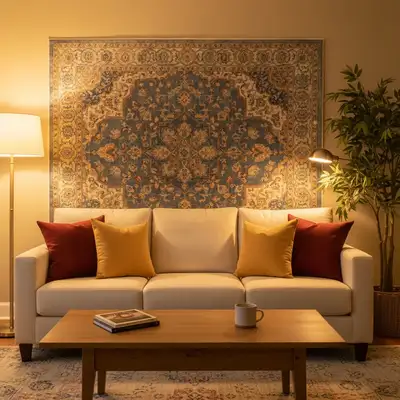

Bring Faded, Flat Photos Back to Life
Washed out photos look like someone draped a white veil over the image. Colors are muted, contrast is flat, and everything blends into a pale, lifeless version of what you actually saw. It happens more often than you'd think—hazy weather, shooting toward the sun, foggy lens, or just a phone camera that misjudged the scene. AI can restore the depth and color that should have been there.
How AI Restores Washed Out Images
EditThisPic's AI examines the tonal distribution of your photo—how brightness values are spread across shadows, midtones, and highlights. In a washed out image, everything clusters in the middle with no true blacks or saturated colors. The AI stretches the tonal range back to full, deepening shadows, enriching midtones, and pulling color saturation back to natural levels without overshooting into garish territory.
Why Photos Look Washed Out
- Shooting in haze, fog, or smog that scatters light
- Lens flare from pointing toward a bright light source
- Dirty or fogged-up camera lens reducing contrast
- Overexposure that lifts shadows and flattens the tonal range
- Screen brightness set too high during editing, making you undersaturate
- Old or faded prints scanned digitally
Targeting Specific Areas
Sometimes only part of the photo is washed out—a bright sky that lost all color while the foreground looks fine, or a face that's pale from harsh light. Describe the specific area: 'fix the washed out sky but keep the foreground as is' or 'the face looks faded and flat, restore the skin tones and contrast there.' The AI adjusts regions independently.
Tips for Best Results
Start with a broad fix: 'restore the contrast and color in this washed out photo.' If the AI overcorrects and colors look too punchy, follow up with 'make the colors more natural, it's oversaturated now.' For scanned old photos that are both faded and have color shifts, try 'fix the faded colors and correct the yellow tint' in one prompt.
Step-by-Step Guide
Upload Your Washed Out Photo
Drop your image into EditThisPic. JPG, PNG, or WebP up to 7MB. Hazy outdoor shots, foggy lens photos, and scanned faded prints are all good candidates.
Describe the Faded Look
Type what you see: 'fix the washed out colors and flat contrast' or 'this photo looks faded and hazy—bring back the vibrancy.' Mention specific issues like pale sky, flat skin tones, or missing shadow depth.
Review the Restoration
Check that colors look rich but natural, contrast has depth without being harsh, and details in shadows and highlights are visible. Compare before and after.
Refine If Needed
If colors are still muted, try 'boost the saturation and contrast more.' If the fix went too far, ask to 'tone down the contrast slightly, it looks too dramatic now.'
Frequently Asked Questions
Fix Your Washed Out Photo
Upload your faded, flat photo and restore vivid colors and contrast. Free, instant results.
Drop your photo to start editing
"Fix color — describe what you want in the prompt"
Release to upload