US Passport Photo Requirements 2026: Size, Background, Expression & Common Rejections
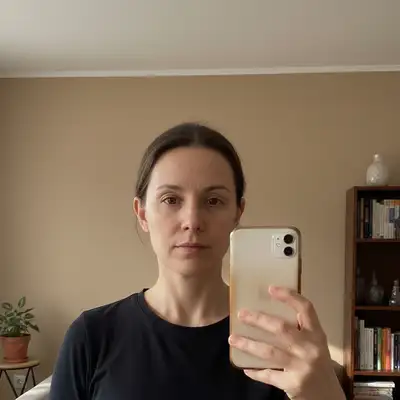
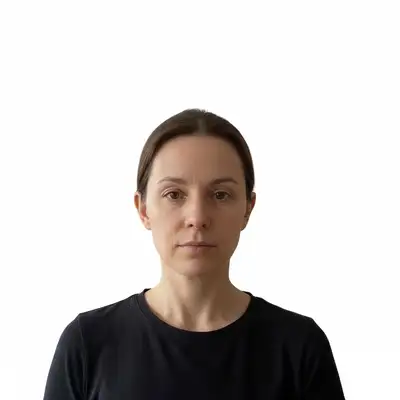
Size, Dimensions & Head Position
A US passport photo must be exactly 2×2 inches (51×51 millimeters) when printed on photo-quality paper. Within that square, the head must measure between 1 inch and 1-3/8 inches from the bottom of the chin to the top of the head (not counting hair). The head should be centered horizontally and positioned in the upper-center portion of the frame, leaving appropriate space at the bottom for the chin area. Eyes must be open and clearly visible, looking directly at the camera. The face must be fully in frame with no cropping of the top of the head or chin. These proportions are strictly enforced — a photo that passes every other requirement but has a head that's slightly too large or too small will be rejected.
2×2 inches total size
Printed on photo-quality paper. The entire photo must be exactly this dimension — not trimmed larger or printed smaller.
Head height: 1 to 1-3/8 inches
Measured chin to crown (not including hair). Eyes should fall roughly in the upper half of the photo.
Face centered, forward-facing
No tilting, no turning. Eyes must face the camera directly. No profile or three-quarter angles.
Verify with a passport photo tool
Use a compliant formatter to check head proportions before printing — manual guesswork often produces photos that are just outside the required range.
Background & Lighting Rules
The background must be plain white or off-white with no patterns, shadows, or gradients. A light-gray background is not the same as white and can cause rejection — if you're using a wall at home, choose one that is clearly white and well-lit. Shadows on the background from the subject are a common rejection reason; stand a few feet away from the wall and use front-facing natural light or a ring light to minimize shadows. The lighting on your face must be even — no harsh shadows on one side of the face, no glare on the forehead. Uneven studio lighting, overhead-only lighting, and backlighting all create shadow problems. Neither the photo nor the background should have any filters, color casts, or digital modifications to the face itself.
Plain white or off-white background only
No textured walls, patterned drapes, or colored backgrounds. Light gray is not compliant.
Stand away from the wall
Distance of 2–3 feet from the background eliminates most shadow problems caused by proximity.
Use even front lighting
Natural light from a window in front of you, or a ring light, produces even face illumination with minimal shadows.
Expression, Attire & Glasses
The expression must be neutral — a natural closed-mouth expression or a natural smile with both eyes open and fully visible. Squinting, wide smiles that partially close the eyes, and exaggerated expressions are grounds for rejection. Glasses are not permitted in US passport photos as of a rule change in 2016; narrow medical exceptions exist but require a signed statement from a licensed physician. Hats and head coverings are not permitted except for documented religious or medical reasons, which also require a signed statement. Uniforms (including work uniforms that appear military or like a uniform) and camouflage clothing are not allowed. Everyday street clothing in any color is fine — there is no requirement on specific attire beyond these exclusions. Hair may be worn naturally; if hair obscures the face, it should be pulled back.
Remove glasses before the photo
No exceptions without a physician's signed statement on official letterhead. This rule has been enforced since 2016.
Neutral expression, eyes fully open
A natural closed-mouth look or a slight natural smile works. Both eyes must be fully open and clearly visible.
No uniforms or camouflage
Wear everyday civilian clothing. Remove work uniforms if they could be mistaken for military or law enforcement attire.
Digital Upload Spec (Online Renewal)
For online passport renewal (available to eligible applicants through the State Department's online system), the digital photo requirements differ from the print spec. The photo must be a color JPEG in a square format, with a minimum dimension of 600×600 pixels. The content requirements are the same: white background, correct head size, forward-facing, no glasses, taken within the last 6 months. The file must meet size and resolution requirements specified on the online renewal portal — see travel.state.gov for the current digital upload specification, as these details may be updated as the system evolves. EditThisPic's digital passport photo tool can format your image to the correct square JPEG format for upload.
Square JPEG, minimum 600×600 px
The digital upload requires a square crop — not the rectangular 2×2 print format. Use a tool that outputs the correct square JPEG.
Same content rules apply
White background, correct head proportions, no glasses, taken within 6 months — identical to the print requirements.
Check travel.state.gov for current specs
The online renewal system is relatively new and specifications may be updated. Always verify the file requirements directly before submitting.
Common Rejection Reasons
The most frequent causes of passport photo rejection are: head too large or too small relative to the frame (failure to meet the 1 to 1-3/8 inch chin-to-crown measurement); shadows on the background or face from poor lighting; wearing glasses (even clear lenses); a hat, headband, or hair accessory that covers part of the head; eyes not fully open or looking away from the camera; background that is not plain white or off-white; low image quality or blurring; any digital retouching, filters, or editing applied to the face; and the photo being more than six months old. Many home photos are rejected specifically for background shadows or glasses — these are the two easiest to fix before you submit. If your photo was rejected, you can retake it for free as long as you submit a new compliant photo before your application deadline.
Check head size first
The 1 to 1-3/8 inch chin-to-crown measurement trips up many DIY photos. Use a compliant photo formatter to verify before printing.
Eliminate background shadows
Stand farther from the wall and use front-facing light. This fixes the most common DIY photo rejection cause.
Do not retouch the face
No smoothing, blemish removal, or filter effects on the face. Retouching is grounds for rejection and potential fraud concerns.
Frequently Asked Questions
Format your passport photo to US specs — free
Upload your photo and get it formatted to the correct 2×2 inch US specification. Free, no sign-up needed.
Format Passport Photo Free
"crop and resize this photo to US passport photo specifications — 2x2 inches, white background, head centered at correct size"
Free to try · no sign-up · never used for AI training
Release to upload