How to Fix a Blurry Photo
To unblur a photo, upload it to EditThisPic and describe what you need: 'sharpen this photo' or 'fix the blur.' The AI analyzes the type of blur — motion, focus, or camera shake — and restores sharpness while keeping the image natural. Free, no signup.
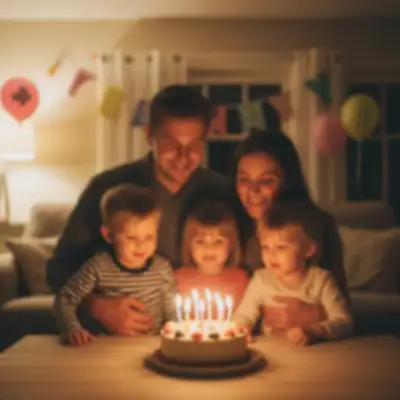
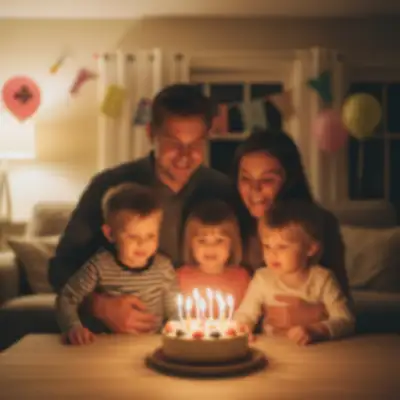
Why Photos Come Out Blurry
Blurry photos happen for three main reasons: camera shake during the shot, the subject moving too fast, or the lens focusing on the wrong spot. Each type of blur looks different and responds best to different fixes. AI can identify which type you're dealing with and apply the right correction automatically.
Types of Blur and How AI Handles Each
Motion blur creates directional streaks — the AI traces the movement path and reverses it. Out-of-focus blur produces soft, hazy edges — the AI reconstructs edge detail using patterns from the sharp areas of the image. Camera shake causes a subtle double-image effect — the AI realigns the overlapping frames. In all cases, the goal is recovering lost detail without introducing artifacts or an over-sharpened look.
What AI Sharpening Can Fix
- Slightly out-of-focus portraits and group photos
- Motion blur from handheld shots in low light
- Camera shake from shaky hands or no tripod
- Soft images from cheap lenses or dirty glass
- Photos that lost sharpness after resizing or compression
When Sharpening Has Limits
AI sharpening works best on mildly to moderately blurry images. Extreme blur — where you can't tell what the subject is — is harder to recover because there's not enough visual data left. Photos with heavy motion blur across the entire frame may improve but won't reach tack-sharp. The best results come from images that are slightly soft rather than completely out of focus.
Tips for the Best Results
Be specific with your prompt: 'sharpen just the face' targets the most important area without over-processing the background. For photos with both blur and noise, fix the blur first — sharpening noisy images can amplify grain. If the first result looks too aggressive, try 'gently sharpen' or 'reduce the blur slightly' for a more natural look.
Step-by-Step Guide
Upload Your Blurry Photo
Drop your image into EditThisPic. Works with any photo format — JPEG, PNG, HEIC, WebP.
Describe What Needs Fixing
Type your edit: 'fix the blur,' 'sharpen this photo,' or be specific like 'sharpen the face but keep the background soft.' The AI adapts based on your description.
Review the Result
Use the before/after slider to compare. Zoom in on key areas — faces, text, edges — to check that detail has been restored without looking artificial.
Refine If Needed
If the photo needs more sharpening, ask for 'more sharpness' or 'make it crisper.' If it looks over-sharpened, try 'make it more natural' or 'soften the sharpening slightly.'
Frequently Asked Questions
Fix Your Blurry Photo Now
Upload your image and let AI restore the sharpness. Free, instant results.
Drop your photo to start editing
"Fix the blur and sharpen this photo"
Release to upload