Free โ€ข No signup Fix Motion blur ยท Free

Fix Motion Blur in Photo

Fix camera shake and movement blur instantly. Just describe what you want, no selection needed.
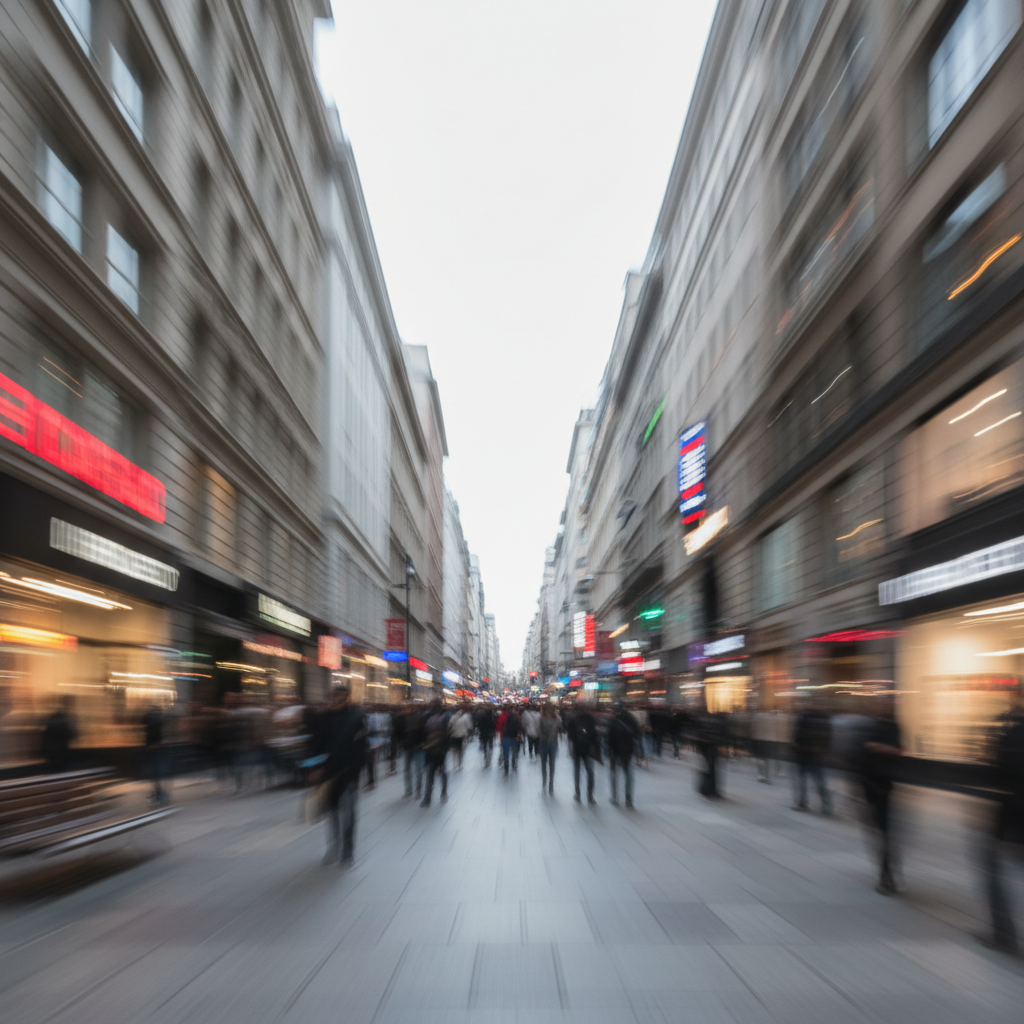
City street photo with diagonal motion blur making everything streaky
Before
โ†’
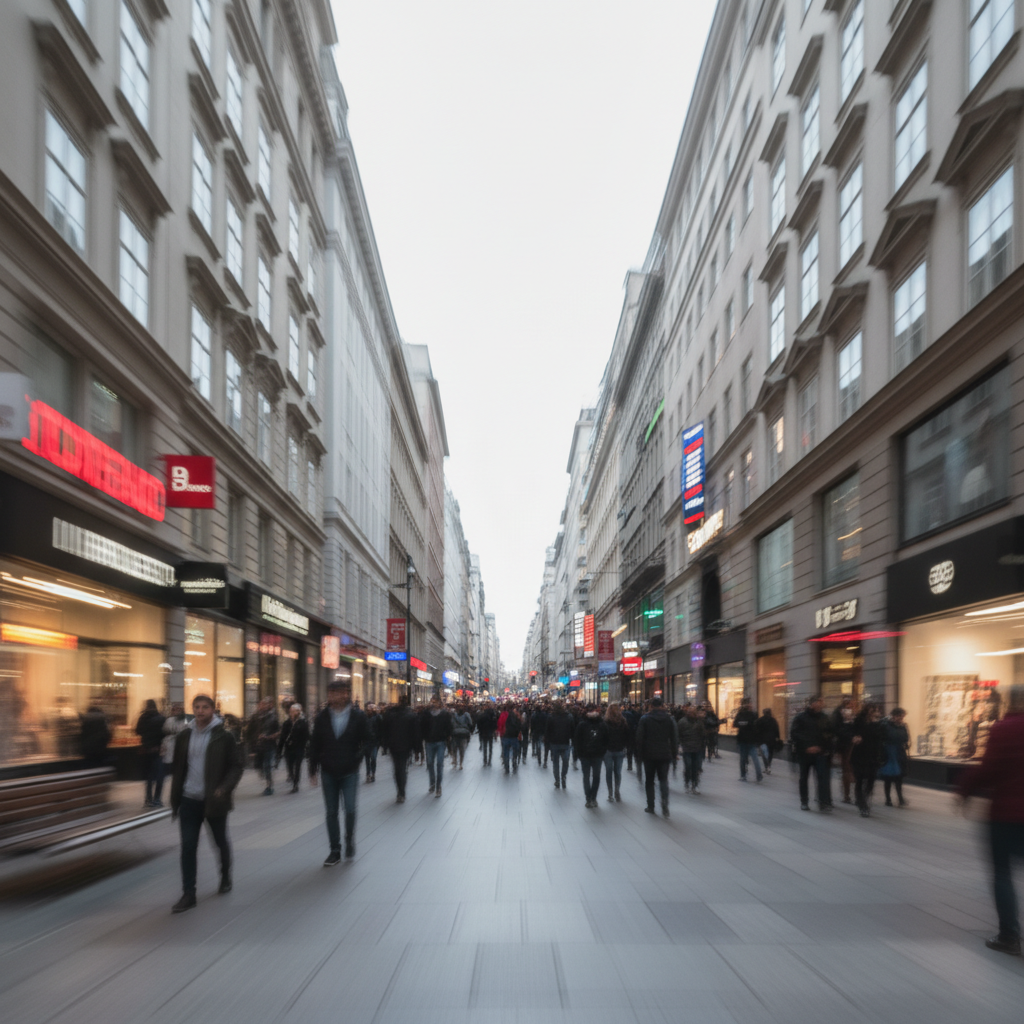
Same street photo with sharp buildings and readable signs
After

Fix Motion Blur in Photo

Drop your photo here

or click to browse

Release to upload

Free โ€ข No signup

Advertisement
Popular use cases:
  • sports photography
  • night photography
  • low light photos
  • action shots
  • handheld photography
  • event photography
  • kids and pets photos

Cost
Free No signup required
Time
Instant results in 15-30 seconds
Works on
Any device - browser, phone, tablet, desktop
Powered by
AI-powered photo editing
Scenario Prompt Time
Camera shake fix the camera shake blur and restore sharpness 20s
Low light blur fix motion blur from low light, keep natural lighting 25s
Moving subject fix motion blur on the subject, freeze the action 20s
Severe blur remove severe motion blur, reconstruct maximum detail 30s

How it works

  1. Upload your motion-blurred photo

    Drop your image with motion blur into EditThisPic. JPG, PNG, WebP up to 7MB. Works on camera shake, handheld blur, and subject movement blur.

    Expect: Light motion blur: 15-30 seconds. Severe motion trails: may need 2-3 refinements.
  2. Describe the fix you want

    Type your instruction: 'fix the motion blur and restore sharpness' or 'remove camera shake blur and make the image clear.' Be specific if it helps - mention if it's camera shake, subject movement, or panning blur. No marking needed.

    Tip: Mentioning 'camera shake' vs 'subject movement' helps the AI apply the right correction approach

    Copy one of these to get started:

    General motion blur fix fix the motion blur and restore sharpness, make the image clear and crisp
    Camera shake blur remove the camera shake blur and stabilize the image, restore sharp details
    Low light motion blur fix the motion blur from low light, sharpen while keeping natural lighting
    Moving subject blur fix the motion blur on the moving subject, sharpen them while keeping background natural
    3 more prompts
    Severe motion trails remove the severe motion blur trails, reconstruct as much detail as possible
    Sports or action shot fix the action blur, freeze the motion and make the subject sharp
    Night photography blur fix the camera shake from night shooting, restore sharpness without losing atmosphere
  3. Generate and review

    Check the result at full zoom. Motion streaks should be gone, edges should be sharp, and the image should look natural without artifacts. Compare with the original to see the improvement.

  4. Refine with markers if needed

    If some areas still show blur while others are fine, tap markers on the remaining blurry spots and regenerate. This is optional - most motion blur fixes work without markers.

    Tip: Markers help when only part of the image has motion blur, like a moving subject against a sharp background.
Try it free โ†“

Fix Motion Blur in Photo

Drop your photo here

or click to browse

Release to upload

Free โ€ข No signup

"My shaky night photos always had motion blur. Now I can fix them in seconds instead of deleting them." @NightPhotog_Alex

See it in action

City street photo with diagonal motion blur making everything streaky
Before
->
Same street photo with sharp buildings and readable signs
After

Camera shake in city photo fixed

A street photo with obvious camera shake creating directional blur. AI restored sharp buildings and signage.
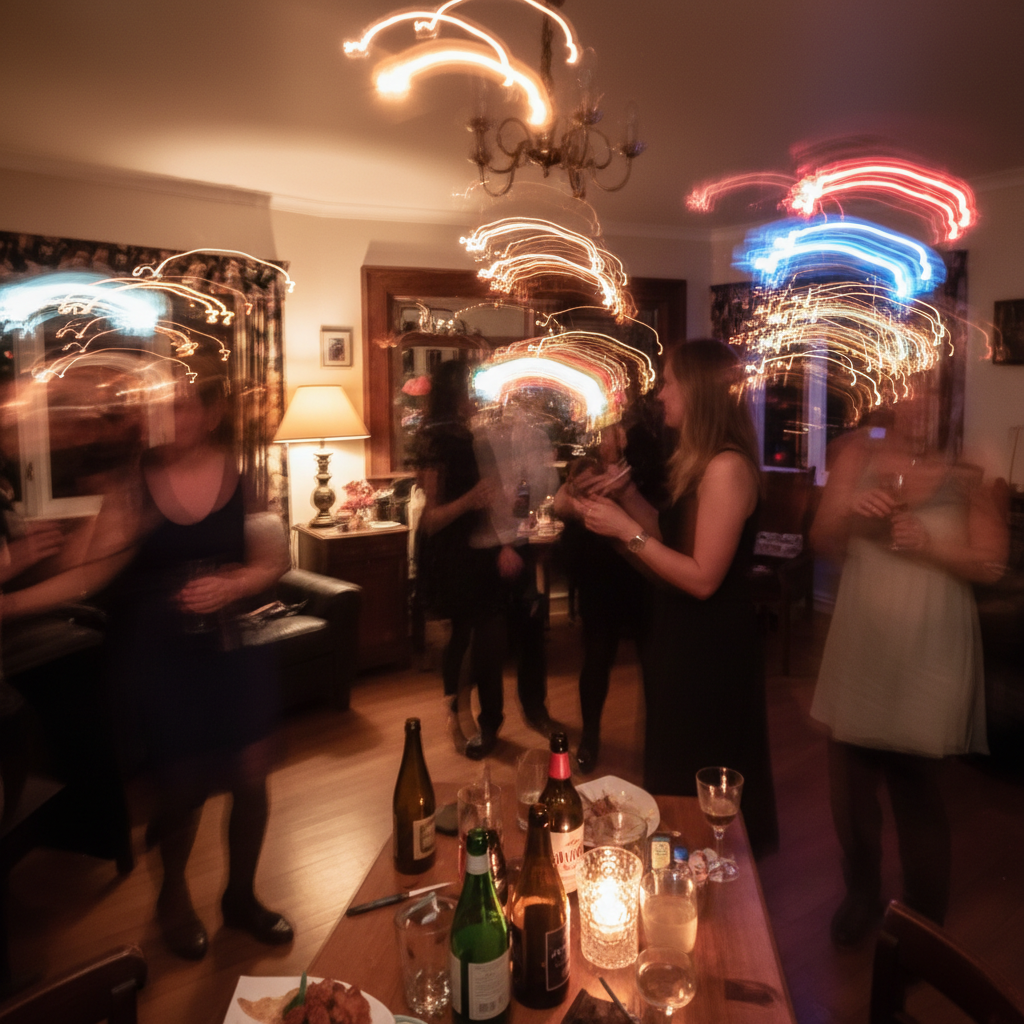
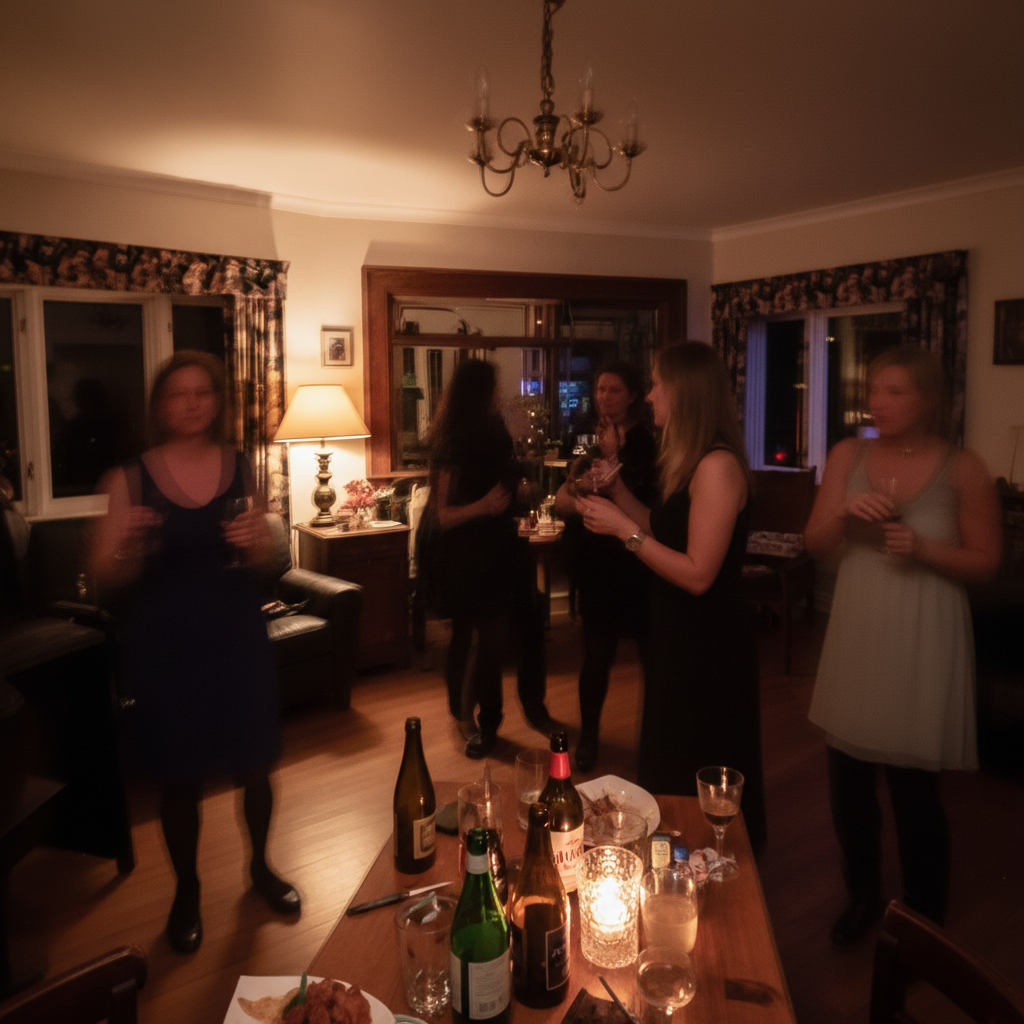
Prompt: fix the motion blur and restore sharpness, make the image clear and crisp
Blurry party photo with ghosted people and motion trails
Before
->
Clear party photo with sharp faces and natural lighting
After

Low light event photo restored

A party photo shot in dim lighting with motion blur from slow shutter speed. Sharpening recovered the moment.
Prompt: fix the motion blur from low light, sharpen while keeping natural lighting
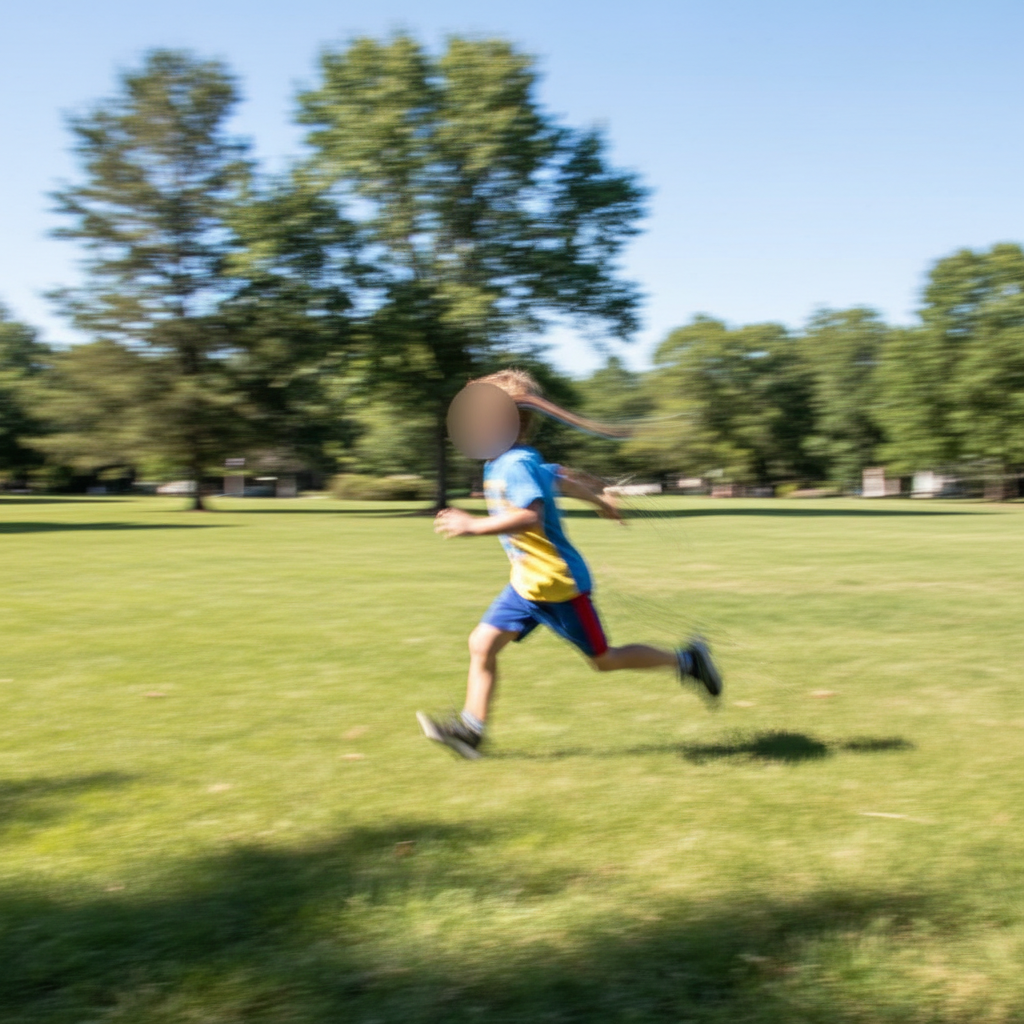
Photo of running child who appears as motion blur streak
Before
->
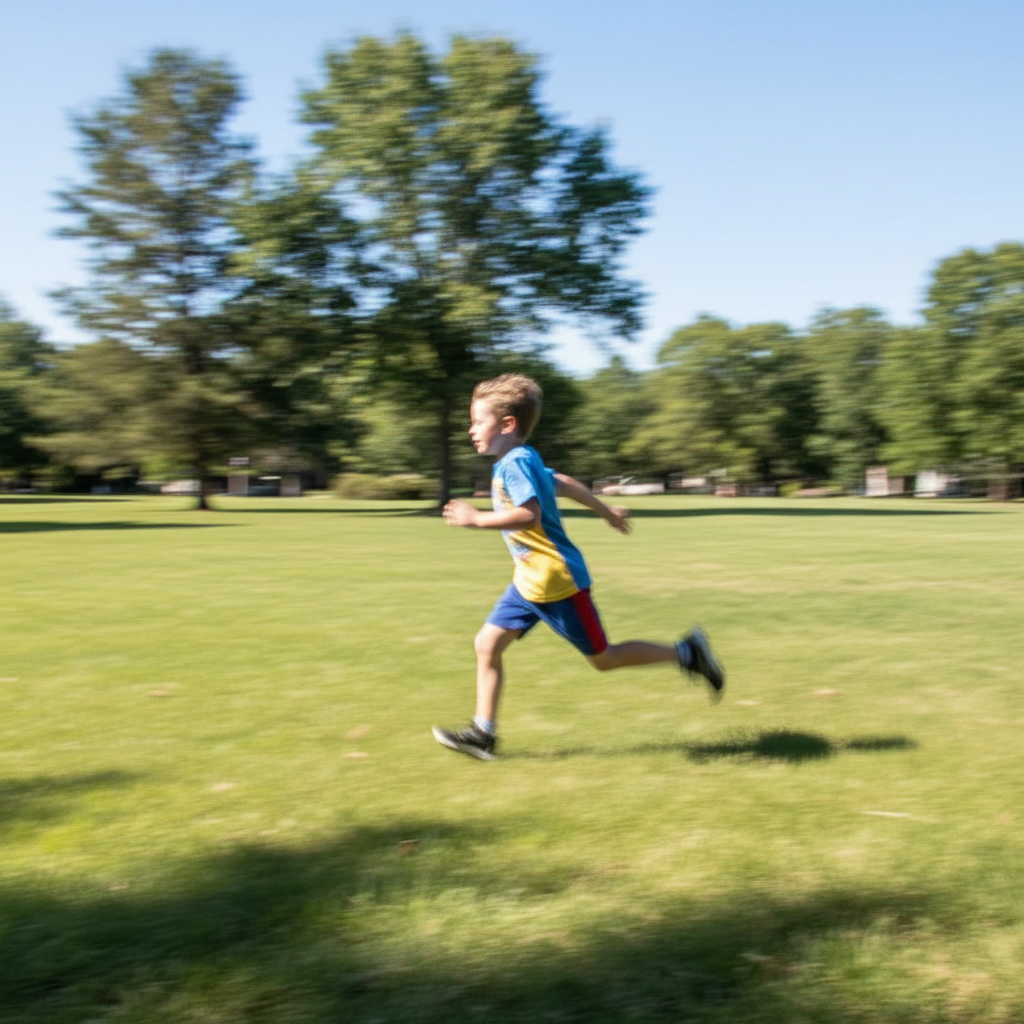
Same photo with child frozen in sharp detail
After

Running child photo fixed

A photo of a child running where they became a blur. AI froze the action to capture the moment.

Prompt: fix the motion blur on the moving subject, sharpen them while keeping background natural
Advertisement

If something looks off

Motion blur is still visible after fix

Why: The original blur was too severe, or the AI applied too subtle a correction.

Try: remove severe motion blur completely, reconstruct maximum detail and sharpness

Tip: Adding 'severe' and 'completely' tells the AI to apply aggressive correction.

Result looks artificial or has strange artifacts

Why: Heavy deblurring can create artifacts when the AI reconstructs too aggressively.

Try: fix motion blur naturally, restore sharpness while keeping realistic texture

Tip: 'Naturally' and 'realistic' prevent over-processing.

AI changed the wrong area or something I didn't want changed

Why: The AI couldn't determine exactly which area you meant from description alone.

Try: Tap a marker on the specific area you want to change, then regenerate with the same prompt

Tip: Markers tell the AI 'I mean THIS one specifically.' Use them when description alone is ambiguous.

Background got sharp but I wanted artistic blur

Why: The AI fixed blur throughout the entire image.

Try: fix the motion blur on the main subject only, keep the background with natural blur

Tip: Specifying 'subject only' preserves intentional background blur.

Colors look different after fixing blur

Why: Motion blur correction can sometimes affect perceived color and contrast.

Try: fix motion blur while preserving original colors exactly

Tip: Explicitly asking to preserve colors keeps the fix focused on blur only.

Quick answers

Do I need to mark the motion-blurred areas before fixing?

No. Just describe what you want: 'fix the motion blur' or 'remove camera shake.' The AI automatically processes the entire image. Markers are only needed if you want to fix blur in specific areas while leaving others unchanged.

How do I fix motion blur in a photo for free?

Upload your motion-blurred photo to EditThisPic and type 'fix the motion blur and restore sharpness.' The AI corrects the blur in 15-30 seconds. No account, no login, no watermarks. Works on camera shake, moving subjects, and low light blur.

Is there a free motion blur fixer that doesn't need an account?

Yes. EditThisPic fixes motion blur without requiring signup or login. Just upload, describe the fix you want, and download. No watermarks on results. Works directly in your browser.

Can severe motion blur be fixed?

AI can significantly improve most motion blur by reconstructing likely details. Light to moderate blur typically recovers well. Severe motion trails where subjects are completely unrecognizable may only partially improve, as the AI must infer what the sharp image should look like.

What causes motion blur in photos?

Motion blur happens when the camera or subject moves during the exposure. Common causes include camera shake from hand-holding, slow shutter speeds in low light, and fast-moving subjects. The AI can fix blur from all these sources.

Ready to fix your motion blur?

Free to try. No signup required.

Try it free โ†’