AI Harsh Flash Fixer
← Browse all fix & repair toolsLast updated
Turn washed-out flash photos into natural-looking images with one command.


Upload photo to fix harsh flash
"reduce the flash shine on the face and make the skin look natural and matte"
Free to try · no sign-up · photos are never shared
Release to upload
How it works
See it in action


Birthday party portrait rescued
A candid photo at a birthday party had harsh direct flash making the subject look washed out with shiny skin. One command restored natural skin tones and balanced lighting.
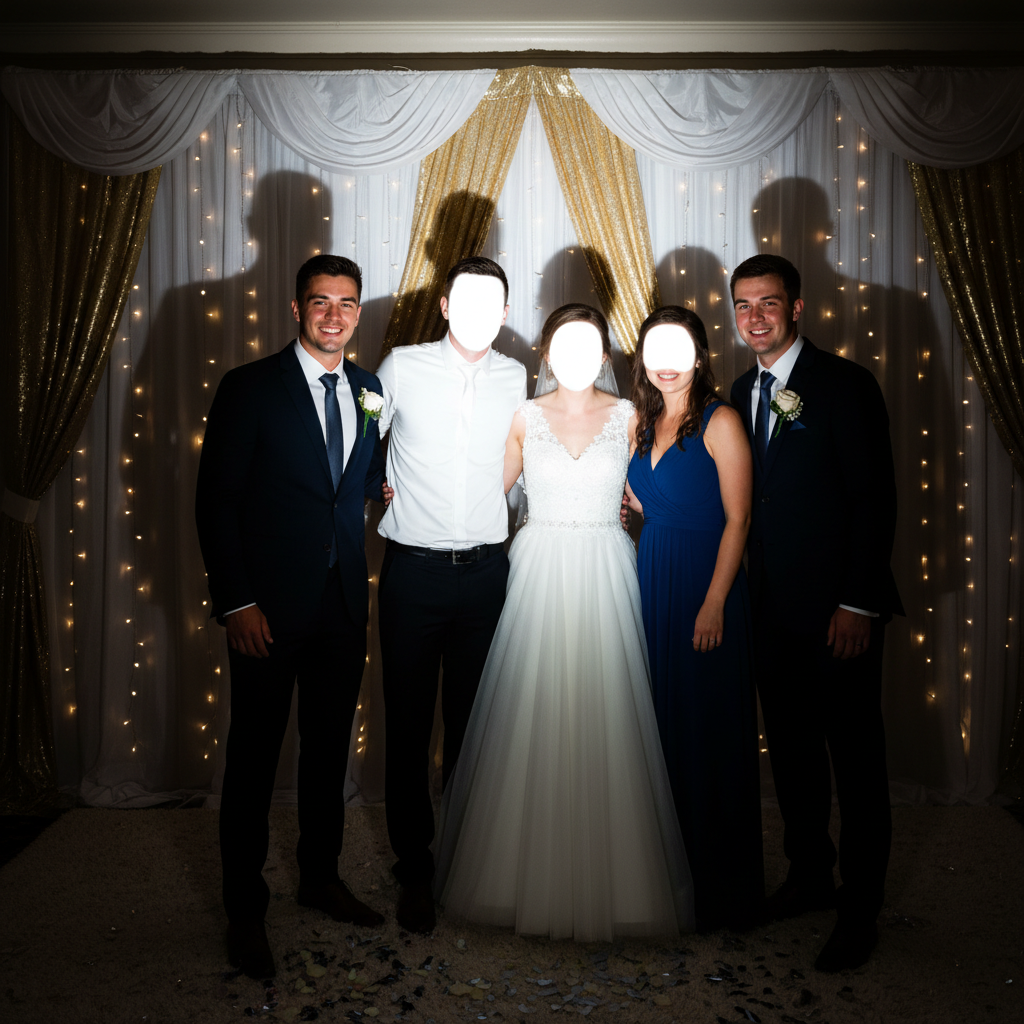
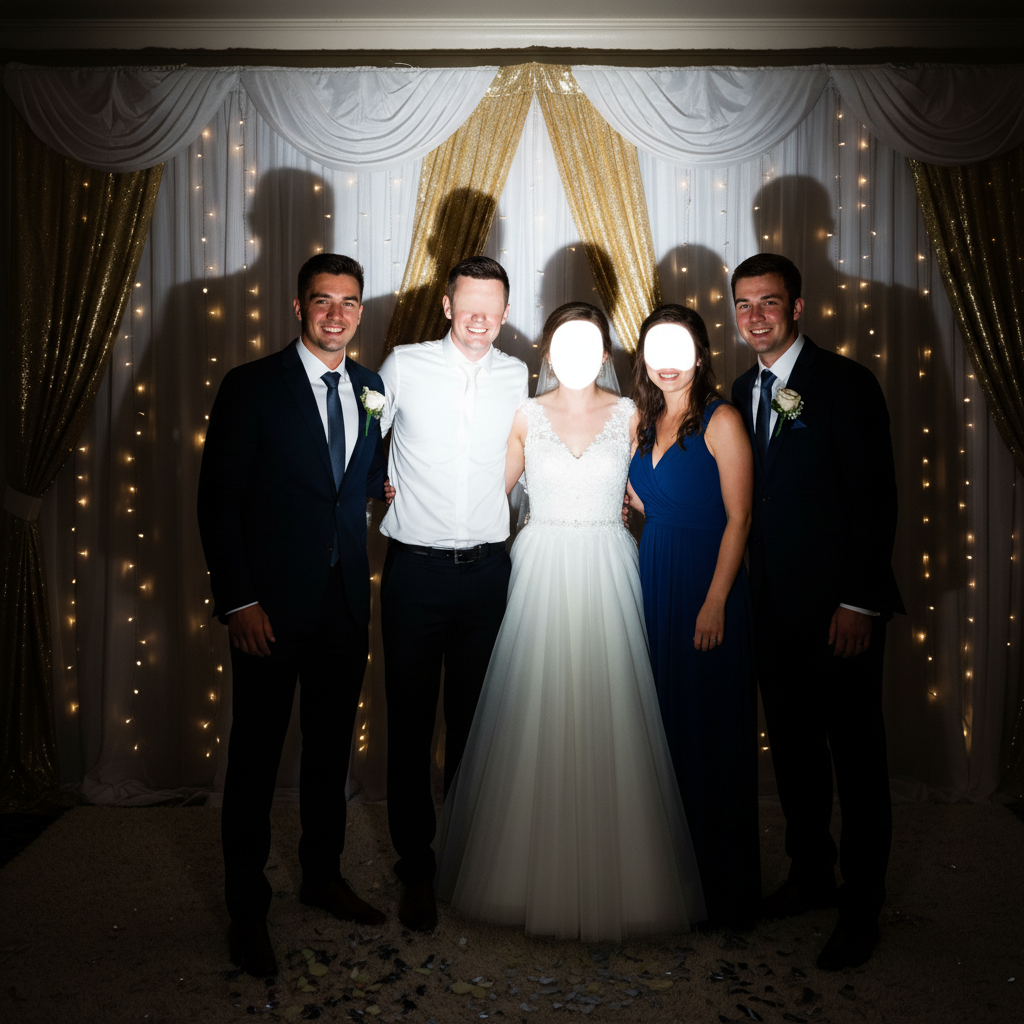
Wedding reception group shot fixed
A group photo from a wedding reception had uneven flash exposure across multiple faces. The AI balanced everyone's lighting while preserving the celebration atmosphere.
fix the overexposed flash areas on all the faces and balance the lighting across everyone
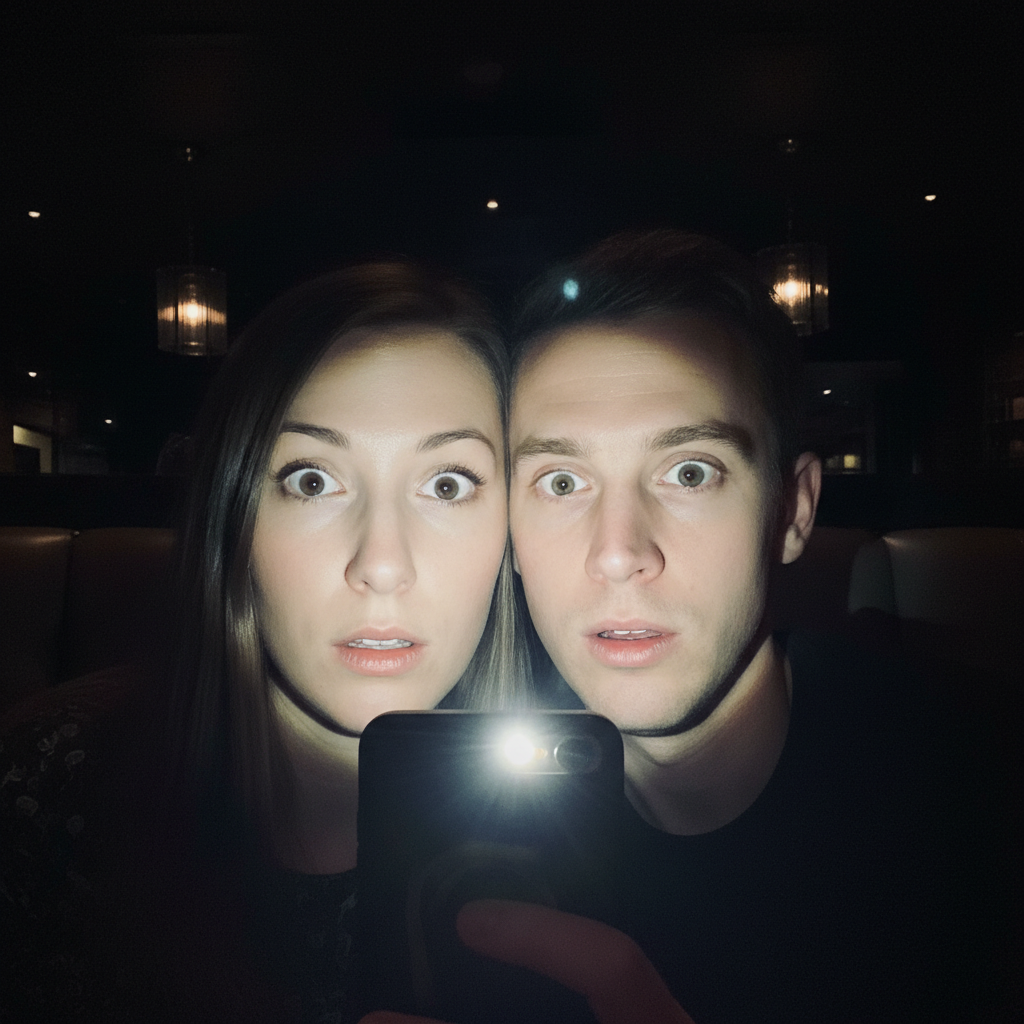
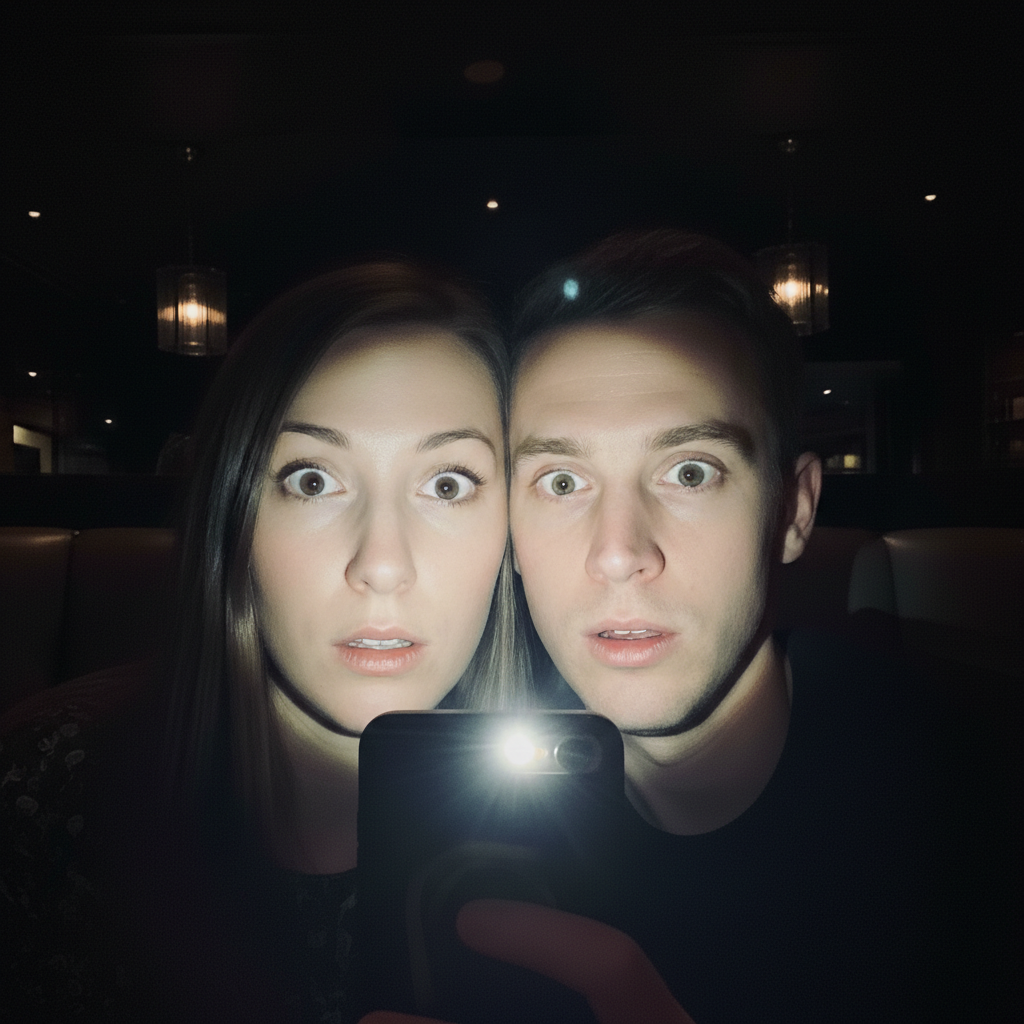
Restaurant selfie made natural
A selfie taken at a dark restaurant used phone flash that created an unnatural spotlight effect. The AI transformed it to look like soft ambient lighting.
Quick answers
Popular use cases
Ready to fix your flash photo?
Free to try. No signup required.