Free • No signup Create YouTube thumbnails from photos · Free

AI YouTube Thumbnail Maker

Upload your photo and describe the creative transformation. AI turns it into professional cover art in seconds.

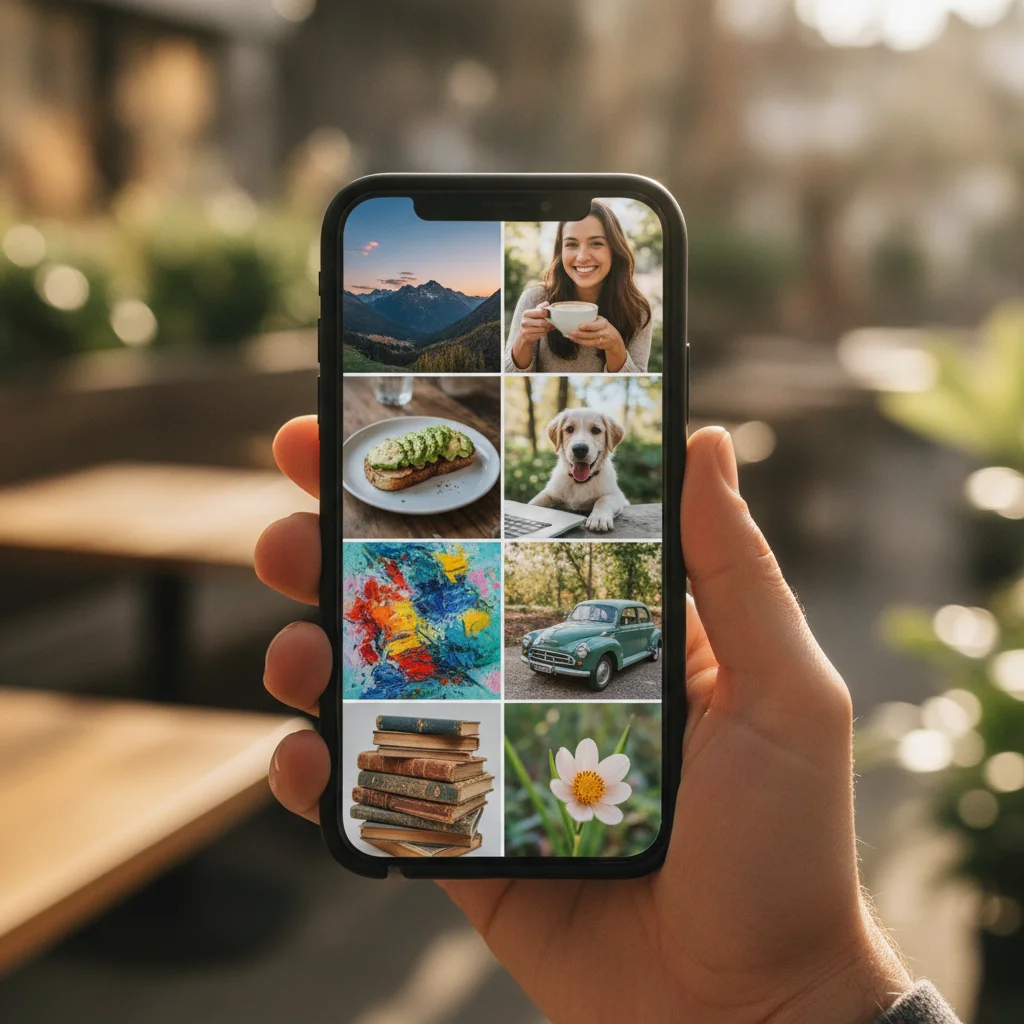
Original photo before create YouTube thumbnails from photos
Before
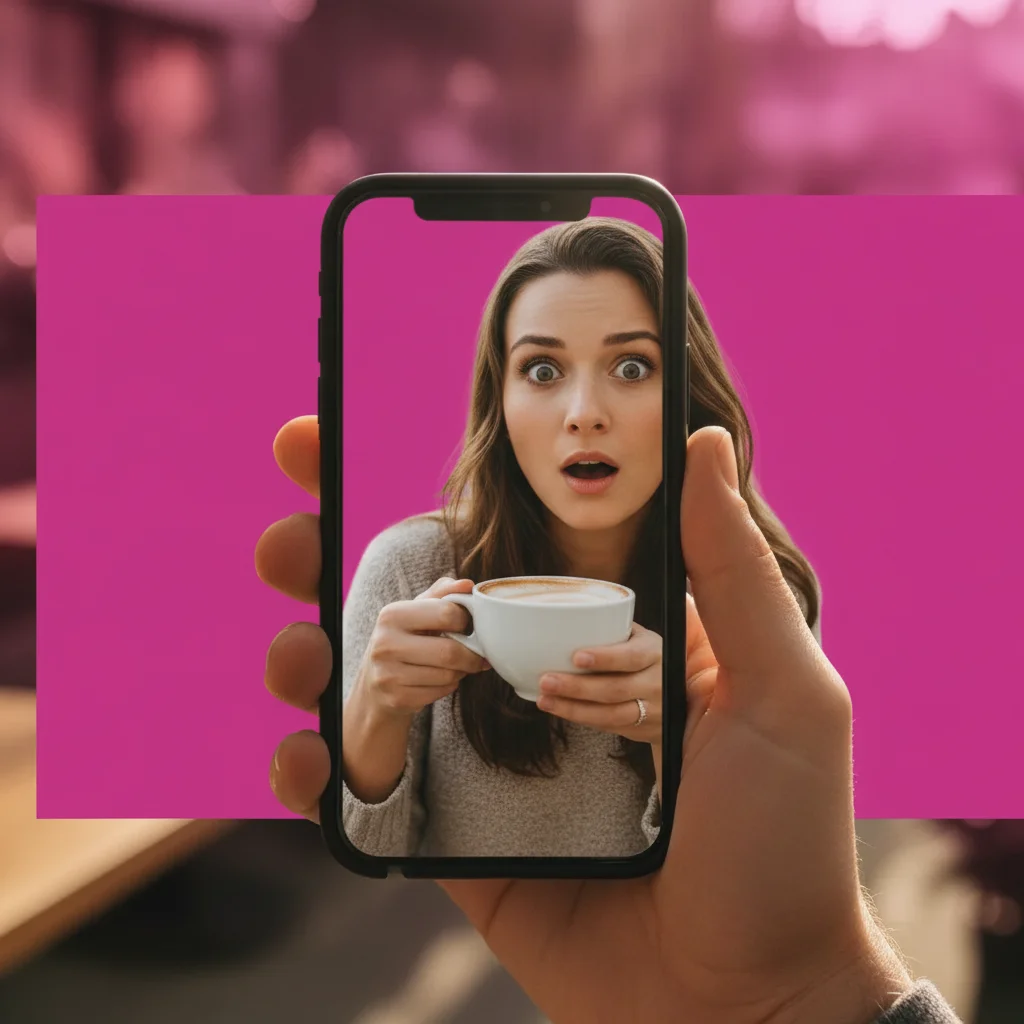
Photo after create YouTube thumbnails from photos with AI
After

AI YouTube Thumbnail Maker Free Online | EditThisPic AI

Drop your photo here

or click to browse

Release to upload

Free • No signup

Popular use cases:
  • create YouTube thumbnails from photos
  • AI YouTube thumbnails from photos editor
  • photo YouTube thumbnails from photos tool
  • free YouTube thumbnails from photos editing

Cost
Free No signup required
Time
Instant results in 15-30 seconds
Works on
Any device - browser, phone, tablet, desktop
Powered by
AI-powered photo editing

How it works

  1. Upload your photo

    Drop your image into EditThisPic. JPG, PNG, WebP up to 7MB. Choose a clear photo where the area you want to edit is visible.

    Expect: Most edits complete in 20-45 seconds. Complex changes may need 1-2 refinements.
  2. Describe your edit

    Type what you want: 'create a high-CTR YouTube thumbnail — bold colors, dramatic lighting, eye-catching composition, text-ready space.' Be specific about details for best results. The AI understands natural language — no technical skills needed.

    Tip: Mention the genre and mood — 'dark thriller book cover with cinematic lighting' guides the AI precisely.

    Copy one of these to get started:

    YouTube Thumbnail create a YouTube thumbnail from this photo — dramatic facial expression, bold background color, space on the left for text overlay, high contrast

    Tutorial/How-to thumbnail make a YouTube tutorial thumbnail — clean background, centered subject, bold arrow or highlight effect, professional and clear
    Lifestyle vlog thumbnail create a lifestyle YouTube thumbnail — warm vibrant colors, genuine expression, bokeh background, feels authentic and engaging
    Tech review thumbnail make a YouTube thumbnail for a tech review — product prominent, reviewer face in corner with surprised expression, dark sleek background
    2 more prompts
    Dramatic reaction thumbnail create a reaction video thumbnail — exaggerated surprised expression, mouth open, bright background, maximum impact for small-size display
    Cinematic documentary style create a cinematic YouTube thumbnail — moody dramatic lighting, high contrast black and white with one color pop, documentary feel
  3. Review the result

    Check the output carefully. Look for natural blending, consistent lighting, and realistic details. Compare before and after using the slider.

  4. Refine if needed

    If specific areas need adjustment, tap markers on those spots and regenerate. Most edits work well on the first try.

    Tip: Markers are optional. Try without them first — the AI usually gets it right.
Try it free

AI YouTube Thumbnail Maker Free Online | EditThisPic AI

Drop your photo here

or click to browse

Release to upload

Free • No signup

"My Etsy listing photos look 10x better. Sales jumped the same week I updated them." @EtsySellerKate

See it in action

Original photo before create YouTube thumbnails from photos
Before
->
Photo after create YouTube thumbnails from photos with AI
After

AI YouTube Thumbnail Maker — Example 1

A photo edited using EditThisPic to create YouTube thumbnails from photos.

Prompt: create a YouTube thumbnail from this photo — dramatic facial expression, bold background color, space on the left for text overlay, high contrast

Original photo before create YouTube thumbnails from photos
Before
->
Photo after create YouTube thumbnails from photos with AI
After

AI YouTube Thumbnail Maker — Example 2

Another example showing a different scenario for this editing task.

Prompt: make a YouTube tutorial thumbnail — clean background, centered subject, bold arrow or highlight effect, professional and clear

Detailed Guides by Scenario

For Social Media Creators

Common Scenarios

  • Platform-specific optimization using create YouTube thumbnails from photos
  • Consistent brand presence across channels

Best Practices

  • Each platform has different optimal dimensions
  • Bright, high-contrast images perform best across all platforms

For E-commerce Sellers

Common Scenarios

  • Marketplace listing photos using create YouTube thumbnails from photos
  • Consistent product photography for online stores

Best Practices

  • Pure white backgrounds are required by Amazon, eBay
  • Clean, professional shots increase click-through and conversions

For Businesses

Common Scenarios

  • Marketing materials using create YouTube thumbnails from photos
  • Email campaigns and digital ads

Best Practices

  • Leave text-safe zones in ads and banners
  • Consistent visual style strengthens brand recognition

If something looks off

AI changed the wrong area

Why: The AI couldn't determine exactly which area you meant from the description alone.

Try: Tap a marker on the specific area you want to edit, then regenerate with the same prompt

Tip: Markers tell the AI exactly where to focus. Use them when description alone is ambiguous.

Result looks unnatural

Why: The AI may need more specific guidance about the look you want.

Try: Add 'natural lighting and sharp details that match the rest of the photo' to your prompt

Tip: Adding 'natural' and 'realistic' to your prompt helps the AI prioritize believability.

Lighting doesn't match

Why: The edited area has different lighting than the original scene.

Try: Add: 'match the lighting direction and color temperature of the original photo'

Tip: If light comes from one side in the original, mention it: 'with light from the left side.'

Edges look rough or artificial

Why: Transitions between edited and unedited areas need refinement.

Try: Tap markers on the rough edges and regenerate: 'refine these edges for a seamless blend'

Tip: Edge refinement is the most common adjustment — markers on problem areas make it quick.

Quick answers

Can AI create YouTube thumbnails from my photos?

Yes. Upload your photo and type the style you want — 'bold background, dramatic expression, space on the left for text.' EditThisPic AI transforms it into a high-CTR thumbnail. Free, no signup.

What makes a high-CTR YouTube thumbnail?

The most effective YouTube thumbnails have: bold contrasting colors, an expressive human face, clear subject focus, and space for a text overlay. EditThisPic AI can apply all of these from your photo.

What size should a YouTube thumbnail be?

YouTube recommends 1280x720px (16:9 ratio) at 2MB or less in JPG, GIF, or PNG. Describe this in your prompt if you need a specific output size.

Can I add text to my thumbnail?

EditThisPic creates the visual design. For text overlays, download the enhanced image and add text in Canva, Adobe Express, or any design tool. Ask the AI to 'leave space on the left for text' in your prompt.

How many thumbnails can I create for free?

One free Quick edit per week, no signup. For multiple thumbnails per video, credit packs start at $1.99.

Can I create thumbnails without a face in them?

Yes. Describe the scene, color treatment, and composition you want. Talking head thumbnails tend to outperform faceless ones, but scene-based thumbnails work well for certain niches.

Does this work for YouTube Shorts thumbnails too?

Yes. YouTube Shorts use a vertical 9:16 ratio. Describe the vertical format in your prompt and the AI adjusts the composition.

Is there a watermark?

No. EditThisPic never adds watermarks. Your YouTube thumbnail downloads clean.

Ready to create your photos?

Free to try. No signup required.

Try it free