Free • No signup Composite Signage design on storefront · Free

Composite Signage Design on Storefront from Photo

Upload a building photo + your sign design file. AI composites the signage onto the storefront realistically.


Brick retail storefront with empty wall above entrance and no signage
Before
Same storefront with channel letter sign composited above the entrance on the brick facade
After

Composite Signage Design on Storefront from Ph... | EditThisPic

Drop your photo here

or click to browse

Release to upload

Free • No signup

Popular use cases:
  • sign design storefront composite
  • signage mockup from two photos
  • channel letter building mockup
  • sign shop proposal tool
  • franchise sign preview on building
  • commercial signage building composite
  • sign fabrication client proof
  • storefront banner design preview

Cost
Free No signup required
Time
Instant results in 15-30 seconds
Works on
Any device - browser, phone, tablet, desktop
Powered by
AI-powered photo editing
Scenario Prompt Time
composite this channel letter design from reference above the entrance, matching building perspective with shadow 30s
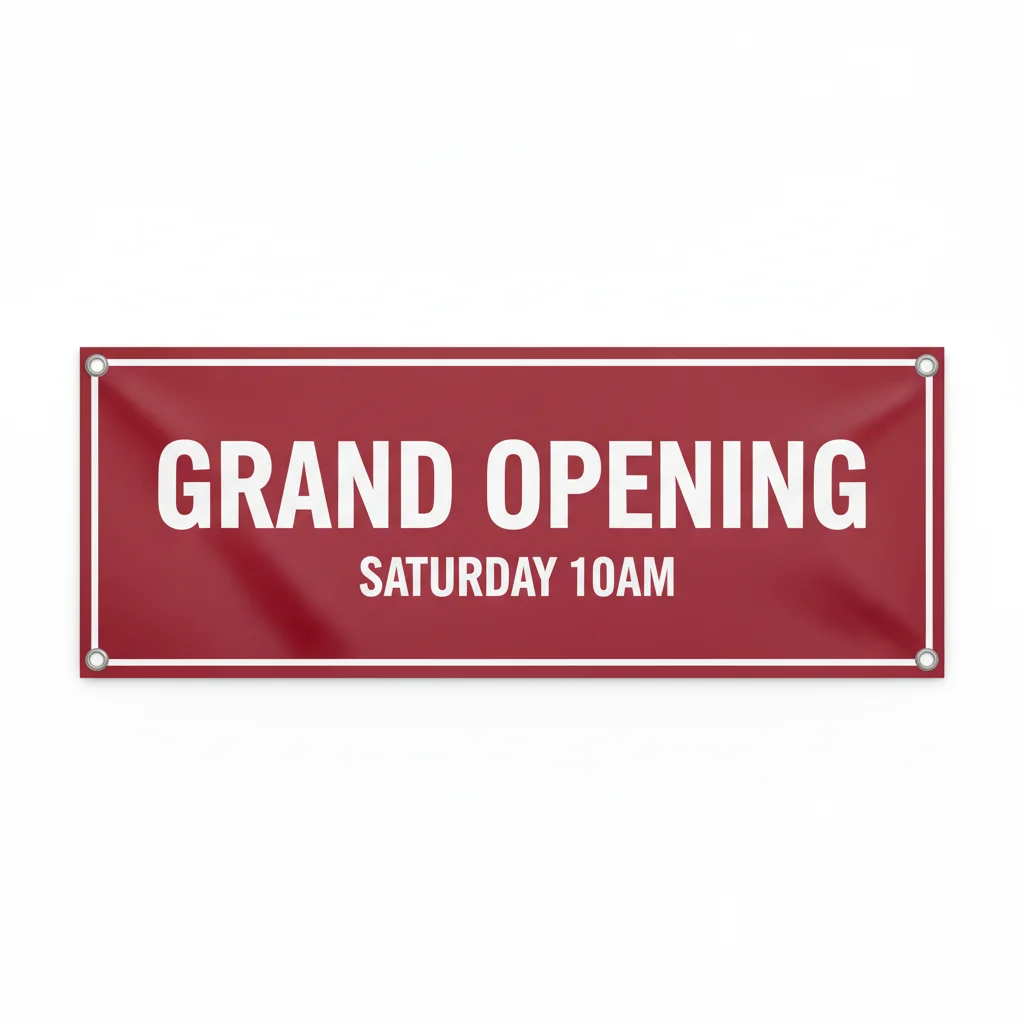
composite this banner design from reference onto the flat wall above windows, stretched taut with outdoor lighting 30s
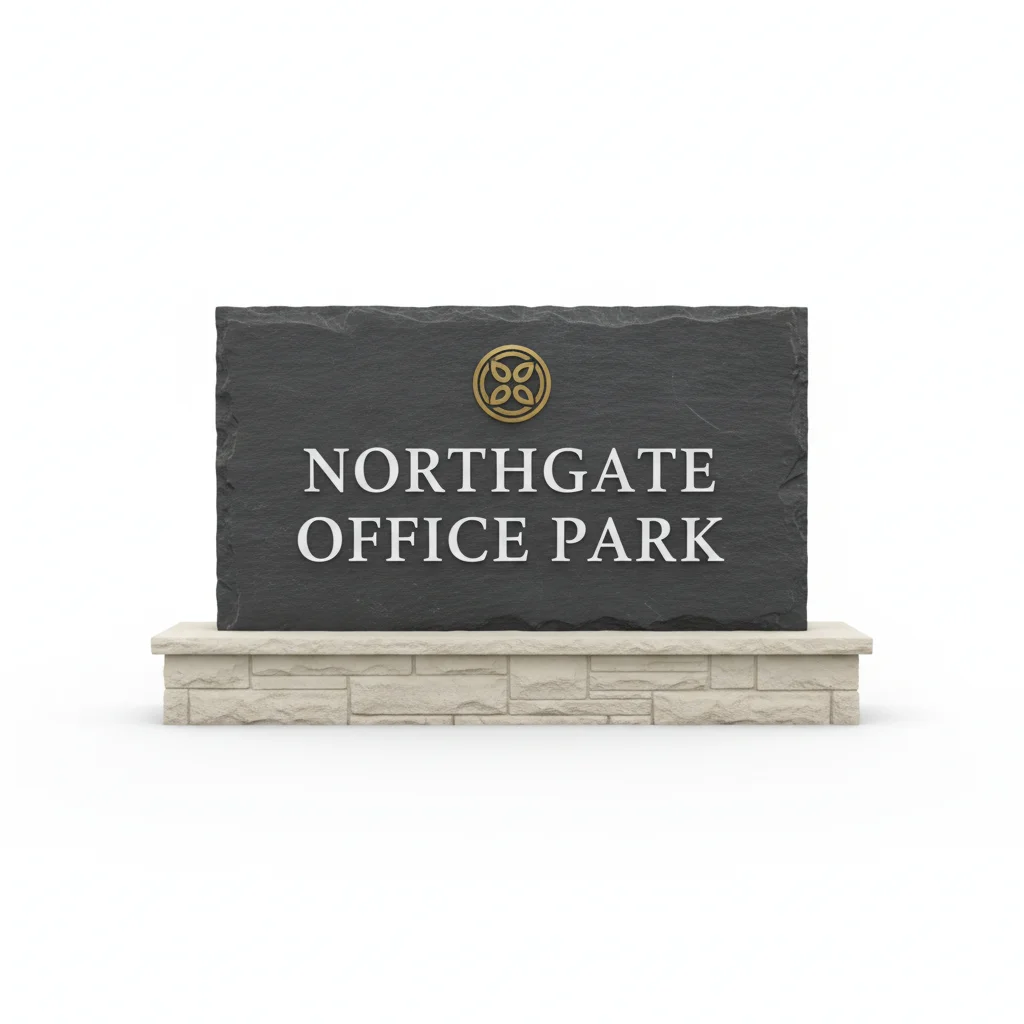
composite this monument sign from reference at property entrance, grounded in landscaping with correct shadows 30-45s
composite franchise sign package from reference onto building, main sign above entrance, matching angles 30-45s

How it works

  1. Upload the storefront photo

    Drop a photo of the building or storefront where the signage will be installed. Shoot from the angle clients and pedestrians will see the sign. A well-lit exterior photo with the facade clearly visible works best. JPG, PNG, WebP up to 7MB.

    Expect: Simple signage placement: 30 seconds. Complex composites with perspective correction on angled facades: may need 2-3 refinements.
  2. Add your sign design as reference

    Click '+ Add reference image' below the prompt and upload your signage design file — channel letter layout, banner artwork, blade sign rendering, or vinyl lettering proof. Designs on transparent or white backgrounds composite most cleanly. The AI extracts the design and maps it onto the building surface.

    Tip: Export your sign design with a transparent or solid white background. Remove any proof sheet borders or measurement annotations before uploading.

    Copy one of these to get started:

    Channel letter sign on storefront for client proposal composite this channel letter sign design from the reference centered above the storefront entrance, matching the building's perspective and brick texture, with a subtle shadow under each letter as if mounted on a raceway
    Vinyl banner on building facade composite this vinyl banner design from the reference onto the flat wall area above the windows, stretched taut between the two mounting points, with natural fabric texture and outdoor lighting matching the scene
    Blade sign projecting from building wall composite this blade sign design from the reference projecting perpendicular from the building wall to the right of the entrance, at the second-floor level, with the correct perspective showing both the face and the edge thickness
    Window lettering and vinyl graphics composite this vinyl lettering design from the reference onto the storefront window glass, with the text appearing as applied vinyl on the glass surface, slightly reflective, matching the window's perspective angle
    4 more prompts
    Illuminated sign at dusk or night composite this illuminated sign design from the reference onto the building facade above the entrance, glowing with the sign's internal lighting, casting a soft light spill on the surrounding wall, matching the dusk sky lighting
    Monument sign at building entrance composite this monument sign design from the reference at the entrance to the property, grounded on the landscaping bed with natural shadow on the concrete, matching the outdoor perspective and midday lighting
    Awning sign with printed graphics composite this awning sign design from the reference onto the awning frame above the storefront, with the fabric wrapping naturally over the awning's curved shape, matching the building's warm afternoon lighting
    Franchise sign package on new location composite this franchise sign package from the reference onto this prospective location, centering the main sign above the entrance and the secondary directional sign near the parking area, matching the building's angles and outdoor lighting
  3. Describe the placement

    Tell the AI exactly where and how to composite the sign: 'composite the sign design from the reference centered above the main entrance, matching the building's perspective and scale relative to the doorway.' Be specific about position, size references, and lighting.

    Tip: Reference architectural features for scale: 'sign should span the width between the two windows' or 'letters at roughly 18 inches tall relative to the door height.'

    Copy one of these to get started:

    Channel letter sign on storefront for client proposal composite this channel letter sign design from the reference centered above the storefront entrance, matching the building's perspective and brick texture, with a subtle shadow under each letter as if mounted on a raceway
    Vinyl banner on building facade composite this vinyl banner design from the reference onto the flat wall area above the windows, stretched taut between the two mounting points, with natural fabric texture and outdoor lighting matching the scene
    Blade sign projecting from building wall composite this blade sign design from the reference projecting perpendicular from the building wall to the right of the entrance, at the second-floor level, with the correct perspective showing both the face and the edge thickness
    Window lettering and vinyl graphics composite this vinyl lettering design from the reference onto the storefront window glass, with the text appearing as applied vinyl on the glass surface, slightly reflective, matching the window's perspective angle
    4 more prompts
    Illuminated sign at dusk or night composite this illuminated sign design from the reference onto the building facade above the entrance, glowing with the sign's internal lighting, casting a soft light spill on the surrounding wall, matching the dusk sky lighting
    Monument sign at building entrance composite this monument sign design from the reference at the entrance to the property, grounded on the landscaping bed with natural shadow on the concrete, matching the outdoor perspective and midday lighting
    Awning sign with printed graphics composite this awning sign design from the reference onto the awning frame above the storefront, with the fabric wrapping naturally over the awning's curved shape, matching the building's warm afternoon lighting
    Franchise sign package on new location composite this franchise sign package from the reference onto this prospective location, centering the main sign above the entrance and the secondary directional sign near the parking area, matching the building's angles and outdoor lighting
  4. Review and refine

    Check that the sign follows the building's perspective lines, shadows match the scene's light direction, and scale looks realistic relative to the door and windows. Zoom in on where the sign meets the building surface to verify clean edges.

  5. Refine with markers if needed

    If the sign lands in the wrong spot or at the wrong angle, tap a marker on the exact wall area where the sign should be mounted and regenerate. Useful when the building has multiple facade sections or the AI picks the wrong mounting surface.

    Tip: Tap the center point of where the sign should go. This anchors the placement precisely when the building has multiple viable mounting areas.
Try it free

Composite Signage Design on Storefront from Ph... | EditThisPic

Drop your photo here

or click to browse

Release to upload

Free • No signup

"We're a sign fabrication shop. Before production we used to spend hours in Photoshop mocking up designs on building photos. Now we upload both images, type a sentence, and send the proof to the client in under a minute." @PremierSignsATL

See it in action

Brick retail storefront with empty wall above entrance and no signage
Before
->
Same storefront with channel letter sign composited above the entrance on the brick facade
After

Channel letter sign composited on retail storefront

A sign shop composited their channel letter design onto a client's brick storefront photo for a proposal presentation before fabrication.

Prompt: composite this channel letter sign design from the reference centered above the storefront entrance, matching the brick facade perspective, with subtle shadow under each letter as if raceway-mounted on the wall
White stucco commercial building with blank wall above windows
Before
->
Same building with grand opening banner composited on the wall above windows
After

Vinyl banner composited on building wall

A franchise corporate team previewed their grand opening banner design on a new location photo before printing.

Prompt: composite this grand opening banner design from the reference onto the flat white wall above the storefront windows, stretched taut between the edges, with natural outdoor lighting and slight fabric texture
Office building entrance with landscaping bed and no monument sign
Before
->
Same entrance with monument sign composited into the landscaping bed beside the driveway
After

Monument sign composited at property entrance

A sign fabricator created a proposal mockup by compositing their monument sign design onto the client's property entrance photo.

Prompt: composite this monument sign design from the reference at the entrance to the property on the right side of the driveway, grounded naturally in the landscaping bed with correct outdoor midday shadows and scale relative to the building behind it

Detailed Guides by Scenario

📷

Sign Shops & Fabricators

Create client-ready mockups by compositing your sign design onto their actual building photo. Replace hours of Photoshop work with a 30-second composite. Send realistic proofs that sell the job before you cut the first sheet of aluminum.

Common Scenarios

  • Channel letter design composited onto client's building for sign proposal
  • Illuminated cabinet sign design previewed on storefront at night
  • Monument sign rendering placed at building entrance for client approval
  • Vinyl lettering layout composited onto shop window for proof review

Best Practices

  • Photograph the building from the angle pedestrians and drivers will see the sign
  • Export sign designs on white or transparent backgrounds for cleanest composites
  • Include reference landmarks in your prompt: 'centered above the double doors, spanning 8 feet'
  • For illuminated signs, photograph the building at dusk for the most impressive composite
Channel letter proposal for retail client composite this channel letter design from the reference centered above the storefront entrance, matching the building's brick facade perspective, with subtle shadow underneath each letter as if raceway-mounted
Lit sign mockup for restaurant client place this illuminated cabinet sign from the reference on the facade above the main windows, matching the building angle and casting a soft glow on the wall around it
📷

Franchise & Chain Store Branding

Preview standardized franchise signage on new location photos before committing to a lease or starting buildout. Show corporate approvers exactly how the brand signage package will look on the actual building — not a generic rendering.

Common Scenarios

  • Franchise sign package composited onto prospective location for corporate review
  • Rebrand signage design previewed on existing locations across multiple buildings
  • Drive-through menu board design composited onto restaurant exterior
  • Multi-tenant sign program shown on shopping center facade

Best Practices

  • Photograph each prospective location from a consistent angle for side-by-side comparison
  • Use the same sign design file across multiple building photos to visualize the rebrand fleet-wide
  • Include 'with correct corporate colors under this lighting' to handle warm/cool light shifts
  • Composite both primary and secondary signage separately for complex sign packages
Franchise sign package preview for new location composite this franchise sign package from the reference onto the building facade, centering the main logo sign above the entrance and placing the address numbers to the right of the door, matching the building's perspective
Rebrand signage comparison on existing location place this updated brand sign design from the reference in the same position as the existing sign on the building, matching the mounting height and width exactly, with consistent outdoor lighting
📷

Commercial Property & Landlord Proposals

Show property managers, landlords, and city planners exactly how proposed signage will look on the building. Attach realistic composites to permit applications, lease signage riders, and architectural review board submissions.

Common Scenarios

  • Tenant signage proposal composited onto property for landlord sign-off
  • Sign permit application mockup on building photo for city review
  • Pylon sign design placed at property entrance for planning commission
  • Awning sign and lettering previewed on building for architectural review board

Best Practices

  • Use high-resolution building photos that match the angles requested by the review board
  • Include surrounding context: sidewalk, neighboring buildings, street trees for realism
  • Composite daytime and nighttime versions separately for illuminated sign permits
  • Reference the building's architectural style in your prompt for better material matching
Tenant signage proposal for landlord approval composite this tenant sign design from the reference onto the second-floor facade band between the windows, matching the limestone building perspective and casting a midday shadow below the sign
Pylon sign mockup for planning commission place this pylon sign design from the reference at the property entrance near the right edge of the driveway, grounded naturally on the landscaping with correct outdoor lighting and scale relative to the building

If something looks off

Sign perspective doesn't match the building angle

Why: The sign design was flat and the building facade is at an angle, so the composite looks pasted on rather than architecturally integrated.

Try: composite the sign design matching the building's vanishing point and facade angle, with the sign receding in perspective along the same plane as the wall

Tip: Include 'following the building's perspective lines' in your initial prompt. Facades shot at an angle need more perspective correction than straight-on shots.

Sign scale is wrong relative to the building

Why: The AI misjudged the proportions between your sign design and the building, making the sign too large or too small for the facade.

Try: composite the sign at correct scale relative to the building — the sign should span approximately the width of the entrance door and be proportional to the window heights

Tip: Reference architectural features for scale: 'sign letters at roughly 12 inches tall relative to the 7-foot door' gives the AI a concrete size anchor.

Sign lighting doesn't match the scene

Why: The sign design was created with different lighting assumptions than the building photo, creating a visible mismatch in color temperature or shadow direction.

Try: composite the sign matching the building's lighting direction and outdoor color temperature, with the sun hitting the sign from the same direction as the building shadows indicate

Tip: Overcast day photos produce the most forgiving composites. For sunny-day shots, note which direction the building shadows fall and mention it.

AI changed the wrong area or something I didn't want changed

Why: The AI couldn't determine exactly which area you meant from description alone. This happens with ambiguous requests or buildings with multiple facade sections.

Try: Tap a marker on the specific wall area where you want the sign mounted, then regenerate with the same prompt

Tip: Markers tell the AI 'I mean THIS wall section specifically.' Use them when the building has multiple potential mounting surfaces.

Sign looks flat instead of three-dimensional

Why: The composite lacks depth cues — no shadow, no edge thickness, no interaction with the wall surface.

Try: composite the sign with realistic 3D depth, casting a shadow on the wall behind it as if physically mounted with standoffs, showing slight edge thickness on the letters

Tip: Add 'with standoff shadow' for channel letters or 'with mounting bracket shadow' for blade signs. These small details sell the realism.

Edges between sign and building look harsh or unnatural

Why: The boundary between the composited sign and the building surface shows visible hard edges or color halos, especially against textured walls.

Try: blend the sign edges naturally into the building surface, with soft transitions where the mounting hardware meets the wall and no visible seam

Tip: Textured walls like brick or stone need 'natural integration with the wall texture' to avoid the sign looking like a sticker.

Quick answers

Do I need to mark where the sign should go on the building?

No. Describe the placement in words: 'composite the sign above the entrance' or 'place the banner on the wall between the windows.' The AI understands architectural references like 'above the door,' 'on the second-floor facade,' and 'at the property entrance.' Use markers only when the building has multiple viable mounting areas and the AI keeps choosing the wrong one.

How do I composite my sign design onto a building photo?

Upload the building or storefront photo as your main image. Click '+ Add reference image' and upload your sign design file — channel letter layout, banner artwork, or vinyl lettering proof. Describe the placement: 'composite the sign from the reference above the entrance, matching the building's perspective.' The AI extracts the design and composites it onto the facade in 30 seconds. Designs on white or transparent backgrounds work best.

Is there a free tool to mockup sign designs on buildings without Photoshop?

Yes. EditThisPic lets you composite any sign design onto any building photo completely free, with no signup and no watermark. Upload your building photo and sign design, describe the placement, and download the result. One free edit per week, or purchase credits starting at $1.99 for more.

What sign design file format works best as a reference image?

PNG with a transparent background produces the cleanest composites. JPG on a white background also works well. Export from your design software without proof sheet borders, dimension lines, or measurement annotations — the AI will try to composite everything in the image. High resolution preserves fine details in lettering and logos.

How is this different from the storefront-sign-from-photo page?

That page is for single-photo edits where you describe the sign you want and the AI generates it from text. This page is specifically for two-photo compositing: you upload your actual sign design file AND a building photo, and the AI places your real design onto the building. Use this page when you already have a designed sign and need to show how it will look on a specific building.

Can I composite illuminated signs that glow at night?

Yes. For the best results, photograph the building at dusk when there is still some ambient light but the sky is darkening. Upload your lit-sign design as the reference and include 'with the sign glowing and casting a soft light spill on the surrounding wall' in your prompt. Pure nighttime photos work too but may need 2-3 refinements to get the glow effect right.

What is the best free AI tool for sign shop mockups and proposals?

EditThisPic is built for exactly this workflow. Upload two photos — the building and your sign design — describe where the sign goes, and get a realistic composite in 30 seconds. Unlike expensive signage mockup software that charges monthly subscriptions, EditThisPic requires no account, no learning curve, and no specialized sign mockup templates. Free to try.

Can I composite multiple signs onto the same building?

Yes, but do it one sign at a time for the best results. Composite the primary sign first (usually the largest or most prominent), download the result, then upload that result as your new main image and add the next sign design as a new reference. This gives you precise control over each sign's position and produces more realistic multi-sign packages.

Ready to composite your sign design onto a building?

Upload building photo + sign design. Get a realistic mockup in seconds. Free, no signup.

Try it free