Free • No signup Convert Photo to cartoon · Free

AI Cartoon Maker

Upload a photo, type your instruction, and get a cartoon version in seconds. No drawing skills needed.

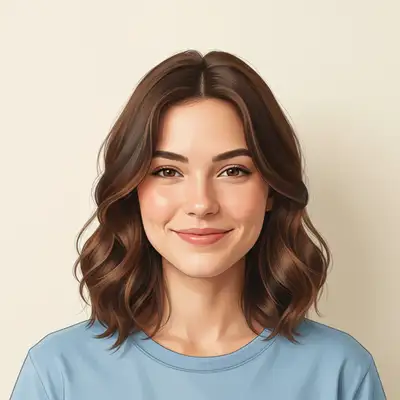
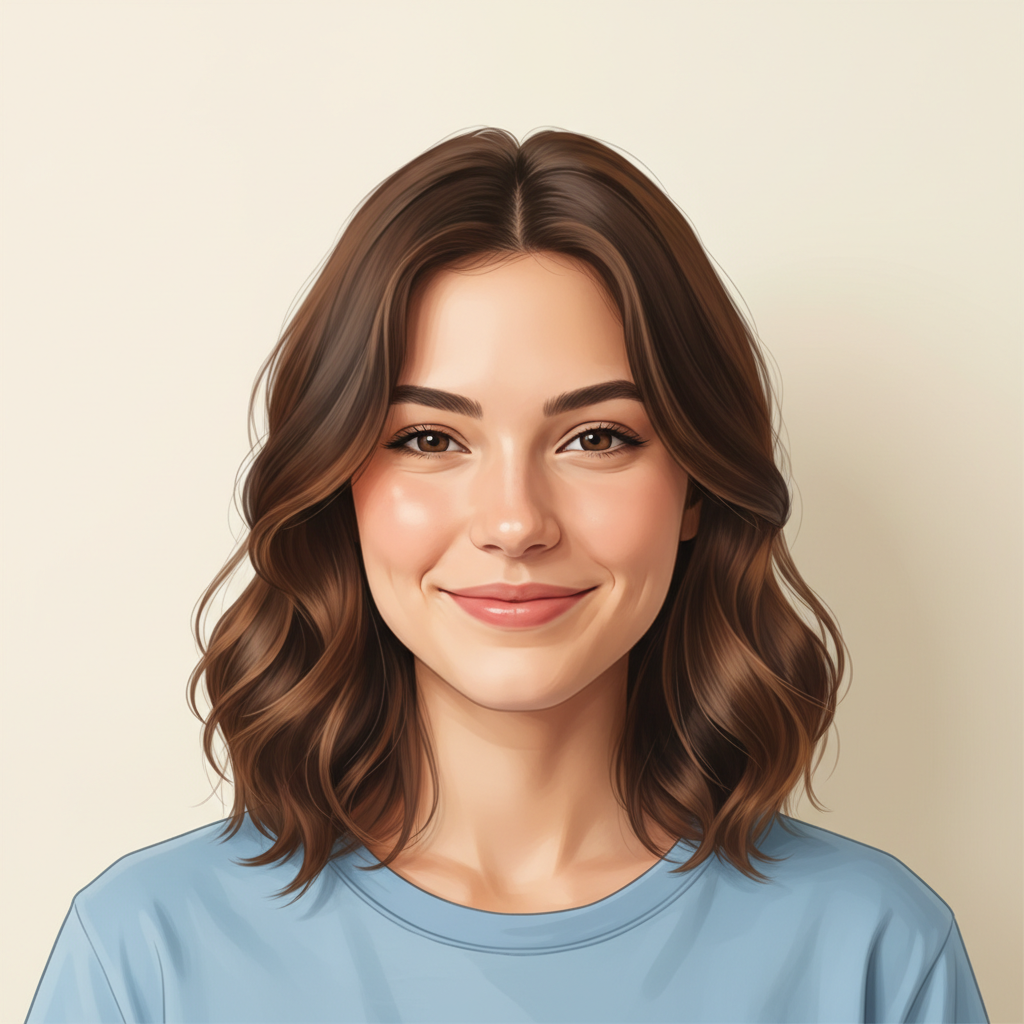
Woman in light blue blouse smiling at camera
Before
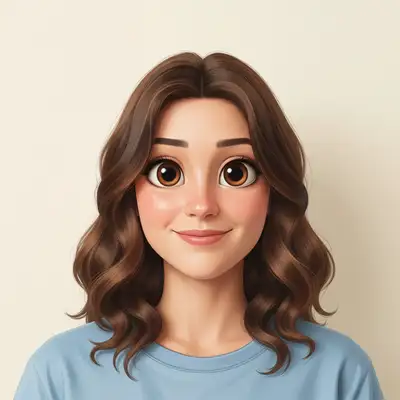
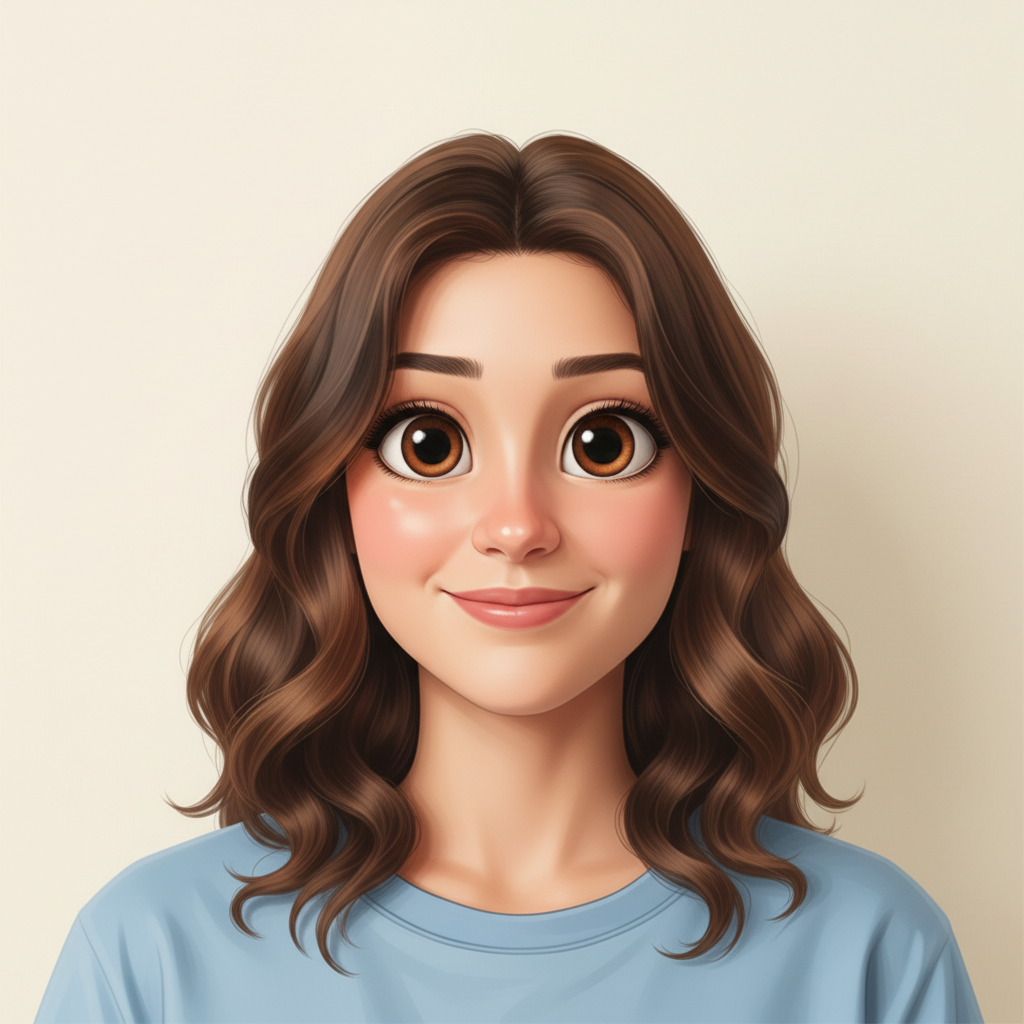
Same woman rendered as a vibrant cartoon with bold outlines
After

AI Cartoon Maker

Drop your photo here

or click to browse

Release to upload

Free • No signup

Advertisement
Popular use cases:
  • social media avatars
  • custom gifts
  • profile pictures
  • pet portraits
  • family illustrations
  • party invitations
  • personalized merchandise
  • digital art prints

Cost
Free No signup required
Time
Instant results in 15-30 seconds
Works on
Any device - browser, phone, tablet, desktop
Powered by
AI-powered photo editing
Scenario Prompt Time
Simple cartoon portrait convert this photo to a cartoon with bold outlines 30s
Specific style (Pixar, retro) turn this into a Pixar-style cartoon character 40s
Group cartoon convert this group photo into a cartoon 50s

How it works

  1. Upload your photo

    Drop your image into EditThisPic. JPG, PNG, WebP up to 7MB. Clear, well-lit photos produce the best cartoon results. Portraits and group shots both work great.

    Expect: Simple cartoon conversion: 30-40 seconds. Detailed group scenes: 45-60 seconds and may benefit from style refinements.
  2. Describe the cartoon style you want

    Type your instruction: 'convert this photo to a cartoon with bold outlines and bright colors' or 'turn this into a cartoon illustration like a Pixar character.' Be specific about the style you want—bold lines, soft shading, exaggerated features. No marking needed—the AI transforms the entire image.

    Tip: Mention a specific cartoon style like 'Disney-style', 'flat vector cartoon', or 'comic strip style' for more targeted results.

    Copy one of these to get started:

    Classic cartoon portrait convert this photo to a cartoon with bold black outlines, vibrant colors, and smooth shading
    Pixar-style 3D cartoon turn this photo into a Pixar-style cartoon character with soft lighting and expressive features
    Flat vector cartoon convert this photo to a flat vector cartoon illustration with minimal shading and clean geometric shapes
    Cartoon with exaggerated features turn this photo into a cartoon with slightly exaggerated features, bigger eyes, and a fun playful expression
    3 more prompts
    Vintage cartoon style convert this photo to a retro 1950s cartoon style with halftone dots and muted pastel colors
    Pet cartoon portrait turn this pet photo into an adorable cartoon illustration with big expressive eyes and a cheerful look
    Group photo cartoon convert this group photo into a cartoon where each person is recognizable with distinct cartoon features and bright colors
  3. Review the cartoon result

    Check that facial features are recognizable and the cartoon style is consistent across the image. Look for clean outlines, balanced colors, and proper proportions. Zoom in on faces to verify likeness.

  4. Refine with markers if needed

    If specific areas like eyes, hair, or background need more cartoon stylization, tap markers on those spots and regenerate. Most conversions look great on the first try.

    Tip: Markers are for precision refinement only. Try without them first—cartoon conversions usually nail it in one go.
Try it free

AI Cartoon Maker

Drop your photo here

or click to browse

Release to upload

Free • No signup

"Turned my family reunion photo into a cartoon and printed it on canvas. Everyone loved it so much they want one every year now." @CartoonFamJess

See it in action

Woman in light blue blouse smiling at camera
Before
->
Same woman rendered as a vibrant cartoon with bold outlines
After

Portrait to vibrant cartoon

A standard headshot transformed into a colorful cartoon illustration with bold outlines and smooth shading.

Prompt: convert this photo to a cartoon with bold black outlines, vibrant colors, and smooth shading
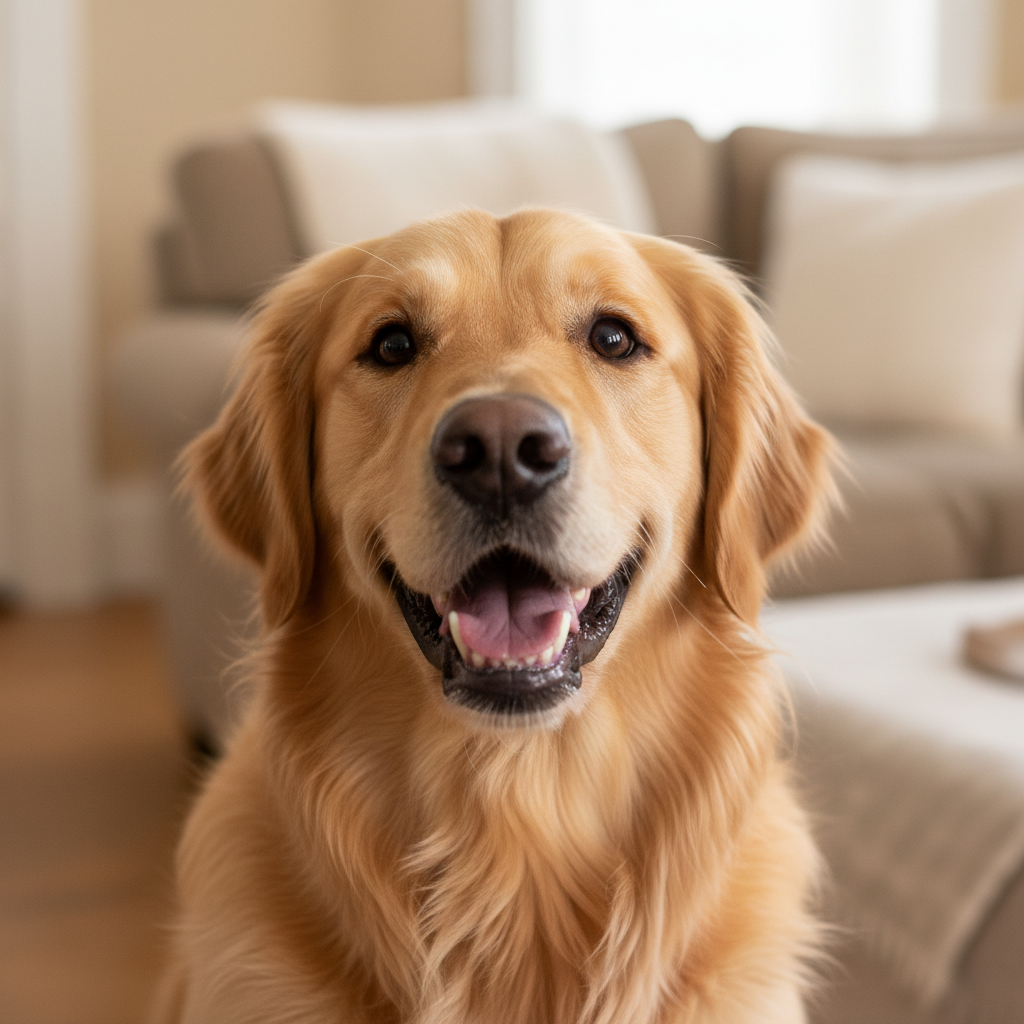
Golden retriever sitting on grass looking at camera
Before
->
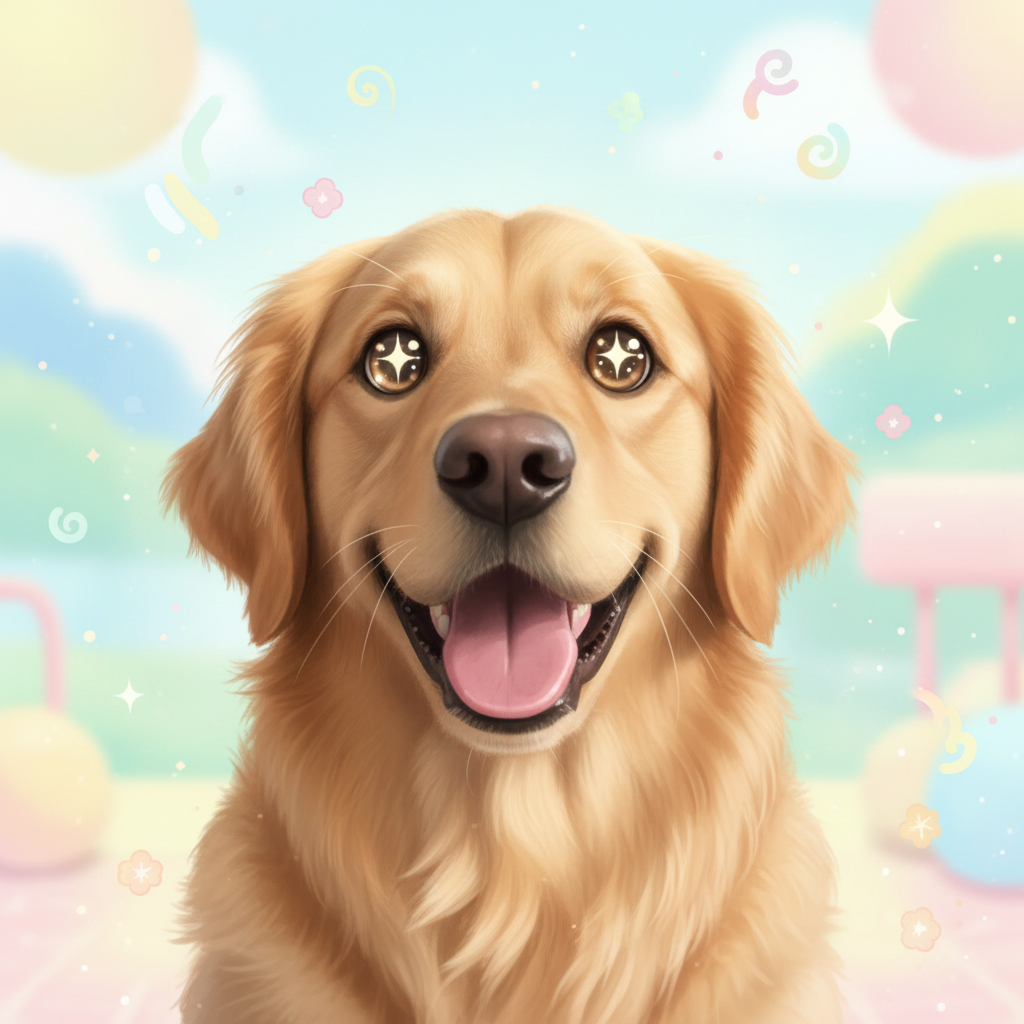
Same golden retriever as an adorable cartoon with big expressive eyes
After

Pet photo to cartoon illustration

A golden retriever photo turned into an adorable cartoon with expressive eyes and playful style.

Prompt: turn this pet photo into an adorable cartoon illustration with big expressive eyes and a cheerful look
Advertisement

If something looks off

AI changed the wrong area or something I didn't want changed

Why: The AI couldn't determine exactly which part you meant from description alone. This happens when you want to cartoonize only part of the image.

Try: Tap a marker on the specific area you want to cartoonize, then regenerate with the same prompt

Tip: Markers tell the AI 'I mean THIS area specifically.' Use them when you want selective cartoon effects.

Cartoon doesn't look like the original person

Why: Heavy stylization can distort facial features beyond recognition, especially with strong cartoon styles.

Try: convert this photo to a cartoon while preserving the person's facial features and likeness accurately

Tip: Adding 'preserve likeness' or 'keep recognizable features' tells the AI to prioritize accuracy over stylization.

Outlines are too thick or too thin

Why: The AI defaulted to a line weight that doesn't match your preferred cartoon style.

Try: convert this photo to a cartoon with medium-weight outlines, not too thick and not too thin

Tip: Be specific about line weight: 'thin delicate lines' for subtle, 'bold thick outlines' for graphic novel style.

Colors look washed out or too saturated

Why: The AI's color interpretation didn't match the cartoon vibrancy level you expected.

Try: convert this photo to a cartoon with rich, saturated colors that pop while staying natural-looking

Tip: Use color intensity words: 'vibrant', 'saturated', 'muted', 'pastel' to control the palette.

Background looks inconsistent with the cartoon style

Why: The AI applied different levels of stylization to the subject and the background.

Try: convert the entire photo including the background to a consistent cartoon style with matching outlines and colors

Tip: Saying 'entire photo including background' ensures uniform stylization across the whole image.

Quick answers

Do I need to mark any areas before converting my photo to a cartoon?

No! Just upload your photo and describe the cartoon style you want: 'convert this photo to a cartoon with bold outlines.' The AI transforms the entire image automatically. Only use markers if you want to cartoonize a specific part of the photo while leaving the rest realistic.

How do I convert a photo to a cartoon for free?

Upload your photo to EditThisPic and type 'convert this photo to a cartoon with bold outlines and vibrant colors.' The AI generates the cartoon version in about 30 seconds. Free to use, no account required, no watermark on the result.

Is there a free AI cartoon maker that doesn't require login?

Yes. EditThisPic converts photos to cartoons with no signup needed. Upload your image, describe the style, and download the cartoon result. No watermarks, no account walls. Works on portraits, group photos, and pet photos.

What's the best free AI tool for turning photos into cartoons?

EditThisPic lets you describe exactly the cartoon style you want—Pixar-style, flat vector, retro, or classic bold outlines. Unlike preset-only tools, you control the output with natural language. Free, no login, results in 30 seconds.

Ready to turn your photos into cartoons?

Free to try. No signup required.

Try it free