Free • No signup Convert Day to dusk · Free

AI Day to Dusk Conversion

Turn any daytime exterior into a dramatic dusk shot with warm interior lights — 35% more listing views, zero re-shoots.
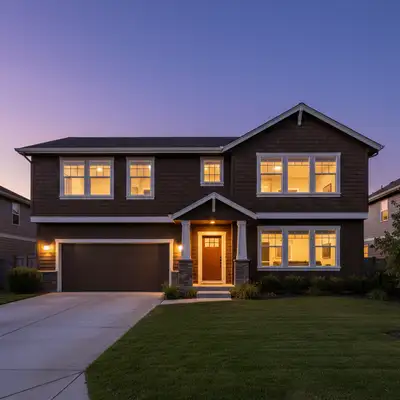
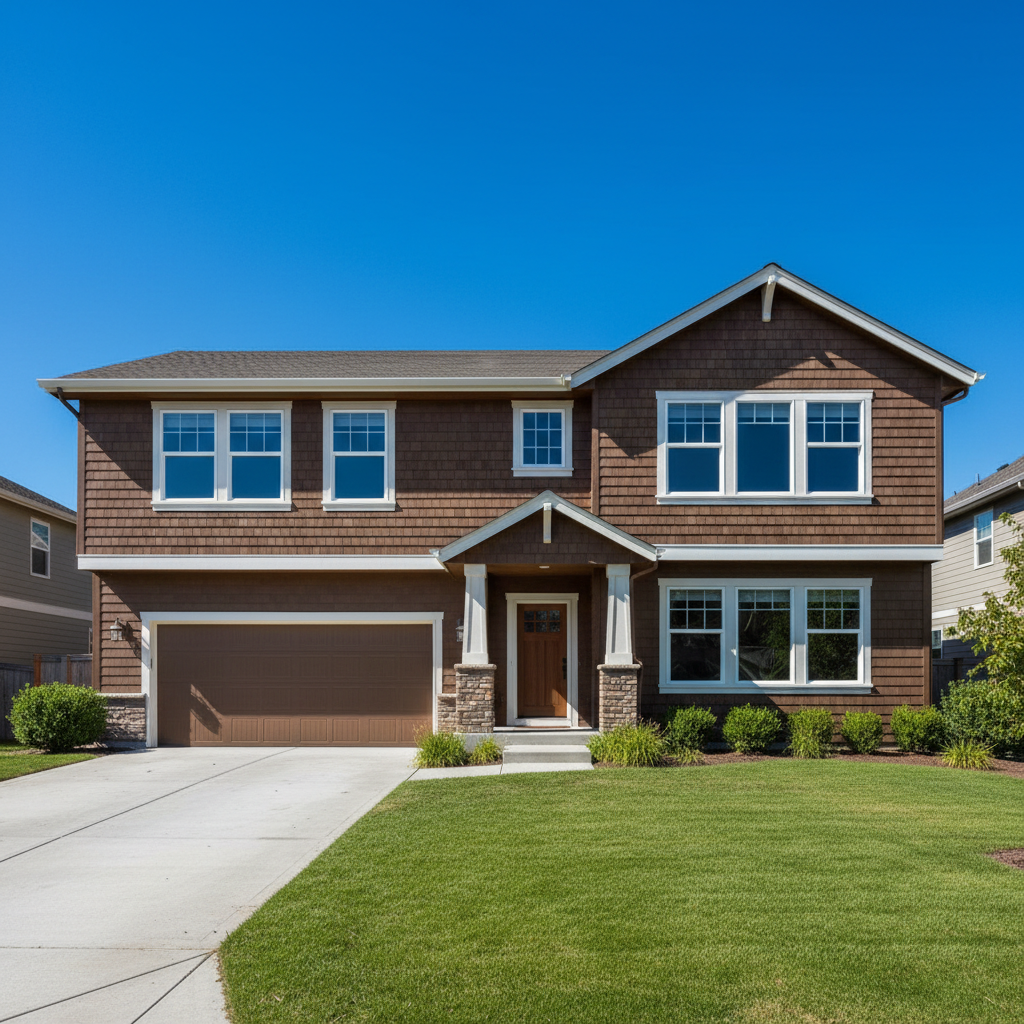
Suburban home in flat midday lighting with dark windows
Before
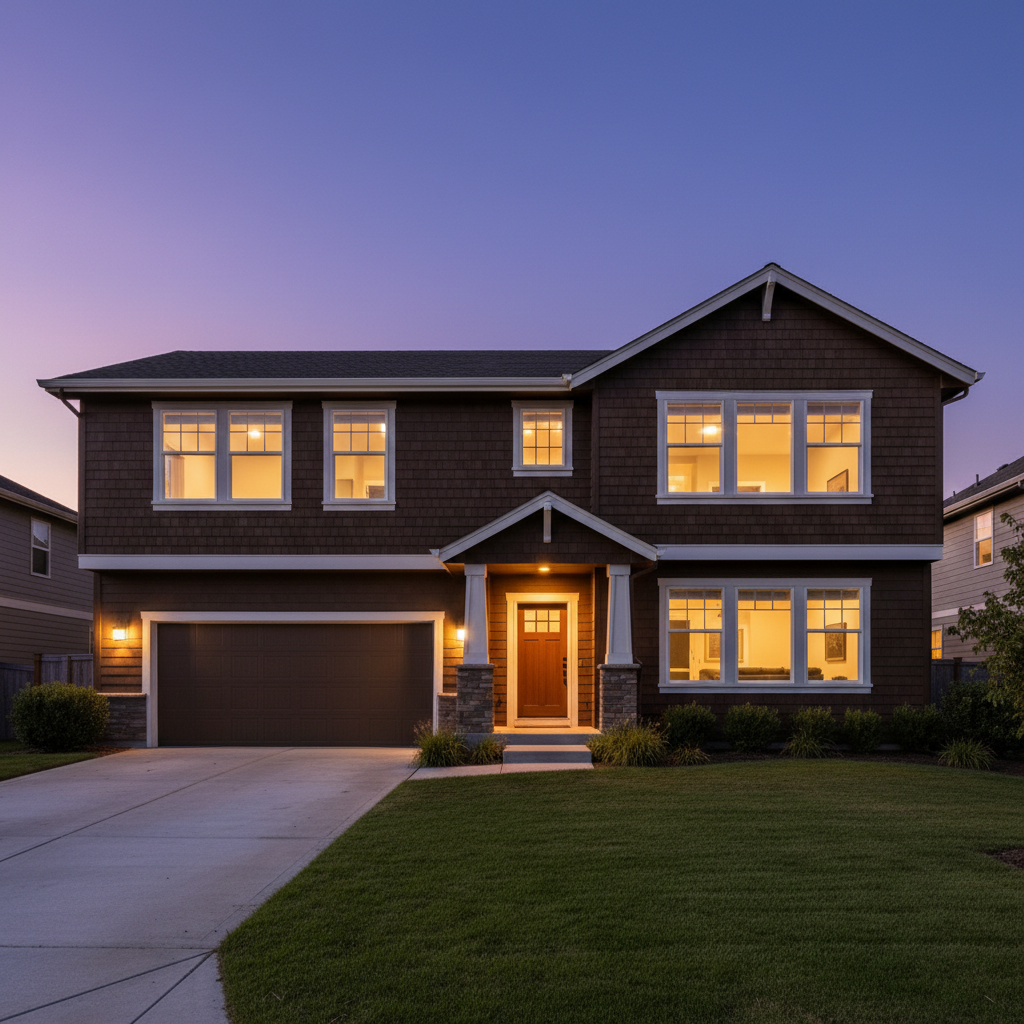
Same home at dusk with warm window glow and sunset sky
After

AI Day to Dusk Conversion

Drop your photo here

or click to browse

Release to upload

Free • No signup

Popular use cases:
  • day to dusk conversion
  • real estate twilight photos
  • dusk photography
  • listing photo enhancement
  • property exterior lighting
  • golden hour real estate

Cost
Free No signup required
Time
Instant results in 15-30 seconds
Works on
Any device - browser, phone, tablet, desktop
Powered by
AI-powered photo editing
Scenario Prompt Time
Standard dusk convert to dusk with warm window lights and sunset sky 30s
Luxury with pool twilight with window glow, pool lights, and landscape uplighting 30s
Blue hour modern blue hour with cool sky and warm white interior lights 30s

How it works

  1. Upload your photo

    Drop your daytime property exterior into EditThisPic. Straight-on shots with visible windows work best since the AI needs to add interior light glow. JPG, PNG, WebP up to 7MB.

    Expect: Standard conversion: 25-30 seconds. Complex scenes with pools or extensive landscaping: may need 2 passes for perfect lighting.
  2. Describe what you want

    Type your instruction: 'convert to dusk with warm lights glowing in the windows and a dramatic sunset sky.' Be specific about the sky — 'deep purple and orange gradient,' 'golden hour warmth,' or 'blue hour with soft pink clouds.' No marking needed — the AI transforms the entire scene.

    Tip: Include 'warm amber light glowing from every window' — lit windows are what make dusk shots sell properties.

    Copy one of these to get started:

    Standard day-to-dusk conversion convert this to a dusk photo with warm amber lights glowing from every window, dramatic purple and orange sunset sky, and soft landscape lighting along the walkway
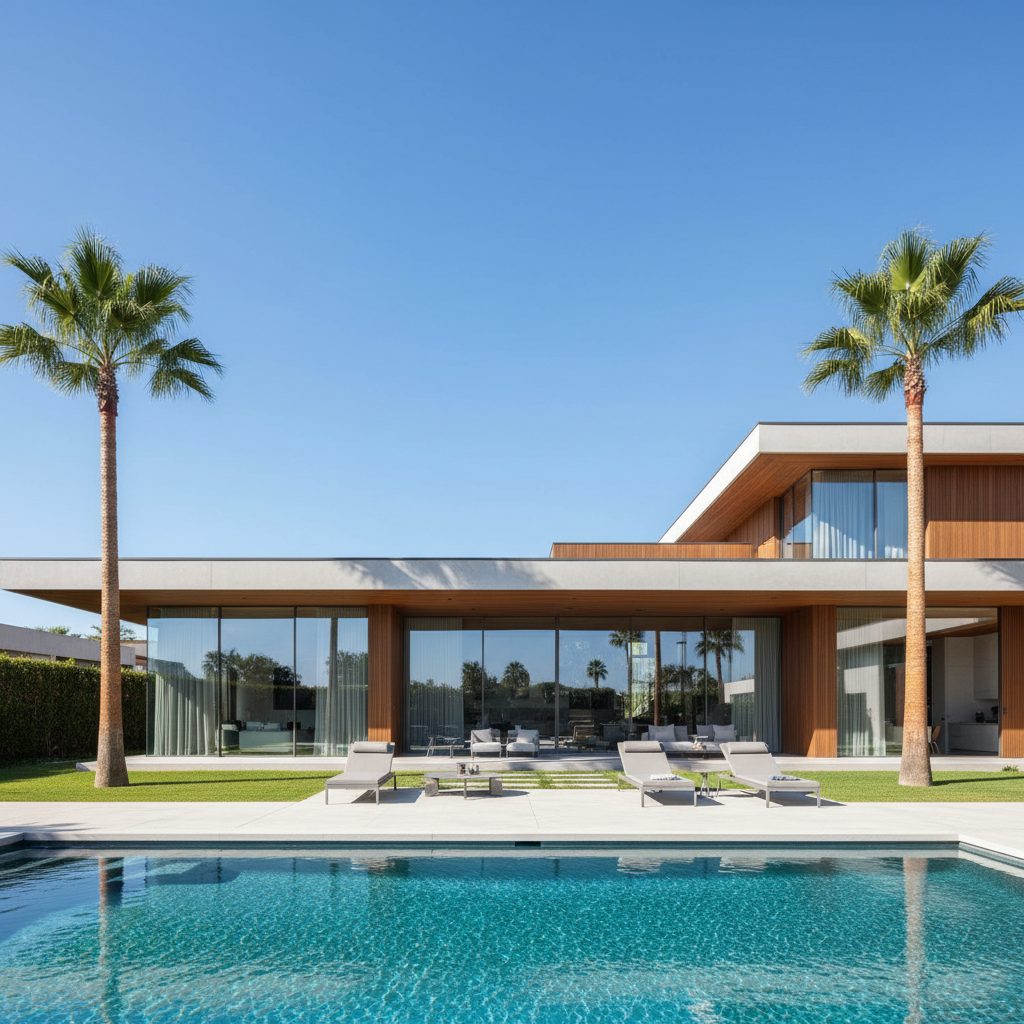
    Luxury home with pool at dusk convert to twilight with warm interior lights in all windows, deep blue sky with pink clouds, pool glowing turquoise with underwater lights, and landscape uplighting on trees
    Suburban home with warm glow transform this daytime photo to dusk with golden warm light spilling from windows, a deep blue evening sky with the last hint of sunset on the horizon
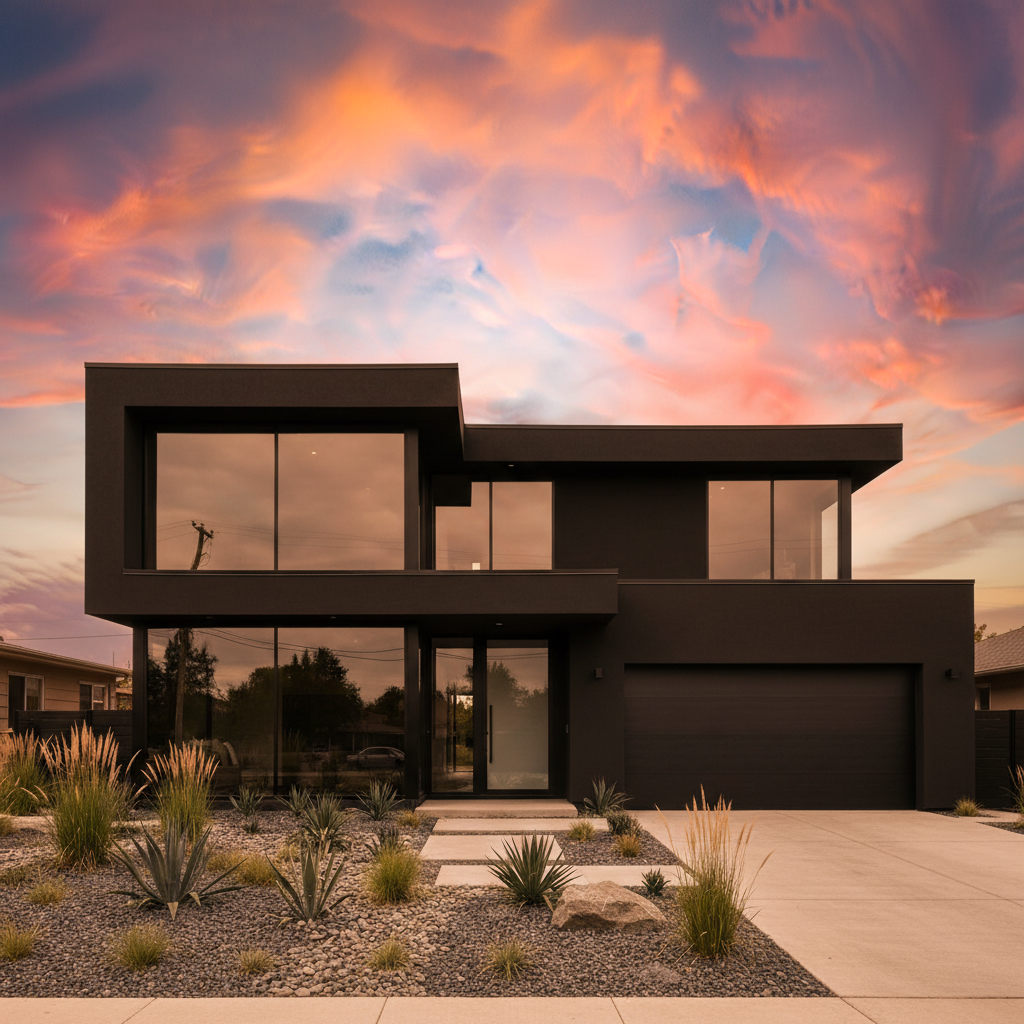
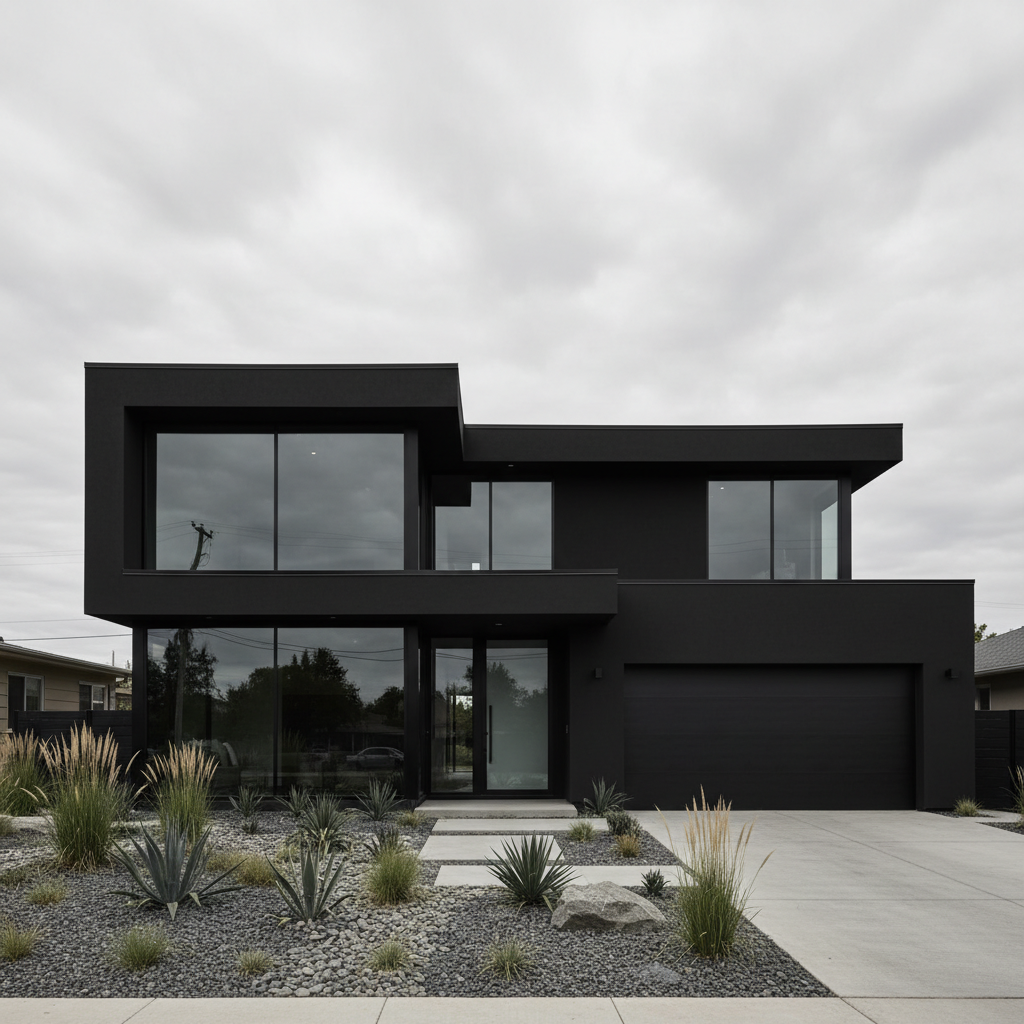
    Modern exterior at blue hour convert to blue hour with cool blue sky, warm white interior lights visible through large glass windows, and accent lighting along the roofline and entryway
    3 more prompts
    Lakefront property at golden hour convert to golden hour with warm sunset reflecting in the lake, all windows glowing with amber light, and the house silhouetted against a vivid orange and purple sky
    Commercial building at dusk convert this commercial property to a professional dusk shot with illuminated signage, interior office lights visible, and a clean gradient sky from deep blue to warm horizon
    Ranch-style home at sunset convert to a dramatic sunset with deep orange and red sky, warm porch lights on, every window glowing with interior warmth, and soft shadows across the front yard
  3. Generate and review

    Check that window lights look natural and warm, the sky gradient is dramatic but believable, and landscape lighting is consistent. Verify shadows match the new dusk direction. Zoom in on windows to confirm the glow looks like real interior lights, not flat yellow overlays.

  4. Refine with markers if needed

    If some windows are missing their glow or the sky transition has an odd edge, tap markers on those specific areas and regenerate. This is optional — most day-to-dusk conversions look great on the first try.

    Tip: Markers are for precision refinement, not a required step. Try without them first.
Try it free

AI Day to Dusk Conversion

Drop your photo here

or click to browse

Release to upload

Free • No signup

"Day-to-dusk photos used to cost me $40 each outsourced. EditThisPic does them in seconds. My listing CTR jumped 35%." @TopProducer_Mike

See it in action

Suburban home in flat midday lighting with dark windows
Before
->
Same home at dusk with warm window glow and sunset sky
After

Suburban home converted to dramatic dusk

A standard daytime listing photo of a two-story suburban home transformed into a dramatic dusk shot with warm interior glow.

Prompt: convert this to a dusk photo with warm amber lights glowing from every window, dramatic purple and orange sunset sky, and soft landscape lighting along the walkway
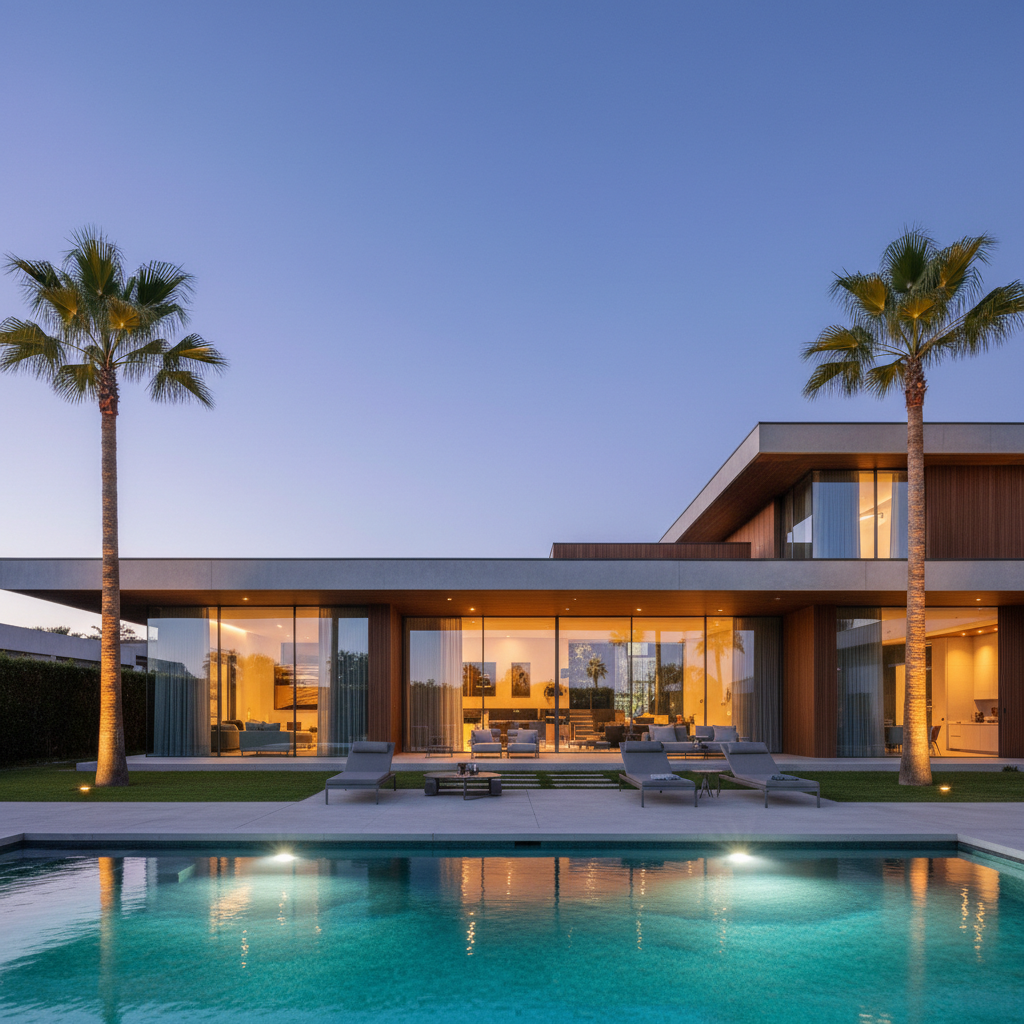
Modern home with pool in harsh midday sun
Before
->
Same home at twilight with glowing pool and lit windows
After

Modern home with pool at twilight

A contemporary home with pool area transformed from daytime to a luxury twilight scene with pool lights and dramatic sky.

Prompt: convert to twilight with warm interior lights in all windows, deep blue sky with pink clouds, pool glowing turquoise with underwater lights, and landscape uplighting on trees
Ranch home on overcast day with flat gray sky
Before
->
Same ranch home with dramatic sunset sky and warm window glow
After

Ranch home at golden hour sunset

A single-story ranch home given a warm golden hour treatment for listing photos that stand out in search results.

Prompt: convert to a dramatic sunset with deep orange and red sky, warm porch lights on, every window glowing with interior warmth, and soft shadows across the front yard

Detailed Guides by Scenario

📷

Residential Listings

Dusk photos are the single highest-impact enhancement for residential listings. They create emotional appeal that standard daytime shots cannot match.

Common Scenarios

  • Converting MLS hero photos to dramatic dusk for maximum click-through
  • Creating dusk versions of multiple angles for a complete gallery
  • Rescuing overcast or flat-light exterior photos with dramatic dusk conversion

Best Practices

  • Convert the front exterior hero shot first — it's the listing thumbnail that drives clicks
  • Use 'warm amber' for traditional homes and 'warm white' for modern homes
  • Include landscape lighting in your prompt for a complete professional result
📷

Luxury Properties

Luxury listings demand dusk photography. The combination of dramatic skies, warm interior glow, and landscape lighting communicates the lifestyle premium buyers expect.

Common Scenarios

  • Full twilight scenes with pool glow, landscape uplighting, and dramatic sky for luxury marketing
  • Blue-hour architectural shots for modern luxury homes with glass facades
  • Estate photography with driveway lights and multiple building illumination

Best Practices

  • Request pool lighting, landscape uplighting, and accent lights for the full luxury treatment
  • Modern luxury homes look best at 'blue hour' rather than warm sunset
  • Include architectural details like 'accent lighting along the roofline' for high-end results
📷

Real Estate Photography Business

Offer day-to-dusk as an upsell service to your real estate clients without scheduling separate twilight shoots.

Common Scenarios

  • Adding day-to-dusk to your service menu as a premium add-on
  • Processing entire shoots with consistent dusk styling for agent clients
  • Creating day and dusk versions of the same shot for listing variety

Best Practices

  • Develop a standard prompt that works for most homes in your market
  • Process the hero exterior first, then offer additional angles as upsells
  • Keep both day and dusk versions — agents use day photos for different platforms

If something looks off

Some windows are dark while others glow

Why: The AI didn't detect all windows, especially smaller or partially obscured ones.

Try: add warm amber light glowing from every single window on the house, including small bathroom and garage windows

Tip: Specifying 'every single window' and naming overlooked ones like 'garage windows' catches them all

The sky looks unrealistic or has a hard edge where it meets the roofline

Why: The AI struggled with the sky-to-roof transition, especially on complex rooflines or with trees in front.

Try: create a smooth gradient sky from deep blue at the top to warm orange at the horizon, blending naturally around the roofline and trees

Tip: Adding 'blending naturally around trees' tells the AI to handle tree silhouettes against the sky

The house looks too dark overall — lost all detail

Why: The AI made the scene too dark, simulating near-night rather than the 20-minute dusk window.

Try: convert to early dusk with enough ambient light to see all house details clearly, sky still has orange glow on the horizon, warm lights in windows

Tip: 'Early dusk' gives a brighter result than 'night' — you want the sweet spot where the sky has color AND windows glow

AI changed the wrong area or something I didn't want changed

Why: The AI couldn't determine exactly which area you meant from description alone. This happens with ambiguous requests.

Try: Tap a marker on the specific area you want to change, then regenerate with the same prompt

Tip: Markers tell the AI 'I mean THIS one specifically.' Use them when description alone is ambiguous.

Landscape and walkway are pitch black with no lighting

Why: The AI focused on the sky and windows but forgot to add ground-level ambient light.

Try: add soft landscape lighting along the walkway, pathway lights, and ambient glow on the front yard from the window light spillover

Tip: Real dusk photos show 'light spillover' from windows onto landscaping — this detail sells realism

Quick answers

Do I need to mark any areas before converting to dusk?

No. Just type 'convert to dusk with warm window lights' and the AI transforms the entire scene — sky, lighting, windows, and landscape. Markers are only needed if a specific area needs refinement after the first pass.

How do I convert a daytime real estate photo to dusk for free?

Upload your daytime exterior to EditThisPic and type 'convert to dusk with warm lights in windows and dramatic sunset sky.' The AI handles the full transformation in about 30 seconds. One free edit per week, no account needed.

Is there a free day-to-dusk tool that doesn't require signup?

Yes. EditThisPic converts day-to-dusk with AI — no account, no login, no watermark. One free edit per week. For unlimited conversions, plans start at $3.99/month.

What is the best AI tool for day-to-dusk real estate photos?

EditThisPic converts any daytime exterior to professional dusk in one prompt. The AI adds window glow, sunset sky, and landscape lighting automatically. No Photoshop or specialized software needed.

Do dusk photos really get more listing views?

Yes. Industry data consistently shows twilight/dusk exterior photos receive 35% more views than standard daytime shots. The warm interior glow and dramatic sky create emotional appeal that stops scrolling.

Ready to convert your listing to dusk?

Free to try. No signup required.

Try it free