Free • No signup Convert Twilight · Free

AI Twilight Conversion

Convert any daytime exterior to a stunning twilight shot with warm interior glow and dramatic sky gradients.
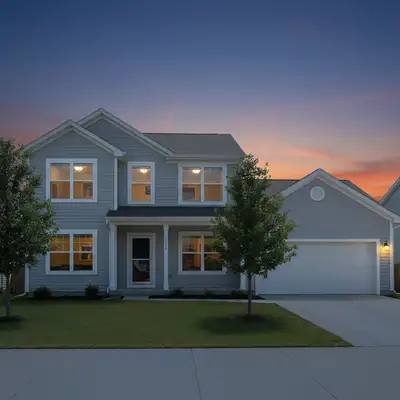
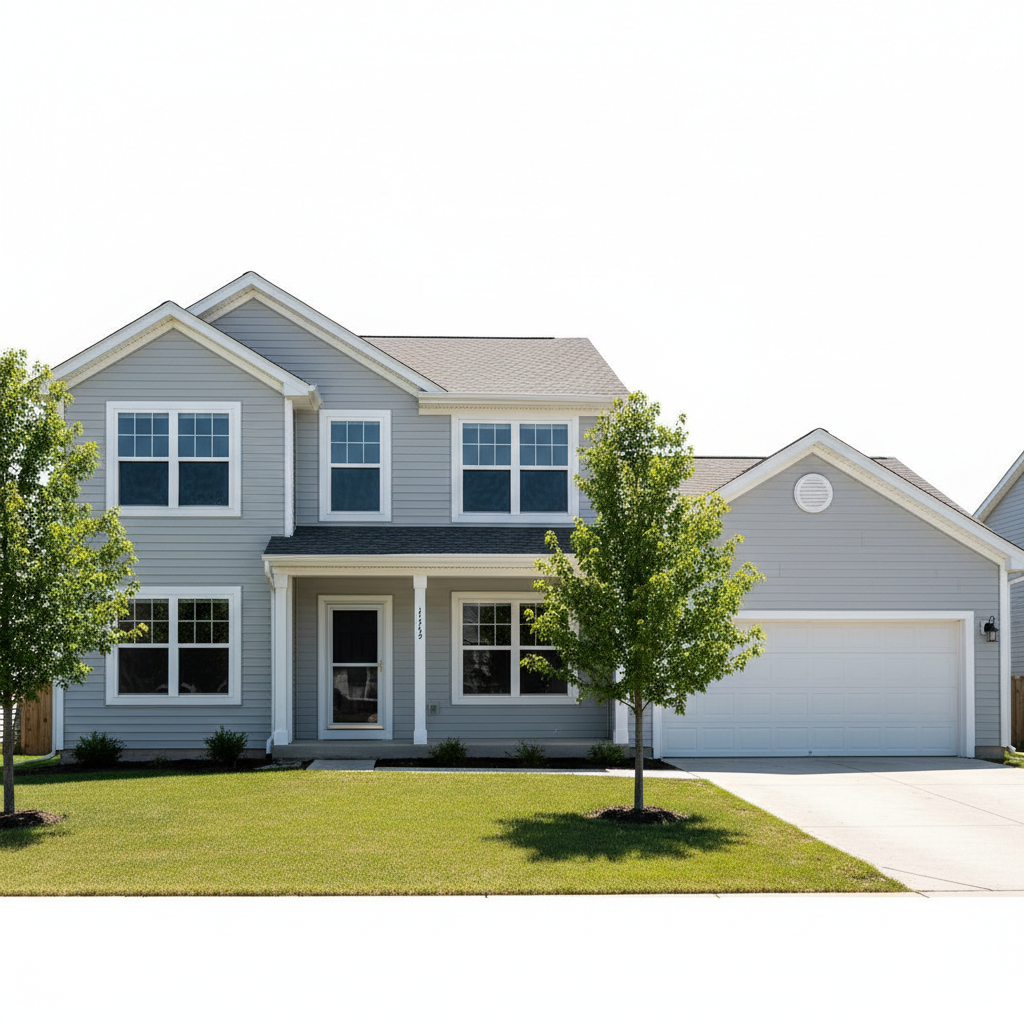
Colonial home in flat midday sunlight with dark windows
Before
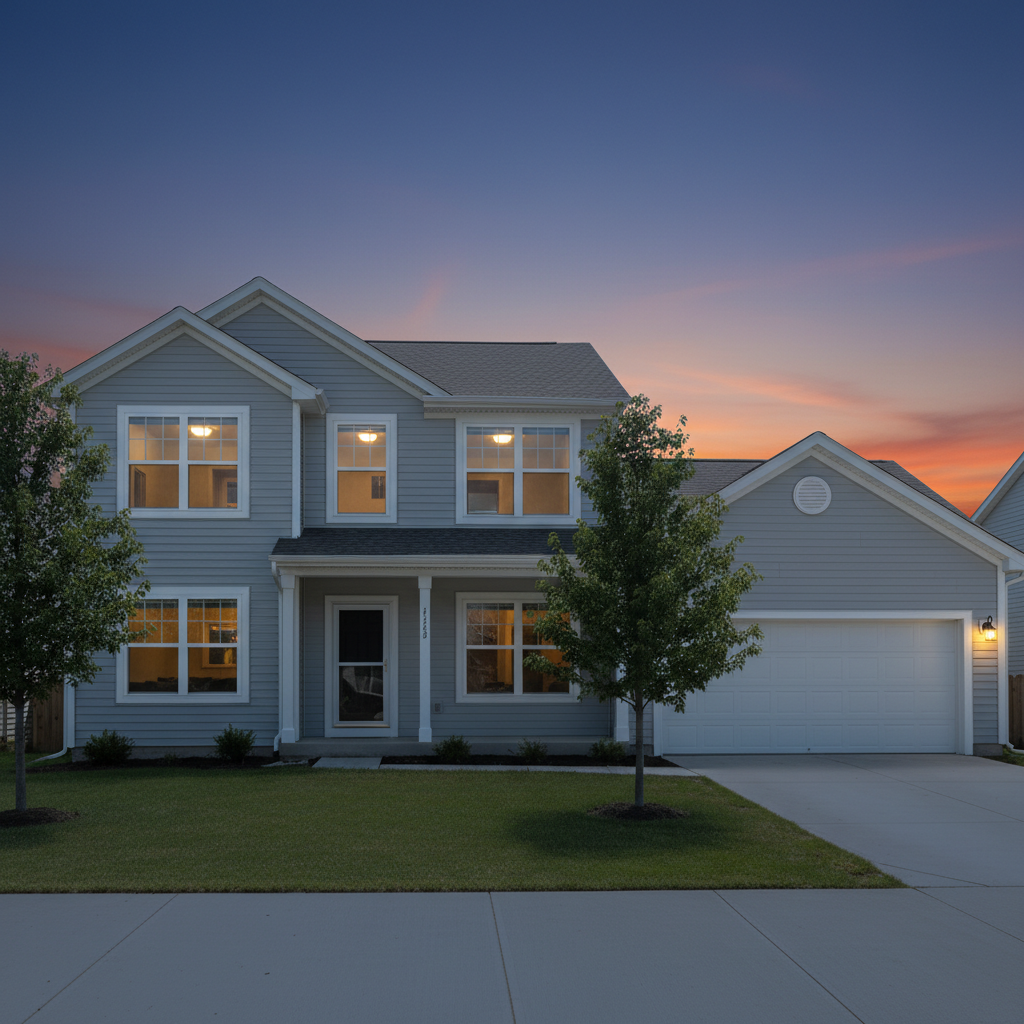
Same colonial home at twilight with warm glowing windows and purple sky
After

AI Twilight Conversion

Drop your photo here

or click to browse

Release to upload

Free • No signup

Popular use cases:
  • twilight conversion
  • real estate twilight photography
  • virtual twilight
  • listing photo enhancement
  • property dusk photos
  • twilight real estate editor

Cost
Free No signup required
Time
Instant results in 15-30 seconds
Works on
Any device - browser, phone, tablet, desktop
Powered by
AI-powered photo editing
Scenario Prompt Time
Classic twilight convert to twilight with warm window glow and purple sky 30s
Luxury with pool twilight with pool lights, window glow, and landscape uplighting 30s
Golden hour warmth golden hour with warm orange sky and soft window glow 30s

How it works

  1. Upload your photo

    Drop your daytime property exterior into EditThisPic. Photos showing the front facade with visible windows work best — the warm interior glow through windows is what makes twilight photos sell. JPG, PNG, WebP up to 7MB.

    Expect: Standard twilight conversion: 25-30 seconds. Homes with many windows or complex landscaping: may need a second pass for perfect glow.
  2. Describe what you want

    Type your instruction: 'convert to twilight with warm amber lights glowing through every window and a deep purple sky with orange on the horizon.' Specify the mood — 'dramatic purple sky,' 'soft golden hour warmth,' or 'deep blue hour with pink clouds.' No marking needed — the AI transforms the entire scene.

    Tip: The magic phrase is 'warm light glowing through windows' — this is what separates a twilight conversion from a simple sky swap.

    Copy one of these to get started:

    Classic warm interior glow twilight convert to twilight with warm amber light glowing through every window, deep purple and blue sky gradient with warm orange along the horizon, soft ambient light on the front yard
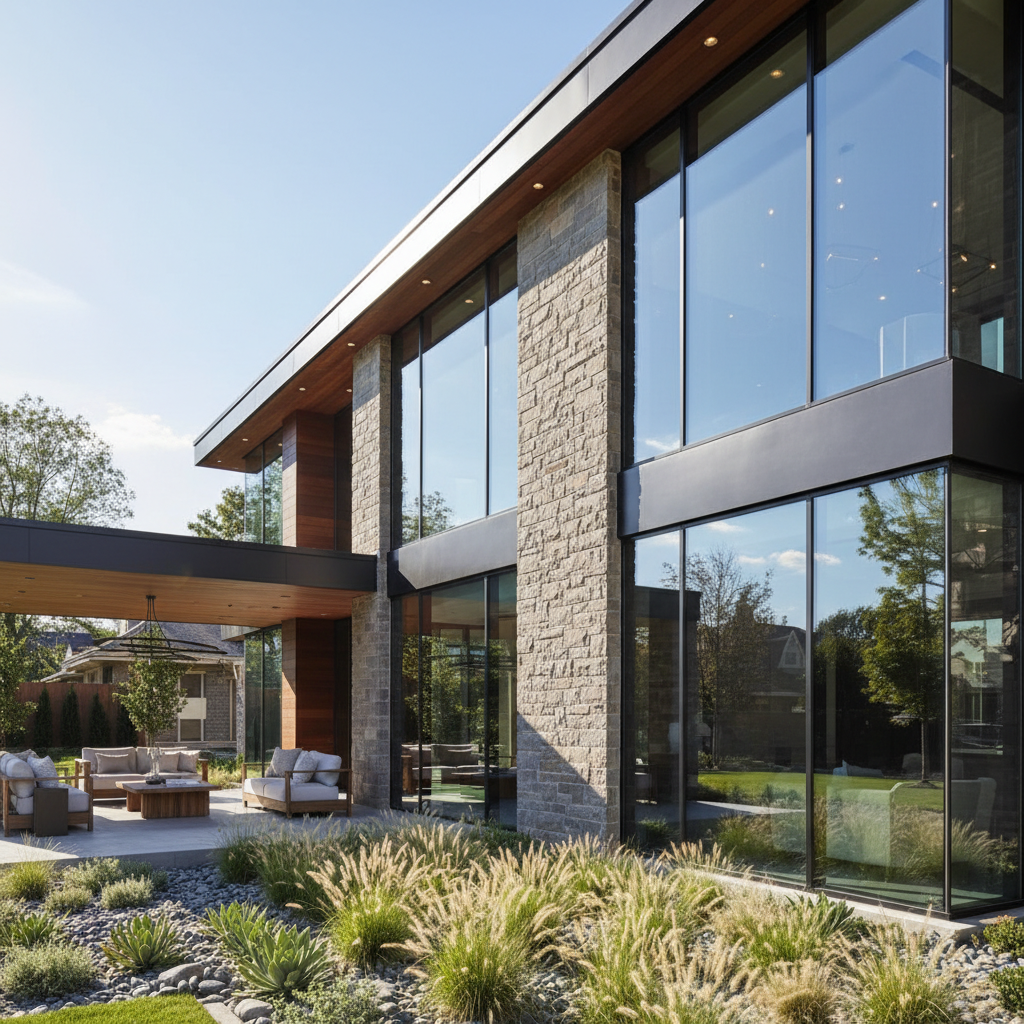
    Deep purple sky twilight convert to twilight with a deep royal purple sky fading to warm amber at the horizon, warm golden light flooding from every window, and pathway lights leading to the front door
    Golden hour warmth convert to golden hour twilight with a warm orange and pink sky, the house bathed in soft golden light, every window glowing warmly, and long gentle shadows across the lawn
    Pool with underwater lights at twilight convert to twilight with turquoise pool glowing from underwater lights, warm interior lights in all windows, deep blue sky with pink clouds, and landscape uplighting on trees and shrubs
    3 more prompts
    Luxury estate at twilight convert this estate to dramatic twilight with warm light in every room visible through windows, uplighting on columns and architectural features, driveway lights, and a sweeping gradient sky from deep blue to warm gold
    Condo exterior at blue hour convert to blue hour twilight with cool blue sky, warm white light in every unit window, lobby entrance illuminated, and ground-level accent lighting along the building face
    Townhouse row at twilight convert to twilight with each townhouse showing warm interior light through windows, coordinated porch lights, a gradient sky from purple to warm orange, and street lamp glow
  3. Generate and review

    Check that every window has a warm interior glow. Verify the sky gradient transitions smoothly from horizon to top. Look for consistent shadow direction and make sure landscape elements have appropriate ambient lighting for the twilight scene.

  4. Refine with markers if needed

    If a window is missing its glow or the sky has a hard transition line, tap markers on those specific areas and regenerate. This is optional — most twilight conversions are complete on the first try.

    Tip: Markers are for precision refinement, not a required step. Try without them first.
Try it free

AI Twilight Conversion

Drop your photo here

or click to browse

Release to upload

Free • No signup

"Twilight photographers charge $150-400 per session and you only get one evening window. EditThisPic gets me the same look from any daytime photo — unlimited retakes." @RealEstateJen_CA

See it in action

Colonial home in flat midday sunlight with dark windows
Before
->
Same colonial home at twilight with warm glowing windows and purple sky
After

Colonial home transformed to warm twilight

A standard daytime photo of a colonial home given the full twilight treatment with warm window glow and purple sky.

Prompt: convert to twilight with warm amber light glowing through every window, deep purple and blue sky gradient with warm orange along the horizon, soft ambient light on the front yard
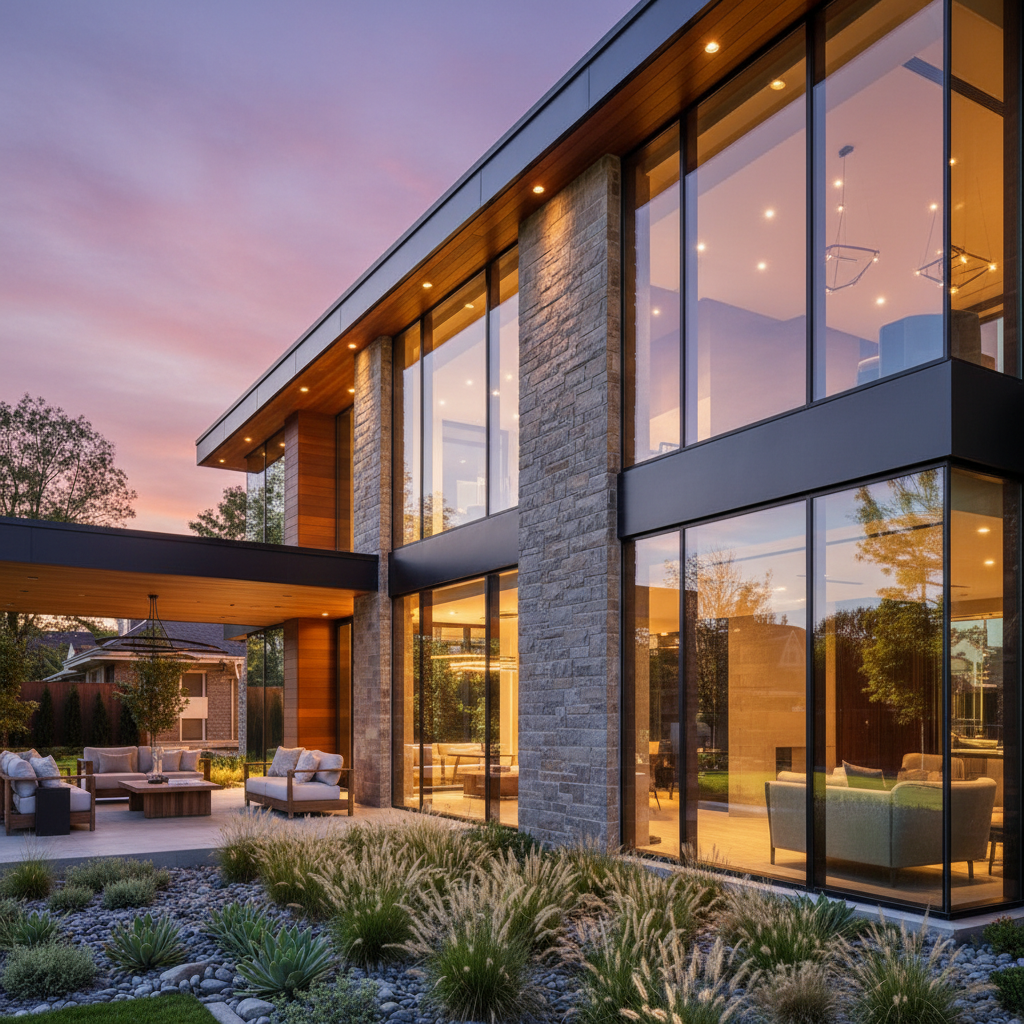
Modern home with pool in harsh midday light
Before
->
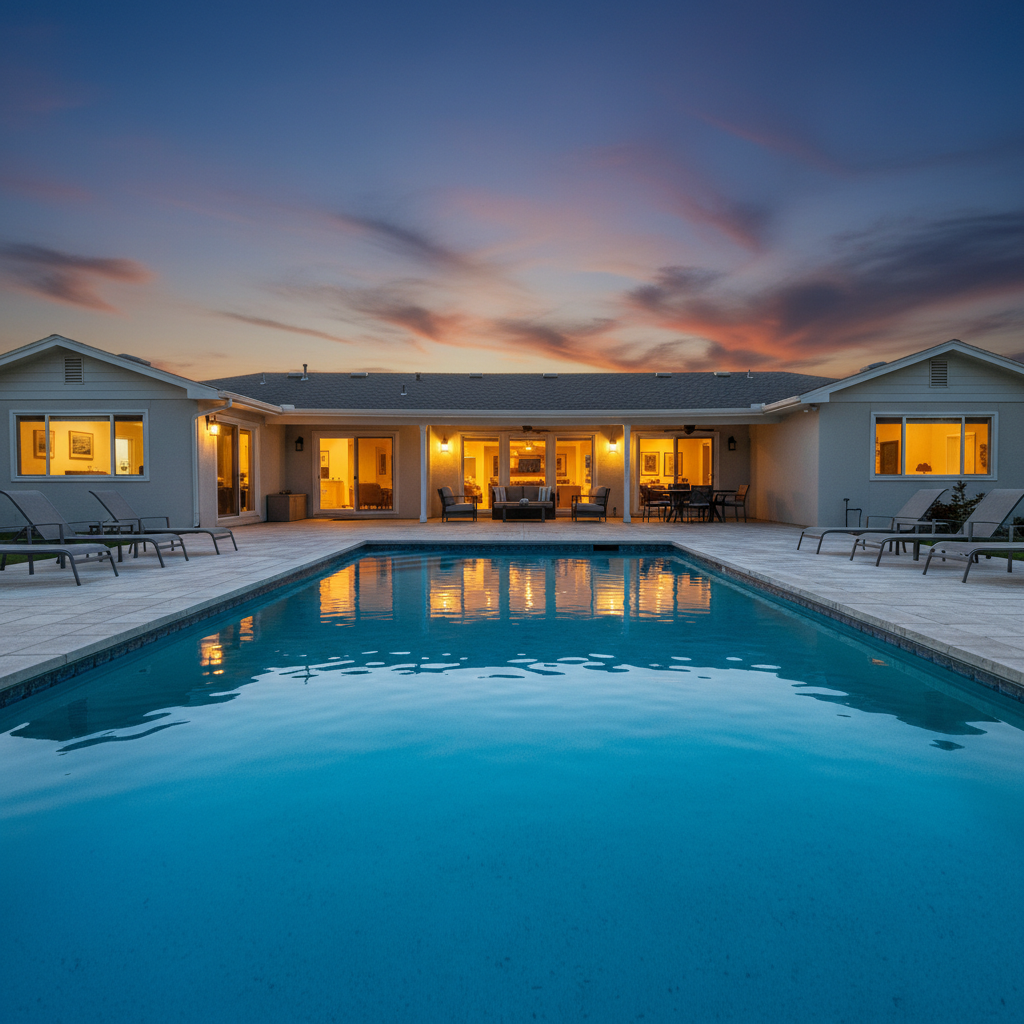
Same home at twilight with glowing pool and warm lit windows
After

Modern home with pool at twilight

A contemporary home with pool area converted from harsh daylight to a dramatic twilight scene with underwater pool lighting.

Prompt: convert to twilight with turquoise pool glowing from underwater lights, warm interior lights in all windows, deep blue sky with pink clouds, and landscape uplighting on trees
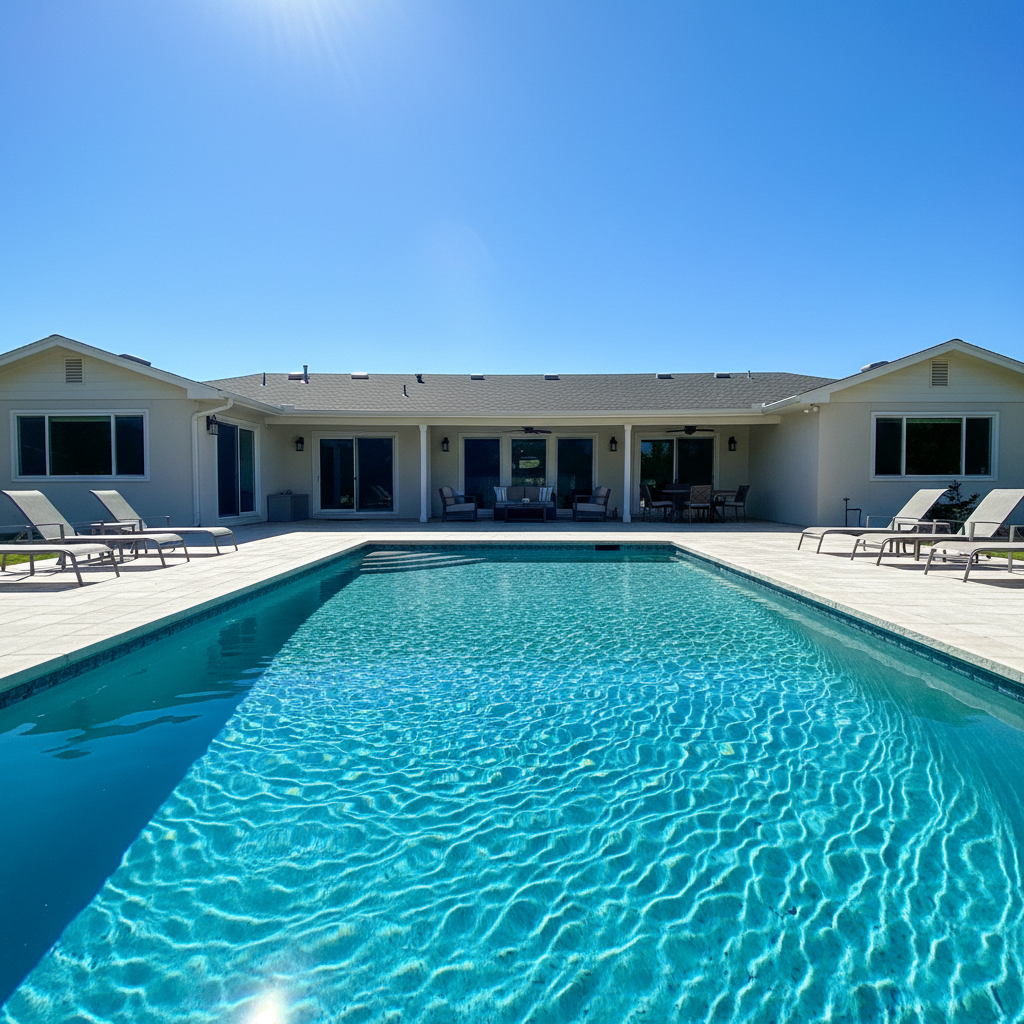
Row of townhouses in flat overcast lighting
Before
->
Same townhouses at twilight with warm window glow and purple sky
After

Townhouse row at evening twilight

A row of townhouses given a coordinated twilight look with consistent window glow and atmospheric sky for a development marketing package.

Prompt: convert to twilight with each townhouse showing warm interior light through windows, coordinated porch lights, a gradient sky from purple to warm orange, and street lamp glow

Detailed Guides by Scenario

📷

Residential Real Estate

Twilight photos are the #1 visual differentiator for residential listings. They create instant emotional appeal that drives click-throughs from search results.

Common Scenarios

  • Creating hero twilight exteriors for MLS listings that stand out in search
  • Converting multiple exterior angles to twilight for a complete gallery
  • Rescuing listings shot during unfavorable weather or harsh midday light

Best Practices

  • Convert the main exterior shot first — it's the thumbnail that gets clicks
  • Request 'warm amber' for traditional homes, 'warm white' for contemporary
  • Always include 'pathway lighting' and 'landscape ambient light' for a complete scene
📷

Luxury Property Marketing

For luxury listings, twilight photography is expected, not optional. The combination of dramatic skies, glowing interiors, and accent lighting communicates premium positioning.

Common Scenarios

  • Creating dramatic twilight scenes for luxury property brochures and websites
  • Pool and water feature lighting for evening atmosphere in marketing materials
  • Architectural accent lighting to highlight premium design details

Best Practices

  • Include pool lighting, uplighting, and accent lights for full luxury treatment
  • Modern luxury homes look best at 'blue hour' with warm white interior light
  • Request 'visible room details through windows' to show the interior quality
📷

Real Estate Photography Services

Add virtual twilight as a premium service without scheduling separate evening sessions. Convert any daytime shoot into a twilight package.

Common Scenarios

  • Offering twilight conversion as an add-on service to daytime shoot packages
  • Delivering same-day twilight versions from afternoon photo sessions
  • Creating consistent twilight style across a portfolio of listings

Best Practices

  • Develop a standard twilight prompt template for consistency across clients
  • Offer day + twilight bundles to increase average order value
  • Keep both versions — some clients want day photos for different platforms

If something looks off

Window glow looks like flat yellow rectangles, not realistic light

Why: The AI painted solid color on windows instead of simulating light spilling from inside.

Try: make the window glow look like warm interior light shining through glass with visible room details, not flat yellow overlays, with light spill onto the window frames and nearby walls

Tip: 'Light spill onto window frames' is the detail that makes artificial twilight look real

The sky gradient has a sharp line or band where colors change

Why: The AI created discrete color bands instead of a smooth gradient, especially where sky meets the roofline.

Try: create a smooth continuous sky gradient from deep blue at the top through purple to warm orange at the horizon, with no visible banding or sharp transitions

Tip: Requesting 'continuous gradient' specifically prevents the banding artifact

Some windows are dark while others glow — looks like only some rooms are occupied

Why: The AI missed windows that are smaller, partially hidden, or in shadows.

Try: add warm amber interior glow to every single window on the house, including the small upper windows, side windows, and garage door windows

Tip: List the specific overlooked windows — 'garage door windows' and 'side windows' are commonly missed

AI changed the wrong area or something I didn't want changed

Why: The AI couldn't determine exactly which area you meant from description alone. This happens with ambiguous requests.

Try: Tap a marker on the specific area you want to change, then regenerate with the same prompt

Tip: Markers tell the AI 'I mean THIS one specifically.' Use them when description alone is ambiguous.

The house is too dark — you can barely see architectural details

Why: The AI made the scene closer to nighttime than the ideal twilight window.

Try: convert to early twilight where the sky still has significant color and light, house details are clearly visible with ambient light, and windows glow warmly against the still-bright scene

Tip: 'Early twilight' means more ambient light — the sweet spot is when sky color and window glow are balanced

Quick answers

Do I need to mark the windows or sky before converting to twilight?

No. Just type 'convert to twilight with warm window lights and dramatic sky' and the AI handles everything — sky replacement, window glow, landscape lighting, and shadow adjustment. Markers are only for refinement if a specific area needs a second pass.

How do I create twilight real estate photos from daytime shots?

Upload your daytime exterior to EditThisPic and describe the twilight effect: 'convert to twilight with warm lights in every window and a purple gradient sky.' The AI generates the complete conversion in about 30 seconds. One free edit per week, no account needed.

Is there a free twilight conversion tool for real estate that doesn't need an account?

Yes. EditThisPic creates twilight photos from any daytime exterior with AI — no login, no signup, no watermark. One free edit per week. Unlimited conversions start at $3.99/month.

What is the best AI for twilight conversion in real estate photography?

EditThisPic converts daytime exteriors to professional twilight in one prompt. The AI adds window glow, sky gradients, and landscape lighting in 30 seconds. No Photoshop layers or specialized twilight software needed.

How much do professional twilight photographers charge?

Professional twilight photography sessions typically cost $150-400 per property, weather permitting, with only one chance per evening to get the shot. EditThisPic creates the same look from any daytime photo, as many times as you need.

Ready to create a twilight masterpiece?

Free to try. No signup required.

Try it free