Free • No signup Apply 35mm film look · Free

AI 35mm Film Filter

Add authentic 35mm film character to any photo instantly.

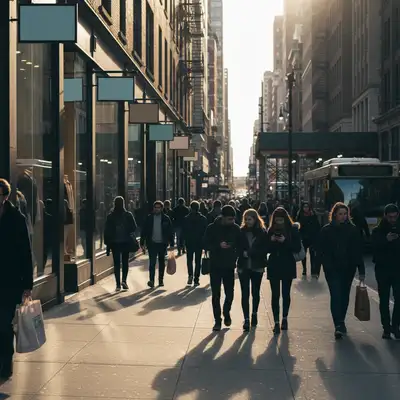
Street scene before 35mm film filter
Before
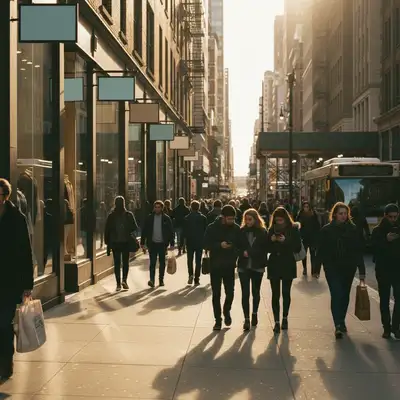
Street scene with classic 35mm film aesthetic
After

AI 35mm Film Filter

Upload photo to apply 35mm film look

Free • Results in 30 seconds • No signup

Release to upload

FreeNo signupNo watermark
Popular use cases:
  • street photography
  • everyday snapshots
  • travel photography
  • documentary photography
  • nostalgic photos
  • analog aesthetic
  • film photography look
  • vintage style

Cost
Free No signup required
Time
Instant results in 15-30 seconds
Works on
Any device - browser, phone, tablet, desktop
Powered by
AI-powered photo editing
Scenario Prompt Time
Classic 35mm look apply 35mm film look with warm tones, visible grain, and slightly reduced contrast 15s
Vintage 35mm film add vintage 35mm film aesthetic with faded colors, warm tones, and moderate grain 15s
High ISO 35mm grain apply 35mm film look with strong visible grain as if shot at high ISO 15s
Clean 35mm aesthetic add 35mm film look with subtle grain and accurate colors 15s

How it works

  1. Upload your photo

    Drop your digital image into EditThisPic. JPG, PNG, WebP up to 7MB. Modern digital photos work great—the AI adds authentic 35mm film characteristics.

    Expect: Simple film filter applications: 15-20 seconds. All 35mm filters complete in under 30 seconds.
  2. Describe the 35mm film style

    Type your instruction: 'apply 35mm film look with warm tones and grain' or 'add classic analog 35mm aesthetic with subtle fading.' Be specific about warmth, grain, and color characteristics. No marking needed—the AI applies the film look to the entire image.

    Tip: 35mm film has warm tones, visible grain, and slightly reduced contrast compared to digital. Specify grain amount for control.

    Copy one of these to get started:

    Classic 35mm look apply 35mm film look with warm tones, visible grain, and slightly reduced contrast
    Vintage 35mm film add vintage 35mm film aesthetic with faded colors, warm tones, and moderate grain
    High ISO 35mm grain apply 35mm film look with strong visible grain as if shot at high ISO
    Clean 35mm aesthetic add 35mm film look with subtle grain and accurate colors
    2 more prompts
    Warm nostalgic 35mm apply 35mm film look with strong warm golden tones and visible grain
    Cool toned 35mm add 35mm film look with cool blue-ish tones and fine grain
  3. Review the film aesthetic

    Check the color grading, grain structure, and overall analog character at full size. Verify the warmth, grain, and film characteristics match your desired aesthetic.

Try it free

AI 35mm Film Filter

Upload photo to apply 35mm film look

Free • Results in 30 seconds • No signup

Release to upload

Free • No signup

"Perfect film aesthetic without the hassle of shooting actual film. My digital photos finally have that analog soul." @analogfan

See it in action

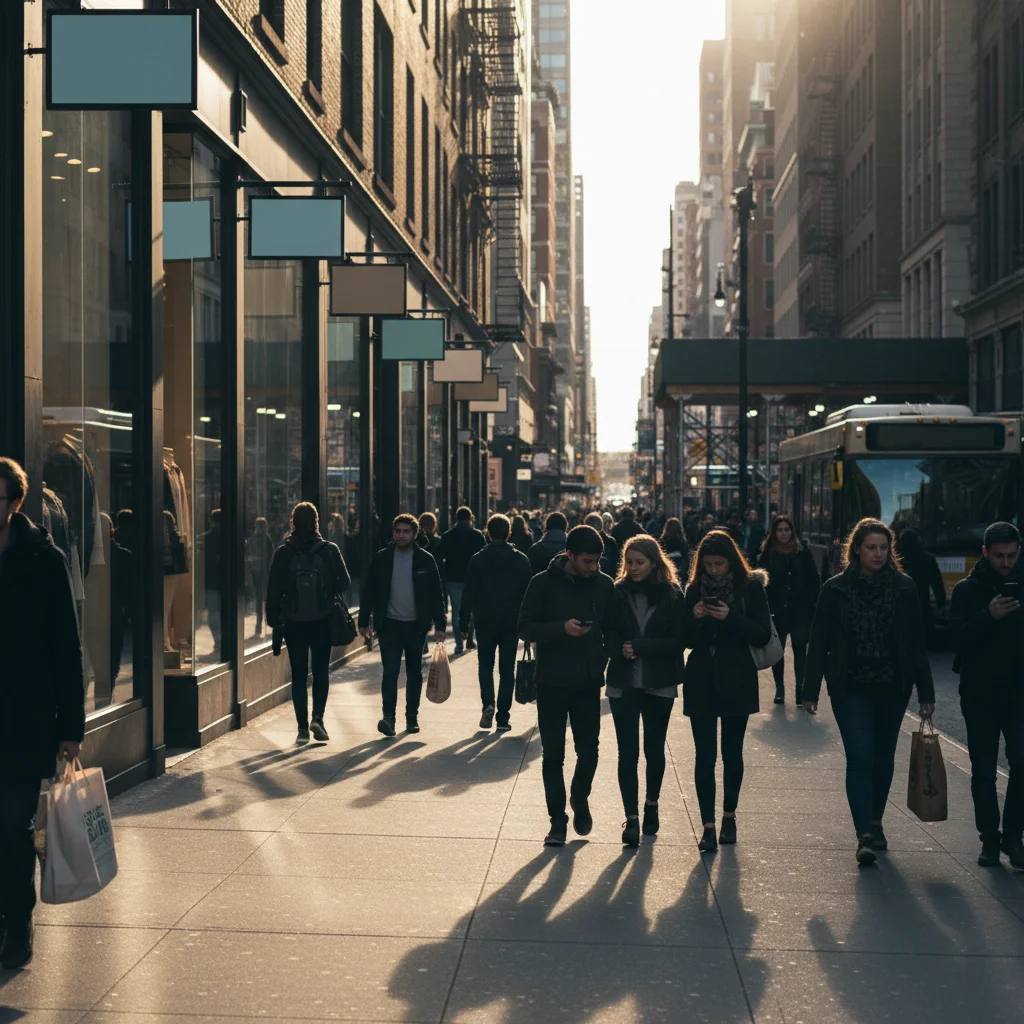
Street scene before 35mm film filter
Before
->
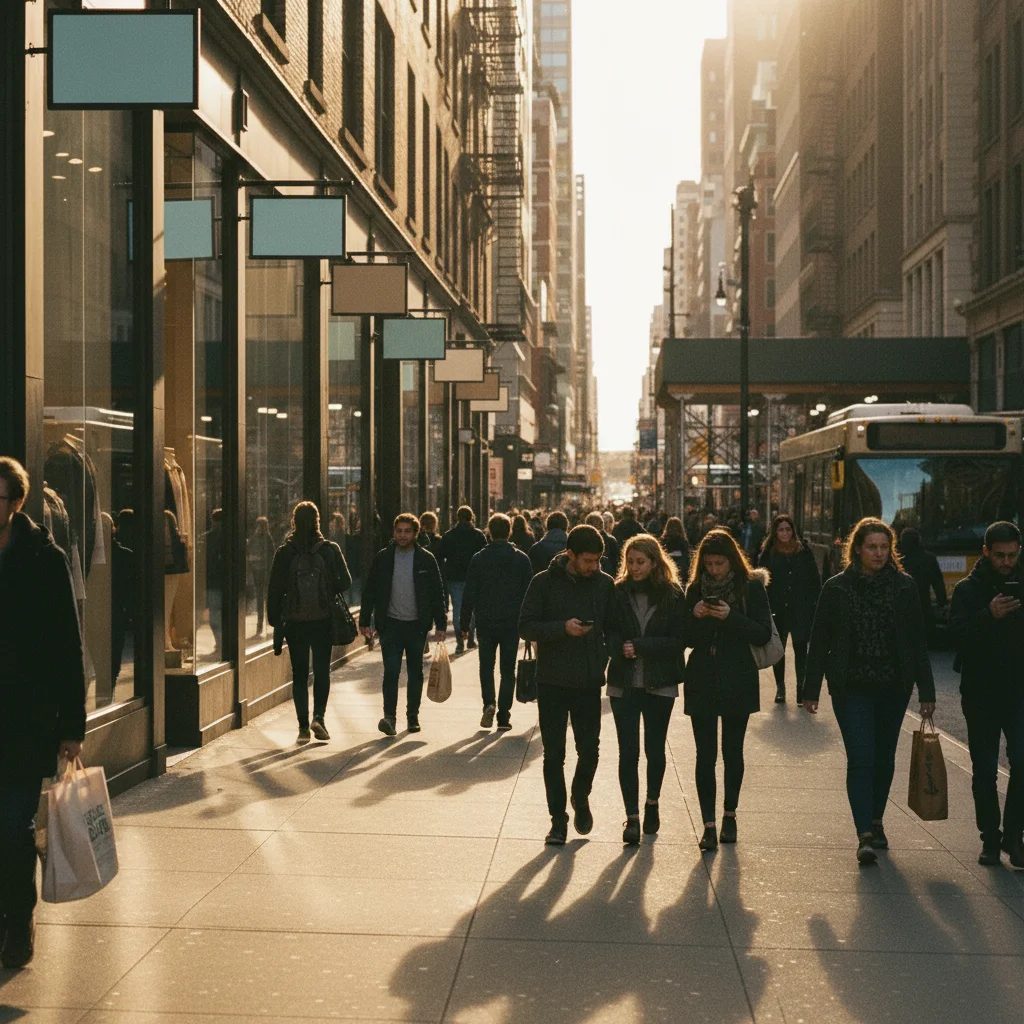
Street scene with classic 35mm film aesthetic
After

Street Scene with Classic 35mm

Applied classic 35mm film aesthetic to urban street photography with warm tones and visible grain.

Prompt: apply 35mm film look with warm tones, visible grain, and slightly reduced contrast
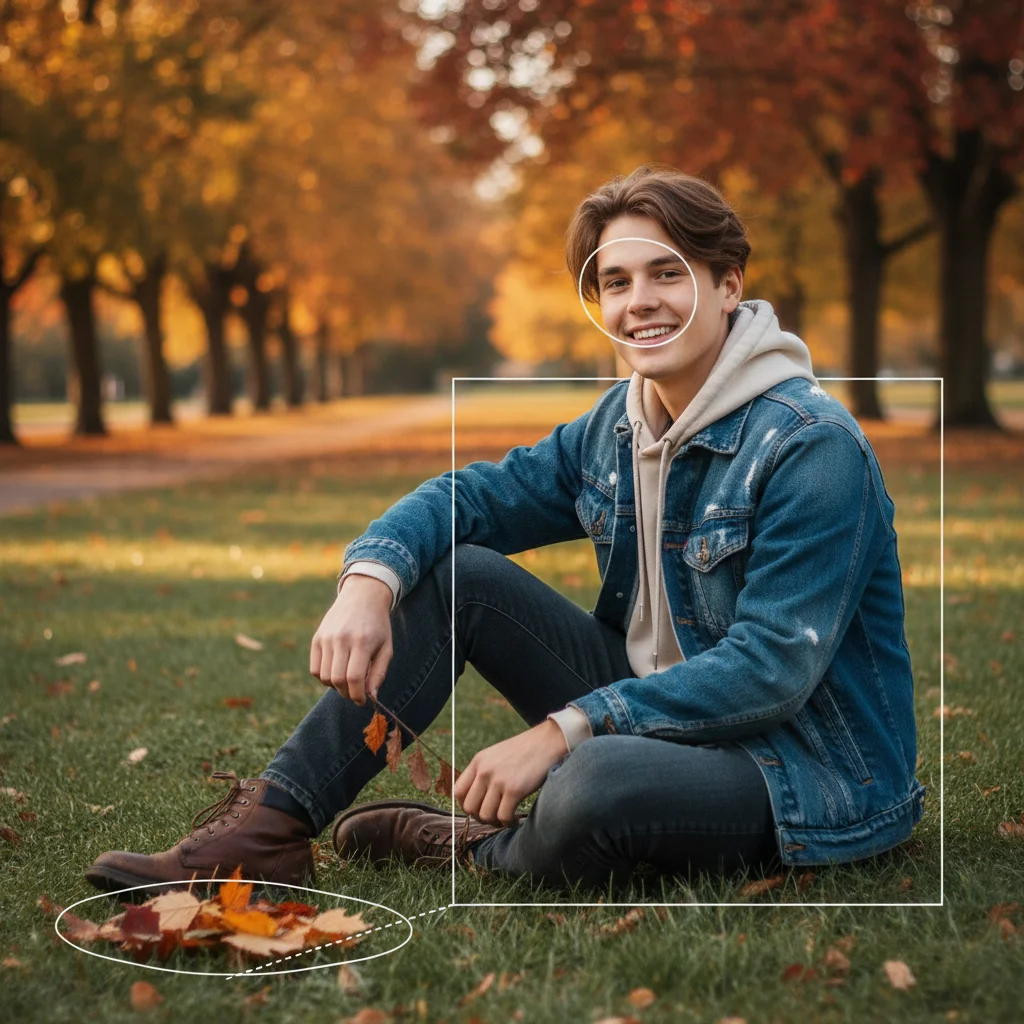
Portrait before vintage 35mm filter
Before
->
Portrait with vintage 35mm film aesthetic
After

Portrait with Vintage 35mm

Transformed portrait with vintage 35mm look featuring faded colors and warm nostalgic tones.

Prompt: add vintage 35mm film aesthetic with faded colors, warm tones, and moderate grain

Detailed Guides by Scenario

📷

Design Visualization

Preview 35mm film look changes on your actual photo before committing — make confident design decisions backed by visuals.

Common Scenarios

  • Simulating 35mm film look on a room, outfit, or space to evaluate the look
  • Creating client-ready mockups that visualize 35mm film look in their specific context
  • Comparing multiple 35mm film look options side by side using the same source photo

Best Practices

  • Upload a clear, well-lit photo from the angle you'd naturally view the subject
  • Be specific about the 35mm film look — color, material, size, and placement all matter
  • Generate 2-3 variations to have meaningful options to compare
📷

Professional Proposals

Win client approval with realistic 35mm film look previews that show exactly what the finished result will look like.

Common Scenarios

  • Building a presentation deck with 35mm film look visualizations for a client pitch
  • Showing stakeholders 35mm film look options before ordering materials or starting work
  • Creating before-and-after comparisons of 35mm film look for a project proposal

Best Practices

  • Use the client's own photos for the most persuasive previews
  • Label each option clearly (Option A, B, C) for easy discussion
  • Note that 35mm film look previews are approximations — set expectations about final results
📷

Personal Decision-Making

Try before you buy — preview 35mm film look on your own photos to make smarter purchasing and lifestyle decisions.

Common Scenarios

  • Previewing 35mm film look before making an expensive purchase
  • Testing how 35mm film look looks in your actual space or on your actual person
  • Sharing 35mm film look previews with family or friends to get opinions before deciding

Best Practices

  • Upload a photo of the actual space/item/person — generic stock images won't help you decide
  • Try the most different options first (bold vs. subtle) to narrow down your 35mm film look preference
  • Save each preview so you can flip between them when comparing

If something looks off

AI changed the wrong area or colors look unnatural

Why: Film filters apply globally to the entire image. Color shifts depend on the original photo's lighting and color balance.

Try: Film filters work on whole images. If results look off, adjust by specifying: 'with subtle warmth' or 'with stronger grain' to refine the aesthetic.

Tip: Markers don't help with film filters. Instead, specify characteristics: grain intensity, warmth level, contrast reduction.

Film grain is too strong or distracting

Why: Heavy grain was applied but your photo may be too high resolution or the subject needs cleaner treatment.

Try: Request finer grain: 'apply 35mm film look with subtle fine grain' or 'with minimal grain and slight warmth' for cleaner results.

Tip: Grain visibility depends on image size and subject. Use 'subtle grain' for portraits, 'visible grain' for street photography.

Colors aren't warm enough or too warm

Why: The warmth level didn't match your preference or the original photo's white balance affected the result.

Try: Adjust warmth explicitly: 'apply 35mm film look with strong warm golden tones' or 'with subtle neutral warmth.'

Tip: 35mm film can range from neutral to very warm. Specify warmth intensity to control the nostalgic feel.

Result looks like a basic filter, not authentic film

Why: Only color shifts were applied without complete film characteristics like grain structure, tonal curves, and subtle color separations.

Try: Request complete film emulation: 'apply authentic 35mm film look with all film characteristics including grain, warmth, and tonal curves.'

Tip: Mention 'authentic' or 'all film characteristics' for full emulation beyond simple color grading.

Quick answers

Do I need to mark areas before applying 35mm film filter?

No! Just describe the filter you want: 'apply 35mm film look with warm tones and grain.' Film filters are global color grades that apply to the entire image. Markers don't help—instead, specify grain intensity, warmth level, and other film characteristics.

What makes 35mm film look different from digital photos?

35mm film has visible grain structure, slightly warmer tones, softer contrast, and subtle color shifts compared to digital's clinical perfection. Film has organic character with natural imperfections. Digital is sharp and clean. The 35mm film aesthetic adds warmth, grain texture, and that nostalgic analog soul to modern digital photos.

Can I control how much grain is visible?

Yes. Specify grain intensity in your prompt: 'subtle fine grain' for minimal texture, 'moderate grain' for balanced film look, or 'strong visible grain as if shot at high ISO' for prominent artistic texture. Grain amount dramatically affects the final aesthetic—fine grain looks cleaner, heavy grain emphasizes the analog medium.

Is there a free 35mm film filter without downloading software?

Yes. EditThisPic is a free browser-based 35mm film filter with no signup or software installation required. Just upload your photo, describe the 35mm film aesthetic you want, and download the result. Unlike photo editing apps that require downloads, our AI applies authentic film look automatically in your browser. First filter application is free with no account needed.

Is EditThisPic's AI 35mm film look applyer really free?

Yes — you get 1 free edit per week, no account needed. For unlimited edits, plans start at $3.99/month.

Can I apply 35mm film look on my phone?

Yes. EditThisPic works in any mobile browser — iPhone, Android, tablet. No app download needed.

What photo formats does the AI 35mm film look applyer support?

JPG, PNG, WebP, and HEIC. Upload any common photo format and EditThisPic handles the rest.

How long does it take to apply 35mm film look?

Usually 15-30 seconds. Upload your photo, describe what you want, and the AI delivers the result.

Ready to add 35mm film look to your photos?

Free to try. No signup required.