Free • No signup Apply Fujifilm look · Free

AI Fujifilm Filter

Add authentic Fujifilm color science to any photo instantly.

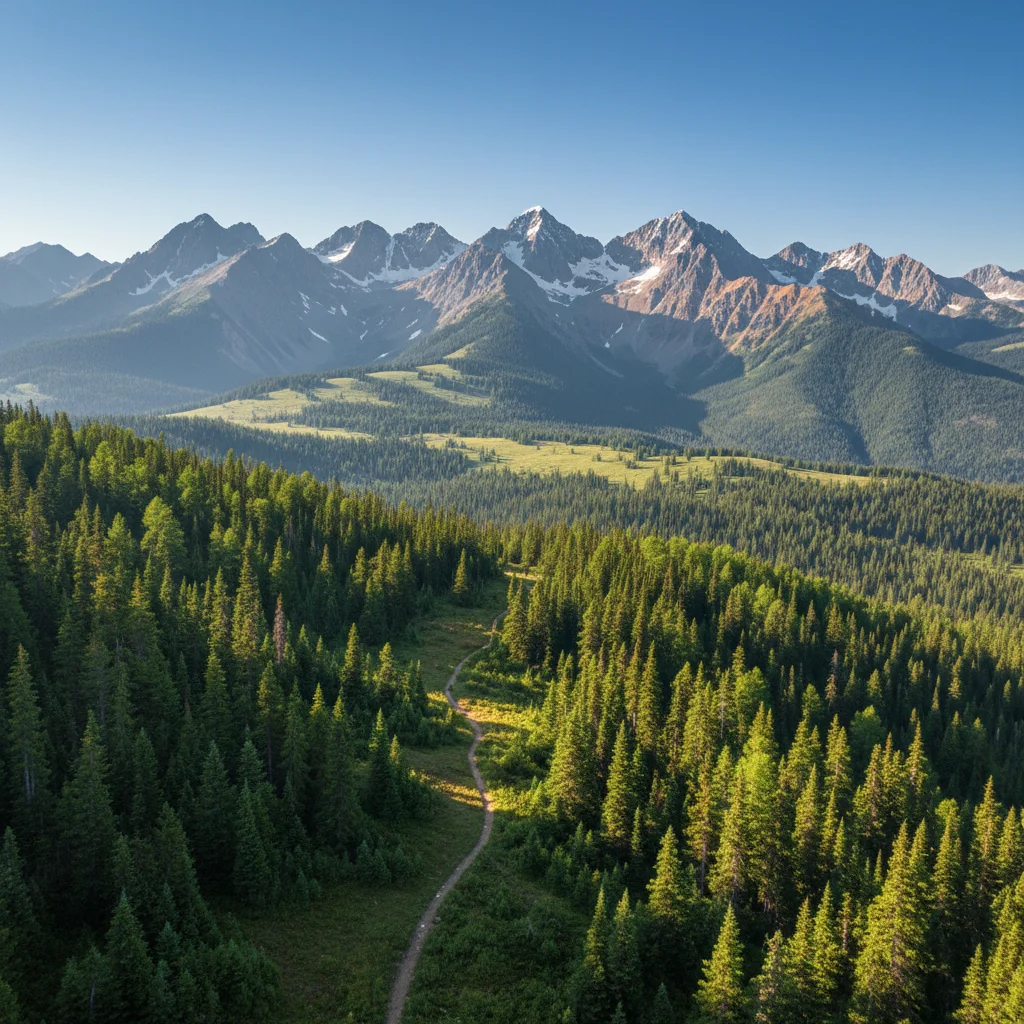
Mountain landscape before Fujifilm Velvia filter
Before
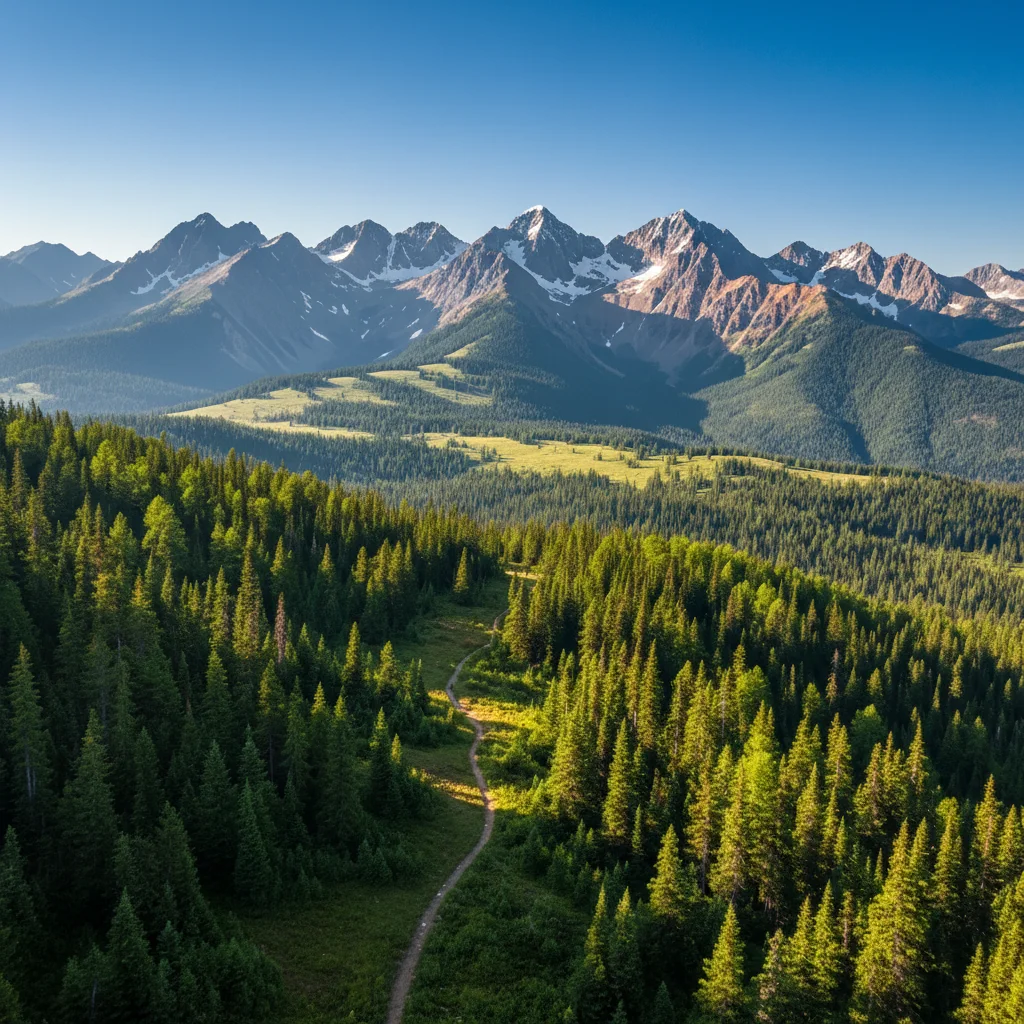
Landscape with ultra-saturated Fujifilm Velvia colors
After

AI Fujifilm Filter

Drop your photo here

or click to browse

Release to upload

Free • No signup

Advertisement
Popular use cases:
  • landscape photography
  • portrait photography
  • wedding photos
  • nature photography
  • vibrant colors
  • film aesthetic
  • analog look
  • professional photography

Cost
Free No signup required
Time
Instant results in 15-30 seconds
Works on
Any device - browser, phone, tablet, desktop
Powered by
AI-powered photo editing
Scenario Prompt Time
Fujifilm Velvia landscapes apply Fujifilm Velvia 50 film look with ultra-saturated vibrant colors, rich greens and blues, and punchy contrast 15s
Fujifilm Pro 400H portraits add Fujifilm Pro 400H film aesthetic with soft pastel colors, beautiful skin tones, and subtle grain 15s
Fujifilm Provia balanced apply Fujifilm Provia 100F film look with accurate colors, neutral tones, and fine grain 15s
Fujifilm Superia everyday add Fujifilm Superia 400 film aesthetic with warm slightly saturated colors and moderate grain 15s

How it works

  1. Upload your photo

    Drop your digital image into EditThisPic. JPG, PNG, WebP up to 7MB. Modern digital photos work great—the AI adds authentic Fujifilm film characteristics to any digital image.

    Expect: Simple film filter applications: 15-20 seconds. All Fujifilm filters complete in under 30 seconds.
  2. Describe the Fujifilm style you want

    Type your instruction: 'apply Fujifilm Velvia look with saturated vibrant colors' or 'add Fujifilm Pro 400H aesthetic with muted pastel tones.' Be specific about which Fujifilm film stock (Velvia, Provia, Pro 400H, Superia) and characteristics (saturation, skin tones, grain). No marking needed—the AI applies the film look to the entire image.

    Tip: Different Fujifilm stocks have distinct looks: Velvia is ultra-saturated for landscapes, Pro 400H is soft pastels for portraits, Provia is accurate and balanced.

    Copy one of these to get started:

    Fujifilm Velvia for landscapes apply Fujifilm Velvia 50 film look with ultra-saturated vibrant colors, rich greens and blues, and punchy contrast
    Fujifilm Pro 400H for portraits add Fujifilm Pro 400H film aesthetic with soft pastel colors, beautiful skin tones, and subtle grain
    Fujifilm Provia balanced look apply Fujifilm Provia 100F film look with accurate colors, neutral tones, and fine grain
    Fujifilm Superia everyday look add Fujifilm Superia 400 film aesthetic with warm slightly saturated colors and moderate grain
    2 more prompts
    Vintage Fujifilm aesthetic apply vintage Fujifilm film look with slightly faded saturated colors and visible grain
    Fujifilm with strong grain add Fujifilm film look with vibrant colors and prominent visible grain for artistic texture
  3. Review the film aesthetic

    Check the color grading, saturation, and overall Fujifilm character at full size. Verify the color science, contrast, and grain match your desired Fujifilm aesthetic. The AI applies authentic film characteristics including color shifts and tonal curves.

Try it free

AI Fujifilm Filter

Drop your photo here

or click to browse

Release to upload

Free • No signup

"That Fujifilm Velvia look is perfect. My landscape photos have that punchy color I've been missing." @landscapepro

See it in action

Mountain landscape before Fujifilm Velvia filter
Before
->
Landscape with ultra-saturated Fujifilm Velvia colors
After

Landscape with Fujifilm Velvia

Applied Fujifilm Velvia look to a mountain landscape, adding ultra-saturated greens and blues with punchy contrast.

Prompt: apply Fujifilm Velvia 50 film look with ultra-saturated vibrant colors, rich greens and blues, and punchy contrast
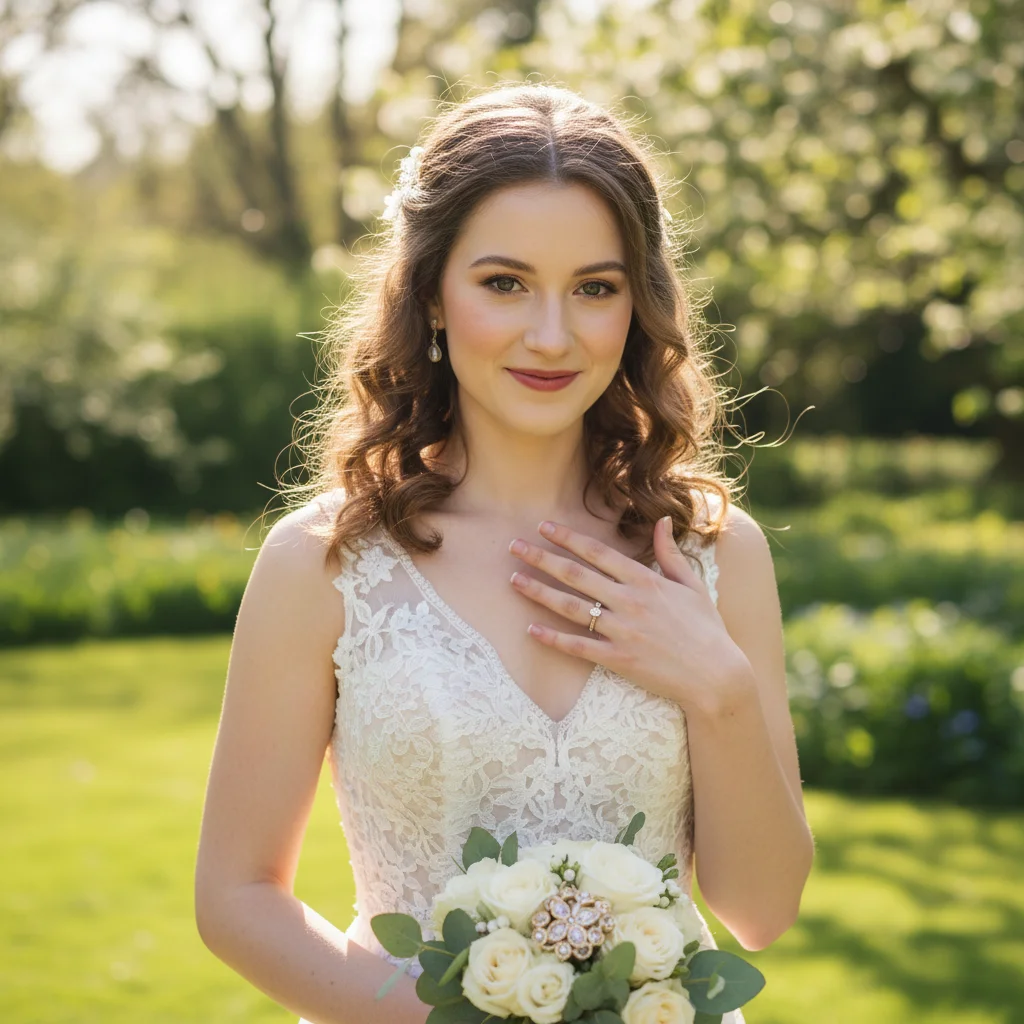
Portrait before Fujifilm Pro 400H filter
Before
->
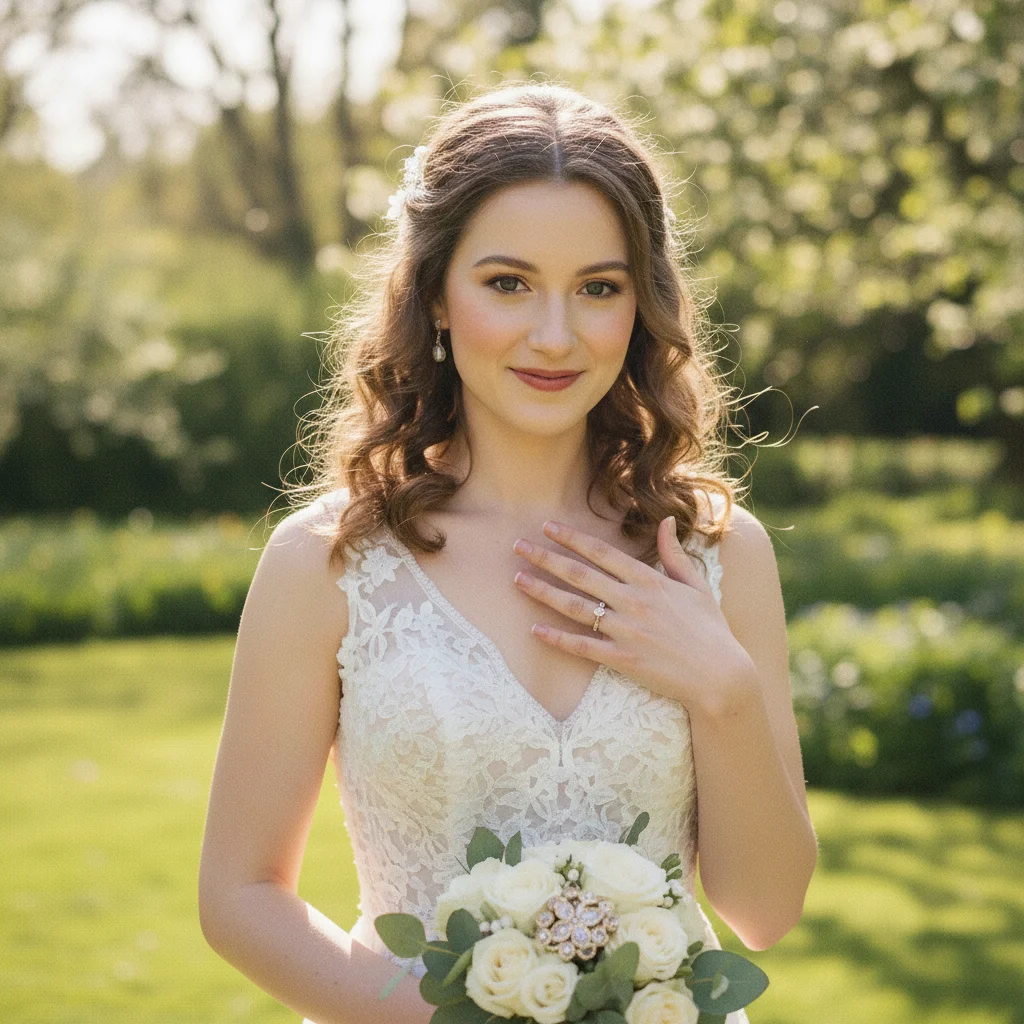
Portrait with soft pastel Fujifilm Pro 400H aesthetic
After

Portrait with Fujifilm Pro 400H

Transformed portrait with Fujifilm Pro 400H's soft pastel tones and beautiful skin rendering.

Prompt: add Fujifilm Pro 400H film aesthetic with soft pastel colors, beautiful skin tones, and subtle grain
Advertisement

If something looks off

AI changed the wrong area or colors look unnatural

Why: Film filters apply to the entire image. If specific areas look wrong, it's usually because the original photo's lighting or colors don't match typical Fujifilm film scenarios.

Try: Film filters work globally. If colors look off, try a different Fujifilm stock: 'apply Fujifilm Pro 400H' for softer tones, 'apply Fujifilm Velvia' for bolder colors.

Tip: Markers don't help with film filters since they're global color grades. Instead, adjust by specifying film stock characteristics.

Colors are too saturated or vibrant

Why: Fujifilm Velvia is extremely saturated. If it's too much, you may have used Velvia on a subject that needs softer treatment.

Try: Use softer Fujifilm stocks: 'apply Fujifilm Pro 400H with soft pastel colors' or 'Fujifilm Provia with moderate saturation.'

Tip: Velvia is for landscapes. For portraits and gentle subjects, use Pro 400H or Provia which have softer color palettes.

Skin tones look unnatural or oversaturated

Why: High-saturation Fujifilm stocks like Velvia can oversaturate skin tones, making them look unnatural.

Try: Always use Pro 400H for portraits: 'add Fujifilm Pro 400H film aesthetic with beautiful natural skin tones' specifically designed for skin rendering.

Tip: Pro 400H is the portrait film. It's specifically formulated for flattering skin tones with soft, pastel color palette.

Result looks like a basic filter, not authentic Fujifilm

Why: The AI applied only color shifts without the complete Fujifilm characteristics like color science, tonal curves, and grain structure.

Try: Request complete film emulation: 'apply authentic Fujifilm Velvia film look with all film characteristics including color science, grain, and tonal curves.'

Tip: Mention 'authentic' or 'all film characteristics' to get full emulation beyond basic color grading.

Quick answers

Do I need to mark areas before applying Fujifilm filter?

No! Just describe the filter you want: 'apply Fujifilm Velvia look' or 'add Fujifilm Pro 400H aesthetic.' Film filters are global color grades that apply to the entire image. Markers don't help—instead, specify which Fujifilm film stock and characteristics (saturation, grain) you want.

What's the difference between Fujifilm Velvia, Provia, and Pro 400H?

Fujifilm Velvia delivers ultra-saturated, punchy colors—ideal for landscapes and nature. Fujifilm Provia provides balanced, accurate color reproduction perfect for general photography. Fujifilm Pro 400H has soft pastel tones with exceptional skin rendering—beloved for portraits and weddings. Choose based on your subject: Velvia for landscapes, Pro 400H for people, Provia for balanced everyday use.

How is Fujifilm color science different from Kodak?

Fujifilm is known for more saturated, contrasty colors with emphasis on greens and blues (especially Velvia). Kodak tends toward warmer, creamier tones with emphasis on reds and skin tones (especially Portra). Fujifilm has punchier contrast, Kodak has softer gradation. Choose Fujifilm for vibrant landscapes, Kodak for warm portraits and nostalgic everyday photos.

Is there a free Fujifilm filter that doesn't need photo editing software?

Yes. EditThisPic is a free browser-based Fujifilm filter with no signup or software required. Just upload your photo, describe which Fujifilm film look you want, and download the result. Unlike Lightroom presets or film simulation apps, our AI applies authentic Fujifilm color science automatically. First filter application is free with no account needed.

Ready to add Fujifilm look to your photos?

Free to try. No signup required.

Try it free