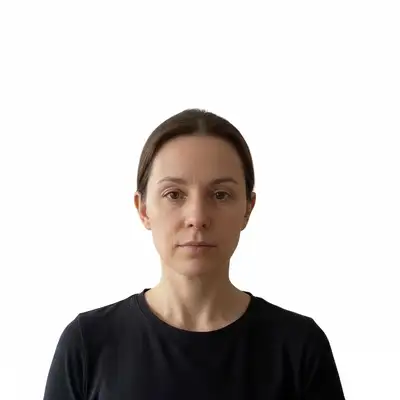
How do I make a student ID photo?
Upload a clear selfie and describe the background and framing your school currently requests. EditThisPic can prepare a student ID photo draft by cleaning the background and evening lighting. Preserve your likeness, then check the result against the school’s rules before uploading.
What background color do student ID photos need?
Your school sets the background rule. Check its current portal or ID-office instructions and use that exact requirement in your prompt; do not rely on a general color convention.
Can I wear glasses in my student ID photo?
Check your school’s current guidance. If it does not address glasses or any other appearance detail, ask the school rather than assuming a passport or another institution’s rule applies.
Is smiling allowed in student ID photos?
Follow the expression rule in your school’s current instructions. Preserve your natural likeness and take a new source photo if the school requires an expression or pose your original does not show.
What if my school requires a specific background color I can't match?
Use the exact background requirement from your school’s current instructions. If it is unclear, contact the school or ID office; do not infer a requirement from an example image.
How do I handle my school’s file requirement?
Use the format, dimensions, and file-size instructions supplied by your school. EditThisPic prepares the image draft but does not validate portal limits or guarantee upload acceptance.
Is there a difference between a student ID photo and a passport photo?
They are different workflows. Follow the current instructions from the school for a student ID photo and the responsible issuer for a passport photo; do not transfer dimensions or rules between them unless your school explicitly says to.
Can I submit a student ID photo taken on my phone?
Yes. A front-camera or rear-camera phone photo works well — modern phones produce more than enough resolution for ID card printing. For best results, stand near a window with natural light facing your face, hold the phone at eye level, and avoid harsh overhead lighting that casts shadows under the eyes. The AI can correct minor lighting issues, but better source lighting means a faster one-pass result.
Are religious head coverings allowed in student ID photos?
Yes — most US schools explicitly allow hijabs, turbans, kippot, and other religious head coverings. The face must remain fully visible from forehead to chin, and the covering should not cast shadows on the face. These accommodations follow the same standards used by the Department of State for passport photos.
My photo was taken more than a year ago — will the school accept it?
Many universities require ID photos taken within the last 6 months, particularly for annual re-enrollment or first-year submissions. If your photo is older, taking a fresh selfie and running it through the tool is faster than disputing the recency requirement — the whole process takes under two minutes.
Can I make a student ID photo on my phone without installing an app?
Yes. EditThisPic runs in any modern mobile browser — Safari on iPhone, Chrome on Android. Take the selfie, open EditThisPic in your browser, upload, type your prompt, and download the result. The finished photo saves directly to your camera roll at full resolution.
How is this different from a campus photo booth?
Campus photo booths are available at specific times and locations — usually registration week. EditThisPic works from any selfie, any time, on any device. You control the background color, framing, and retries without waiting in line. For lost ID replacements, this is typically faster than tracking down the ID office's next available appointment.
How much does EditThisPic cost?
You get 1 free edit per week — no account needed. After that, one-time credit packs start at $4.99 for 10 edits, valid 12 months, no subscription. Power users who edit daily can pick Studio Membership, a monthly workspace at $49.99/mo for 300 edits. Purchased downloads are clean with no watermark.