Free β€’ No signup Make Someone bald in a photo Β· Free

Make Someone Bald in a Photo

Upload a portrait and AI wipes every strand of hair off their head β€” realistic scalp, natural lighting, nothing left. Send it to your friend and watch them panic.

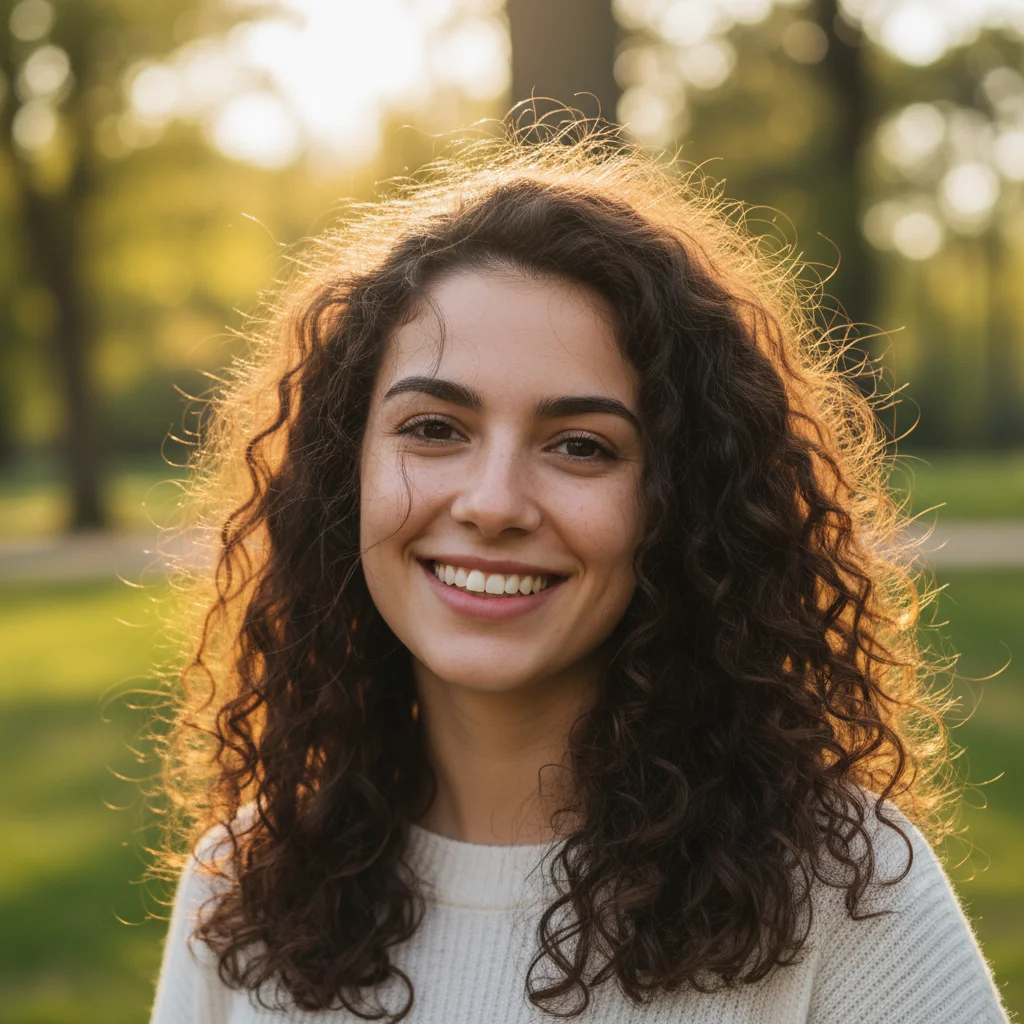
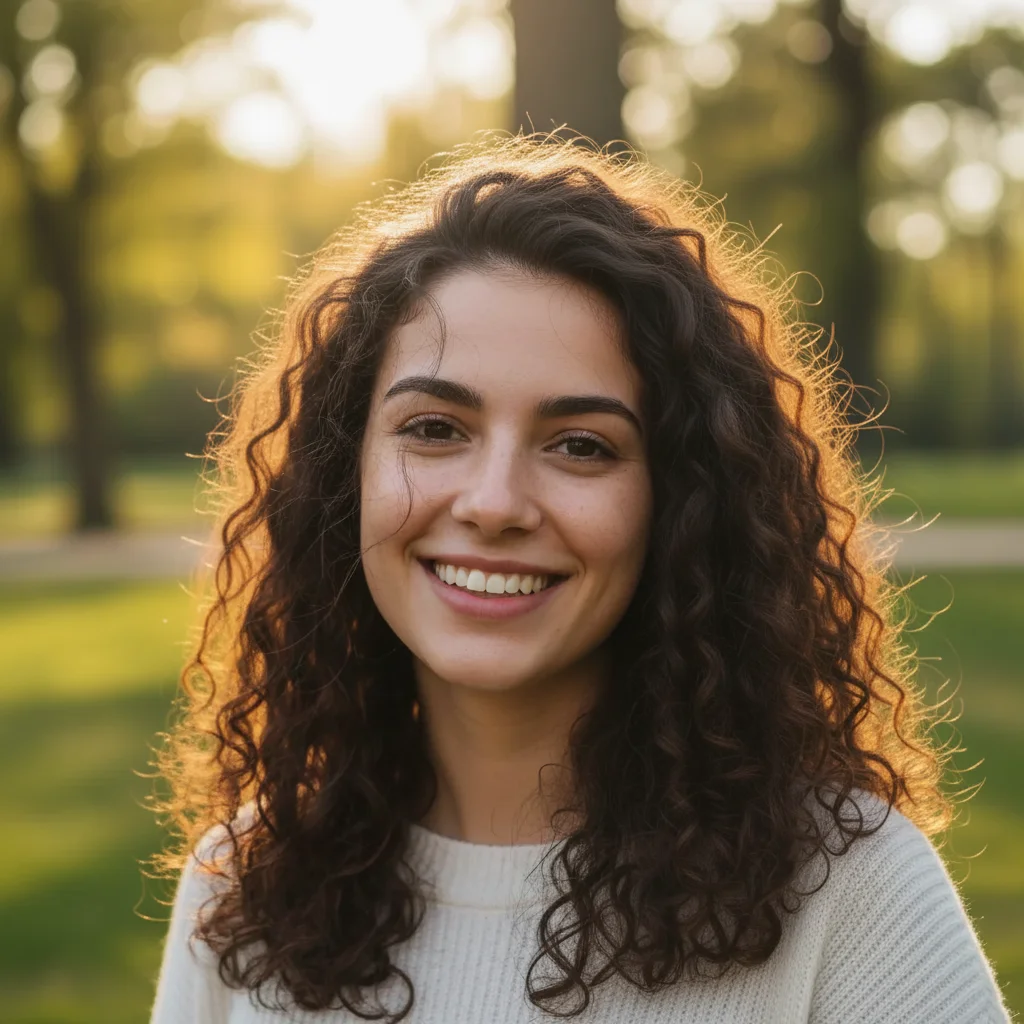
Man with thick dark curly hair smiling at the camera
Before
β†’
Same man with a smooth, naturally bald scalp β€” face unchanged
After

Make Someone Bald in a Photo

Upload photo to make someone bald in a photo

Free β€’ Results in 30 seconds β€’ No signup

Release to upload

FreeNo signupNo watermark

1 free edit·then from $1.99

Popular use cases:
  • prank photos
  • funny photo edits
  • bald filter prank
  • AI hair removal photo
  • make friend bald online
  • bald photo editor free
  • April Fools photo ideas
  • realistic bald AI edit

Cost
Free No signup required
Time
Instant results in 15-30 seconds
Works on
Any device - browser, phone, tablet, desktop
Powered by
AI-powered photo editing
Scenario Prompt Time
Clean bald look Remove all hair, smooth natural scalp matching skin tone, slight natural sheen 15s
Just shaved stubble Remove hair, leave a close buzz-shadow showing where hair used to be 15s
Bald and no eyebrows Remove all hair including eyebrows, completely bare scalp and forehead 15s
Receding hairline Pull hairline back dramatically, thin hair on top, horseshoe ring of hair on sides 15s

How it works

  1. Upload your photo

    Use a clear portrait where the person's head and hair are fully visible β€” a selfie, a profile photo screenshot, or any well-lit head-and-shoulders shot. The clearer the hair is in the photo, the cleaner the bald result.

    Expect: Upload takes a few seconds. JPEG, PNG, and HEIC all work fine.
  2. Tell the AI to remove the hair

    Type what you want β€” something like "Remove all hair from this person's head and give them a completely bald, naturally shiny scalp. Keep their face and skin tone unchanged. Make it look like a real photo of a bald person." Being specific about wanting a natural-looking scalp (not a hat or cap) is what makes the result convincing.

    Tip: Add "match the skin tone on their scalp to their face" if the bald area looks too pale or too different. Also works great on eyebrows β€” add "remove eyebrows too" if you want the full shock factor.

    Copy one of these to get started:

    Clean realistic bald look Remove all hair from this person's head completely. Replace it with a smooth, naturally bald scalp that matches their skin tone. Keep their face, eyebrows, and expression exactly the same. The scalp should have a slight natural sheen β€” not too shiny, not matte. Make it look like a real photo of a person who is actually bald.
    Bald with stubble β€” the "just shaved" look Remove all hair from this person's head and give them the look of someone who shaved their head very recently β€” a close buzz-cut shadow on the scalp, showing the outline of where their hair used to be. Keep their face completely unchanged. It should look like they took clippers to their head this morning.
    Full chrome dome β€” extra shiny Make this person completely bald with a smooth, polished scalp that catches the light slightly. Remove all hair β€” including any sideburns or neckline hair. The scalp should look clean-shaven and well-maintained, like someone who embraces being bald. Keep all facial features identical.
    Bald AND no eyebrows β€” maximum chaos Remove all hair from this person's head, including their eyebrows. Give them a completely smooth, naturally bald scalp. Keep their skin tone and facial features exactly the same. Do not add any stubble or shadow β€” just bare scalp and bare forehead. Make it look like a real photo.
    3 more prompts
    Balding β€” receding hairline look Give this person a naturally receding hairline β€” pull the hairline back significantly and thin out the hair on top so only a horseshoe ring of hair remains around the sides and back of the head. Keep their face unchanged. It should look like gradual natural hair loss, not a filter.
    Bald with a beard β€” the full pivot Remove all hair from the top of this person's head completely, giving them a smooth bald scalp. At the same time, add a full, well-groomed beard to their face β€” as if they moved all their hair commitments south. Keep the rest of their features unchanged.
    Bald grandpa β€” aged and bald Transform this person to look like an elderly version of themselves β€” bald or very thin white hair on top, with natural age lines and slightly looser skin. Keep their recognizable facial features so they're still identifiable. Make it look like a candid family photo taken 40 years from now.
  3. Send it

    Download and fire it off as a text or DM with zero context. Works especially well on a sibling, a partner, or anyone who takes pride in their hair. The more attached they are to their hair, the better the reaction.

Try it free ↓

Make Someone Bald in a Photo

Upload photo to make someone bald in a photo

Free β€’ Results in 30 seconds β€’ No signup

Release to upload

Free β€’ No signup

See it in action

Man with thick dark curly hair smiling at the camera
Before
->
Same man with a smooth, naturally bald scalp β€” face unchanged
After

The full shave β€” curly hair to chrome dome

A man with thick, curly hair got the full AI treatment β€” every curl removed and replaced with a smooth, light-catching scalp. His face, skin tone, and expression stayed completely intact.

Prompt: Remove all hair from this person's head completely. Give them a smooth, naturally bald scalp that matches their skin tone. Slight natural sheen. Keep their face and expression unchanged. Make it look like a real photo.
Woman with long brown hair looking at the camera
Before
->
Same woman completely bald, face and expression unchanged
After

Long hair to nothing β€” the dramatic send

A woman with long hair got the bald treatment. The AI matched the scalp color precisely to her face and got the lighting right β€” no halo glow or obvious AI artifacts.

Prompt: Remove all of this person's hair β€” completely bald scalp. Match the scalp skin tone to her face color. Preserve her facial features, makeup, and expression exactly as they are. Make it look like a realistic photo, not a filter.
Man with a full head of short brown hair
Before
->
Same man with a dramatically receding hairline and thin hair on top
After

The receding hairline β€” subtle and cruel

Instead of going full bald, this version gave a man a dramatically receding hairline β€” the horseshoe ring that looks like natural hair loss over time. Subtle enough to make the recipient genuinely question whether it's real.

Prompt: Give this person a naturally receding hairline β€” pull the hairline back significantly and thin out the hair on top so only a horseshoe ring of hair remains around the sides and back of the head. Keep their face unchanged. It should look like gradual natural hair loss, not a filter.

If something looks off

The scalp color looks too pale or doesn't match the face

Why: The AI defaults to a generic scalp tone instead of reading the skin tone from the face β€” especially common on darker skin tones.

Try: Make the bald scalp match the exact skin tone of this person's face and neck. The scalp should be the same color as their forehead. No pale or grey tones.

Tip: Adding 'match the scalp skin tone to their forehead color' to any bald prompt almost always fixes this.

Hair is still partially visible at the edges or temples

Why: The AI may preserve hair near the ears or neckline, especially if the original photo has hair that falls outside the head area.

Try: Remove all remaining hair including any at the temples, sideburns, and neckline. The scalp should be completely bare from the top of the head down to the ears on all sides.

Tip: If hair is still showing, use the edit marker tool to circle the leftover areas and re-prompt with 'remove all hair in the marked area.'

The scalp looks plastic, shiny, or CGI

Why: Without specific lighting instructions, the AI tends to generate an overly smooth scalp with unrealistic specularity.

Try: The bald scalp should have a natural matte finish with slight skin texture β€” pores and slight unevenness. Not shiny or plastic. It should look like real skin, not CGI.

Tip: The word 'matte' or 'natural skin texture' reliably fixes the plastic-scalp problem.

The face looks altered or distorted

Why: When the AI makes major changes to the top of the frame, it sometimes bleeds into the face β€” especially with low-resolution photos.

Try: Do not change or alter any facial features β€” eyes, nose, mouth, skin, expression, and bone structure must stay exactly as they are. Only remove the hair and regenerate the scalp area above the forehead.

Tip: Use a higher-resolution photo if possible. Blurry inputs make it harder for the AI to lock in the face before editing the hair.

The result still has hat-like artifacts instead of a natural head shape

Why: The AI sometimes interprets 'bald' as a smooth cap or skullcap rather than a natural scalp.

Try: This should look like a real bald human head β€” not a hat, not a cap, not a helmet. The scalp should show natural head contours, slight skin texture, and match the person's skin tone. No artificial edges.

Tip: Explicitly saying 'not a hat or cap β€” a real bald human scalp' in the prompt prevents this almost every time.

Quick answers

Do I need to mark the hair area before describing what I want?

No β€” just describe what you want and the AI figures out the rest. EditThisPic reads your prompt and automatically identifies and removes the hair. You only need to use markers if some hair is still showing after the first attempt β€” then you can circle the remaining area and re-prompt to clean it up.

Is this free?

Yes. EditThisPic gives you 1 free edit per week with no account needed β€” no credit card, no signup, nothing to download. If you want to run a few variations to get the perfect bald result, grab a small credit pack starting at $1.99 for 3 edits.

Will this look realistic enough to actually fool someone?

For a text message or social media post, yes β€” convincing enough to get a genuine panicked reaction. The AI matches skin tone and lighting so the scalp looks natural rather than filtered. At phone screen size it's hard to tell. Up close with full scrutiny, a sharp eye might spot AI artifacts, but by then the prank has already landed.

What kind of photo works best?

A clear, well-lit portrait where the full head and hair are visible. Selfies work great. Photos where the hair is partially cut off at the top of the frame or where the person is wearing a hat don't give the AI enough to work with. The cleaner the original photo, the more convincing the bald result.

Can I use this on someone else's photo?

Yes β€” upload any portrait, including photos you've pulled from someone's Instagram or a screenshot from a group chat. Works great for pranking a partner, sibling, or friend who is particularly attached to their hair. Just make sure whoever you're pranking will actually find it funny.

How is this different from BaldBooth or other bald filter apps?

BaldBooth and similar apps apply a fixed filter β€” they paste a generic bald head shape onto your photo and it always looks like a costume, not a real head. EditThisPic uses generative AI to remove the actual hair and regenerate a scalp that matches the person's skin tone, lighting, and head shape. The result looks like a real photo, not a novelty filter.

Does EditThisPic store my photo?

Your photo is processed to generate the edit and is not stored permanently or used to train AI models. If you don't create an account, nothing is saved after your session ends.

Can I also remove the eyebrows for extra effect?

Yes β€” just add it to the prompt. Something like "Remove all hair from the head and remove the eyebrows too. Completely bare scalp and bare forehead." Removing the eyebrows alongside the hair dramatically increases the shock factor β€” people often notice the missing eyebrows before the bald head.

How much does EditThisPic cost?

You get 1 free edit per week β€” no account needed. After that, credit packs start at $1.99 for 3 edits. Monthly plans start at $4.99/mo for 15 edits with unused credits rolling over. All edits are full resolution with no watermark.

Ready to make someone bald?

Free to try. No signup required.

1 free edit included·Credit packs from $1.99