Free • No signup Open Editor

Remove Cars from Photo

Clean up street scenes by removing parked cars and unwanted vehicles.

Type 'remove the parked cars and show the clean street' or 'remove the car on the left side of the driveway' and EditThisPic's AI removes vehicles in 20-40 seconds. Perfect for real estate photos, architecture shots, and travel photography. AI fills the space with matching pavement or background. Free to try, no account needed.

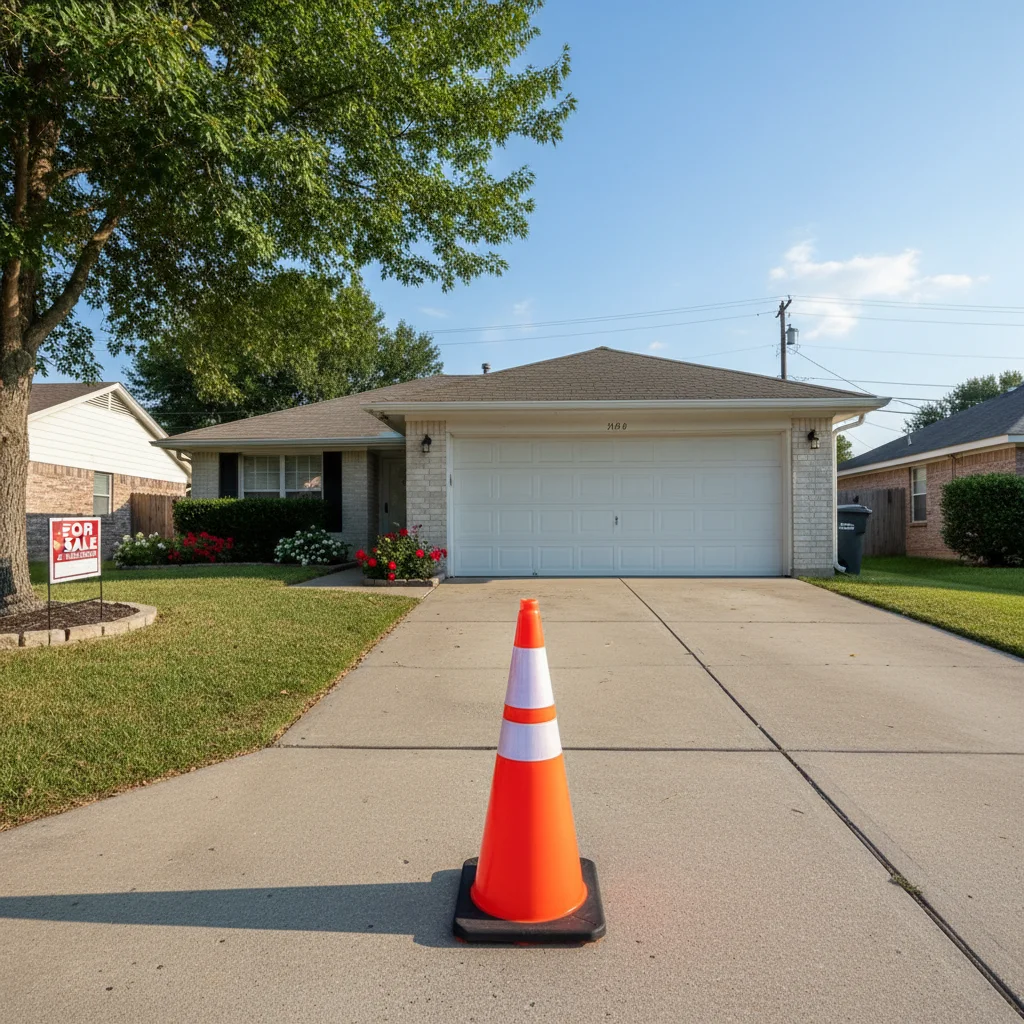
House with blue car in driveway
Before
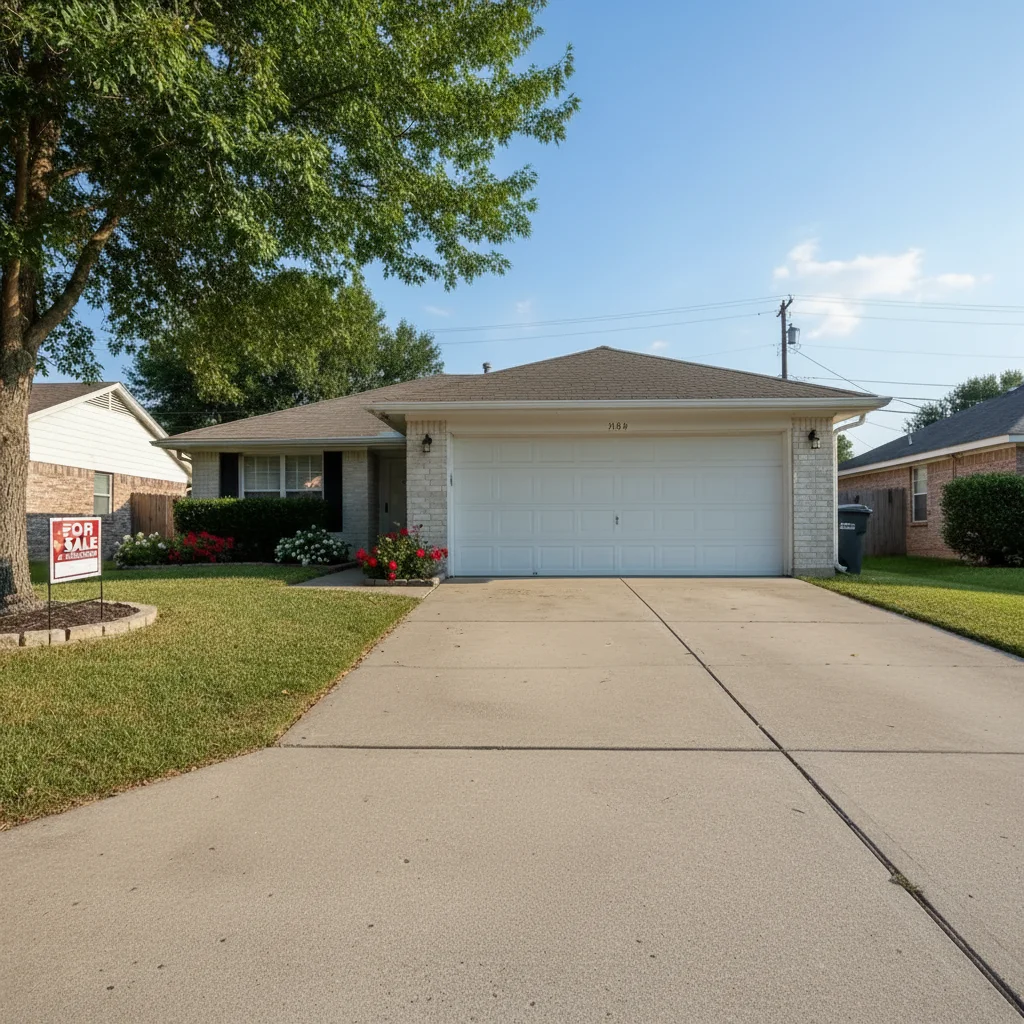
House with clean empty driveway
After

How it works

1

Upload your photo

Drop your image into EditThisPic. JPG, PNG, WebP up to 7MB. Works on street scenes, driveways, parking lots, and architectural photos where vehicles obstruct the view.

⏱ Single car: 20-30 seconds. Multiple vehicles or complex backgrounds: may need 2-3 refinements.
2

Describe which cars to remove

Type your instruction: 'remove the parked cars and show the clean street' or 'remove the red car in the driveway.' Specify location or color for targeted removal. No marking needed for obvious vehicles.

💡 Describe what should replace the car: 'remove car and fill with matching driveway pavement'

Copy one of these to get started:

Real estate driveway remove the parked car from the driveway and show clean concrete pavement
Street scene cleanup remove all parked cars from the street and show the empty road
Specific car by color remove the red car on the left side of the frame, fill with matching street
Architecture photo remove the vehicles blocking the building view and show the full facade
3 more prompts
Beach or scenic view remove the cars from the parking area and show natural landscape
Multiple specific cars remove only the cars in the driveway but keep the car on the street
Large vehicle or truck remove the large truck and reconstruct the background behind it naturally
3

Review the result

Check that the car is gone and the replacement area looks natural. Verify the pavement, road markings, or landscaping flows seamlessly where the vehicle was.

4

Refine if needed

If car shadows remain or the fill doesn't match, tap markers on those specific areas and request refinement. Sometimes large vehicles need a second pass for clean edges.

💡 Use markers when multiple cars are present but you only want to remove specific ones.
Try it free
"My real estate listings look so much better without random cars in the driveway. Clients love the clean curb appeal shots!" @realtor_jennifer

See it in action

House with blue car in driveway
Before
House with clean empty driveway
After

Real estate listing cleaned up

Neighbor's car in the driveway ruined the curb appeal shot. AI removed it and filled with matching concrete.

Prompt: remove the parked car from the driveway and show clean concrete pavement
Historic building with cars blocking view
Before
Historic building with clear street view
After

Historic building view cleared

Street parking blocked the full view of a beautiful old building. Removed the cars to show the architecture.

Prompt: remove the vehicles blocking the building view and show the full facade
Scenic view with cars in parking area
Before
Scenic view with natural landscape extended
After

Travel photo enhanced

Perfect scenic shot ruined by rental cars in the background. AI removed them and extended the natural landscape.

Prompt: remove the cars from the parking area and show natural landscape

If something looks off

Car shadow still visible after removal

Why: The AI removed the vehicle but didn't eliminate its shadow on the pavement.

Try: remove the remaining car shadow and match the pavement color

💡 Mention 'remove shadow too' in your initial prompt for cleaner results.

Fill doesn't match surrounding pavement

Why: The AI-generated fill is a slightly different color or texture than the existing surface.

Try: blend the filled area to match the surrounding concrete color and texture

💡 Specifying the surface type helps: 'fill with matching asphalt' or 'continue the brick pattern'.

AI removed the wrong car

Why: Multiple cars were present and the AI couldn't determine which one you meant from description alone.

Try: Tap a marker on the specific car you want removed, then regenerate

💡 Markers are essential when multiple similar vehicles are present. Tap only the ones to remove.

Partial car or wheels still showing

Why: Large vehicles or complex angles can leave remnants, especially around wheels and reflections.

Try: Tap markers on remaining vehicle parts and remove them completely

💡 A second refinement pass focused on edges usually completes the removal.

Road lines or markings look wrong

Why: The AI had to reconstruct road markings that were hidden by the vehicle.

Try: fix the road lines to continue naturally through the removed area

💡 For parking lots with lines, mention 'continue parking lines naturally' in your prompt.

Quick answers

Do I need to mark the car before describing?

No! Just describe which car to remove: 'remove the car in the driveway' or 'remove the red car on the left.' The AI understands vehicle descriptions. Only use markers when multiple similar cars are present and you need to specify exactly which ones to remove.

Will it look natural where the car was?

Yes, the AI fills the space with matching pavement, road, or landscaping. For best results, describe what should appear: 'show clean driveway' or 'continue the grass.' Complex patterns may need a refinement pass.

Can I remove multiple cars at once?

Yes! Use 'remove all parked cars' to clear an entire scene. If you want to keep some cars, either describe which to remove specifically, or use markers to tap only the cars you want gone.

Does it work on moving traffic?

It works best on parked, stationary vehicles. Moving cars with motion blur are harder to remove cleanly. For traffic scenes, expect some refinement may be needed.

What about large trucks or RVs?

Large vehicles work but may need 2-3 refinement passes due to their size. The AI has to reconstruct more background, so be patient and use specific fill instructions.

Ready to clear those parked cars?

Free to try. No signup required.

Try it free