Pricing Remove Someone · Free

Remove Someone from a Photo

← Browse all remove tools

Last updated

Got a photo you love — except for one person in it? Upload it and tell the AI who to take out. Works for exes in couple shots, photobombers ruining travel photos, and anyone you want removed from a group. The background fills naturally. Free, no account needed.


Travel photo at a cobblestone square with a stranger walking in the background on the left Same travel photo with the stranger removed and the square and buildings behind restored

Upload photo to remove someone

"erase the person walking in the background behind us and restore the landscape behind them"

Free to try · no sign-up · photos are never shared

Release to upload

<30stypical edit
1 freeedit weekly
Photo on your phone? Scan to open this editor there — free edit works on your phone too.

1 free edit every week·packs from $4.99

How it works

  1. Upload the photo

    Upload the photo you want to fix — group shots, couple photos, travel pictures, or any casual snap. JPG, PNG, or WebP up to 7MB. The AI handles candid photos, posed shots, and everything in between.

    Expect: Clean backgrounds like walls or parks: 20-35 seconds, usually seamless. Busy scenes with lots of people or texture: 40-55 seconds, may benefit from one refinement.
  2. Describe who to remove

    Say who you want gone: 'remove the person on the right,' 'take the man in the background out,' or 'erase the person on the far left.' You can reference position, clothing color, or what they're doing — whatever uniquely identifies them in the photo.

    Tip: If it's a two-person photo and you want one removed, say 'remove the person on the [side] and fill the background' — adding 'fill the background' ensures the inpainting step runs properly.

    Copy one of these to get started:

    Remove someone from a group photo remove the person standing on the far right of the group and fill the background where they were
    Remove a photobomber from a travel photo erase the person walking in the background behind us and restore the landscape behind them
    Remove someone from a couples photo remove the person on the left side and fill the background naturally so only the person on the right remains
    Remove someone from a vacation photo take the stranger standing behind us out of the photo and reconstruct the beach and sky behind them
    3 more prompts
    Remove someone at the edge of the frame erase the person at the left edge of the photo, extend the wall to fill the gap they leave
    Remove someone from a family photo remove the person second from the left in this family photo, keep everyone else exactly as they are and fill naturally
    Remove someone sitting at a table erase the person sitting on the left side of the table, reconstruct the table surface and the background wall behind them
  3. Check the result

    The photo should look like that person was never there. Check the edges of where they stood, make sure nearby people look natural, and confirm the background fill blends with the rest of the scene.

  4. Touch up if needed (optional)

    If a small artifact remains, describe what to fix: 'clean up the area on the right where the person was, match the grass.' For exact control, use the brush to circle just the problem spot.

See it in action

Travel photo at a cobblestone square with a stranger walking in the background on the left
Before
->
Same travel photo with the stranger removed and the square and buildings behind restored
After

Travel photo with background stranger removed

A travel photo at a landmark had a stranger walking through the background. One prompt removed them and filled the cobblestone square behind.

Prompt: erase the person walking in the background on the left and restore the cobblestone square and buildings behind them
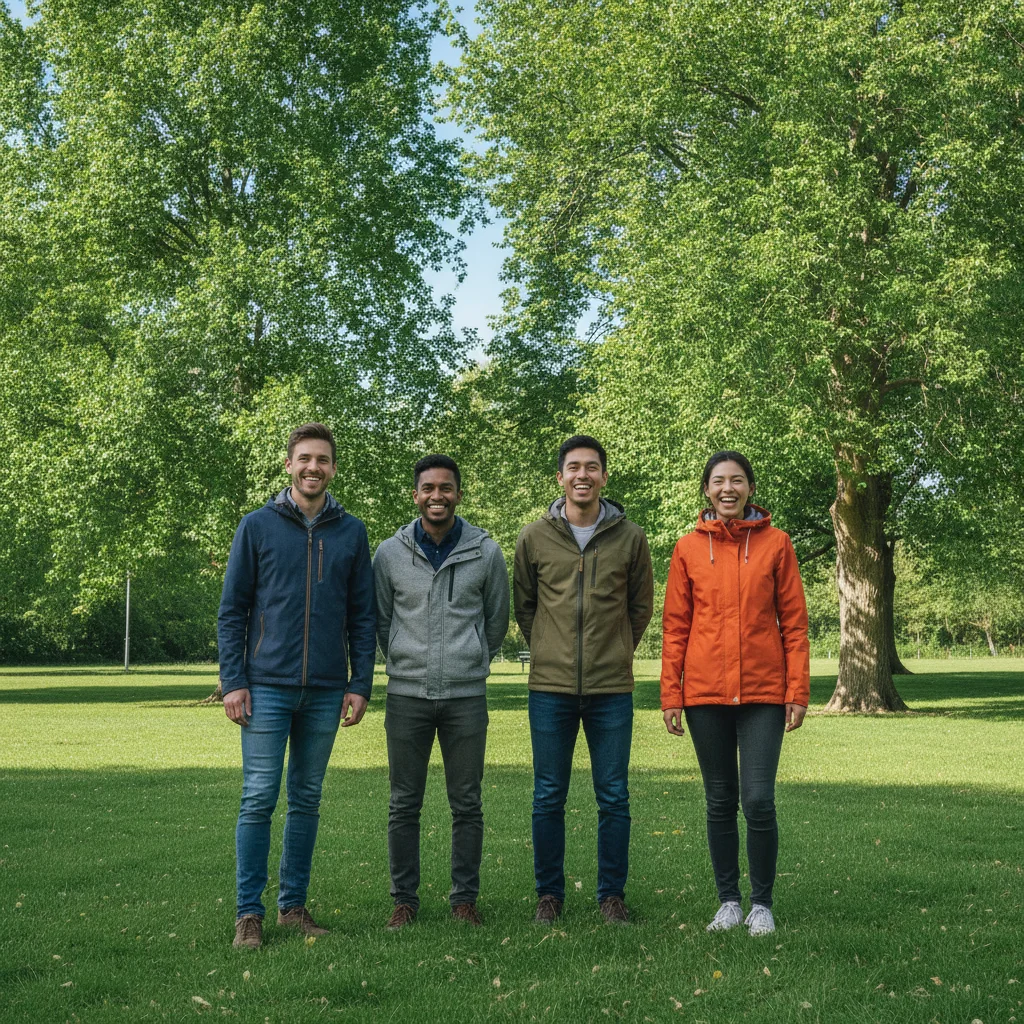
Four friends in a park with the person on the far right wearing an orange jacket
Before
->
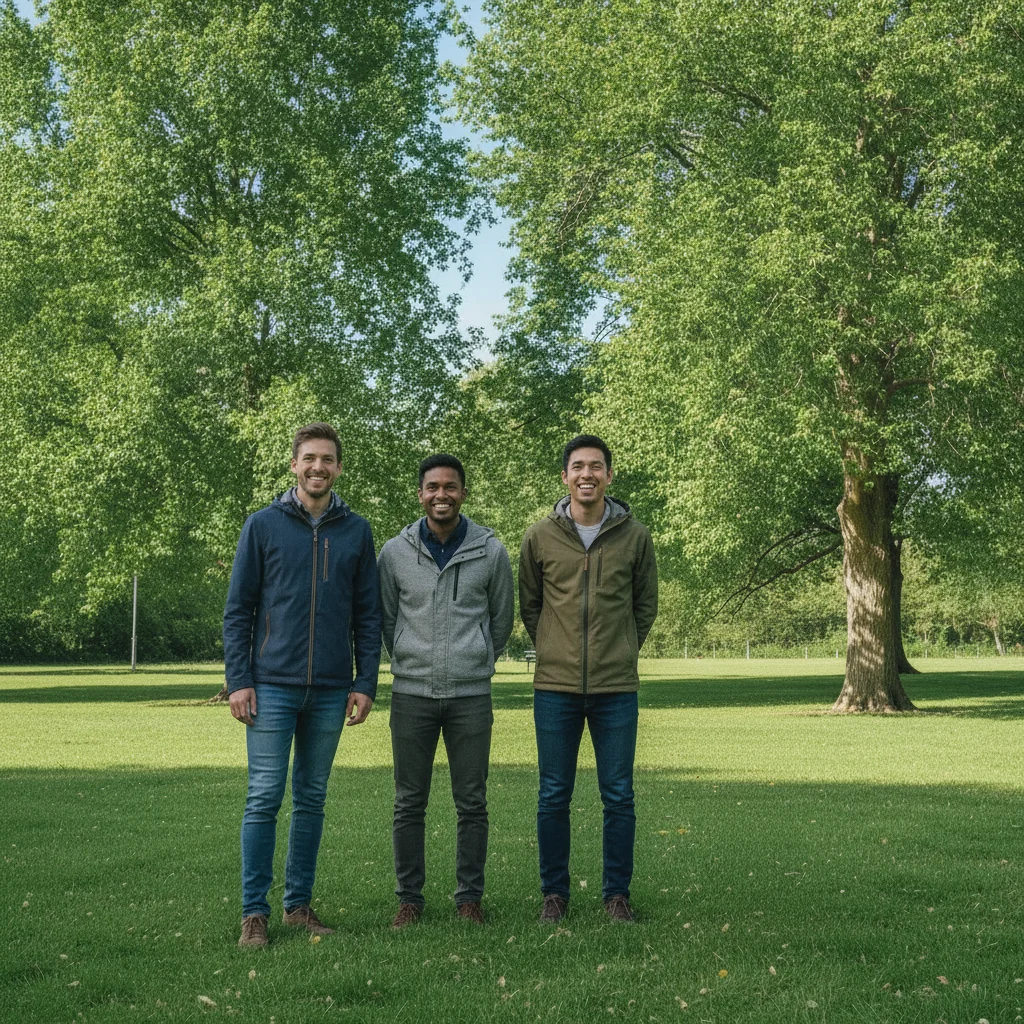
Three remaining friends with the right person removed and park filled in
After

Group photo reduced by one person

A friend group photo needed one person removed before posting. The AI cleared them from the right side and filled the park background seamlessly.

Prompt: remove the person on the far right side of the photo and fill with the park background behind them, keep everyone else unchanged

Two people standing side by side against a white wall
Before
->
One remaining person with the other removed and the white wall extended
After

Two-person photo trimmed to one

A casual portrait of two people needed to be a solo photo. The AI removed the person on the left and extended the wall background naturally.

Prompt: remove the person on the left and fill the background with the wall behind them so only the person on the right remains

Quick answers

Do I need to mark or circle the person I want to remove?

No. Just describe who to remove: 'remove the person on the right' or 'take the man in the background out.' EditThisPic reads your description and identifies the person automatically. Marking is an optional extra step if the scene is very crowded — for most photos, a clear description is enough.

How do I remove someone from a photo for free?

Upload your photo to EditThisPic and describe who to remove: 'remove the person on the left' or 'erase the person in the background.' The AI takes them out and fills the background in about 30 seconds. Free preview, no account needed — purchased downloads are clean, full quality. Works on desktop and mobile in any browser.

Can I remove an ex from a couple photo?

Yes. Upload the photo and say: 'remove the person on the left side and fill the background naturally so only the person on the right remains.' The AI removes them and extends the background behind where they stood. Works for indoor and outdoor settings alike.

Will the people staying in the photo look the same after?

Usually yes. To be safe, add 'keep everyone else exactly as they are' to your prompt. If the person being removed was very close to someone you want to keep, occasionally a re-generation pass is needed to restore that person's appearance.

Can I remove someone from a photo on my phone?

Yes. EditThisPic works in any mobile browser on iPhone and Android — no app download needed. Upload from your camera roll, type who to remove, and download the result. The full editing experience runs on mobile, including re-runs and refinements.

How much does EditThisPic cost?

You get 1 free edit per week — no account needed. After that, one-time credit packs start at $4.99 for 10 edits, valid 12 months, no subscription. Power users who edit daily can pick Studio Membership, a monthly workspace at $49.99/mo for 300 edits. Purchased downloads are clean with no watermark.

Ready to remove someone from your photo?

Free to try. No signup required.

1 free edit included·Credit packs from $4.99