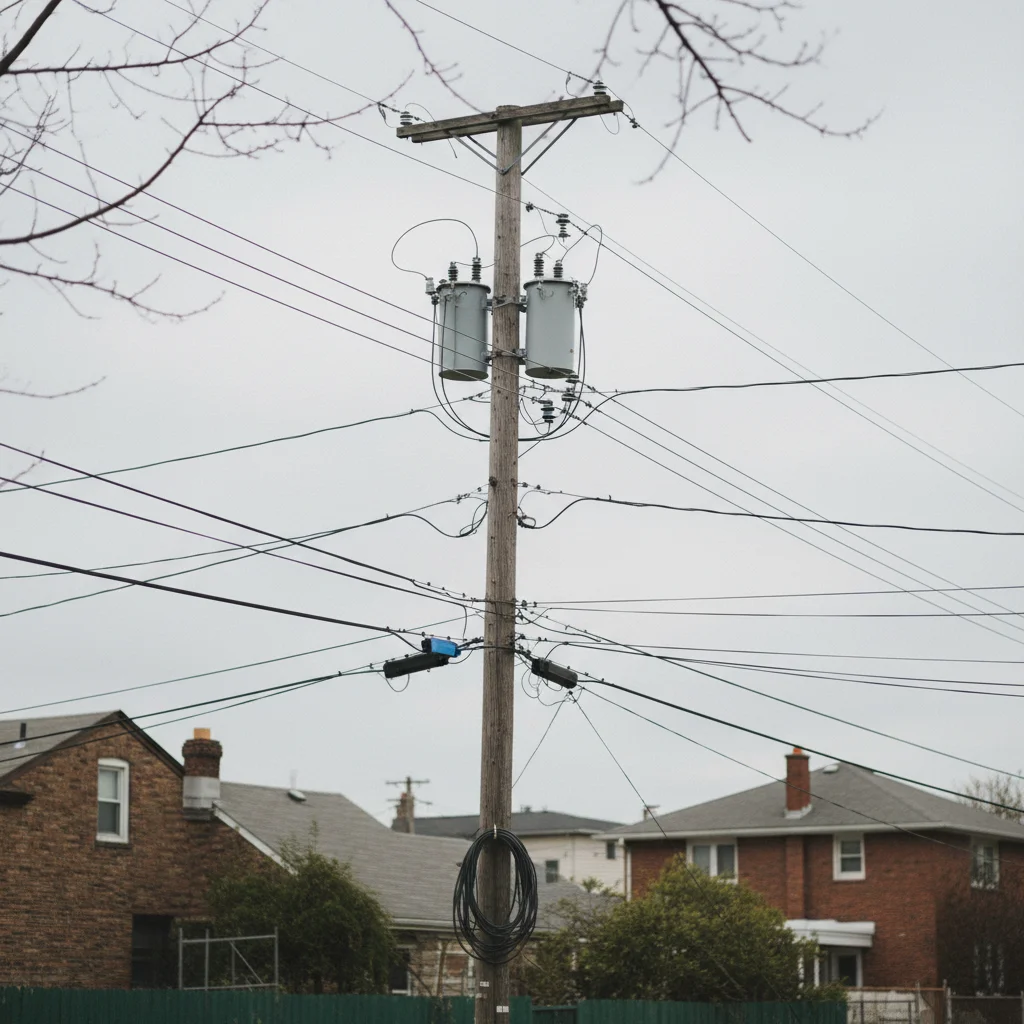
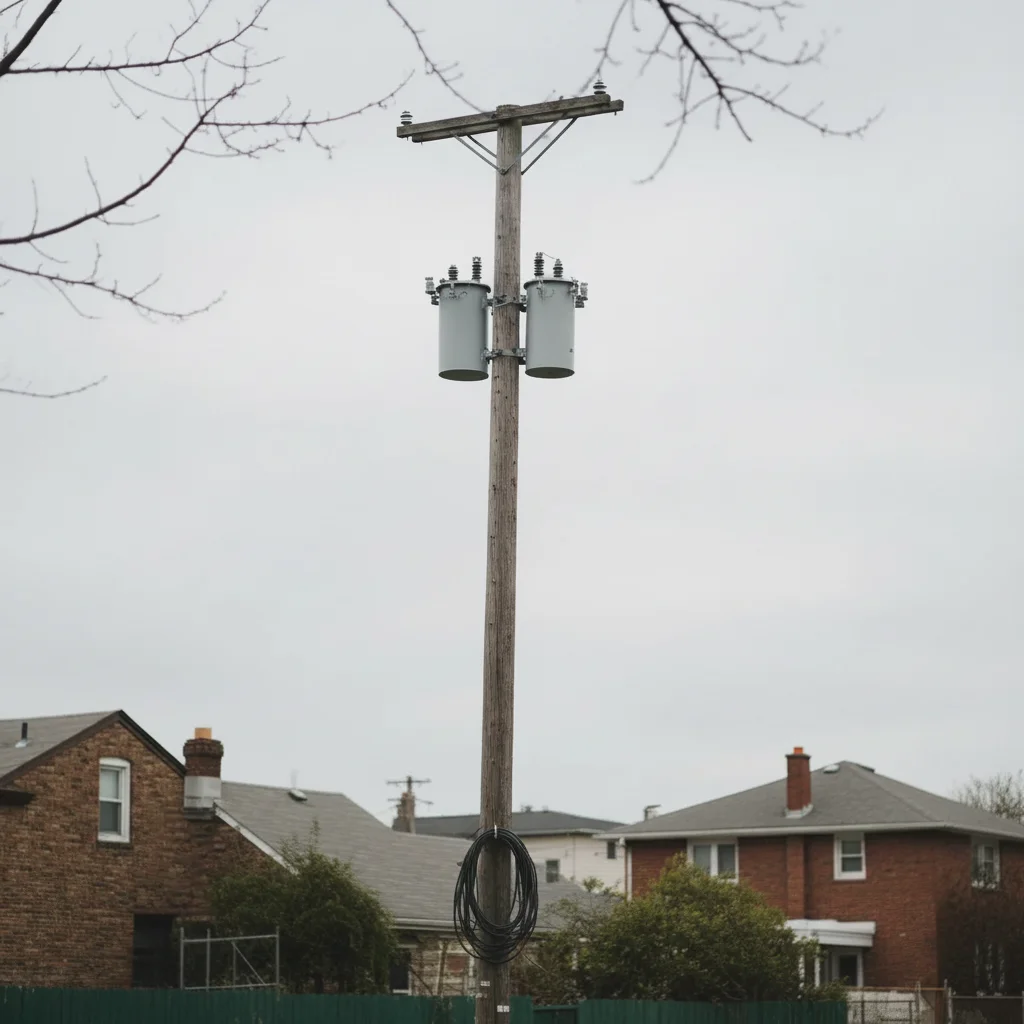
Remove Wires from Photo
Remove power lines, cables, and wires from any photo without tedious manual masking.
Type 'remove the wires and power lines and restore the sky' and EditThisPic's AI erases them cleanly in 15-30 seconds. Works on architectural photos, landscape shots, real estate exteriors, and street scenes. The AI reconstructs the sky, buildings, or background behind the wires seamlessly. No need to trace each wire individually. Free to try, no account needed.
How it works
Upload your photo
Drop your image into EditThisPic. JPG, PNG, WebP up to 7MB. Works with architectural photos, landscape shots, real estate exteriors, street scenes, or any image with unwanted wires or cables.
Describe what to remove
Type your instruction: 'remove the wires and power lines and restore the sky' or 'erase all the cables crossing the building.' Be specific about what's behind the wires for better reconstruction. No marking required - the AI recognizes wire patterns automatically.
Copy one of these to get started:
remove all the power lines and wires from the sky and restore a clean blue sky
remove the cables and wires crossing the building and restore the architectural details behind them
remove all electrical wires, telephone lines, and cables from this street view
remove the power lines and utility wires and show a clean sky above the property
3 more prompts
remove the wires and poles from the landscape and restore the natural mountain scenery
remove modern cables and wires from this historic building photo to show its original appearance
remove only the horizontal power lines at the top of the frame, keep the vertical pole
Generate and review
Check that all wires are completely removed and the background looks natural. Zoom in to verify the sky gradient is smooth and any building edges remain crisp. Look for any wire fragments that might remain.
Refine with markers if needed
If some wire segments remain or the reconstruction needs adjustment, tap markers on those specific areas and regenerate. This helps with thin wires or areas where wires cross complex backgrounds.
"Real estate photographer here. Every exterior shot has ugly power lines across the sky. Now I just type remove the wires and get clean photos for listings instantly." @propertyshots_mike
See it in action
Clean architectural photo achieved
Beautiful building was marred by power lines crossing the frame. One prompt removed them completely.
remove all the power lines and wires and restore the clean blue sky
Real estate listing improved
House exterior had ugly utility wires spoiling the curb appeal. Removed for clean listing photos.
remove the utility wires and power lines above the house and restore the sky
Historic church without modern wires
Beautiful old church was ruined by modern power lines. Restored to show original grandeur.
remove the modern cables and wires from this historic church photo
If something looks off
Thin wires are still visible after processing
Why: Very thin wires or those with low contrast against the background may be missed on first pass.
Tap markers directly on the remaining wire segments, then regenerate with 'remove these remaining wire traces'
💡 Zoom in to 100% to spot any remaining thin wires before downloading.
Sky has visible patches where wires were removed
Why: The AI reconstructed sky areas that don't quite match the gradient or color of surrounding sky.
blend and smooth the sky where the wires were removed to match the surrounding sky gradient
💡 Include 'seamless' or 'smooth gradient' in your original prompt for better sky reconstruction.
Building edges look blurry where wires crossed
Why: The AI prioritized wire removal but softened some architectural details in the process.
sharpen the building edges where wires were removed while keeping the sky smooth
💡 Mention 'preserve sharp architectural edges' when wires cross buildings.
Only some wires were removed, others remain
Why: Different wire types (power, telephone, cable) may need separate processing or explicit mention.
remove the remaining [telephone/cable/electrical] wires in the image as well
💡 Use 'all wires, cables, and lines' to catch every type in one pass.
AI changed the wrong area or removed something important
Why: The AI couldn't determine exactly which lines you meant, possibly confusing wires with building edges or antennas.
Tap markers only on the specific wires to remove, then regenerate with the same prompt
💡 Markers help when wires are close to other linear elements like building edges or fences.
Quick answers
Do I need to mark the wires before describing what to remove?
No! Just describe what you want: 'remove the wires and restore the sky.' The AI recognizes wire patterns automatically. Only use markers when specific thin wires remain after the first pass, or when wires are very close to other linear elements you want to keep.
Will this work on all types of wires and cables?
Yes. The AI handles power lines, telephone wires, electrical cables, clotheslines, and other linear elements. For complex scenes with multiple wire types, mention them specifically: 'remove power lines, phone wires, and cable lines' to ensure complete removal.
Can it remove wires crossing complex backgrounds like trees?
Yes, but this is more challenging than wires against sky. The AI reconstructs tree branches and foliage behind the wires. You may need a second pass for perfect results. Specify 'restore the tree foliage behind the wires' for best outcomes.
Should I also remove power poles or keep them?
Your choice. Use 'remove the wires and poles' to remove everything, or 'remove only the wires, keep the poles' for selective editing. Some architectural shots look better with poles removed; others use them as compositional elements.
What about very thin wires that are barely visible?
Thin wires may require a second pass. After the first removal, zoom to 100% and check for any remaining traces. Mark any remaining thin wires directly and regenerate for complete cleanup.
Ready to remove wires from your photos?
Free to try. No signup required.