Free β€’ No signup Add Firefighter to house photo Β· Free

Add Firefighter to House Photo Prank

Upload your house exterior photo. AI adds firefighters responding. Send to your family.

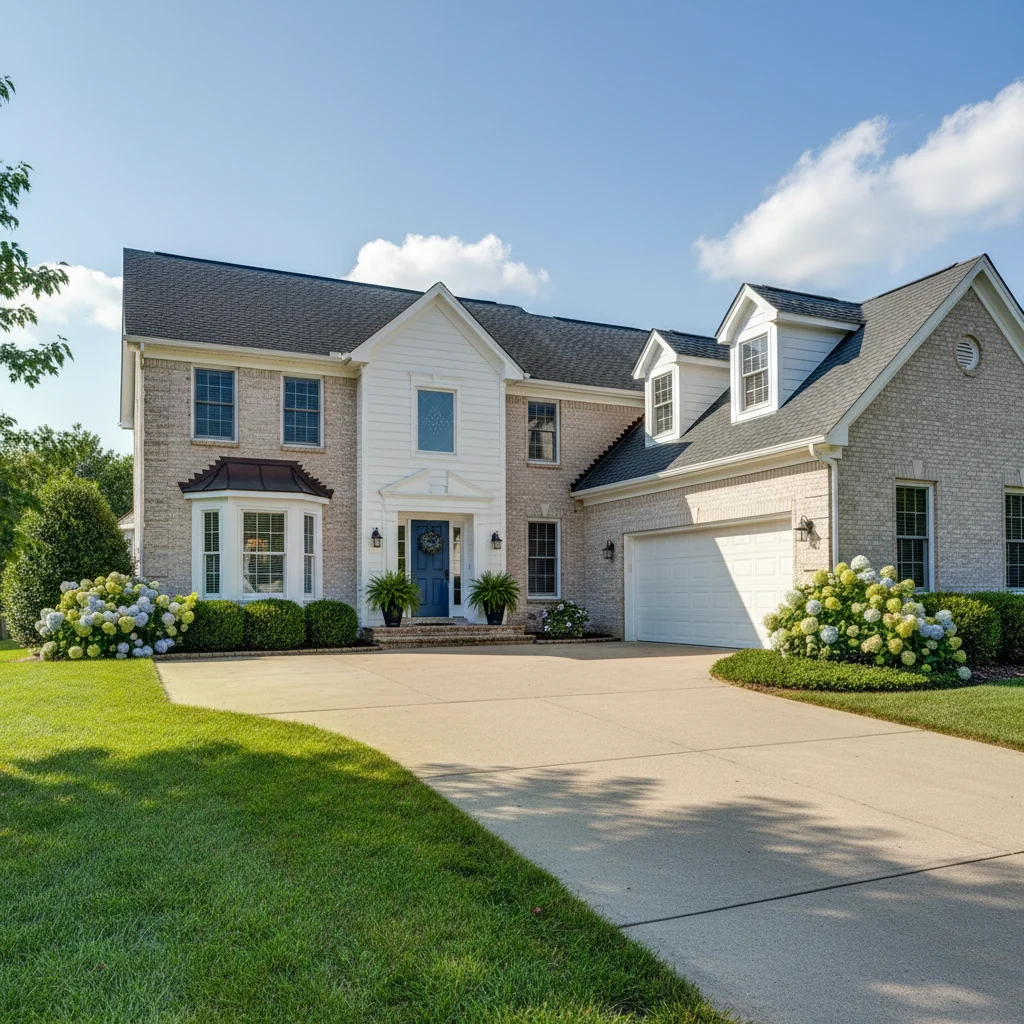
House exterior before prank
Before
β†’
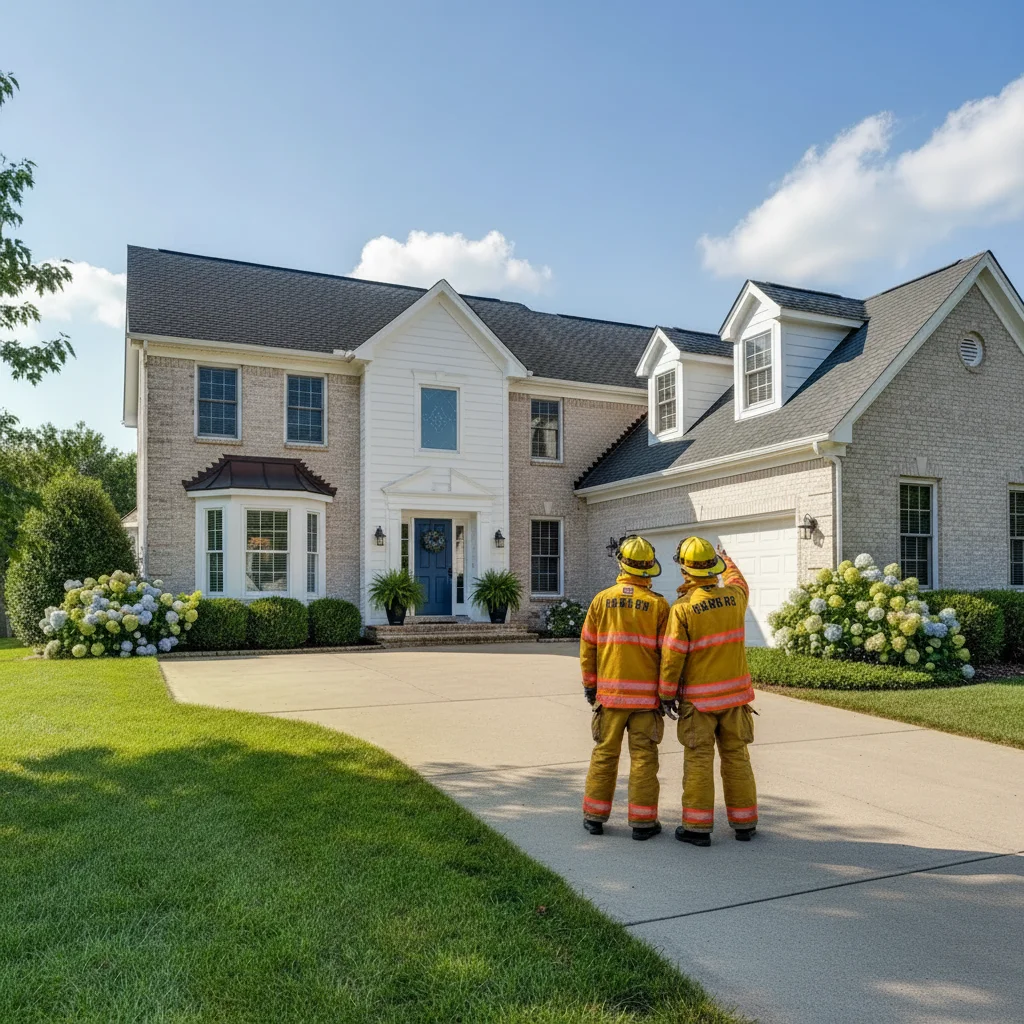
House exterior with AI-added firefighters
After

Add Firefighter to House Prank

Upload photo to add firefighter to house photo

Free β€’ Results in 30 seconds β€’ No signup

Release to upload

FreeNo signupNo watermark

1 free edit·then from $1.99

Popular use cases:
  • add firefighter to house photo
  • firefighter prank photo AI
  • fire crew at house prank
  • AI firefighter photo generator

Cost
Free No signup required
Time
Instant results in 15-30 seconds
Works on
Any device - browser, phone, tablet, desktop
Powered by
AI-powered photo editing
Scenario Prompt Time
Two firefighters Firefighters in gear at house, one pointing at roof 30-60 sec
At the door Firefighter at front door reaching for doorbell 30-45 sec
Inspector Fire inspector with clipboard examining exterior 30-45 sec

How it works

  1. Upload your house exterior photo

    Drop a photo of the outside of your house into EditThisPic. JPG, PNG, WebP up to 7MB. Front-of-house photos with the driveway or front yard visible work best.

    Expect: Most edits complete in 20-45 seconds. Exterior photos with clear lighting give the best results.
  2. Describe the firefighters

    Type: 'Add two firefighters in full gear standing outside the house, one pointing at the roof, the other holding a radio.' Describe their gear, positions, and what they're doing.

    Tip: Be specific about the gear: 'yellow bunker coat, helmet, gloves.' One or two firefighters look more realistic than a whole crew. Add 'looking up at the house' for the response-in-progress angle.

    Copy one of these to get started:

    Firefighters responding Add two firefighters in full yellow bunker gear and helmets standing in front of the house, one pointing at the roof, the other talking on a radio
    Single firefighter at door Add a firefighter in full gear standing at the front door of the house, hand reaching for the doorbell, looking urgent
    Firefighter with hose Add a firefighter in the front yard holding a fire hose, aiming it at the house, in full protective gear
    Inspection angle Add a firefighter in a navy uniform with clipboard walking around the side of the house, looking up at the exterior walls
    2 more prompts
    Driveway response Add a firefighter kneeling in the driveway looking at something on the ground near the house, another firefighter standing behind with equipment
    Fire engine style Add a firefighter in full gear walking toward the house carrying equipment, looking purposeful
  3. Send and watch the panic

    Check the firefighters look naturally placed. Download and text to family: 'Why are there firefighters at our house??' or 'Just drove past the house and saw this.'

Try it free ↓

Add Firefighter to House Prank

Upload photo to add firefighter to house photo

Free β€’ Results in 30 seconds β€’ No signup

Release to upload

Free β€’ No signup

See it in action

House exterior before prank
Before
->
House exterior with AI-added firefighters
After

Firefighters at the house

House exterior with AI-added firefighters standing outside.

Prompt: Add two firefighters in full yellow bunker gear standing in front of the house, one pointing at the roof
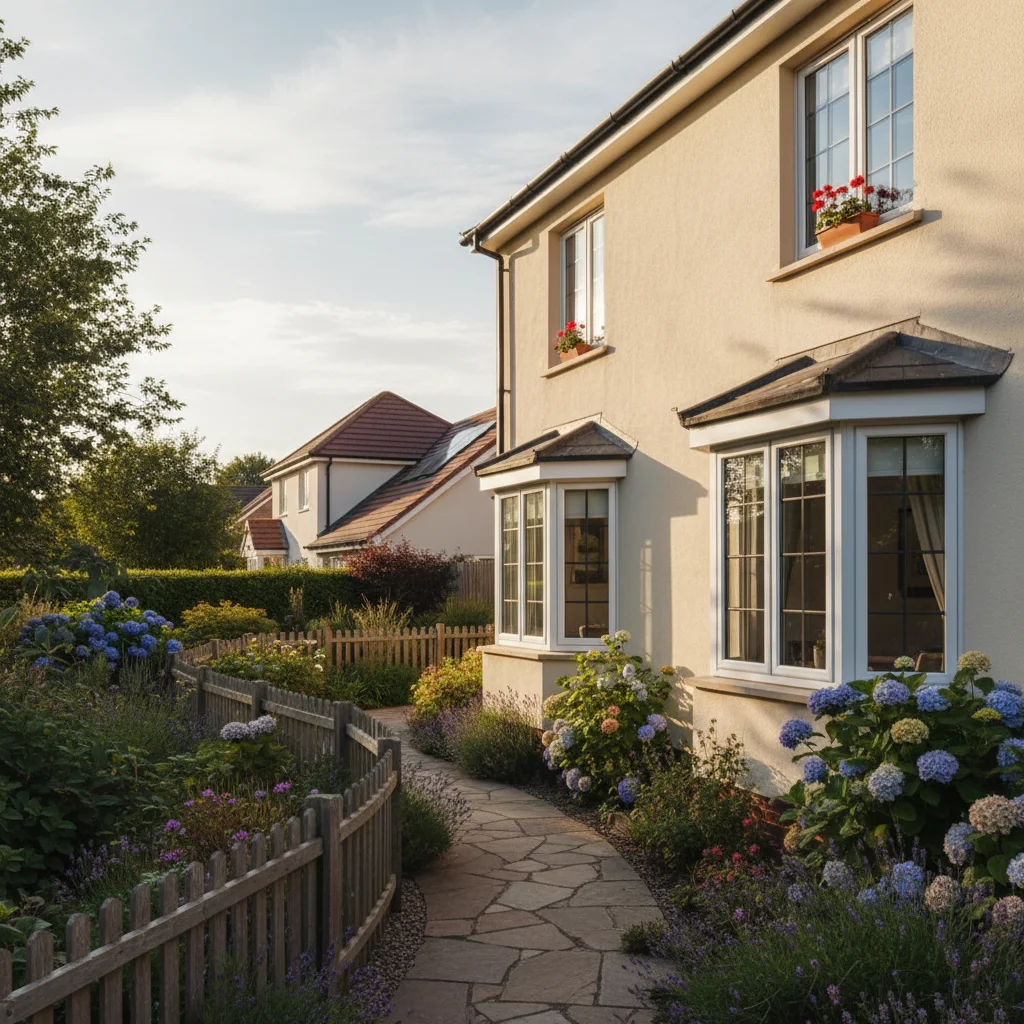
Side of house before prank
Before
->
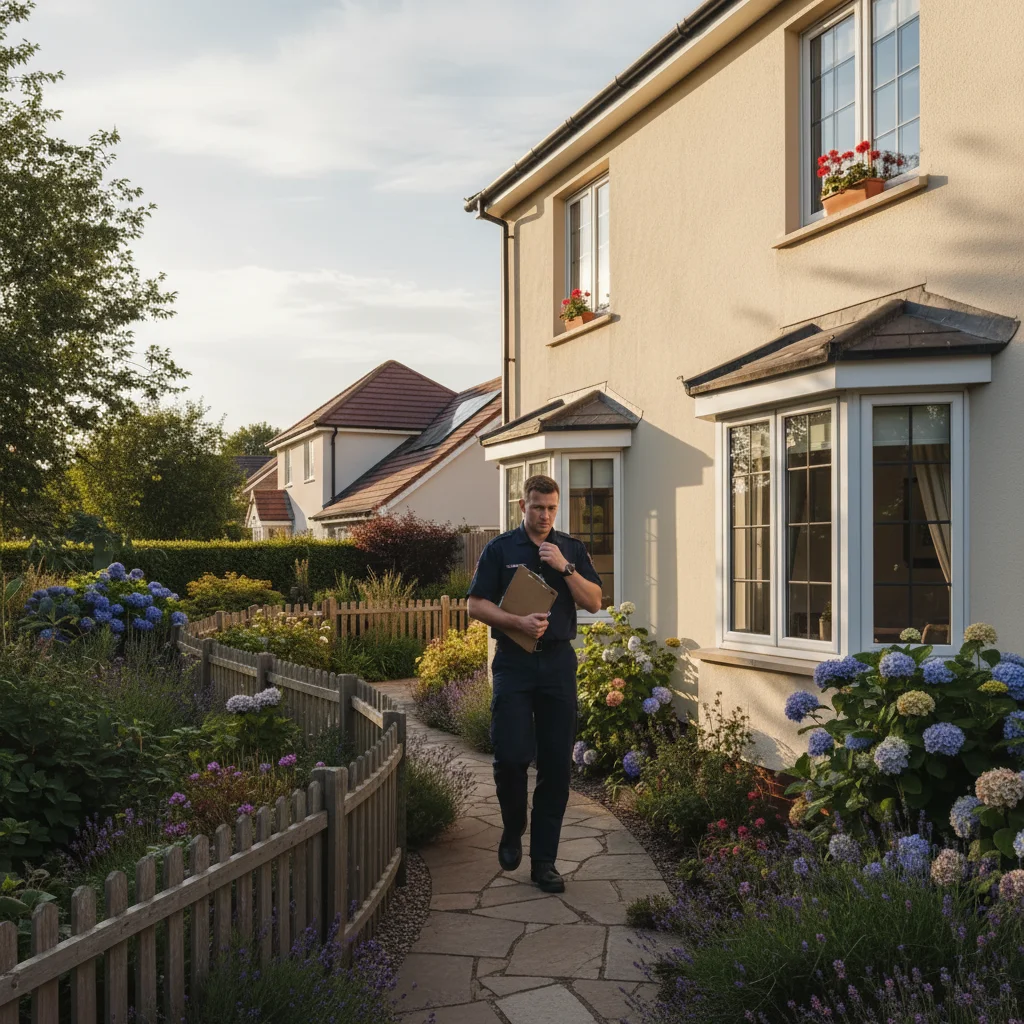
House with AI-added fire inspector
After

Fire inspector visit

House with an AI-added fire inspector examining the exterior.

Prompt: Add a firefighter in a navy uniform with clipboard walking around the side of the house

If something looks off

Firefighter gear doesn't look right

Why: The AI needs specific gear descriptions.

Try: Specify: 'yellow bunker coat, black helmet with visor, reflective strips, heavy boots'

Tip: Detailed gear description makes the difference between a convincing firefighter and a generic person in yellow.

Firefighters are too small or too big for the house

Why: The AI misjudged scale against the building.

Try: Add 'standing at normal human height relative to the front door' for scale reference

Tip: The front door and ground-floor windows are natural scale anchors for the AI.

Placed in wrong spot

Why: The AI chose the wrong area of the yard.

Try: Tap a marker on the exact spot β€” driveway, front path, or lawn area β€” and regenerate

Tip: Markers on the ground where you want them standing give the fastest fix.

Lighting doesn't match outdoor conditions

Why: Outdoor lighting varies with weather and time of day.

Try: Add 'matching the outdoor daylight conditions, same shadow direction as the building' to your prompt

Tip: Overcast-day photos are easiest β€” even lighting with soft shadows looks natural on added people.

Quick answers

What house photos work best?

Exterior photos showing the front of your house with driveway or front yard visible. Daylight photos give the most convincing results. The more of the house visible, the more dramatic the prank.

Is this free?

Yes, one free edit per week with no signup. Credit packs start at $1.99.

Can I add a fire truck too?

You can try β€” describe a fire truck parked in the driveway. Vehicles are harder for the AI but can work in the background. Start with just the firefighters for the most reliable result.

Will there be a watermark?

No, EditThisPic never adds watermarks.

Does this work on mobile?

Yes, fully works in any mobile browser. No app needed.

How much does EditThisPic cost?

You get 1 free edit per week β€” no account needed. After that, credit packs start at $1.99 for 3 edits. Monthly plans start at $4.99/mo for 15 edits with unused credits rolling over. All edits are full resolution with no watermark.

Ready to prank your family?

Free to try. No signup required.

1 free edit included·Credit packs from $1.99