Pricing Remove Background clutter · Free

AI Background Clutter Remover

← Browse all remove tools

Last updated

Describe what to clear out — 'remove the toys in the background' — and the AI tidies it for you.

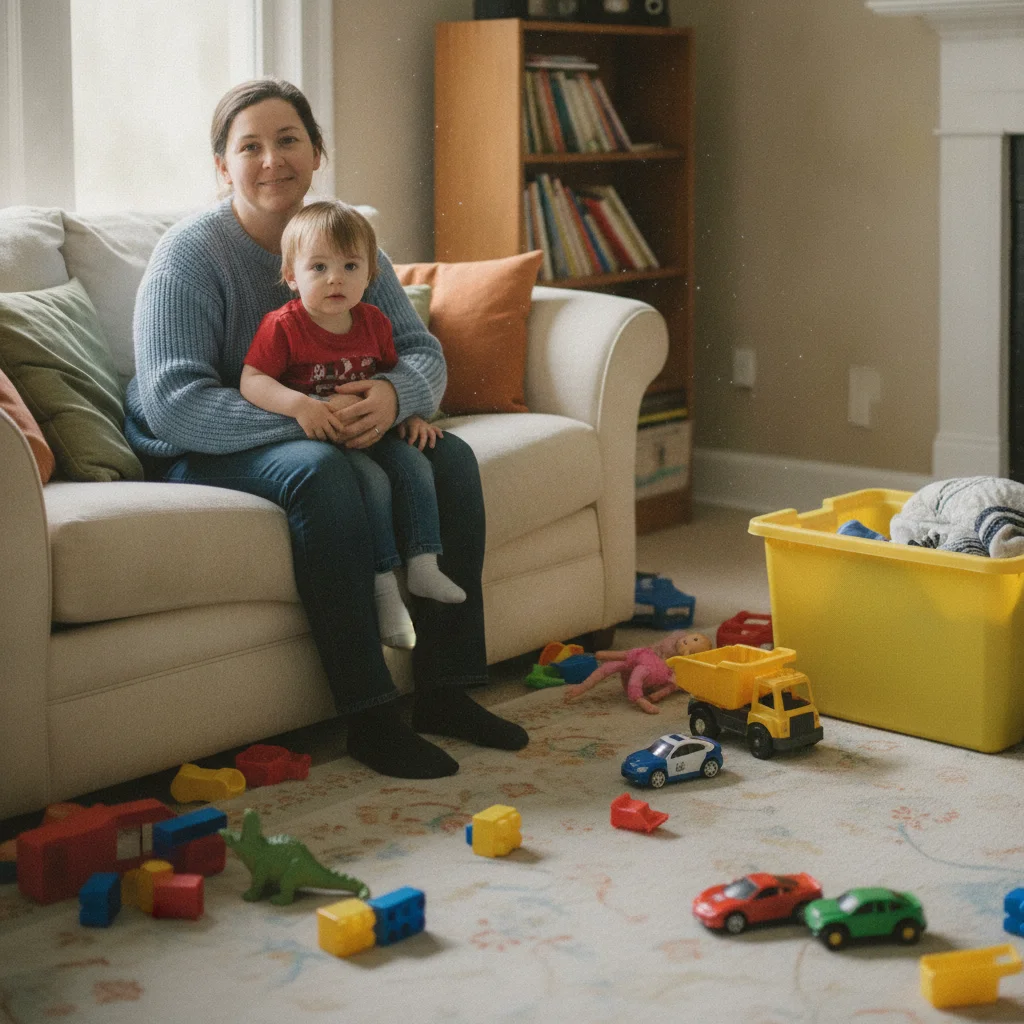
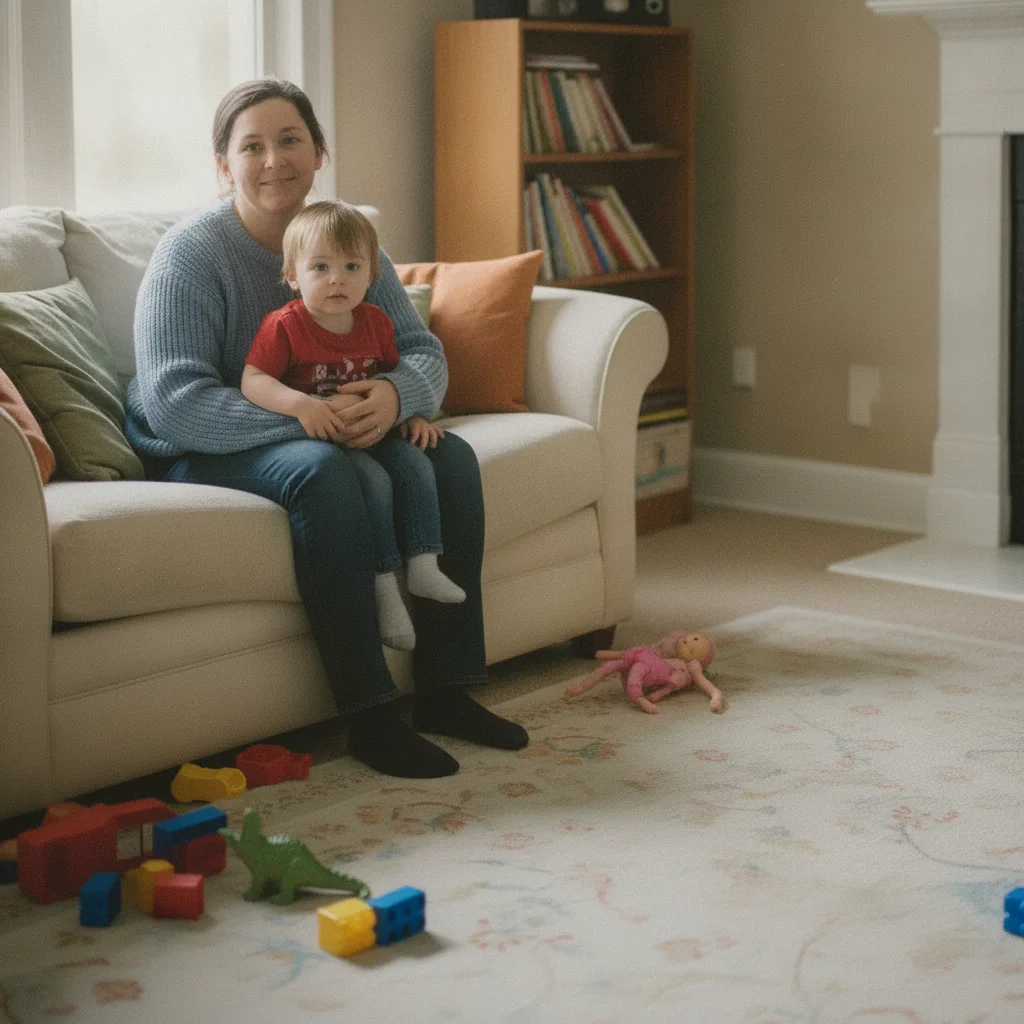
Family portrait with cluttered living room background showing toys and storage bins Same family portrait with clean living room background, toys removed

Upload photo to remove background clutter

"remove all children's toys visible in the background — the plastic bins, scattered toys on the floor, and toy chest — keep the family and furniture unchanged"

Free to try · no sign-up · photos are never shared

Release to upload

<30stypical edit
1 freeedit weekly
Photo on your phone? Scan to open this editor there — free edit works on your phone too.

1 free edit every week·packs from $4.99

How it works

  1. Upload your photo

    Drop your image into EditThisPic. JPG, PNG, or WebP up to 7MB. Photos with a distinct subject (person, product) in the foreground and clutter in the background work best. The AI is better at removing background clutter when the subject is clearly separated from it.

    Expect: Simple background clutter — a few visible items behind a person: 30–45 seconds. Dense, layered clutter filling the whole frame may need 2–3 passes with specific item descriptions.
  2. Name the specific clutter you want removed

    Type specific items rather than 'clean the background': 'remove the laundry pile on the left, the cardboard boxes in the corner, and the dishes on the counter in the background.' Specific item names produce far better results than vague instructions. You don't need to mark any of them.

    Tip: List items by location when there are multiple: 'the boxes on the left,' 'the laundry on the right.' Location anchors help the AI separate what to remove from what to keep.

    Copy one of these to get started:

    Messy room background for headshot or portrait remove all visible clutter in the background — the laundry pile, cardboard boxes, and dishes — show a clean, tidy room behind the person, keep the person and main furniture unchanged
    Kids' toys in background of family photo remove all children's toys visible in the background — the plastic bins, scattered toys on the floor, and toy chest — keep the family and furniture unchanged
    Cluttered desk background for home office headshot remove the clutter on the desk in the background — papers, empty coffee cups, and charging cables — and show a clean desk surface, keep the monitor and lamp
    Real estate listing with visible personal items in room remove the personal items visible in the background — the shoes near the door, the bags on the counter, and the items on the coffee table — show a clean, staged room
    3 more prompts
    Background garbage or recycling bins remove the recycling bins and garbage bags visible in the background and replace with the wall or floor behind them
    Crowded shelves behind a product photo remove all items on the shelves in the background, leave only the bare shelves and wall, keep the product in the foreground unchanged
    Cluttered kitchen counter in listing photo remove the items on the kitchen counter in the background — appliances, dish rack, and countertop clutter — show a clean counter surface, keep the cabinets and backsplash unchanged
  3. Review what was preserved versus removed

    Check that intentional background elements — furniture, wall art, plants you want to keep — are still intact. Also check that the subject (person, product) is fully preserved. Look at edges where cluttered items overlapped the subject or background furniture.

  4. Refine specific areas with markers if needed

    If one item in the background persists after the first pass, or if the AI removed something you wanted to keep, tap a marker on the problem area and use a focused prompt: 'remove only this box' or 'restore this chair — it should not have been removed.' Markers are optional but helpful for dense clutter scenes.

    Tip: For photos where kept and removed items are close together, markers are the most reliable way to target the exact item — describe plus marker outperforms description alone for packed backgrounds.

See it in action

Family portrait with cluttered living room background showing toys and storage bins
Before
->
Same family portrait with clean living room background, toys removed
After

Toy-cluttered living room — family portrait cleanup

A family photo where the background showed scattered children's toys and a plastic storage bin in the corner. A single detailed prompt removed all of it while preserving the sofa and TV.

Prompt: remove all children's toys visible in the background — plastic bins, scattered toys on the floor — keep the family, sofa, and TV unchanged

Professional headshot with cluttered desk background showing papers and cups
Before
->
Same headshot with clean desk in background, monitor and bookshelf visible
After

Cluttered home office background — LinkedIn headshot

Professional headshot where the background showed a cluttered desk: stacked papers, empty cups, and tangled cables. The AI cleared the desk surface while keeping the monitor and bookshelf.

Prompt: remove the clutter on the desk in the background — papers, cups, and cables — show a clean desk surface, keep the monitor and bookshelf unchanged
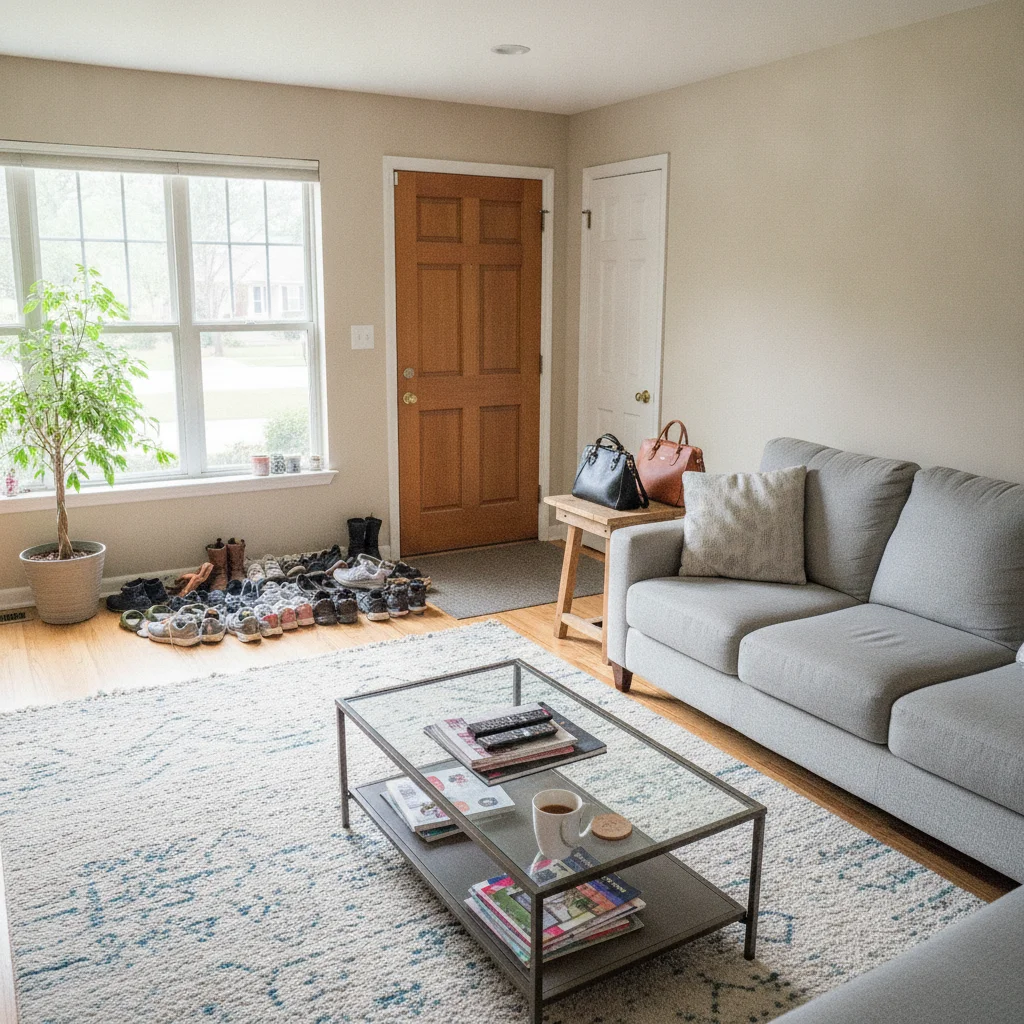
Living room listing photo with shoes by door, bags on table, items on coffee table
Before
->
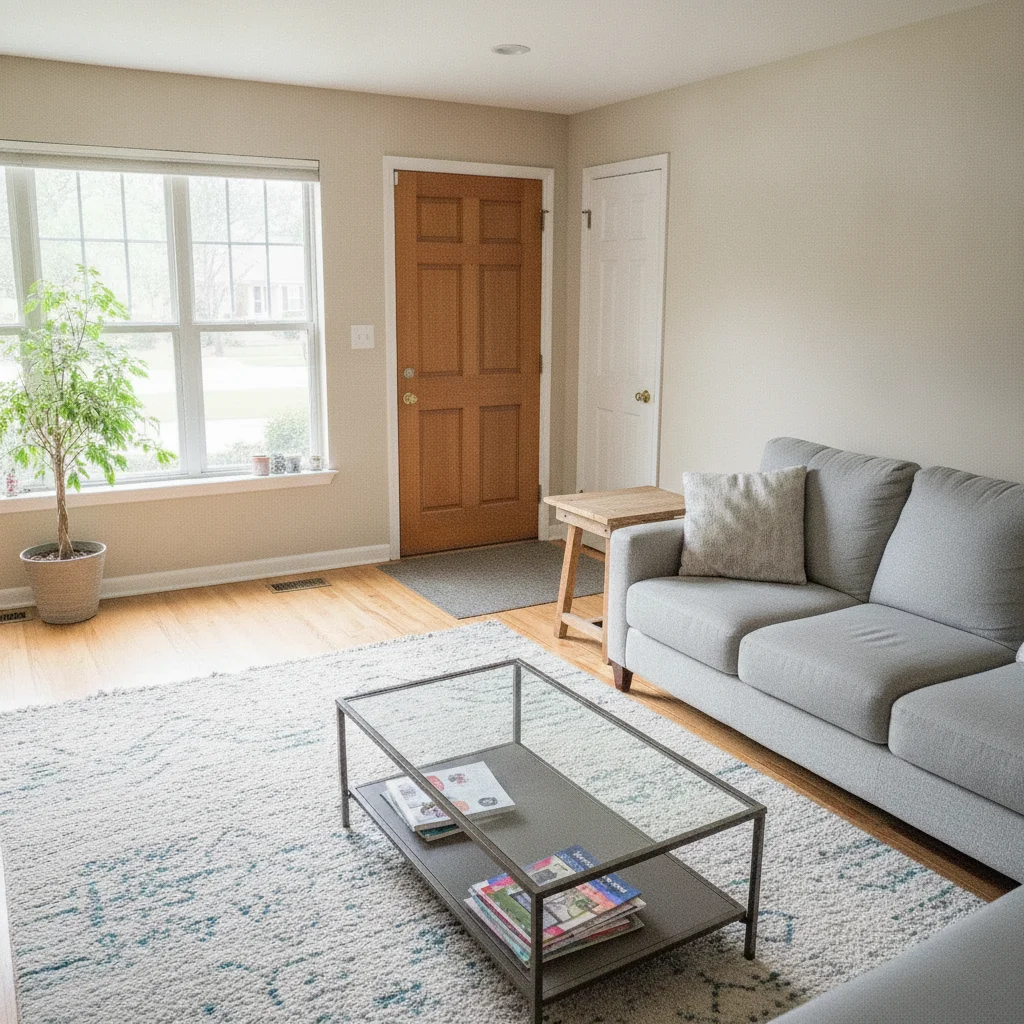
Same living room with all personal items removed, clean staged appearance
After

Personal items in real estate listing — staged room

Real estate listing photo of a living room with shoes near the door, bags on a counter, and items scattered on the coffee table. The AI removed all personal items and created a clean, staged look.

Prompt: remove the personal items in the background — shoes near the door, bags on the counter, and items on the coffee table — show a clean staged room

Quick answers

Do I need to mark each clutter item before removing it?

No. For most clutter removals, just list what you want gone: 'remove the laundry pile, the cardboard boxes, and the dishes in the background.' The AI identifies each named item from your description. Use markers only when clutter is right next to something you want to keep — like a shelf where you want to remove some objects but not others.

How do I remove background clutter from a photo for free?

Go to EditThisPic, upload your photo (JPG, PNG, or WebP up to 7MB), type the specific items you want removed — for example 'remove the toys, boxes, and bags in the background, show a clean room' — and click Generate. The AI cleans up the background in 30–45 seconds. Purchased downloads are clean, full quality. No account needed.

Is there a free AI tool to declutter photo backgrounds without signup?

Yes. EditThisPic removes background clutter for free with no account required. Works in any browser on desktop or mobile. Particularly useful for real estate photos, professional headshots, and family portraits where the background is distracting. The free edit is a preview — purchased downloads are clean, full quality.

Can AI clean up background clutter for real estate listing photos?

Yes. Real estate is one of the best use cases. Upload the room photo and list the personal items you want removed: 'remove the shoes near the door, bags on the counter, and items on the coffee table — show a clean staged room.' Results are good enough for MLS listings. The AI preserves furniture and architectural features while removing personal items.

What's the best way to describe background clutter to the AI?

Name each type of item and its location in the frame: 'the laundry pile on the left, the cardboard boxes in the right corner, the dishes on the counter in the background.' Item-by-item descriptions outperform vague instructions like 'clean the background.' Also state what you want to keep: 'keep the sofa, TV, and wall art unchanged.'

How much does EditThisPic cost?

You get 1 free edit per week — no account needed. After that, one-time credit packs start at $4.99 for 10 edits, valid 12 months, no subscription. Power users who edit daily can pick Studio Membership, a monthly workspace at $49.99/mo for 300 edits. Purchased downloads are clean with no watermark.

Ready to clean up your photo's background?

Free to try. No signup required.

1 free edit included·Credit packs from $4.99