Free • No signup Enhance Restaurant menu photo · Free

AI Restaurant Menu Photo Editor

← Browse all food tools

Last updated

Make menu photos look as good as the food tastes — richer colors, better lighting, more appetizing. Describe the fix, our AI handles it. Free, no account.
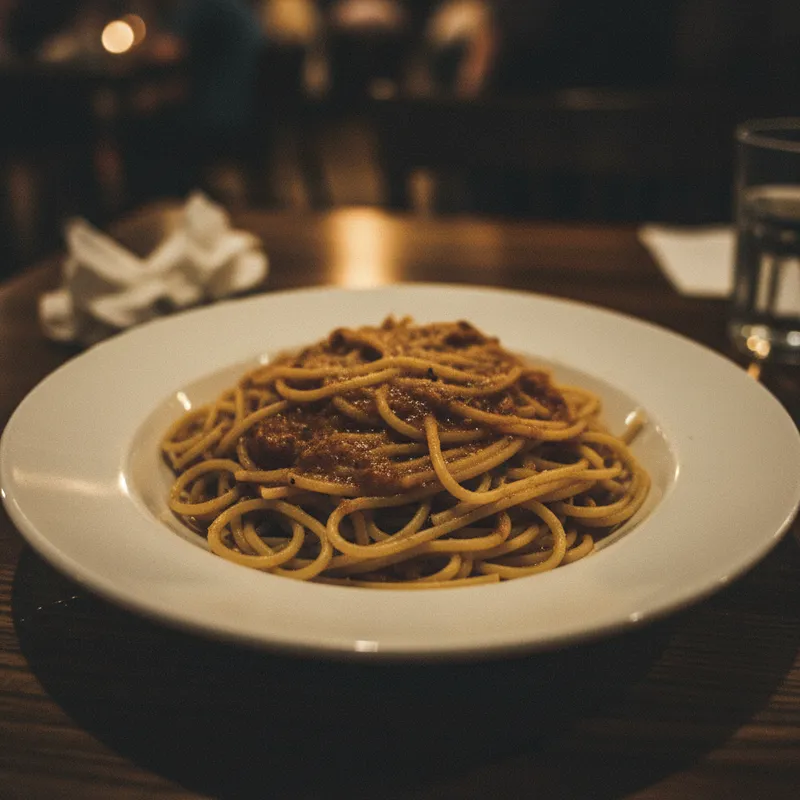
Pasta dish with flat overhead LED lighting and washed-out dull colors
Before
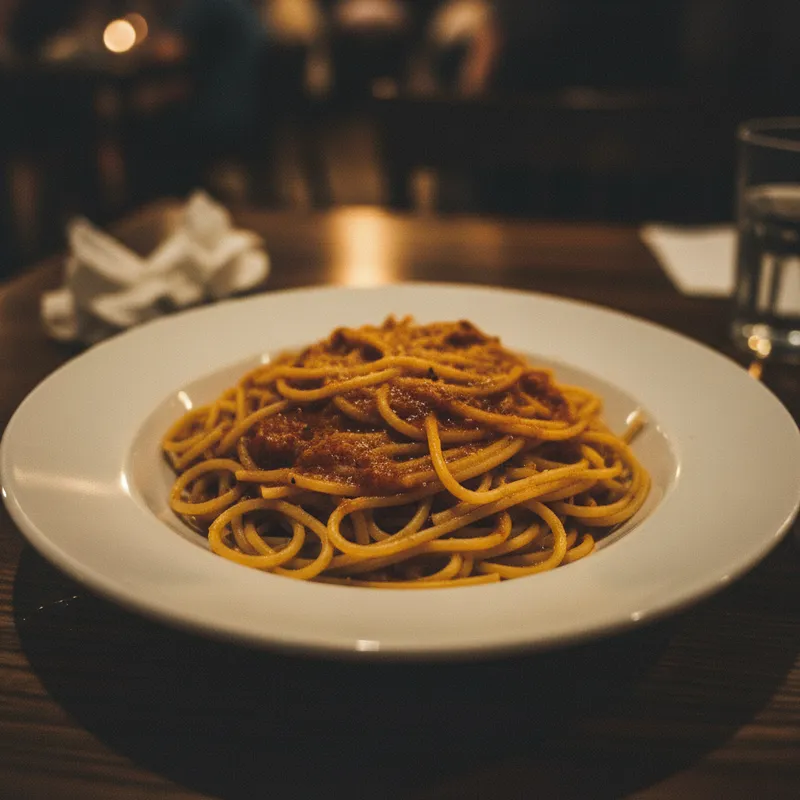
Same pasta with rich sauce gloss, vivid tomato colors, and natural side lighting depth
After

Upload photo to enhance restaurant menu photo

"boost the food colors to their natural rich appearance — the meat should look browned and seasoned, the vegetables vivid green, the sauce deep and glossy, no washed-out or dull tones"

Release to upload

FreeNo signupNo watermark

1 free edit·then from $1.99

Popular use cases:
  • restaurant menu photos
  • food photo enhancement
  • make food look appetizing
  • menu photo editing
  • food photography improvement

Cost
Free No signup required
Time
Instant results in 15-30 seconds
Works on
Any device - browser, phone, tablet, desktop
Powered by
AI-powered photo editing
Scenario Prompt Time
General appetizing boost more appetizing — richer colors, sauce gloss, side lighting depth 25s
Fix washed-out colors restore rich natural food colors — meat browned, vegetables vivid, sauce deep and glossy 20s
Clean plate rim remove sauce drips and smudges from plate rim, keep food unchanged 20s

How it works

  1. Upload your food photo

    Use your highest-resolution photo. JPG, PNG, or WebP up to 7MB. Plated dish shots, flat-lay food photography, and close-up ingredient shots all work well. Photos taken in reasonable lighting — even imperfect restaurant lighting — give good results.

    Expect: Photos with some natural detail in the food (visible texture, recognizable ingredients) give the AI enough to enhance accurately. Very underexposed or blurry shots may need two passes.
  2. Describe what to improve

    This is the key step. Type a specific instruction — 'make the dish look more appetizing, add warmth to the colors, make the sauce gloss more pronounced, and clean up the plate rim.' Food-specific vocabulary produces better results.

    Tip: Food photography has a vocabulary — 'appetizing,' 'steam effect,' 'sauce gloss,' 'golden brown crust.' Using these terms gives the AI a specific visual target rather than a generic improvement.

    Copy one of these to get started:

    Make any dish look more appetizing make the dish look more appetizing — richer warm colors, more pronounced sauce gloss, sharper garnish details, natural side lighting from the left
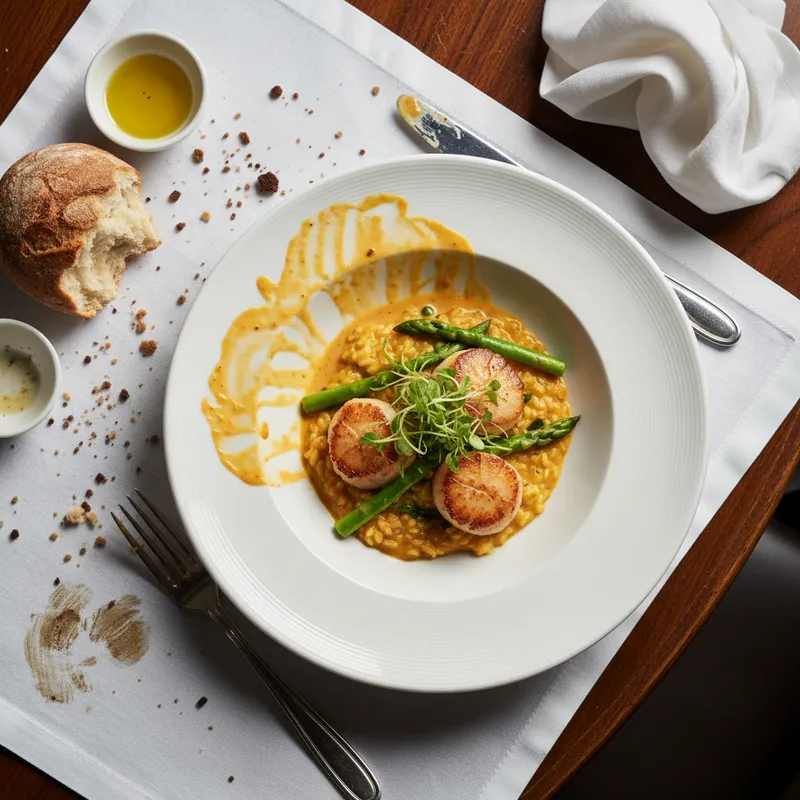
    Fix flat, washed-out food colors boost the food colors to their natural rich appearance — the meat should look browned and seasoned, the vegetables vivid green, the sauce deep and glossy, no washed-out or dull tones
    Add steam effect to hot dish add a subtle realistic steam effect rising from the hot dish, keep it natural-looking — wisps of steam from the food surface, not an obvious overlay
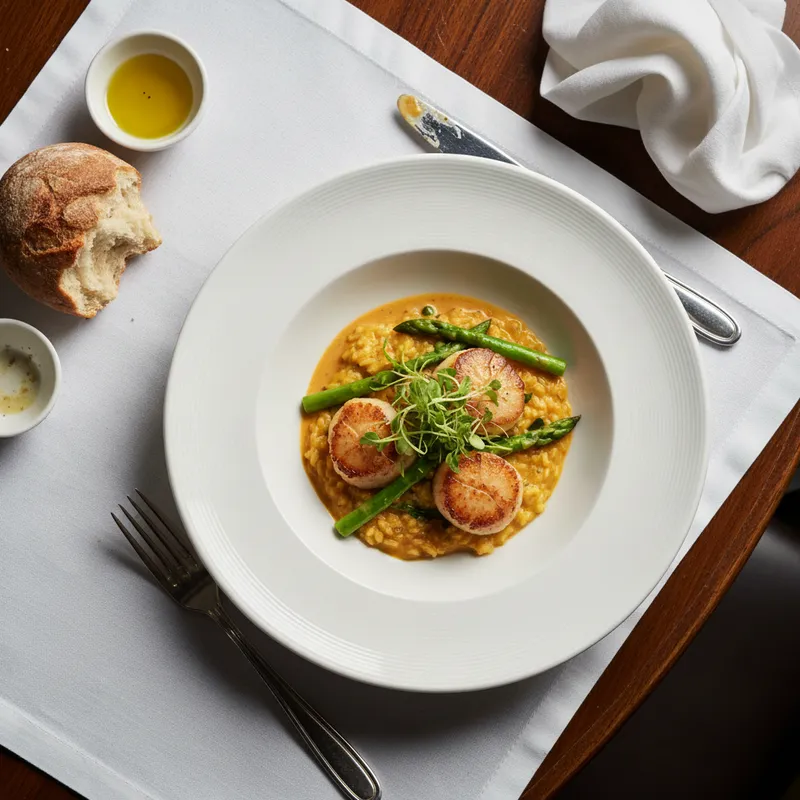
    Clean up the plate and table clean up the plate rim — remove any sauce drips or smudges, wipe the table surface clean of crumbs, keep the food presentation completely unchanged
    4 more prompts
    Pizza or flatbread — golden and crispy-looking make the pizza crust look golden brown and crispy, enhance the cheese to look melted and slightly bubbly, make the toppings look vibrant and fresh
    Cocktail or drink photo — vivid and inviting make the drink look more inviting — enhance the liquid color to be more vivid, make the ice look crystal clear, add a slight condensation effect on the outside of the glass
    Dessert — make it look indulgent make the dessert look more indulgent — richer chocolate tones if applicable, more pronounced cream texture, sauce drizzle should look glossy and flowing, garnish should pop
    Salad or vegetable dish — fresh and vibrant make the salad look fresh and vibrant — deeper greens, more vivid colors on each vegetable, add a slight fresh glistening to the leaves as if just dressed, clean white plate
  3. Check that the food looks realistic and accurate

    Verify that the food still looks like your actual dish — colors should be enhanced versions of the real food, not artificial. Check that any sauce, garnish, or topping detail is preserved. The goal is appetizing accuracy, not fantasy food.

  4. Use a marker for specific element fixes

    For targeted edits — removing a specific smear on the plate rim, brightening just the main protein while leaving the sides unchanged, or fixing one element — tap a marker on that spot. Most menu photo enhancements work from description alone.

    Tip: Markers are optional. They're most useful for removing a specific plate imperfection or targeting one food element without affecting the whole composition.
Try it free

Upload photo to enhance restaurant menu photo

"add a subtle realistic steam effect rising from the hot dish, keep it natural-looking — wisps of steam from the food surface, not an obvious overlay"

Release to upload

Free • No signup

See it in action

Pasta dish with flat overhead LED lighting and washed-out dull colors
Before
->
Same pasta with rich sauce gloss, vivid tomato colors, and natural side lighting depth
After

Pasta dish made appetizing from flat restaurant photo

A pasta dish photographed under flat overhead restaurant LED lighting — washed-out colors, no depth, sauce looks thin. After: warm side lighting effect, rich sauce gloss, vivid vegetable colors, appetizing presentation.

Prompt: make the dish look more appetizing — richer warm colors, more pronounced sauce gloss, sharper garnish details, natural side lighting from the left
Gourmet burger with pale bun and flat, unmelted-looking cheese
Before
->
Same burger with golden brown bun, vivid toppings, and melted cheese appearance
After

Burger photo — golden crust and vivid toppings

A gourmet burger under indoor lighting — bun looks pale, toppings look flat, cheese isn't melted-looking. After: golden brown bun, vivid lettuce and tomato, melted cheese appearance.

Prompt: make the burger look more appetizing — golden brown bun, vivid fresh toppings, melted cheese appearance, rich beef patty color

If something looks off

AI changed the wrong area or something I didn't want changed

Why: The enhancement applied to the table or background when you only wanted the food improved.

Try: Tap a marker on the specific food item you want enhanced, then regenerate with the same prompt

Tip: Markers constrain enhancements to the food you tap. For dishes with multiple components, a marker on the main protein keeps the enhancement focused.

Food colors look artificial or candy-bright

Why: The saturation enhancement went too far without a 'natural' qualifier.

Try: enhance the food colors to look naturally rich and appetizing — not artificially bright, keep the color tones accurate to real food

Tip: 'Naturally rich' and 'accurate to real food' are the two modifiers that consistently prevent over-saturation on food photos.

Steam effect looks fake or like a graphic overlay

Why: Steam rendered as too opaque or too uniform — real steam is wispy and irregular.

Try: make the steam more natural — wispy, irregular, translucent tendrils rising from the food surface, not a solid cloud or uniform gradient

Tip: 'Wispy and irregular' describes how real steam behaves and gives the AI specific texture guidance for the steam effect.

Plate cleanup left a smear or texture mismatch

Why: The fill texture for the cleaned area didn't perfectly match the plate's surface (glossy ceramic, matte stoneware).

Try: match the cleaned plate rim to the exact gloss and texture of the rest of the plate — the rim should look identical to the clean parts of the plate

Tip: Specify the plate material: 'match the white glazed ceramic' or 'match the matte stoneware texture.' Material descriptions improve fill quality.

Background table looks altered or too clean after editing

Why: The enhancement bled into the table surface when you only wanted the food improved.

Try: enhance only the food and plate — do not alter the table surface, background, or any non-food elements

Tip: 'Enhance only the food and plate' is an explicit scope constraint that prevents the AI from touching the surrounding table or props.

Quick answers

Do I need to mark the food before describing what I want improved?

No. Just describe the improvement — 'make the dish look more appetizing, richer colors.' The AI applies it from your description. Only use markers when you want to target a specific component of a multi-element dish.

How do I enhance restaurant menu photos for free?

Upload your food photo to EditThisPic and describe the enhancement — more appetizing, richer colors, add steam, clean up the plate. The AI edits it in about 30 seconds. Free, no signup, no watermark.

Will better menu photos lead to more orders?

We can't make claims about order volume — that depends on many factors including your menu, pricing, and platform. What we can do is help improve specific aspects of photo quality: color richness, lighting, and plate presentation. Higher-quality food photos are a standard part of menu optimization.

Is there a free tool to make food photos look more appetizing?

Yes. EditThisPic enhances food photos free with no signup. Describe what to improve — richer colors, sauce gloss, steam effect, plate cleanup — and the AI applies it in about 30 seconds. No watermark.

Can I add a steam effect to make dishes look freshly cooked?

Yes. Type 'add a subtle realistic steam effect rising from the hot dish, natural-looking wisps, not an obvious overlay.' The AI adds a realistic steam effect that makes the dish look freshly prepared.

Does this work for Yelp, Google Business, and delivery app photos?

Yes. The tool works on any food photo regardless of which platform you're uploading to. Upload, enhance, and download — then upload the improved version to Yelp, Google Business, DoorDash, or your own menu wherever photos are accepted.

How much does EditThisPic cost?

You get 1 free edit per week — no account needed. After that, credit packs start at $1.99 for 3 edits. Monthly plans start at $4.99/mo for 15 edits with unused credits rolling over. All edits are full resolution with no watermark.

Ready to make your menu photos more appetizing?

Free to try. No signup required.

1 free edit included·Credit packs from $1.99