Pricing Visualize Roof color · Free

AI Roof Color Visualizer

← Browse all home exterior editing

Last updated

Upload a photo of your home and describe the roof color — the AI recolors shingles in 30 seconds. Free, no account needed.
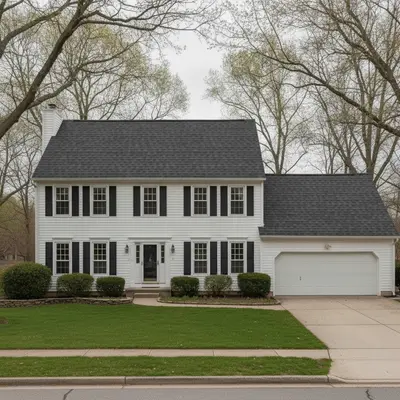
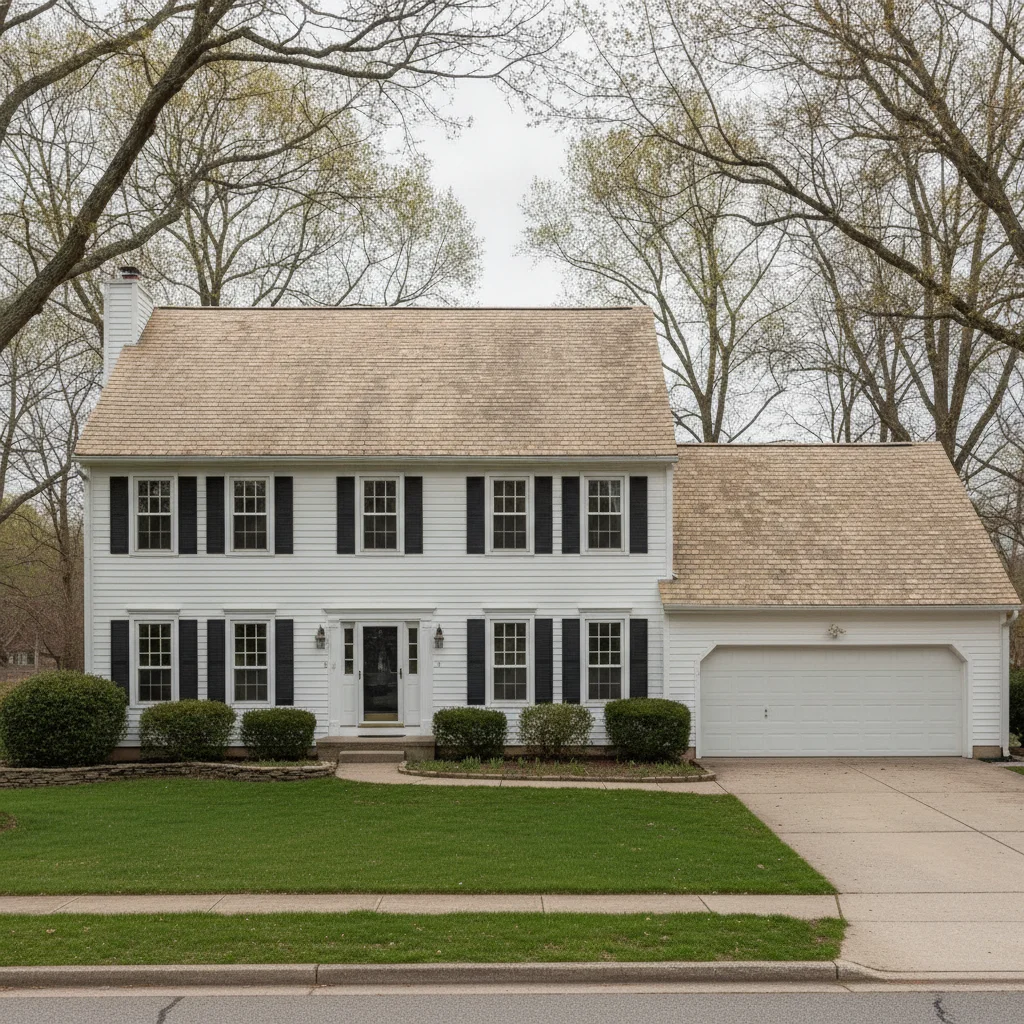
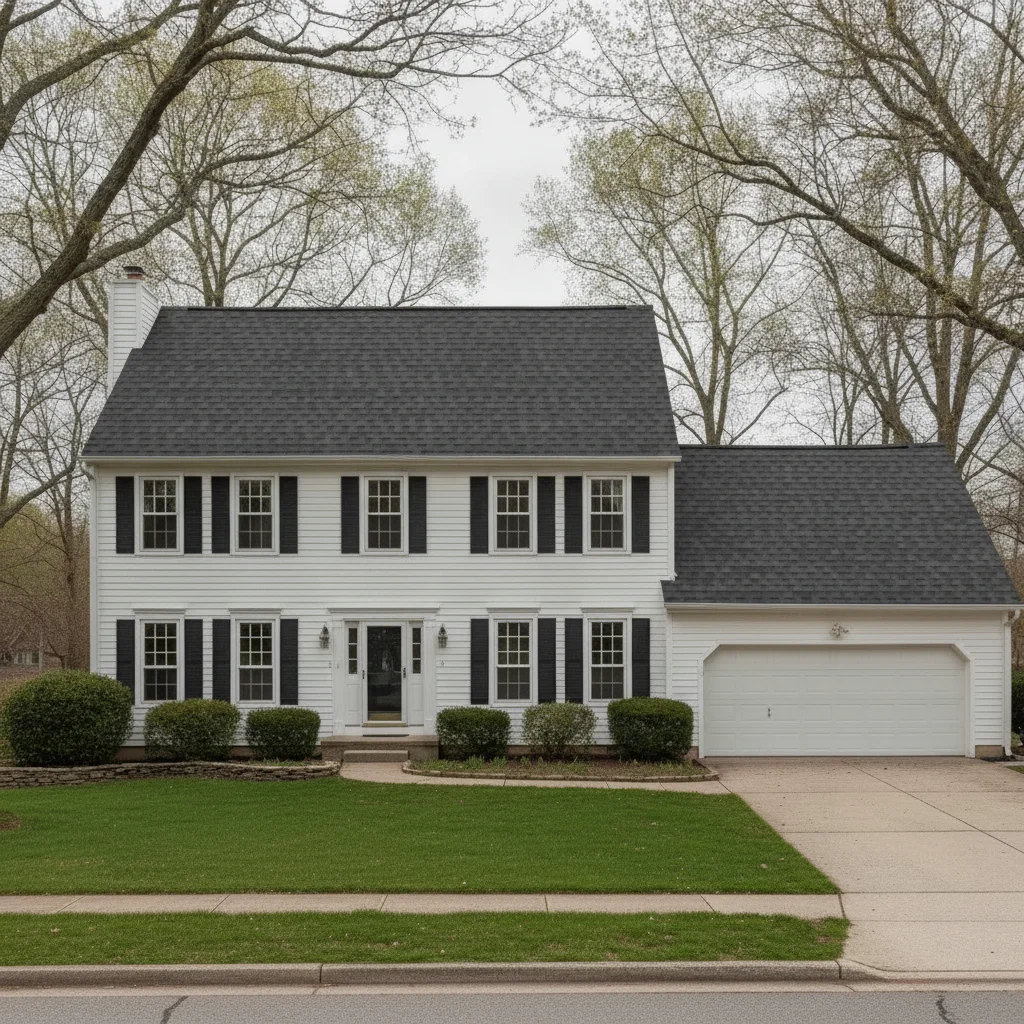
Two-story colonial with faded tan shingles, white siding, overcast light Same home with charcoal architectural shingles, siding and gutters unchanged

Upload photo to visualize roof color

"change the roof to weathered wood architectural shingles with a warm brown-gray blend and visible dimensional texture, preserve all exterior trim and siding"

Free to try · no sign-up · photos are never shared

Release to upload

<30stypical edit
1 freeedit weekly
Photo on your phone? Scan to open this editor there — free edit works on your phone too.

1 free edit every week·packs from $4.99

How it works

  1. Upload a clear exterior photo of your home

    Use a front-elevation or 3/4-angle photo where the roofline is clearly visible. Aerial drone shots and photos taken in flat overcast light produce the most accurate recoloring because uniform light means the AI can distinguish shingle texture from shadow. JPG, PNG, or WebP up to 7MB.

    Expect: Standard single-family homes: results in 25–35 seconds. Homes with complex multi-plane roofs or steep gable pitches may need one refinement pass to handle shadow areas accurately.
  2. Describe the roof color and shingle style

    Type your instruction directly — no marking or selecting required. 'Change the roof shingles to charcoal dimensional architectural shingles' is enough for the AI to recolor the entire roofline. Include the shingle type (architectural, 3-tab, metal standing seam), color name, and any texture notes. The AI understands common shingle brand color names like 'Weathered Wood', 'Pewter Gray', and 'Shakewood'.

    Tip: Reference real brand color names in your prompt for the most accurate results: 'Owens Corning Duration in Estate Gray' or 'GAF Timberline HDZ in Charcoal.' These names are in the model's vocabulary and produce more realistic shingle textures.

    Copy one of these to get started:

    Charcoal architectural shingles — most popular renovation choice change the roof shingles to charcoal dimensional architectural shingles, keep the siding, windows, gutters, and landscaping completely unchanged
    Weathered wood / cedar-look for traditional homes change the roof to weathered wood architectural shingles with a warm brown-gray blend and visible dimensional texture, preserve all exterior trim and siding
    Standing seam metal roof for modern or farmhouse style replace the roof with dark bronze standing seam metal panels, vertical seam lines visible, matte finish, keep the siding and exterior unchanged
    Estate gray / slate-look for colonial homes change the roof shingles to estate gray architectural shingles with cool blue-gray tones and dimensional shadow lines, preserve gutters and trim at original color
    3 more prompts
    Terracotta / clay tile for Mediterranean or Spanish-style homes change the roof to terracotta barrel clay tiles with a warm orange-red color and curved barrel profile, keep stucco and windows unchanged
    Before/after comparison for listing presentation change the roof shingles from the current worn tan color to fresh charcoal architectural shingles, make the result look like a professional real estate photo, keep all other exterior elements identical
    Sage green metal roof for modern farmhouse replace the roof with sage green standing seam metal panels, muted dusty green tone, vertical panel lines, preserve white trim and siding exactly
  3. Check shingle planes, ridgelines, and gutters

    Zoom to 100% on three areas: the ridge cap, any dormers, and the fascia/gutter line. These are the transition zones where roof meets sky and where the AI is most likely to show blending artifacts. Verify that gutters retain their original color and that the new shingle color reads consistently across all visible roof planes.

  4. Refine specific planes with markers if needed

    If a dormer or rear-facing slope didn't recolor consistently, tap a marker directly on that plane and regenerate: 'change this roof section to match the charcoal architectural shingles on the main roof.' Markers constrain the edit to that specific area without re-processing the entire image.

    Tip: Markers work best for isolated missed areas, not for correcting color tone across the whole roof. If the overall color is slightly off, adjust your description first ('darker charcoal, not medium gray') before using markers.

See it in action

Two-story colonial with faded tan shingles, white siding, overcast light
Before
->
Same home with charcoal architectural shingles, siding and gutters unchanged
After

Faded tan shingles to charcoal — curb appeal boost before listing

Two-story colonial home with worn, faded tan asphalt shingles. Realtor needed a before/after visual for listing marketing. Result: full charcoal architectural shingle recolor across all roof planes, gutters unchanged.

Prompt: change the roof shingles to charcoal dimensional architectural shingles, keep the siding, windows, gutters, and landscaping completely unchanged
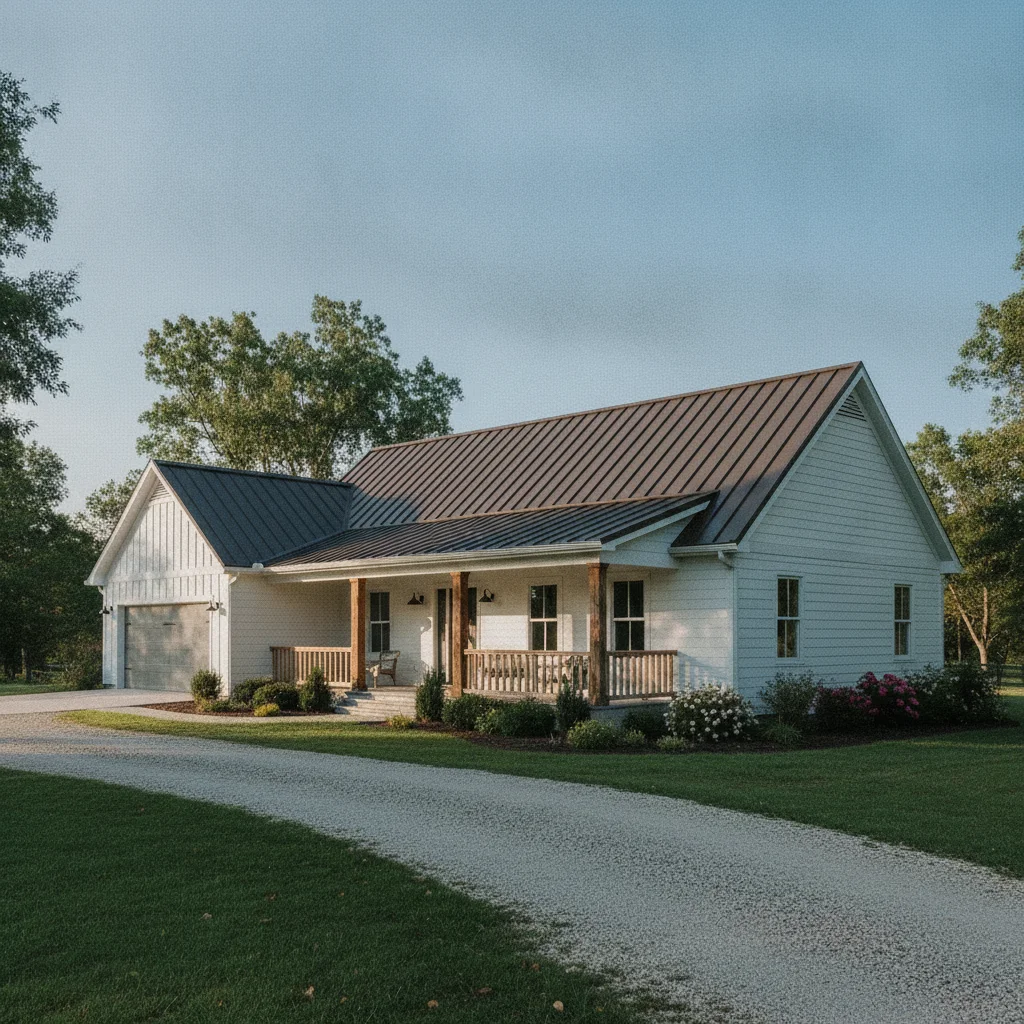
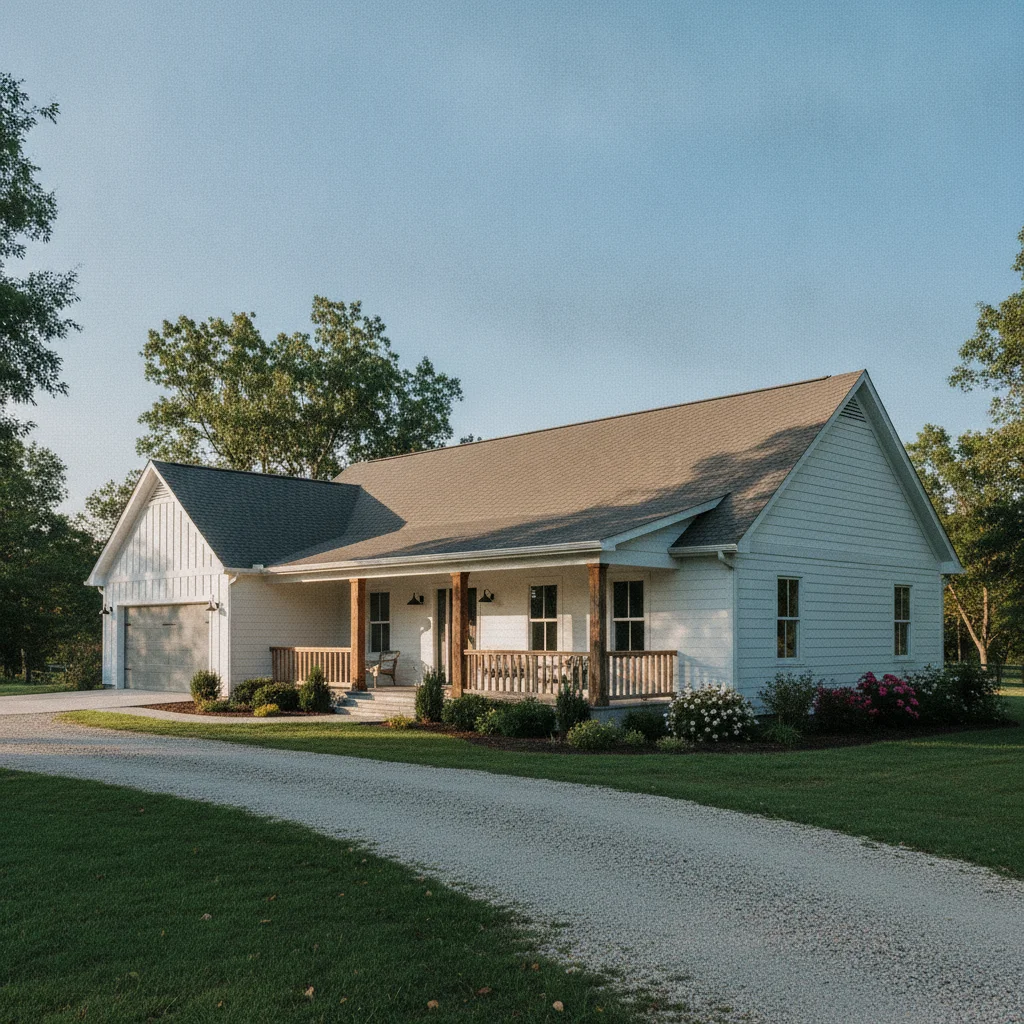
Ranch farmhouse with gray asphalt shingles, white siding, afternoon sun
Before
->
Same farmhouse with dark bronze standing seam metal roof, siding preserved
After

Asphalt shingles to standing seam metal — farmhouse renovation render

Ranch-style farmhouse with standard gray asphalt shingles. Homeowner wanted to visualize a standing seam metal upgrade for a contractor quote meeting. Prompt specified panel orientation and finish to avoid generic flat rendering.

Prompt: replace the roof with dark bronze standing seam metal panels, vertical seam lines visible, matte finish, keep the siding and exterior unchanged
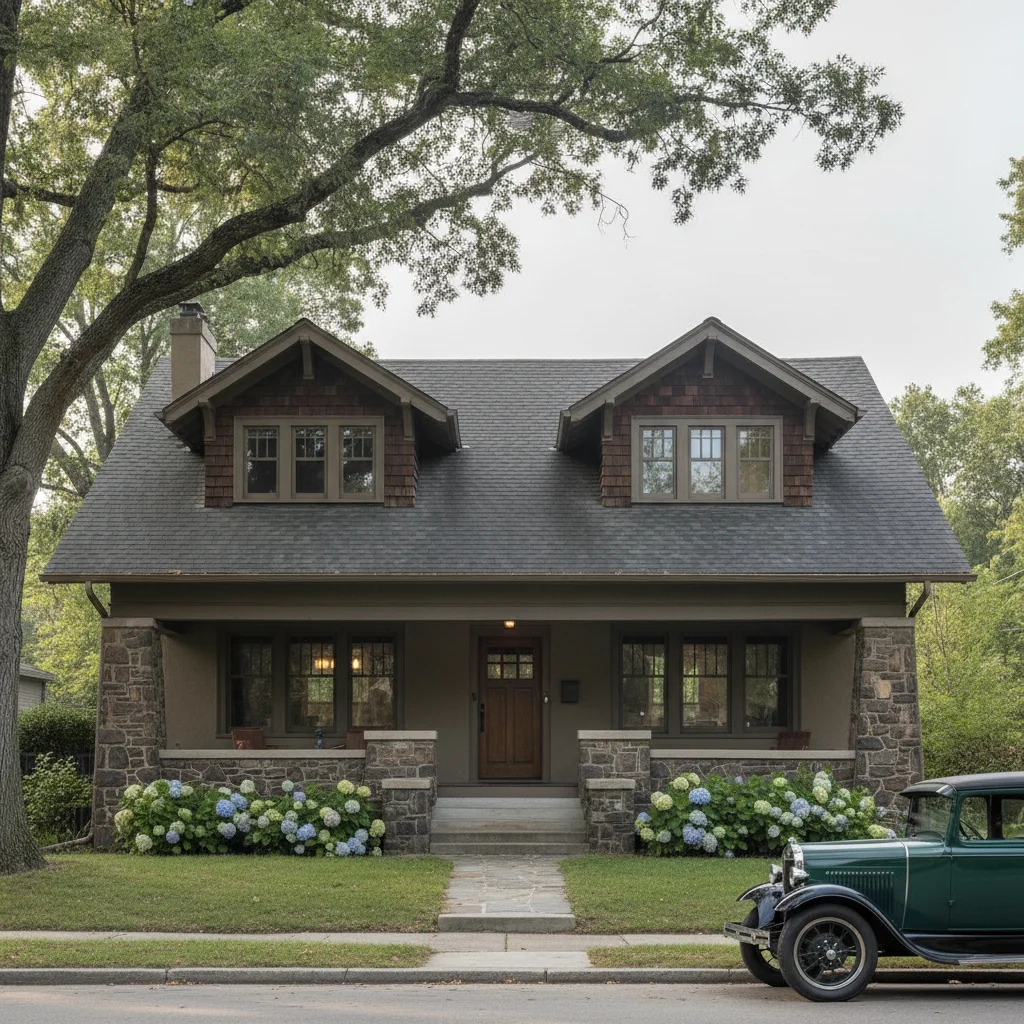
Craftsman bungalow with near-black shingles, taupe stucco, morning light
Before
->
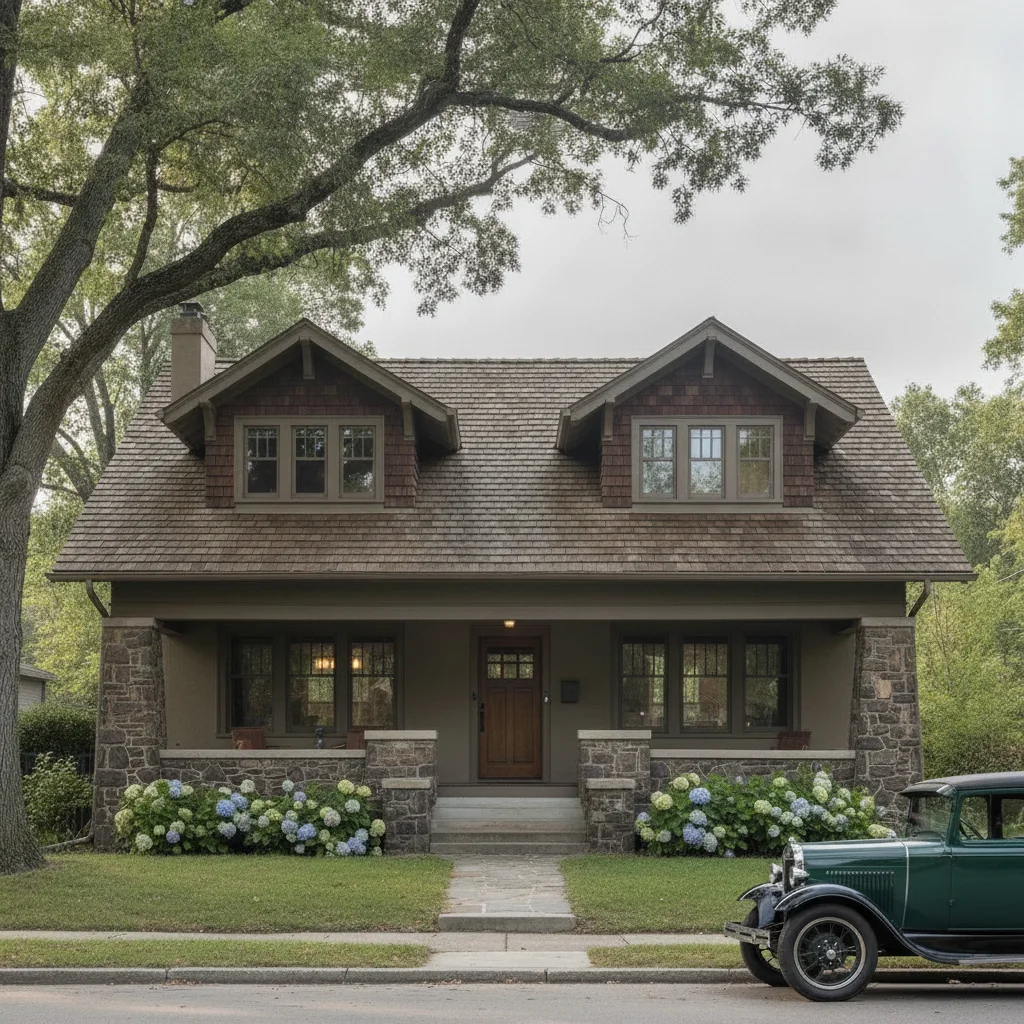
Same home with weathered wood shingles, warm brown-gray tone, trim preserved
After

Black shingles to weathered wood — HOA presentation rendering

Craftsman bungalow where the HOA required a color change proposal. The homeowner needed a photorealistic rendering showing the weathered wood alternative before submitting the application. Three color variants were generated from the same photo.

Prompt: change the roof to weathered wood architectural shingles with a warm brown-gray blend and visible dimensional texture, preserve all exterior trim and siding

Quick answers

Do I need to mark the roof area before changing the color?

No. Just describe what you want: 'change the roof shingles to charcoal architectural shingles.' The AI identifies the roofline from your photo automatically. Only use markers if the AI misidentifies the roof boundary or misses a specific plane like a dormer — tap that area to clarify.

Is there a free roof color visualizer with no login?

Yes. EditThisPic visualizes roof colors for free with no account and no app download. Upload your exterior home photo, describe the shingle color and type, and download the result in about 30 seconds. Works in any browser on desktop or mobile. The free edit is a preview — purchased downloads are clean, full quality.

How do I visualize a specific shingle brand color like GAF Charcoal or Owens Corning Weathered Wood?

Include the brand color name in your prompt: 'change the roof to GAF Timberline HDZ in Charcoal' or 'change to Owens Corning Duration in Weathered Wood.' These color names are recognized by the AI and produce more accurate hue and texture results than generic color descriptions.

Can realtors use this tool for listing photos?

Yes. Realtors use this workflow to create before/after renovation renderings that show buyers what a home could look like with a new roof — useful for pricing context and renovation loan discussions. Upload the listing exterior photo, describe the desired shingle color, and download the result. Purchased downloads are clean and ready to include in listing presentations.

Can I visualize a metal roof instead of shingles?

Yes. Describe the metal roof type in your prompt: 'replace the roof with dark bronze standing seam metal panels, vertical seam lines visible, matte finish.' Specifying 'standing seam' and 'vertical seam lines' is critical — without them the AI renders a generic metal surface instead of panel geometry.

What's the best photo angle for roof color visualization?

A front-elevation or 3/4-angle photo taken from street level works best — it shows both the main roof plane and enough of the exterior for realistic context. Photos taken in overcast light produce the most consistent recoloring because there are no harsh shadows masking shingle detail. Aerial or drone photos also work well for complex multi-plane roofs.

How much does EditThisPic cost?

You get 1 free edit per week — no account needed. After that, one-time credit packs start at $4.99 for 10 edits, valid 12 months, no subscription. Power users who edit daily can pick Studio Membership, a monthly workspace at $49.99/mo for 300 edits. Purchased downloads are clean with no watermark.

Ready to visualize your new roof color?

Free to try. No signup required.

1 free edit included·Credit packs from $4.99