Do I need to mark areas before describing what needs touching up?
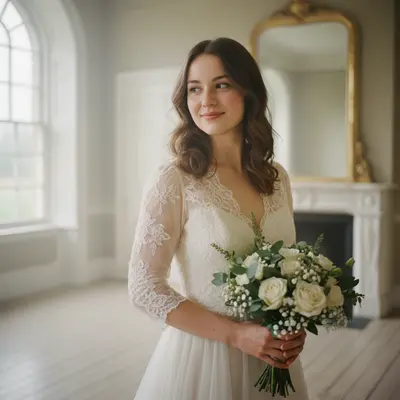
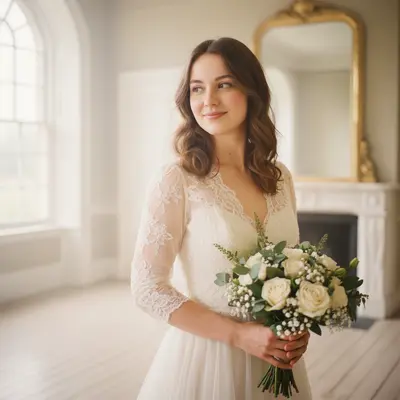
No! Just describe what you want enhanced: 'smooth skin and whiten the dress' or 'brighten this photo with romantic lighting.' The AI understands wedding photo elements like faces, dresses, and backgrounds.
How do I enhance wedding photos with AI for free?
Upload your wedding photo to EditThisPic and describe the enhancements: 'enhance this wedding photo with skin smoothing and dress whitening.' The AI applies professional touch-ups in 30-45 seconds. Free to use, no account required, no watermarks on results.
Is there a free wedding photo editor that doesn't require login?
Yes, EditThisPic is completely free for wedding photo touch-ups with no account needed. Upload your photo, describe what needs enhancement, and download the professional result. Perfect for preparing wedding photos for albums or printing without expensive photographer retouching fees.
Can AI fix dark or poorly lit wedding photos?
Absolutely! AI excels at lighting enhancement. Use prompts like 'brighten this photo with warm romantic lighting' or 'fix the lighting while maintaining the natural wedding atmosphere.' Works great for indoor ceremonies, evening receptions, or outdoor photos with harsh shadows.
What's the best free AI tool for wedding photo touch-ups?
EditThisPic offers professional wedding photo enhancement with no signup required. Unlike complex photo editors, just describe what needs fixing and the AI handles everything—skin smoothing, dress whitening, lighting enhancement, and background cleanup. Results look naturally enhanced, not over-processed.
Can I enhance multiple people in wedding party photos?
Yes! The AI can enhance entire wedding parties at once. Use prompts like 'enhance this wedding party photo with skin smoothing for everyone and perfect lighting.' It automatically improves all faces while maintaining consistent lighting and natural results across the group.
How do I make wedding photos album-ready with AI?
For print-quality results, use comprehensive prompts: 'enhance this wedding photo with professional skin smoothing, dress whitening, and romantic lighting for album printing.' The AI creates high-quality enhancements that look beautiful in wedding albums and framed prints.
Will the AI make my wedding photos look natural or fake?
The AI specializes in natural-looking enhancements. Always include words like 'natural,' 'subtle,' or 'realistic' in your prompts. For example: 'enhance skin naturally while maintaining texture.' This ensures your wedding photos look professionally edited, not over-processed.
Can I touch up wedding photos on my phone?
Yes! EditThisPic works perfectly on mobile browsers (iPhone or Android) with no app download needed. Upload wedding photos, describe enhancements, and download results directly on your phone. Great for quick touch-ups before sharing on social media.
How specific should I be when describing wedding photo enhancements?
Be as specific as possible for best results. Instead of 'make it better,' try 'smooth skin naturally, whiten the dress fabric, and enhance with warm romantic lighting.' Mention specific elements like 'preserve lace details' or 'maintain natural skin texture' for professional-quality results.
How much does EditThisPic cost?
You get 1 free edit per week — no account needed. After that, one-time credit packs start at $4.99 for 10 edits, valid 12 months, no subscription. Power users who edit daily can pick Studio Membership, a monthly workspace at $49.99/mo for 300 edits. Purchased downloads are clean with no watermark.