Clean Up Craigslist Photo Backgrounds
Last updated
Remove the mess behind your items. Keep the items honest.
Drop your photo here
"remove the entire background and replace with clean solid white, keep only the item with soft shadow"
Release to upload
Built for Background Cleanup
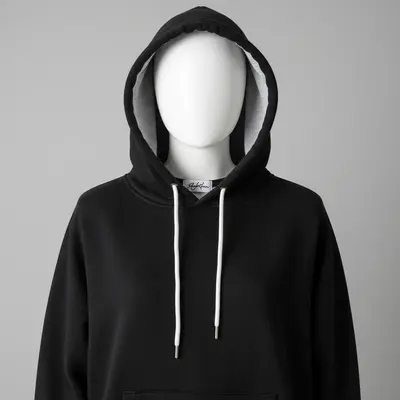
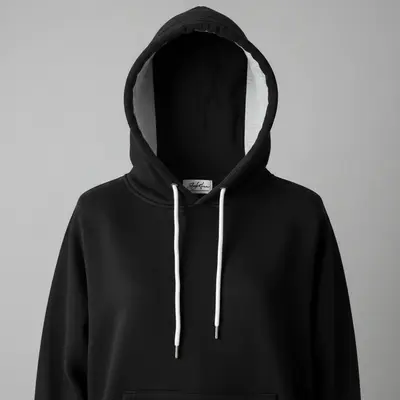
Your items are in good condition. Your garage is not. EditThisPic removes the background mess digitally so buyers focus on what matters - the item condition, not your storage habits. Photograph items wherever they are and let AI handle the cleanup.
Background Cleanup Tools
Remove Background
Complete background replacement
Change Background
Replace with specific setting
Remove Objects
Remove specific clutter items
Remove Clutter
General background cleanup
How to Clean Up Craigslist Photo Backgrounds
-
Upload your listing photo
Drop your phone photo into EditThisPic. The messier the background, the bigger the improvement. JPG, PNG, WebP up to 7MB.
White background swap: 15-20 seconds. Selective cleanup: 20-30 seconds. -
Tell the AI what to remove
'Remove background, show on white' for a clean swap, or 'remove the clutter behind the item' for selective cleanup.
For items that benefit from context (furniture, appliances), try 'clean up the room, keep a tidy setting' instead of white. -
Check the edges
Make sure all parts of your item are intact. Check that nothing was accidentally clipped and edges look natural.
-
Download and post
Save and upload to Craigslist. Use the same background style for all listing photos for consistency.
Add a subtle shadow underneath the item to prevent the 'floating' look.
Background Cleanup Prompts
remove the entire background and replace with clean solid white, keep only the item with soft shadow
White is universal - works for any item type on Craigslist
remove the cluttered garage background, show item on clean white, keep item exactly as is
Garage is the most common messy background on Craigslist
keep the room setting but remove the clutter and mess, make it look tidy
Good for furniture and larger items that look better in a room
remove any personal photos, mail, and identifiable items from the background
Protect your privacy while keeping the general clean setting
Show 4 more prompts
remove the workshop mess behind the tools, clean white background
Workshops and tool benches are always messy
remove kitchen clutter behind the item, show on clean counter or white
Kitchen items look best against clean surfaces
remove outdoor clutter, keep a clean outdoor setting
For outdoor items, a tidy yard setting looks natural
replace the dark storage unit background with clean white, brighten the item
Storage unit photos are dark AND cluttered
| Edit Type | Prompt | Time | |
|---|---|---|---|
| White background | remove background, white |
15s | Try This → |
| Garage cleanup | remove garage mess, white |
20s | Try This → |
| Room tidyup | clean room, remove clutter |
25s | Try This → |
| Privacy cleanup | remove personal items |
20s | Try This → |
Background Cleanup Examples


Workshop clutter removed
Tools on a messy workbench, cleaned to white background showing condition.
Living room mess cleared
Item in a cluttered living room, background tidied up while keeping room context.
Basement storage cleaned up
Item in dark basement storage area, background replaced with bright white.
When Things Go Wrong
New background looks fake
Why: Item lighting doesn't match clean background.
Shadow underneath makes the background look natural.
Floor surface looks odd
Why: AI replaced floor along with background.
Specify 'keep the floor' to prevent floating items.
Frequently Asked Questions
Do I need to clean up at all before photographing?
No. Just make sure the item itself is visible and clean. The background mess gets removed digitally.
What background color works best for Craigslist?
White is most versatile. Grey for light items. Room settings for furniture. Match what feels natural for the item type.
Will people know the background was edited?
Good edits look natural. Add a subtle shadow so items don't float. Most buyers won't notice or care.
Does this work for large items?
Yes. For large items like furniture, consider keeping a clean room context rather than white.
How do I keep consistent backgrounds across photos?
Use the same prompt for all photos in your listing. Consistency looks professional.
Is EditThisPic's AI clean up craigslist photo backgrounds really free?
Yes — you get 1 free edit per week, no account needed. Plans start at $4.99/month for 15 edits.
Can I craigslist background cleanup editor on my phone?
Yes. EditThisPic works in any mobile browser — iPhone, Android, tablet. No app download needed.
You might also like
Popular use cases
Clean backgrounds. Honest items.
Free to try. No signup. Remove the mess, keep the item.
Upload Your PhotoTrusted by 15,000+ users