Free • No signup Swap Furniture · Free

AI Furniture Swap from Photo

Upload your room + a catalog image. The AI places new furniture with correct scale, perspective, and lighting.

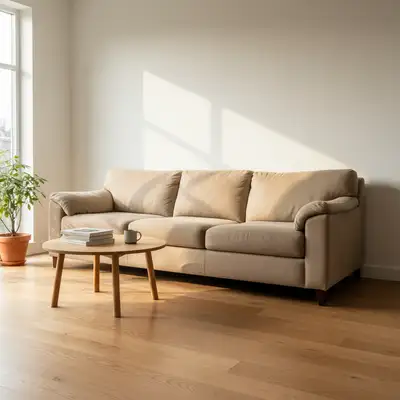
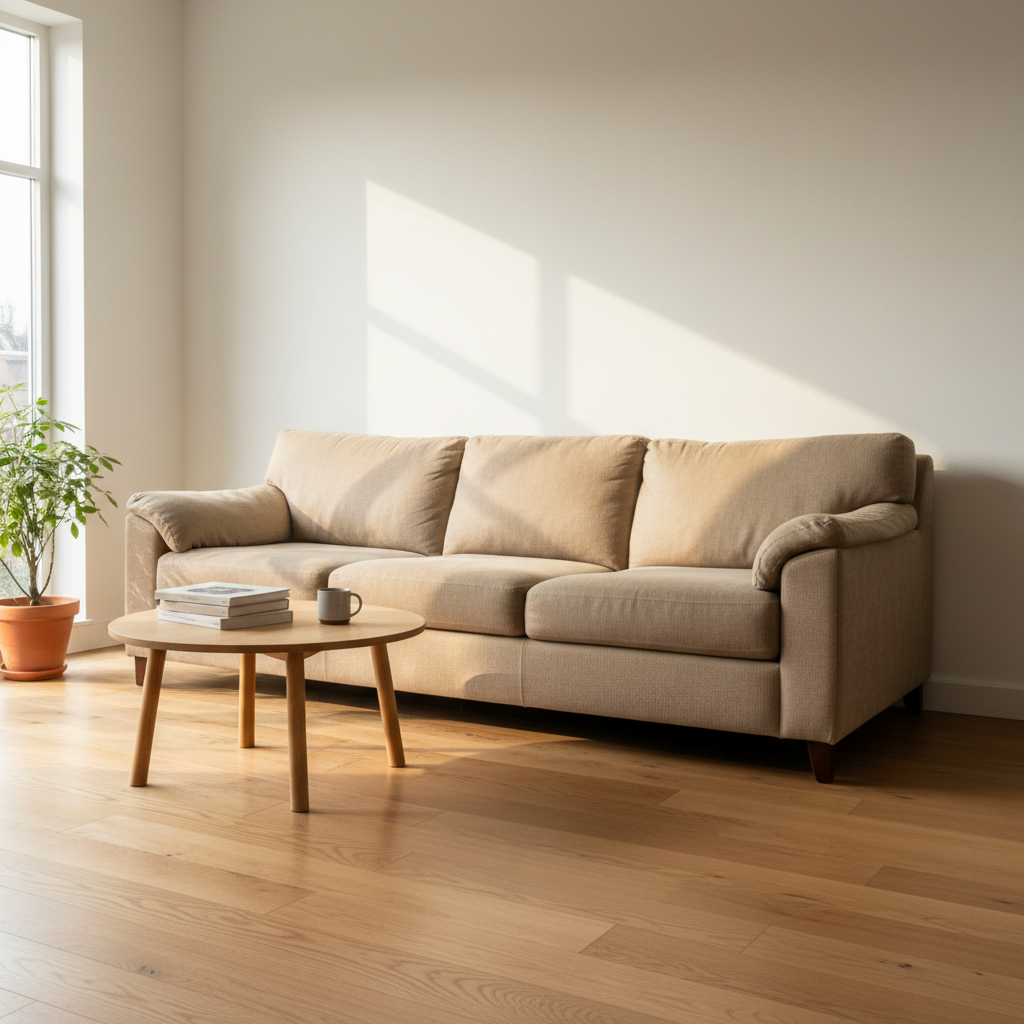
Living room with a beige sofa against a white wall and light oak floor
Photo 1
+
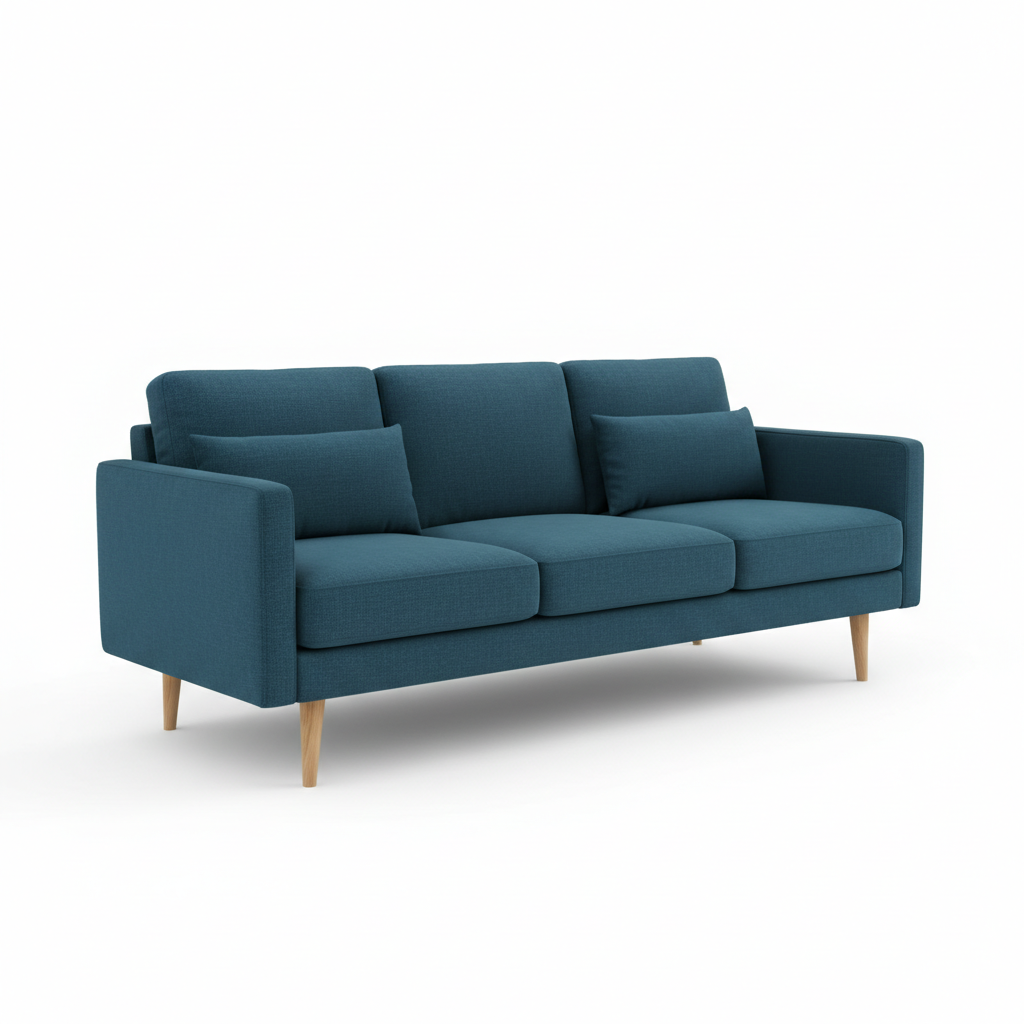
Catalog product photo of a teal velvet sofa on white background
Photo 2
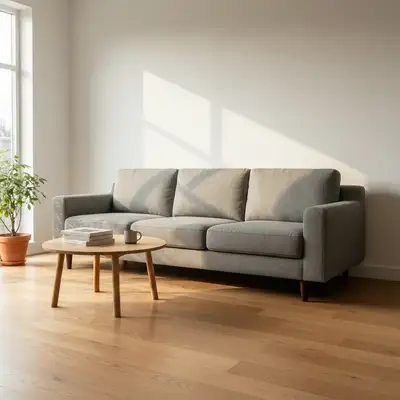
Same living room with a teal velvet modern sofa placed in the same position with correct lighting
Result

Swap Furniture in Room Photo

Drop your photo here

or click to browse

Release to upload

Free • No signup

Popular use cases:
  • furniture swap room photo AI
  • virtual furniture placement tool
  • interior design client presentation mockup
  • real estate virtual staging furniture
  • furniture retailer room mockup
  • home renovation furniture planning
  • catalog furniture in room photo
  • replace sofa in room photo
  • furniture visualization before buying
  • home stager furniture swap tool
  • swap couch from catalog photo
  • furniture mockup from reference image

1Your photo
+
2Reference
=
Result
Living room with existing sofa to be replaced Your room photo
Catalog product photo of new sofa Catalog reference
Room with new sofa placed realistically Result

"Swap the beige sofa with the furniture in the reference image, match lighting and scale"

Cost
Free No signup required
Time
Instant results in 15-30 seconds
Works on
Any device - browser, phone, tablet, desktop
Powered by
AI-powered photo editing
Scenario Prompt Time
swap the existing sofa with the reference image furniture, match room lighting and scale 30-45s
replace the dining chairs with the chairs in the reference image, preserve the table, match overhead lighting 30-45s
replace the dated [piece] with the reference furniture, blend with [floor type], match listing photo lighting 45-60s
place the reference furniture into this room replacing the existing similar piece, accurate shadows and perspective 30-45s

How it works

  1. Upload your room photo

    Drop your room photo into EditThisPic. Use a photo with the existing furniture clearly visible and well-lit — real estate listing photos, client walkthrough photos, and phone shots all work. JPG, PNG, WebP up to 7MB.

    Expect: Single furniture swap with clean background: 30-45 seconds. Rooms with complex pattern flooring or wallpaper behind the piece: may need 2-3 refinements for seamless blending.
  2. Upload the new furniture as a reference image

    Click '+ Add reference image' below the prompt and upload a photo of the furniture you want to place — a catalog image, showroom screenshot, manufacturer website photo, or your own product shot. This is what makes the two-image workflow powerful: the AI reads the specific piece from your reference and places it precisely in the room.

    Tip: White-background catalog photos work best as references. The AI extracts the furniture shape and texture cleanly and ignores the original background.

    Copy one of these to get started:

    Furniture Swap from Photo swap the existing beige sofa with the furniture in the reference image, match the room's natural side lighting, correct scale relative to the coffee table, and blend edges with the hardwood floor
    Replace staging armchair in a listing photo replace the dark brown leather armchair on the left with the chair shown in the reference image, preserve the bright window light from the right and keep the rug visible beneath it
    Place a new dining table from a showroom photo replace the round oak dining table with the table in the reference image, match the overhead pendant lighting, preserve the dining chairs, and match the room's perspective angle
    Furniture retailer room mockup for product listing place the furniture from the reference image into this room, replacing the similar existing piece, with accurate floor-plane shadows and lighting consistent with the room
    3 more prompts
    Swap bedroom bed frame with a new model swap the existing wooden bed frame with the bed shown in the reference image, match the soft warm overhead bedroom lighting, preserve the bedding, and ensure correct scale to the nightstands
    Real estate agent: refresh outdated sectional in listing photos replace the outdated floral sectional with the modern sofa in the reference image, match the cool overhead lighting, blend cleanly with the light gray carpet, and maintain the room's wide-angle perspective
    Home stager: compare two accent chair options for client replace the accent chair in the corner with the chair from the reference image, match the room's warm lamp lighting from the right side, and scale correctly relative to the sofa beside it
  3. Describe the swap

    Type what to swap and where: 'swap the beige three-seater sofa with the furniture in the reference image, matching the room's warm lighting and keeping the same wall angle.' Include the piece you want removed, the perspective cues if relevant, and any material or lighting details.

    Tip: Name the specific piece to remove by color or type to avoid ambiguity: 'replace the dark brown leather armchair on the left' gives the AI a clear target.

    Copy one of these to get started:

    Furniture Swap from Photo swap the existing beige sofa with the furniture in the reference image, match the room's natural side lighting, correct scale relative to the coffee table, and blend edges with the hardwood floor
    Replace staging armchair in a listing photo replace the dark brown leather armchair on the left with the chair shown in the reference image, preserve the bright window light from the right and keep the rug visible beneath it
    Place a new dining table from a showroom photo replace the round oak dining table with the table in the reference image, match the overhead pendant lighting, preserve the dining chairs, and match the room's perspective angle
    Furniture retailer room mockup for product listing place the furniture from the reference image into this room, replacing the similar existing piece, with accurate floor-plane shadows and lighting consistent with the room
    3 more prompts
    Swap bedroom bed frame with a new model swap the existing wooden bed frame with the bed shown in the reference image, match the soft warm overhead bedroom lighting, preserve the bedding, and ensure correct scale to the nightstands
    Real estate agent: refresh outdated sectional in listing photos replace the outdated floral sectional with the modern sofa in the reference image, match the cool overhead lighting, blend cleanly with the light gray carpet, and maintain the room's wide-angle perspective
    Home stager: compare two accent chair options for client replace the accent chair in the corner with the chair from the reference image, match the room's warm lamp lighting from the right side, and scale correctly relative to the sofa beside it
  4. Generate and review

    Check that the new furniture sits on the correct floor plane, matches the room's perspective lines, and has consistent shadow direction. Zoom in to inspect edges where the piece meets the floor and walls for clean blending.

  5. Refine with markers if needed

    If the AI replaced the wrong piece or placed the new furniture slightly off, tap a marker directly on the piece to swap and regenerate with the same prompt. Markers are optional — most swaps work without them, but they add precision when the room has multiple similar pieces.

    Tip: Markers are for precision refinement, not a required step. Try without them first.
Try it free

Swap Furniture in Room Photo

Drop your photo here

or click to browse

Release to upload

Free • No signup

"I pulled a sofa photo from the IKEA website, uploaded my living room, and had a perfect mockup to show my client in under a minute. This replaced half my staging budget." @InteriorsByMara

See it in action

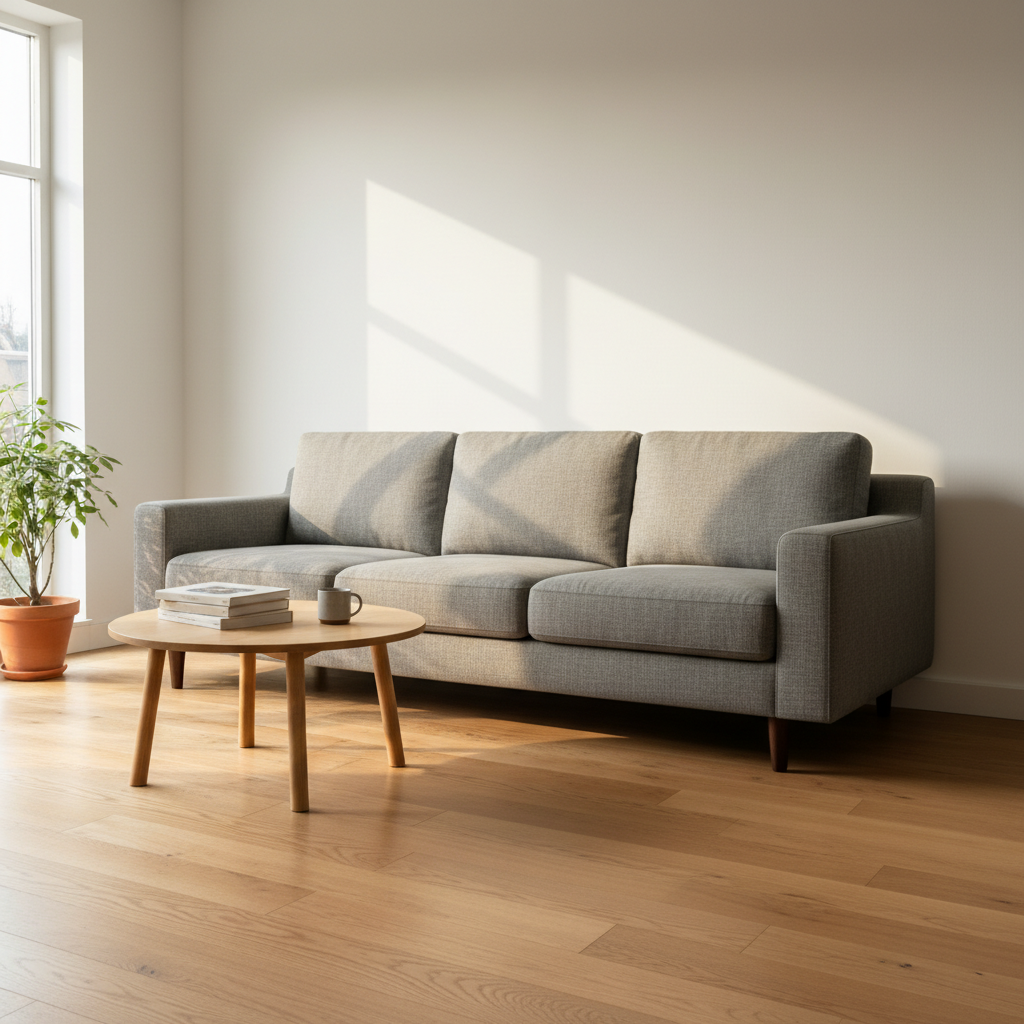
Living room with a beige sofa against a white wall and light oak floor
Main Photo
Catalog product photo of a teal velvet sofa on white background
Reference
Same living room with a teal velvet modern sofa placed in the same position with correct lighting
Result

Living Room Sofa Swap from Catalog Photo

An interior designer replaced a worn beige sofa with a modern teal velvet option sourced from a catalog — presented to the client before any purchase.

Prompt: swap the worn beige three-seater sofa with the sofa in the reference image, match the room's warm afternoon light from the left window, correct scale relative to the coffee table, and blend edges cleanly with the light oak floor
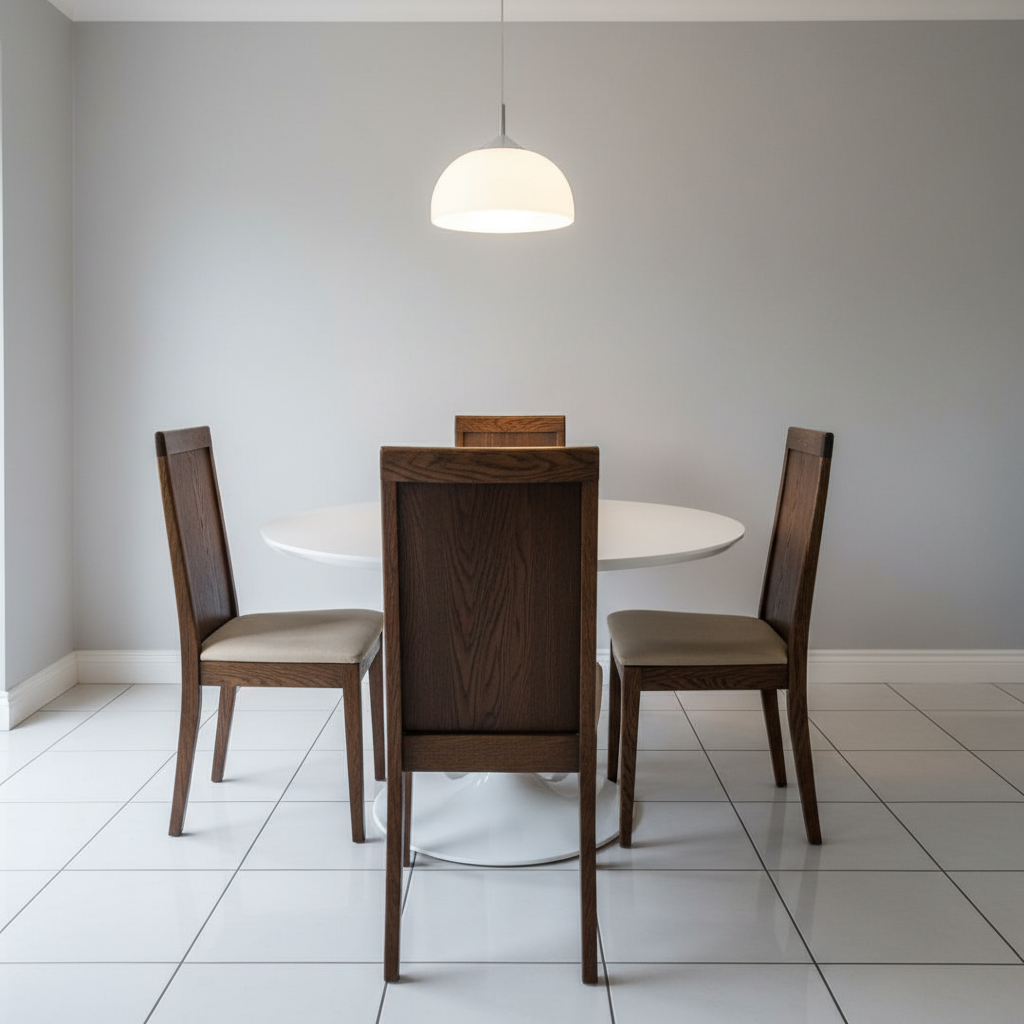
Dining room with dark oak wooden chairs around a white table, harsh contrast with bright room
Main Photo
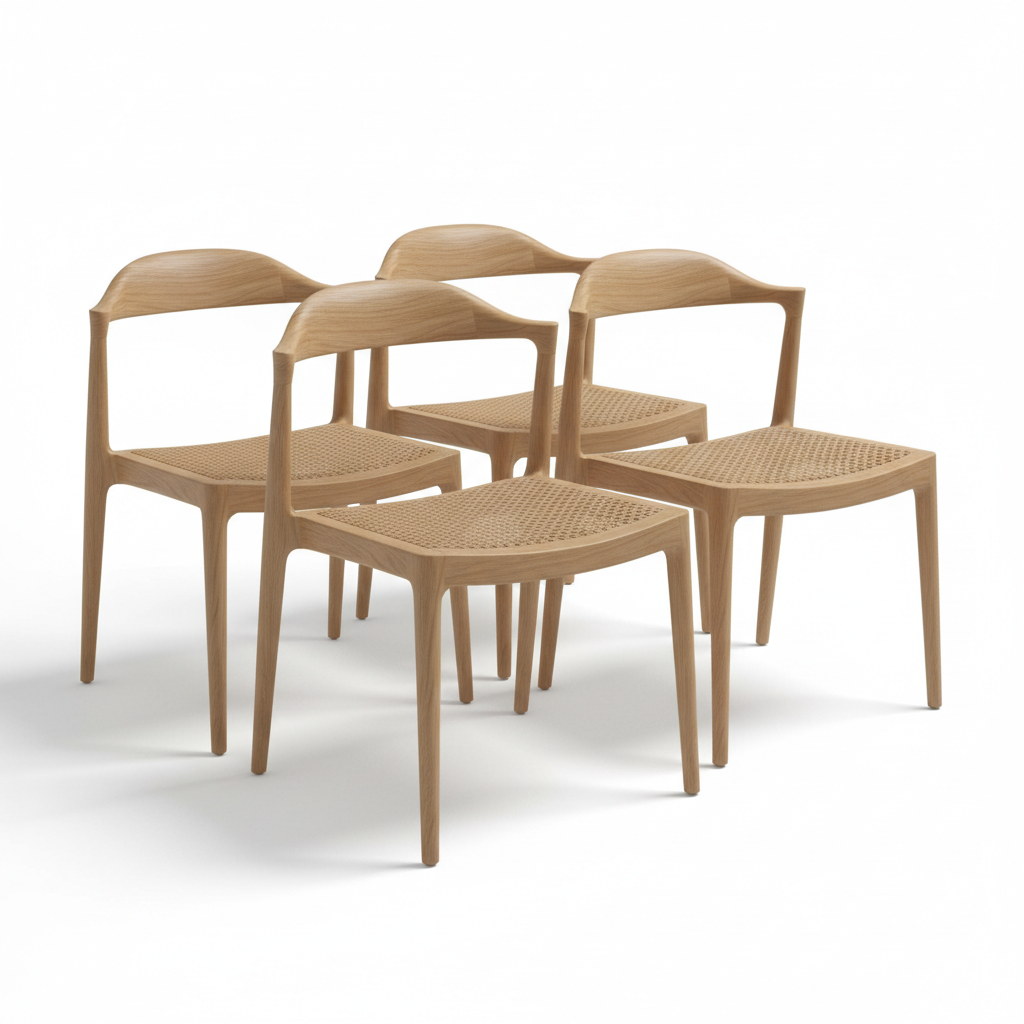
Catalog photo of contemporary upholstered dining chair on white background
Reference
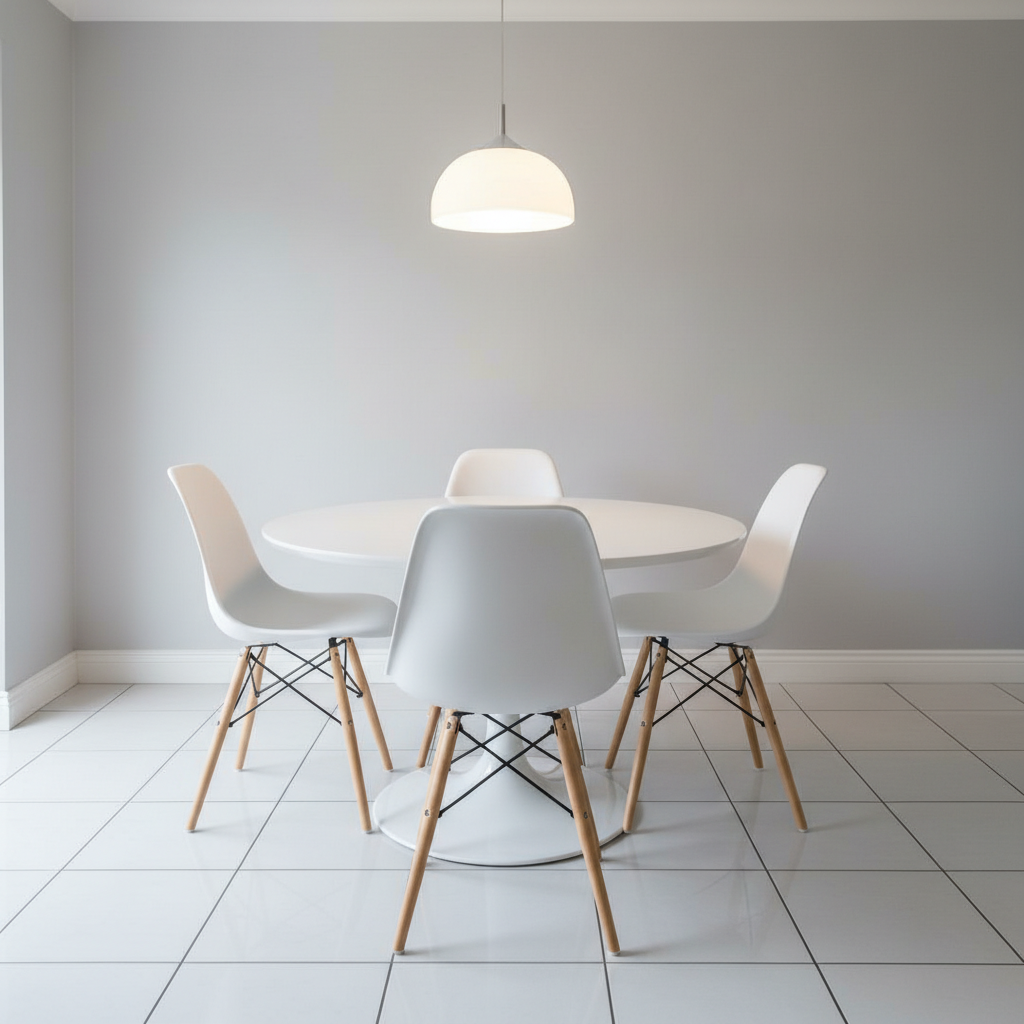
Same dining room with modern upholstered chairs around the same table, seamlessly blended
Result

Real Estate Staging: Dining Chair Replacement

A real estate agent swapped dated wooden dining chairs in an already-shot listing photo with contemporary upholstered versions from a vendor catalog — no restageing appointment needed.

Prompt: replace the DARK OAK WOODEN DINING CHAIRS around the table with the chairs shown in the reference image, preserve the dining table, match the bright overhead pendant lighting, and blend legs cleanly with the white tile floor

Detailed Guides by Scenario

📷

Interior Design Client Presentations

Show clients exactly how a specific sofa, table, or accent chair will look in their actual room — before they commit to a purchase. No 3D software, no rendering budget, no wait time.

Common Scenarios

  • Presenting two or three sofa options side-by-side using the client's existing room photo
  • Swapping a dining table from a vendor catalog into the client's dining room for sign-off
  • Demonstrating how a statement armchair reads at scale in a narrow living room
  • Replacing a sectional with a different configuration from the same manufacturer

Best Practices

  • Use the client's highest-resolution room photo for the cleanest result
  • Pull catalog reference images with white or neutral backgrounds for best extraction
  • Run swaps for all shortlisted options and export each — send as a PDF deck for approval
  • Include the room's natural lighting direction in your prompt to avoid mismatched shadows
Presenting a new sofa option to a residential client swap the existing beige linen sofa with the furniture in the reference image, preserve the room's natural side lighting and hardwood floor reflections
Swapping a dining table from a vendor catalog for client sign-off replace the round oak dining table with the piece shown in the reference image, match the overhead pendant lighting and the room's perspective angle
📷

Real Estate Virtual Staging

Replace tired or mismatched staging furniture in listing photos with modern, buyer-appealing pieces — without a restageing crew or a new photo shoot.

Common Scenarios

  • Swapping outdated staging sofas with contemporary alternatives before MLS upload
  • Replacing a scratched or stained piece that appeared in already-shot listing photos
  • Offering buyers a furnished-room preview for a vacant property using catalog pieces
  • Upgrading a mid-tier staging package with premium-looking furniture at zero marginal cost

Best Practices

  • Use MLS-quality listing photos (typically shot with a wide-angle lens) for the room image
  • Choose catalog furniture photos that match the room's style era — modern rooms need modern references
  • Swap one piece per edit for the cleanest result; combine edits for full-room restaging
  • Describe flooring and wall color so the AI blends edges correctly: 'gray oak flooring, white walls'
Updating staging sofa in a listing photo before MLS upload replace the dark brown leather sofa with the piece in the reference image, match the bright natural light from the windows on the right and the light gray carpet
Replacing mismatched staging piece in an already-shot listing swap the outdated floral armchair in the corner with the chair shown in the reference image, matching the room's warm overhead lighting and beige carpet
📷

Home Renovation Planning

Visualize new furniture purchases in your actual room before spending a dollar — using product photos from any retailer's website as references.

Common Scenarios

  • Checking whether a sofa from IKEA, Wayfair, or West Elm fits the scale of your living room
  • Comparing two bed frame styles in your bedroom using manufacturer product photos
  • Planning a living room refresh by swapping every major piece from a single brand
  • Validating that a specific rug and coffee table combination works before ordering

Best Practices

  • Take your room photo from the same angle as a typical staging shot — straight on, good light
  • Screenshot the product image directly from the retailer's website (white-background preferred)
  • Describe the existing piece by color and type so the AI removes the right item
  • Try swapping in natural daylight hours for the most accurate lighting simulation
Visualizing a Wayfair sofa in a living room before purchasing replace the existing gray sectional with the sofa shown in the reference image, keeping the hardwood floor visible and matching the afternoon sunlight from the left window
Comparing two bed frame options in the actual bedroom swap the wooden bed frame with the bed in the reference image, match the soft overhead bedroom lighting and keep the bedding visible

If something looks off

The new furniture looks too large or too small for the room

Why: The AI misjudged the room's scale without enough context about other objects in the scene.

Try: swap the existing sofa with the reference furniture, scale it to match the height of the coffee table beside it and the proportions of other furniture in the room

Tip: Reference existing furniture dimensions in your prompt: 'scale to match the dining table which seats 6' gives the AI a size anchor

Shadow or lighting on the new piece doesn't match the room

Why: The AI applied default lighting to the placed furniture instead of matching the room's actual light source direction.

Try: replace the furniture with the reference piece, with shadows falling to the [left/right] to match the window light in the room, same warm/cool tone as the existing lighting

Tip: Identify the light source before prompting — 'natural light from the left window' or 'overhead warm pendant' gives the AI a clear direction to match

Furniture legs or base doesn't blend with the floor

Why: Edge blending between the furniture and the floor is a common failure point, especially on patterned rugs or tile.

Try: swap the furniture and blend the base and legs cleanly with the [hardwood/carpet/tile] floor, with a natural contact shadow beneath the piece

Tip: Add 'with a natural grounding shadow beneath' to any furniture prompt — it forces the AI to render the floor contact correctly

AI changed the wrong piece of furniture

Why: The AI couldn't determine exactly which area you meant from description alone. This happens with ambiguous requests or rooms with multiple similar pieces.

Try: Tap a marker on the specific furniture piece you want to replace, then regenerate with the same prompt

Tip: Markers tell the AI 'I mean THIS piece specifically.' Use them when the room has multiple sofas, chairs, or similar-colored items.

The reference furniture looks pasted in or has harsh edges

Why: The AI didn't fully match the perspective angle or blend the edges of the new piece with the background wall or floor.

Try: replace the existing furniture with the reference piece, seamlessly blended into the room with soft edges, matching perspective lines of the walls and floor, no harsh cutout effect

Tip: For wide-angle room photos, add 'match the wide-angle perspective distortion of the room' — furniture must lean slightly to match the camera lens

Reference image furniture color or texture changed in the result

Why: The AI adjusted the reference furniture's material to match ambient room tone, which can shift hues.

Try: swap the sofa with the reference furniture, preserve the exact [teal velvet / dark walnut / cream linen] finish from the reference image, only adjust the lighting direction

Tip: Name the material explicitly in the prompt — 'preserve the teal velvet texture' is more reliable than 'keep it the same color'

Quick answers

Do I need to mark or select the furniture before I describe the swap?

No. Just describe which piece to swap: 'replace the beige sofa with the furniture in the reference image.' The AI understands furniture types and positions without any selection tools. Only use the tap-to-mark feature if the room has multiple similar pieces and the AI keeps changing the wrong one.

How do I swap furniture in a room photo using a catalog image?

Upload your room photo to EditThisPic, then click '+ Add reference image' to upload the catalog or product photo of the new furniture. Type a description of what to swap: 'replace the existing sofa with the furniture in the reference image, matching scale and room lighting.' The AI extracts the piece from the catalog photo and places it in your room with correct perspective and lighting. Free, no account required.

Is there a free furniture mockup tool that doesn't require a login?

Yes. EditThisPic's furniture swap tool is free to use with no login or signup required. Upload your room photo and a reference image of the new piece, describe the swap, and download the result without a watermark. You get one free edit per week, or purchase credit packs for more.

What type of reference image works best for furniture swaps?

White-background catalog or product photos work best — the AI cleanly extracts the furniture shape and texture without being confused by a complex background. Showroom photos also work if the piece is clearly visible and not heavily overlapping other furniture. Avoid reference images where the furniture is photographed at a sharp angle or partially cropped.

Can interior designers use this for client presentations?

Yes, and this is one of the most common professional use cases. Upload the client's room photo and reference catalog images for each shortlisted piece. Run a swap for each option and export the results. You can produce a full comparison deck — showing two or three sofa or chair options in the actual room — in under five minutes, without any 3D software or rendering time.

Can real estate agents use this to update listing photos without restaging?

Yes. Upload the existing listing photo as your main image and a catalog photo of the replacement piece as the reference. Describe the swap and download the updated photo. This is useful when a staging piece looks dated, was damaged after shooting, or simply doesn't photograph well. Most listing photo swaps complete in under a minute and require no additional photography appointments.

What is the best AI tool for furniture mockups from a room photo?

EditThisPic handles two-image furniture mockups well: you supply both the room context and the specific piece via a reference photo, and the AI composites them with matched lighting and perspective. This is more accurate than text-only furniture generators because the AI works from the actual product image rather than generating a generic approximation of your description.

How do I make sure the swapped furniture matches the room's lighting?

Describe the light source in your prompt: 'with natural light from the left window' or 'with warm overhead pendant lighting.' Look at how shadows fall on existing furniture and mention that direction. If the first result has mismatched lighting, refine with: 'adjust shadows to fall to the right to match the room's window light.'

Can furniture retailers use this to generate lifestyle room mockups from product photos?

Yes. Retailers can provide a room scene as the main photo and the product image as the reference to generate a room-in-context lifestyle shot without a dedicated photo shoot. This works well for catalog pages, social media content, and product listing images. Run the swap for multiple room styles to create a library of lifestyle contexts for each product.

Can I replace multiple pieces of furniture in one edit?

You can describe multiple swaps in one prompt, but results are most accurate when you swap one major piece at a time. For full-room restaging, edit the largest piece first (typically the sofa), download the result, then upload it again to swap the next piece. This staged approach gives you the most control over each placement.

How do I visualize new furniture in my room before buying it?

Take a clear photo of your room. Screenshot the furniture product image from the retailer's website (most have white-background photos). Upload your room photo to EditThisPic, add the product image as a reference, and describe the swap. The AI places the actual product in your room with correct scale and lighting so you can see whether it fits before purchasing. Free, no account required.

Ready to swap furniture in your room photo?

Upload your room + a catalog image. Free, no signup required.

Try it free