Fix Amateur-Looking Shopify Product Photos
Last updated
Transform DIY product photos into professional Shopify listings in seconds. No photography skills or expensive equipment needed.
Drop your photo here
"replace background with pure white seamless studio backdrop, enhance lighting to be bright and even, sharpen product details, professional e-commerce product photography quality"
Release to upload
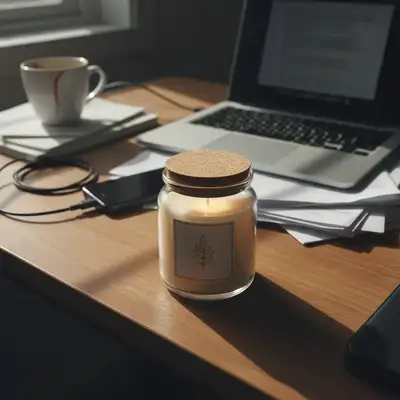
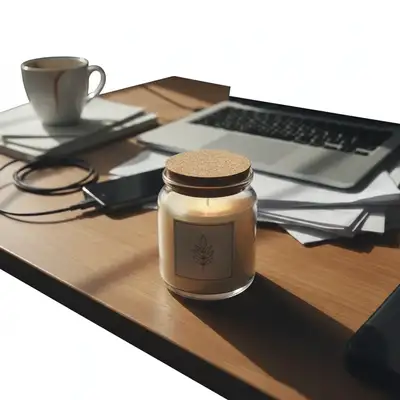
Why Your Product Photos Look Amateur
Your photos are your first impression. Amateur-looking product photos tell customers 'this store is unprofessional' before they even read your description. EditThisPic bridges the gap between DIY phone photography and professional results - giving you the polished look that builds trust and drives sales.
Tools to Fix Amateur Photos
Enhance Photo
Overall quality upgrade for amateur product photos
Remove Background
Replace cluttered backgrounds with clean professional white
Enhance Lighting
Fix harsh shadows and uneven lighting from DIY setups
Enhance Colors
Fix color accuracy from phone cameras and bad lighting
How to Fix Amateur Product Photos
-
Upload your amateur product photo
Drop your phone photo into EditThisPic. Any quality level works - the AI handles the upgrade. JPG, PNG, and WebP up to 7MB.
Most upgrades: 15-20 seconds. Very low quality originals: may need 2-3 refinements. -
Describe your desired professional look
Type 'enhance to professional product photography quality with clean white background and even lighting.' Be specific about what makes your photo look amateur - background, lighting, sharpness - and tell the AI to fix it.
The all-in-one prompt: 'professional white background, even bright lighting, sharp product details, e-commerce quality' covers most amateur photo problems. -
Compare before and after
Use the before/after slider to see the transformation. Check that the product looks professional, the background is clean, and the lighting is even. Your product should look trustworthy.
Look at your competitors' product photos. Your edited photos should match or exceed their quality level. -
Apply to your entire store
Save your successful prompt and apply it to every product. Consistent professional quality across your store is what turns browsers into buyers.
Process all your products in one session. Consistent results come from consistent prompts.
Fix Amateur Photo Prompts
replace background with pure white seamless studio backdrop, enhance lighting to be bright and even, sharpen product details, professional e-commerce product photography quality
This single prompt fixes the three biggest amateur photo issues: background, lighting, and sharpness.
remove all background clutter and replace with pure white, keep product exactly as-is, clean professional look
If your product looks fine but the background is messy, just swap the background.
fix the lighting to be bright, even, and professional, remove all harsh shadows, enhance product clarity, keep background as-is if it's acceptable
Bad lighting is the #1 amateur photo problem. This prompt can save an otherwise decent photo.
enhance overall image quality, improve sharpness and clarity, fix phone camera color cast, upgrade to professional product photography level
Phone cameras add color casts and softness. This prompt corrects both.
Show 4 more prompts
correct white balance from warm/yellow to neutral, accurate true-to-life product colors, professional color representation
Indoor lighting adds yellow cast. Neutral white balance makes products look accurate.
correct white balance from cool/blue to neutral, warm up slightly for appealing product colors, professional color accuracy
Fluorescent and LED lights can add blue cast. Neutral correction fixes it.
sharpen product details and texture, enhance clarity without artifacts, professional product photography sharpness level
Phone cameras often produce soft images. Sharpening reveals product quality.
replace background with pure white, fix lighting to bright even studio quality, correct color balance, sharpen details, consistent professional e-commerce photography
The nuclear option - fixes everything at once. Save this and apply to your entire store.
| Edit Type | Prompt | Time | |
|---|---|---|---|
| Complete upgrade | white background, bright even lighting, sharp details, professional |
20s | Try This → |
| Background fix only | remove clutter, replace with pure white, keep product |
15s | Try This → |
| Lighting fix only | fix lighting to bright and even, remove harsh shadows |
15s | Try This → |
| Color fix only | correct color cast, neutral white balance, accurate colors |
15s | Try This → |
Amateur to Professional Transformations
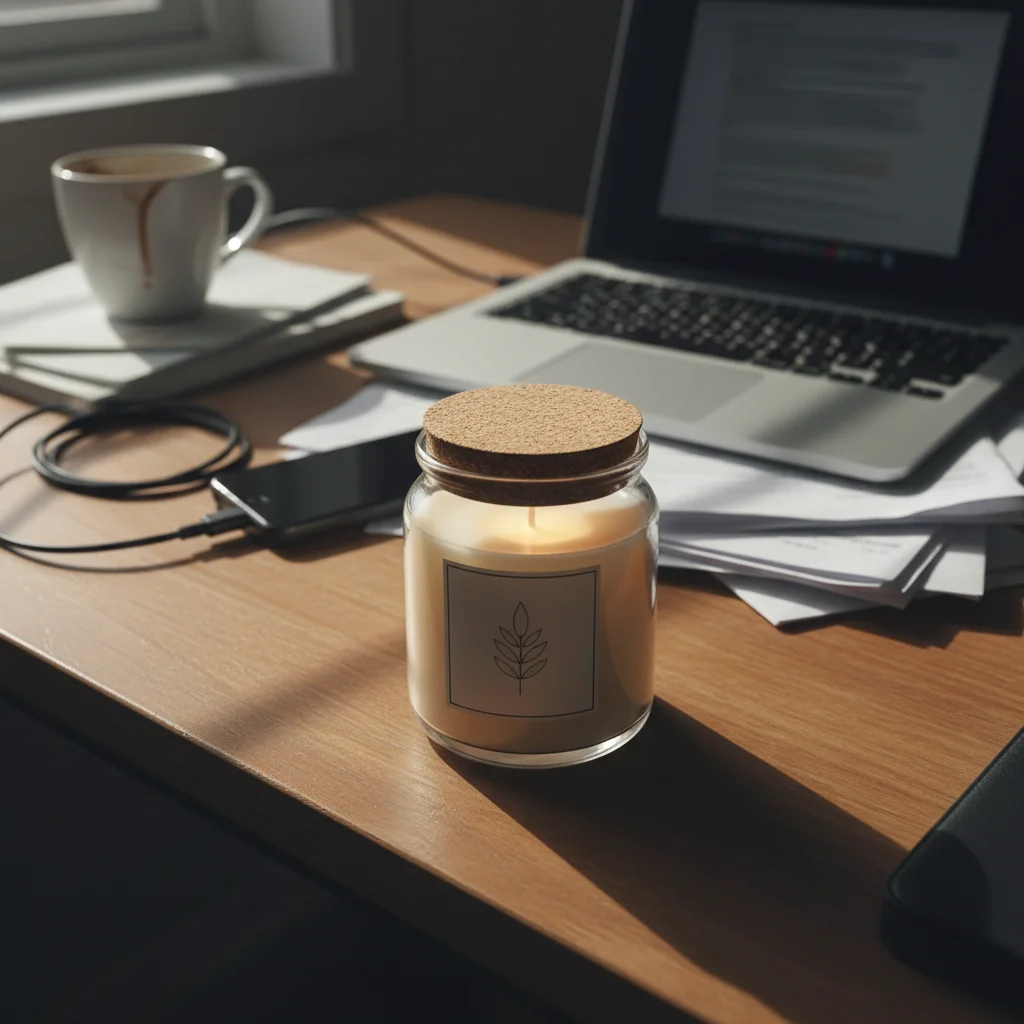
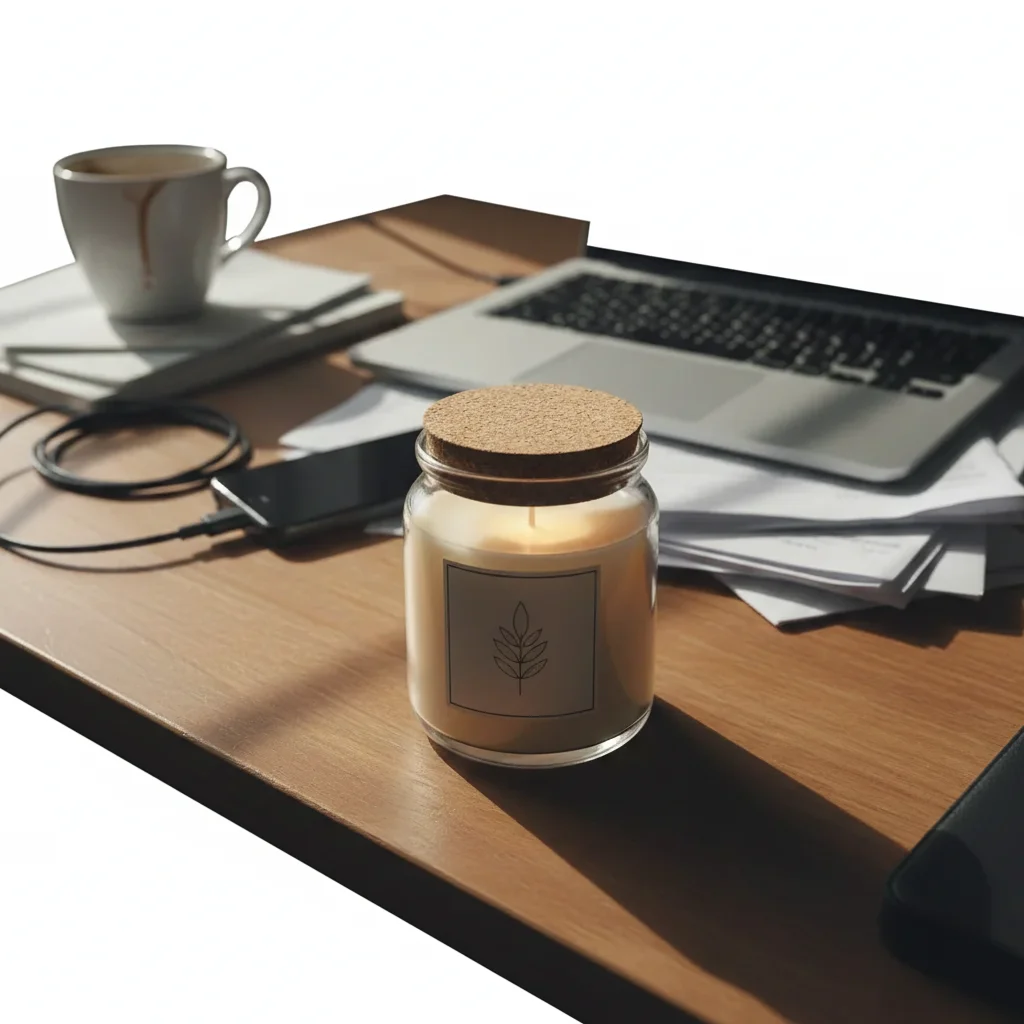
Desk clutter to clean studio
Product photographed on a messy desk. One prompt created a clean, professional listing that looks like a real brand.
replace background with pure white seamless studio backdrop, enhance lighting to be bright and even, sharpen product details, professional quality
Dark bathroom lighting fixed
Product under dim bathroom lights with yellow cast. AI corrected lighting and color to professional standard.
fix lighting to bright even studio quality, correct yellow color cast, enhance sharpness and clarity, professional product photography
Kitchen table to store-ready
Product on kitchen table with visible food and appliances. Transformed into a professional listing.
replace background with pure white, enhance to professional product photography quality, bright even lighting, sharp details
Common Amateur Photo Fix Issues
Photo still looks amateur after enhancement
Why: The original may have multiple issues (background + lighting + color + focus) and the prompt only addressed one.
Use the complete overhaul prompt: 'pure white background, bright even studio lighting, correct color balance, sharpen details, professional e-commerce photography'
Address ALL issues in one prompt rather than trying to fix them one at a time.
Enhanced photo looks over-processed or fake
Why: Too much enhancement can make products look artificial or plastic.
Add 'natural realistic enhancement, professional but authentic, no over-processing' to tone down the enhancement
Professional doesn't mean over-processed. Add 'natural' and 'authentic' to keep products looking real.
Product details lost during enhancement
Why: Aggressive enhancement can smooth over important product details and textures.
Add 'preserve all product texture and detail, enhance without smoothing, keep grain and surface quality'
If the product looks too smooth after editing, 'preserve texture' brings back the natural detail.
Colors look different from the actual product
Why: Enhancement can shift colors, especially when correcting extreme color casts.
Add 'maintain exact original product colors, correct background and lighting only, do not shift product hue or saturation'
Compare to your physical product. If colors are off, specify 'do not change product colors' explicitly.
Some products need different treatment than others
Why: Different product types (matte vs. shiny, light vs. dark) respond differently to the same enhancement.
Create 2-3 prompt variants for different product types rather than using one prompt for everything
One prompt handles 80% of products. Create variants for edge cases (very dark, very shiny, transparent).
Frequently Asked Questions
Can AI really fix my amateur product photos?
Yes. The biggest differences between amateur and professional product photos are background, lighting, and color accuracy. EditThisPic's AI fixes all three in one prompt. The results are indistinguishable from professional photography for standard product shots.
What makes a product photo look amateur?
Four things: 1) Cluttered or messy backgrounds. 2) Harsh, uneven, or yellowish lighting. 3) Soft or blurry product details. 4) Inconsistency across your catalog. EditThisPic fixes all four. One prompt handles background, lighting, and sharpness. Same prompt on every product creates consistency.
Do I need a better camera?
No. Modern smartphones take photos with more than enough resolution for Shopify listings. The quality gap between amateur and professional photos is about lighting, background, and post-processing - not camera quality. EditThisPic handles the post-processing.
How many photos can I fix?
As many as you need. The free tier lets you try it out. For large catalogs, credits start at 20 cents per photo - far less than professional photography at $20-50 per photo.
Will customers be able to tell the photos were AI-edited?
No. The AI creates the same clean white backgrounds, even lighting, and sharp details that professional photographers produce. Customers cannot distinguish between AI-enhanced and professionally shot product photos.
What's the fastest way to upgrade my entire store?
Save one prompt that works: 'pure white background, even bright lighting, sharp details, professional e-commerce quality.' Paste it for every product. Process your catalog in one sitting. Most stores can be fully upgraded in 1-3 hours.
Can I shopify photos on my phone?
Yes. EditThisPic works in any mobile browser — iPhone, Android, tablet. No app download needed.
What photo formats does the AI fix amateur-looking shopify product photos support?
JPG, PNG, WebP, and HEIC. Upload any common photo format and EditThisPic handles the rest.
Popular use cases
Ready to fix your amateur product photos?
Professional quality in seconds. Free to try.
Start Fixing Your PhotosTrusted by 15,000+ users