Whiten Background from Photo
Type 'make the background pure white' and watch your product photos become marketplace-ready.

Type 'whiten the background to pure white' and EditThisPic transforms any off-white, gray, or uneven background into flawless white in 15 seconds. Perfect for Amazon and Etsy listings that require white backgrounds. No selection tools, no marking. Free, no signup needed.
How it works
Upload your photo
Drop your product image into EditThisPic. JPG, PNG, and WebP up to 7MB. Photos shot on white or light backgrounds work best since the AI only needs to brighten and even out the existing backdrop.
Describe what you want
Type 'make the background pure white' or 'whiten the background to clean #FFFFFF white.' That's it. The AI understands what 'background' means—no marking, no selecting. Specify if you want shadows kept or removed.
Copy one of these to get started:
make the background pure white, completely even #FFFFFF white, no shadows, marketplace compliant
whiten the background to pure seamless white, remove all gray tones and uneven patches
make background pure white but keep the natural soft shadow under the product for depth
whiten the background to clean pure white, keep crisp product edges with no white bleed into the item
2 more prompts
make background pure white and remove all harsh shadows, keep only very subtle soft shadow for grounding
whiten the background to pure seamless white, preserve all fabric texture and color accuracy of the garment
Generate and review
Check that the background is truly pure white and even across the entire image. Zoom in on product edges to ensure no gray fringing or uneven patches remain.
Refine with markers if needed
If some corners stayed gray or shadows weren't fully removed, tap markers on those spots and regenerate. Most whitening edits work without markers on the first try.
"My product photos were getting rejected for gray backgrounds. Now I just type 'pure white background' and every listing gets approved." @EtsySellerMike
See it in action
Product photo with gray background
Handmade ceramic mug photographed on off-white paper. One prompt made it marketplace-ready with pure white background.
make the background pure white, completely even #FFFFFF white, remove all gray tones
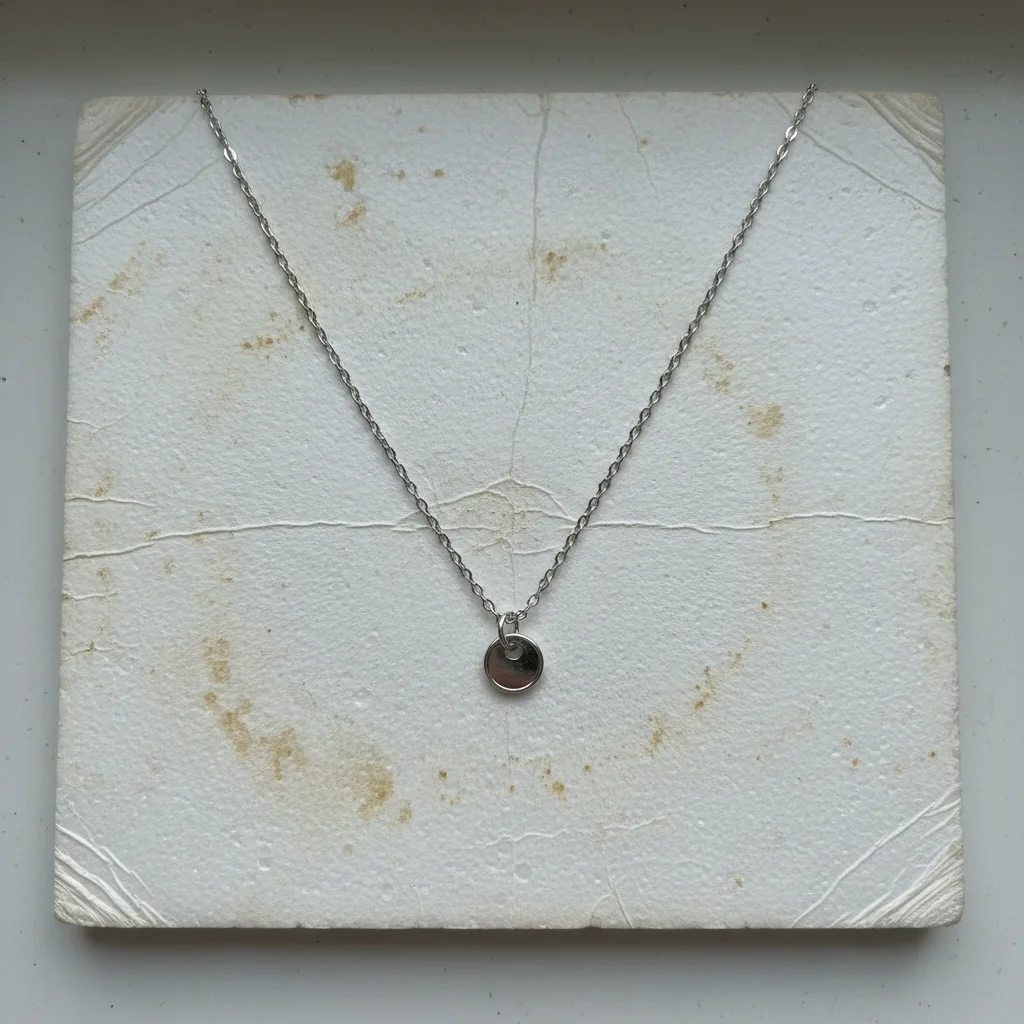
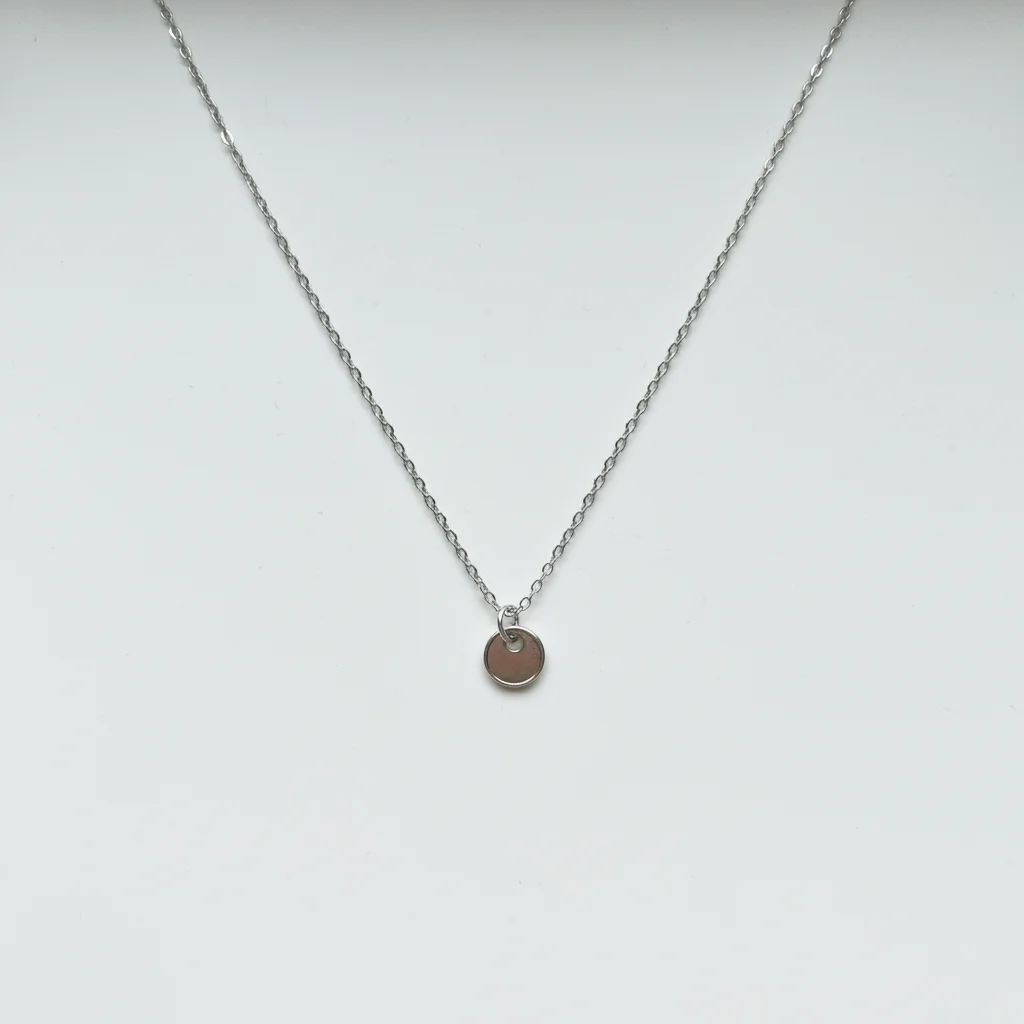
Jewelry on dingy backdrop
Silver necklace photographed on yellowed white foam board. Transformed to clean white for Etsy listing.
whiten the background to pure seamless white, keep crisp edges on the jewelry with no white bleed
If something looks off
AI changed the wrong area or affected the product itself
Why: The AI couldn't distinguish between the background and light-colored parts of your product. This happens with white or cream-colored items.
Tap a marker on the product area you want protected, then regenerate with the same prompt
💡 Markers tell the AI 'don't touch this area.' Use them when your product color is close to white.
Background still has gray patches in corners
Why: The original lighting created shadows or gradients the AI didn't fully correct. Corners often have the most shadow buildup.
make the entire background pure even white including all corners, remove all shadows and gray areas
💡 Specifically calling out 'including all corners' helps the AI target those problem areas.
Product edges look washed out or lost detail
Why: The AI over-whitened and bled into the product edges, especially on light-colored items.
whiten only the background to pure white, preserve all product edge detail and color, no white bleed into the item
💡 If edges still suffer, tap markers on the product edges you want to protect.
White background looks flat and product floats
Why: All shadows were removed, eliminating visual grounding. Products need some shadow to look natural.
make background pure white but add a subtle soft drop shadow under the product for grounding
💡 A tiny shadow makes products look photographed rather than pasted. Most marketplaces allow subtle shadows.
Quick answers
Do I need to mark the background before describing?
No! Just type 'make the background pure white' and the AI understands. Markers are only needed if the AI accidentally affects your product—which rarely happens unless your product is also white or cream-colored.
Will this meet Amazon and Etsy white background requirements?
Yes. Type 'make the background pure white, #FFFFFF, marketplace compliant' to get backgrounds that meet strict e-commerce requirements. Amazon requires pure white (RGB 255,255,255) for main product images, and this tool delivers exactly that.
What's the difference between whitening and removing background?
Whitening cleans up an existing light background to pure white—faster and preserves natural shadows if wanted. Removing background completely replaces it with a new white layer. Use whitening when you already shot on white but it came out gray or uneven.
Can I keep the product shadow while whitening the background?
Yes. Add 'keep the natural product shadow' to your prompt. This preserves depth and makes products look grounded rather than floating. Most marketplaces allow subtle shadows as long as the background itself is pure white.
Ready to whiten your product backgrounds?
Free to try. No signup required.