Free • No signup Convert Photo to oil painting · Free

AI Oil Painting Generator

Describe the painting style and AI transforms your photo into an oil painting in seconds.
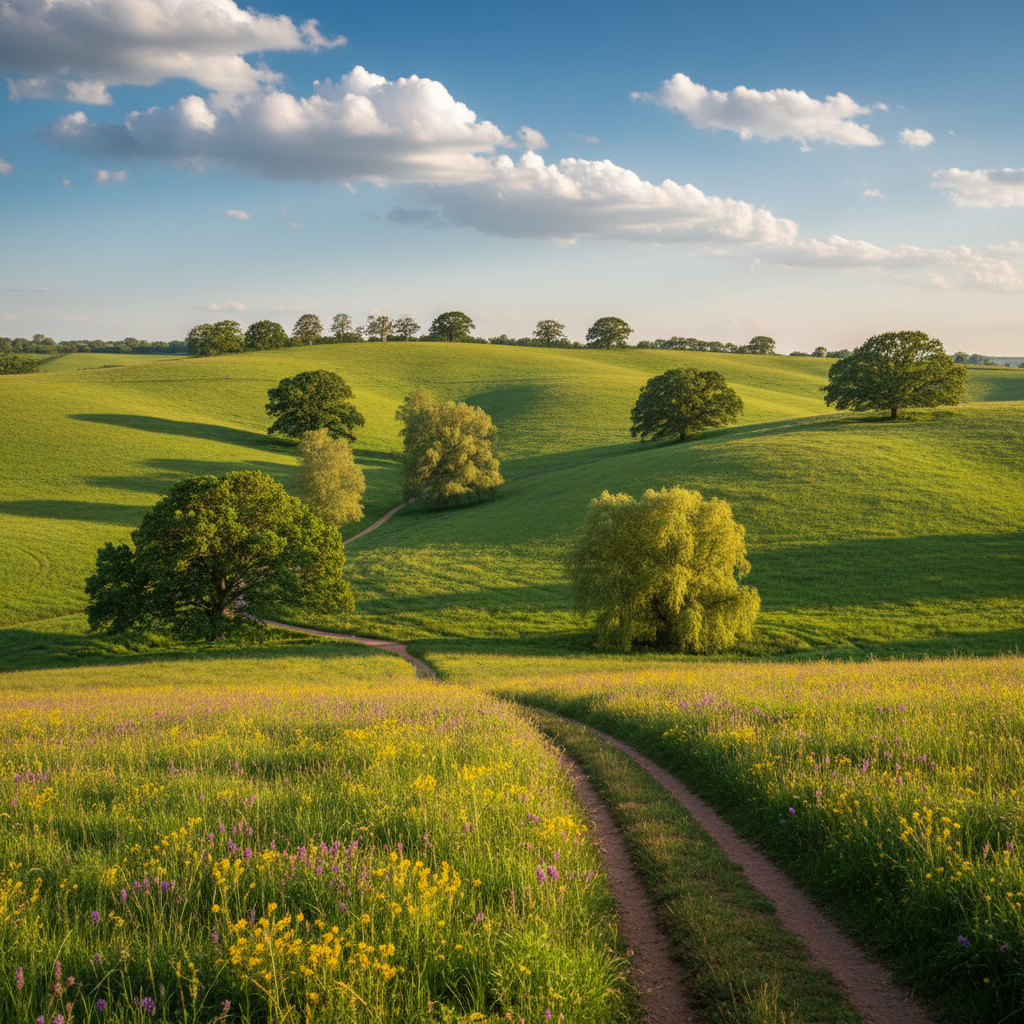
Sunlit lavender field with cypress trees and farmhouse
Before
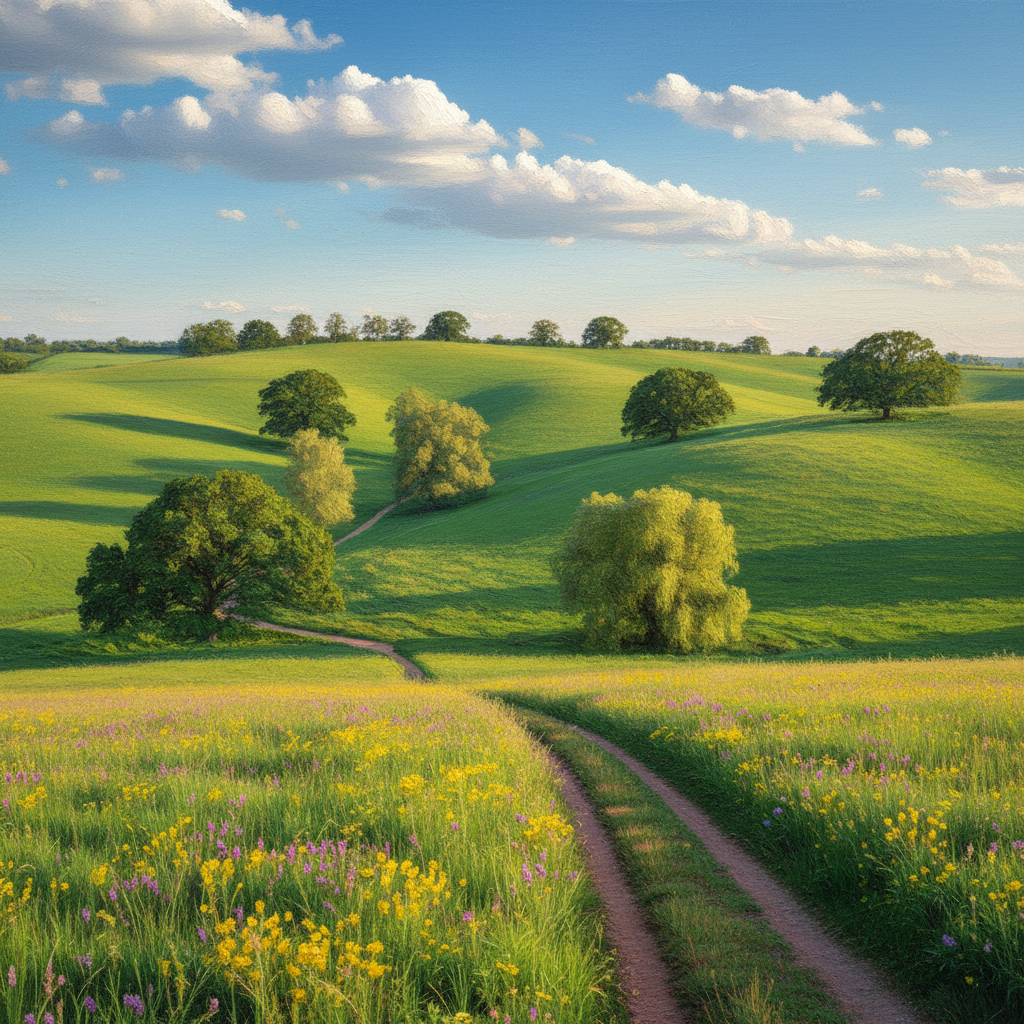
Same landscape as an impressionist oil painting with soft brushwork
After

AI Oil Painting Generator

Drop your photo here

or click to browse

Release to upload

Free • No signup

Advertisement
Popular use cases:
  • canvas prints
  • home decor art
  • anniversary gifts
  • portrait commissions
  • gallery wall art
  • pet portrait paintings
  • landscape art prints
  • custom wall art

Cost
Free No signup required
Time
Instant results in 15-30 seconds
Works on
Any device - browser, phone, tablet, desktop
Powered by
AI-powered photo editing
Scenario Prompt Time
Classic oil painting convert to oil painting with thick brushstrokes and rich colors 30s
Impressionist style turn into impressionist oil painting with soft dappled light 40s
Dramatic baroque portrait convert to baroque painting with chiaroscuro lighting 45s

How it works

  1. Upload your photo

    Drop your image into EditThisPic. JPG, PNG, WebP up to 7MB. Bold compositions with strong colors and clear subjects make the most stunning oil paintings. Landscapes and portraits both work beautifully.

    Expect: Simple painting conversion: 30-40 seconds. Complex scenes with fine detail: 45-60 seconds.
  2. Describe the painting style you want

    Type your instruction: 'convert this photo to an oil painting with thick impasto brushstrokes and warm rich colors' or 'turn this into an impressionist oil painting like Monet with soft light.' Specify brushwork, color palette, and artistic movement. No marking needed—the AI transforms the entire image.

    Tip: Reference specific artists or movements: 'Van Gogh style', 'impressionist', 'baroque' for more targeted painting styles.

    Copy one of these to get started:

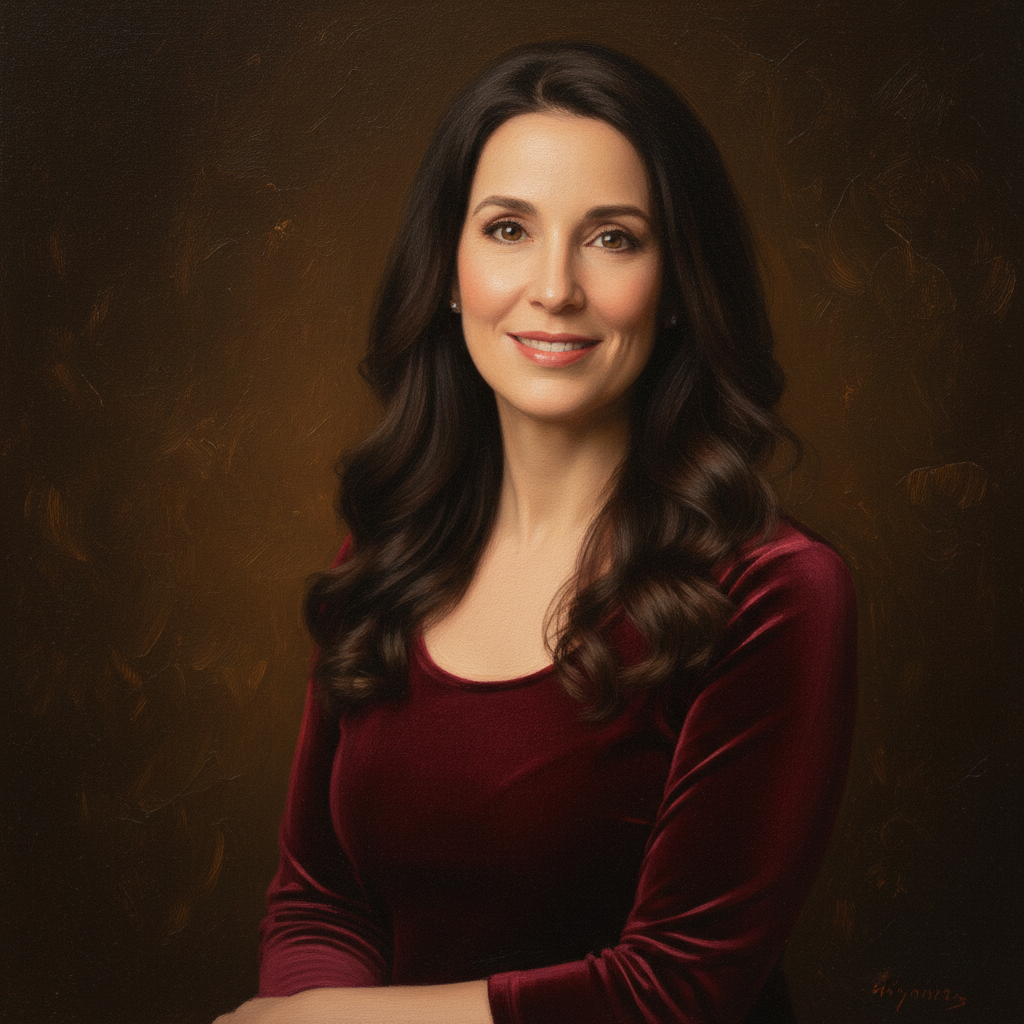
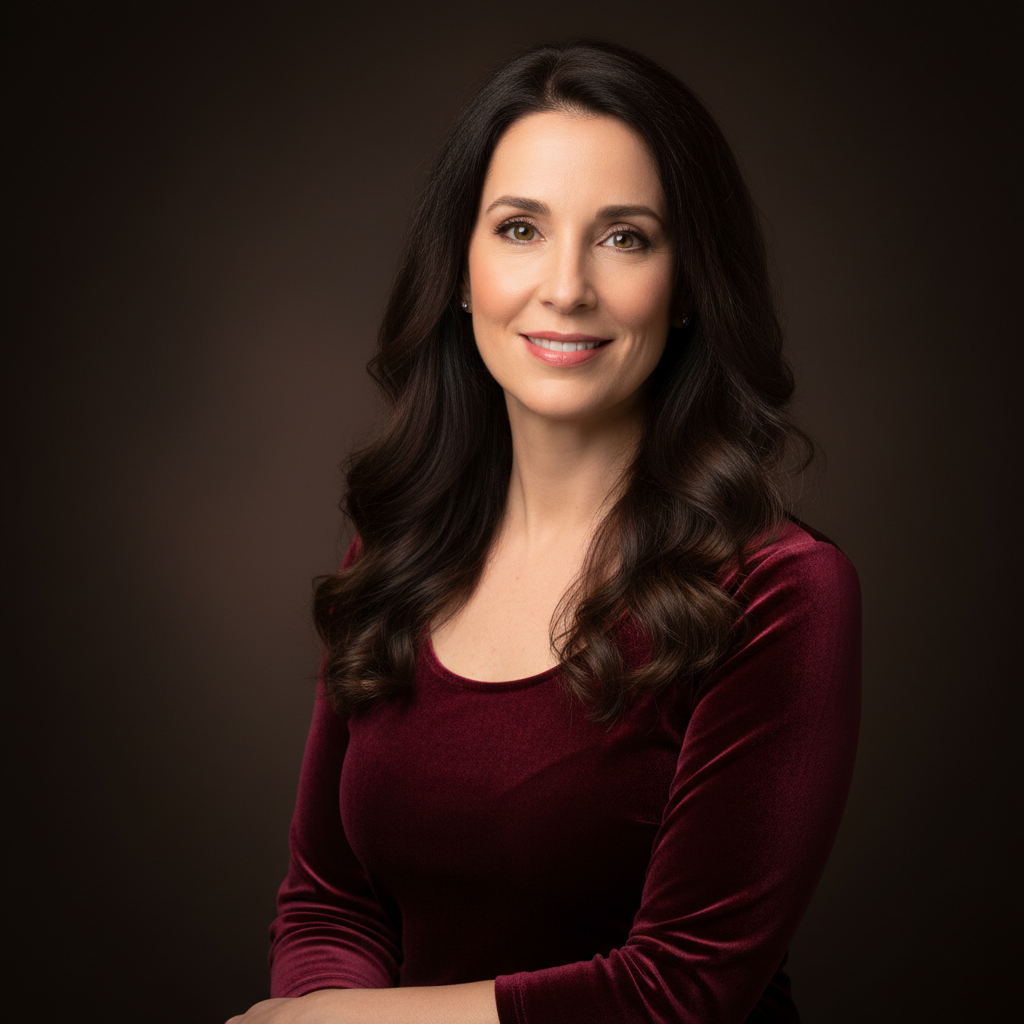
    Classic oil painting portrait convert this photo to a classic oil painting with thick brushstrokes, rich warm colors, and visible paint texture
    Impressionist landscape turn this landscape photo into an impressionist oil painting with soft dappled light, loose brushwork, and vibrant colors like Monet
    Dramatic baroque style convert this portrait to a dramatic baroque oil painting with deep shadows, golden highlights, and rich chiaroscuro lighting
    Modern palette knife painting turn this photo into an oil painting with thick palette knife strokes, bold color blocks, and heavy texture
    3 more prompts
    Van Gogh swirling style convert this photo to an oil painting in Van Gogh's style with swirling brushstrokes, vivid blues and yellows, and expressive energy
    Soft romantic painting turn this photo into a soft romantic oil painting with gentle blending, warm golden light, and a dreamy atmospheric quality
    Bold expressionist painting convert this photo to a bold expressionist oil painting with exaggerated colors, visible brush marks, and emotional intensity
  3. Review the painting

    Check for visible brushstroke texture, consistent color palette, and proper depth. The best results show paint-like quality rather than a filtered photo. Zoom in to see brushwork detail.

  4. Refine with markers if needed

    If specific areas like the sky, foreground, or subject's face need different brushwork or detail, tap markers on those spots and regenerate. Most painting conversions look gallery-ready on the first try.

    Tip: Markers are for precision refinement only. Try without them first—oil painting conversions usually nail the overall feel.
Try it free

AI Oil Painting Generator

Drop your photo here

or click to browse

Release to upload

Free • No signup

"Converted our vacation landscape photo to an oil painting and got it printed on canvas. Visitors always ask which gallery we bought it from." @GalleryWallAnna

See it in action

Sunlit lavender field with cypress trees and farmhouse
Before
->
Same landscape as an impressionist oil painting with soft brushwork
After

Landscape to impressionist oil painting

A countryside landscape photo transformed into a beautiful impressionist oil painting with soft light and loose brushwork.

Prompt: turn this landscape photo into an impressionist oil painting with soft dappled light, loose brushwork, and vibrant colors like Monet
Older man with grey beard in dramatic studio lighting
Before
->
Same man rendered as a classic oil painting with rich brushstrokes
After

Portrait to classic oil painting

A modern portrait photo converted to a timeless oil painting with rich colors and visible brushstroke texture.

Prompt: convert this photo to a classic oil painting with thick brushstrokes, rich warm colors, and visible paint texture
Advertisement

If something looks off

AI changed the wrong area or something I didn't want changed

Why: The AI couldn't determine which area you wanted painted from description alone. This can happen when you want to paint only part of the image.

Try: Tap a marker on the specific area you want converted to oil painting style, then regenerate with the same prompt

Tip: Markers tell the AI 'I mean THIS area specifically.' Use them for selective painting effects.

Result looks like a photo filter, not a real painting

Why: The AI applied too subtle a transformation, preserving too much photographic detail.

Try: convert this photo to an oil painting with very thick visible brushstrokes, heavy paint texture, and no photographic detail remaining

Tip: Insist on 'visible brushstrokes' and 'no photographic detail' to push past the filter look.

Brushstrokes are inconsistent—some areas look painted, others look photographic

Why: The AI applied different levels of stylization across the image, often leaving faces more realistic.

Try: convert the entire photo uniformly to an oil painting with consistent brushwork across all areas including faces and backgrounds

Tip: 'Uniformly' and 'consistent brushwork across all areas' ensures even painting treatment.

Colors are too muted or too saturated

Why: The AI's color interpretation didn't match the painting palette you envisioned.

Try: convert to an oil painting with rich, warm colors that are vivid but natural, like a gallery painting

Tip: Reference specific palettes: 'warm golden tones', 'cool blues and greens', or 'earthy natural palette.'

Fine details like eyes or text are blurred beyond recognition

Why: Oil painting style naturally smooths details, but the AI over-applied the effect to important areas.

Try: convert to oil painting style while preserving detail and clarity in faces and eyes, apply heavier brushwork to background only

Tip: Tell the AI to preserve face/eye detail specifically—those areas need more precision than backgrounds.

Quick answers

Do I need to mark anything before converting my photo to an oil painting?

No! Just upload your photo and describe the painting style: 'convert this to an oil painting with thick brushstrokes.' The AI handles the entire transformation automatically. Only use markers if you want different painting styles on different areas—like heavier brushwork on the background.

How do I turn a photo into an oil painting for free?

Upload your photo to EditThisPic and type 'convert this photo to an oil painting with thick brushstrokes and rich colors.' The AI generates the painting in about 30 seconds. Free to use, no account needed, and no watermark on the result.

Is there a free photo-to-oil-painting converter that doesn't require login?

Yes. EditThisPic converts photos to oil paintings with no signup required. Upload your image, describe the style—impressionist, baroque, expressionist—and download. No watermarks, no account walls.

What's the best free AI tool for making oil paintings from photos?

EditThisPic lets you describe the exact painting style—Van Gogh swirls, Monet impressionism, palette knife texture, or classic portraiture. Unlike one-click filters, you control the artistic output. Free, no login, results in 30 seconds.

Ready to turn your photo into an oil painting?

Free to try. No signup required.

Try it free